Merancang Pipeline Peramalan untuk Produksi
Rami Krispin
Senior Manager, Data Science and Engineering
$$
$$
$$
$$


$$


import pandas as pd import plotly.graph_objects as go fc_log = pd.read_csv("./data/us48_forecast_log.csv")fc_log["mape_ma_7"] = fc_log["mape"].rolling(window = 7).mean() fc_log["mape_ma_14"] = fc_log["mape"].rolling(window = 14).mean()
print(fc_log[["mape_ma_7","mape_ma_14"]].tail(10))
mape_ma_7 mape_ma_14
120 0.054181 0.043237
121 0.062931 0.047272
122 0.063285 0.045938
123 0.058811 0.046456
124 0.060165 0.046120
125 0.055948 0.045952
126 0.043080 0.045459
127 0.035748 0.044965
128 0.028009 0.045470
129 0.025801 0.044543
threshold = 3
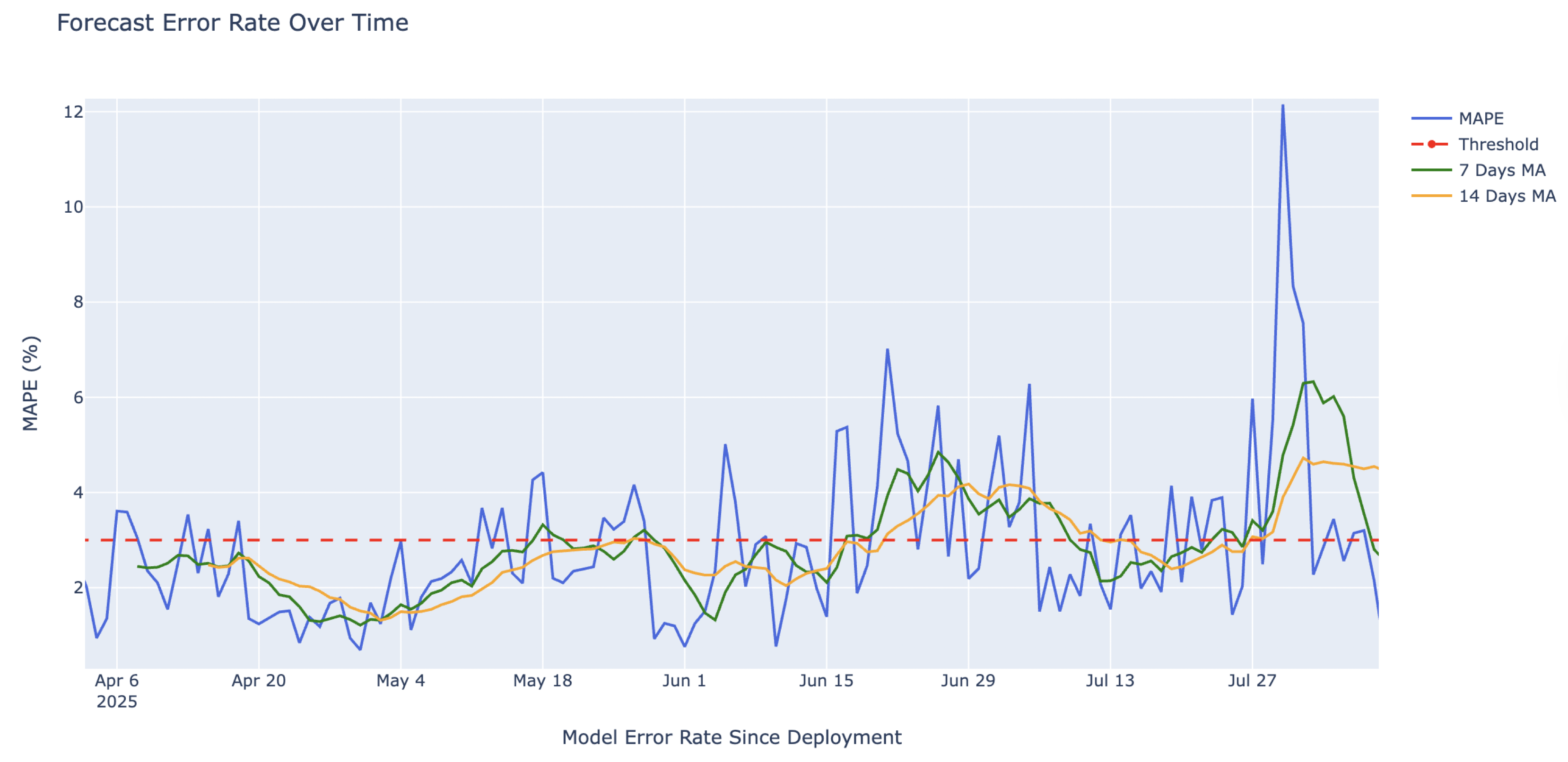
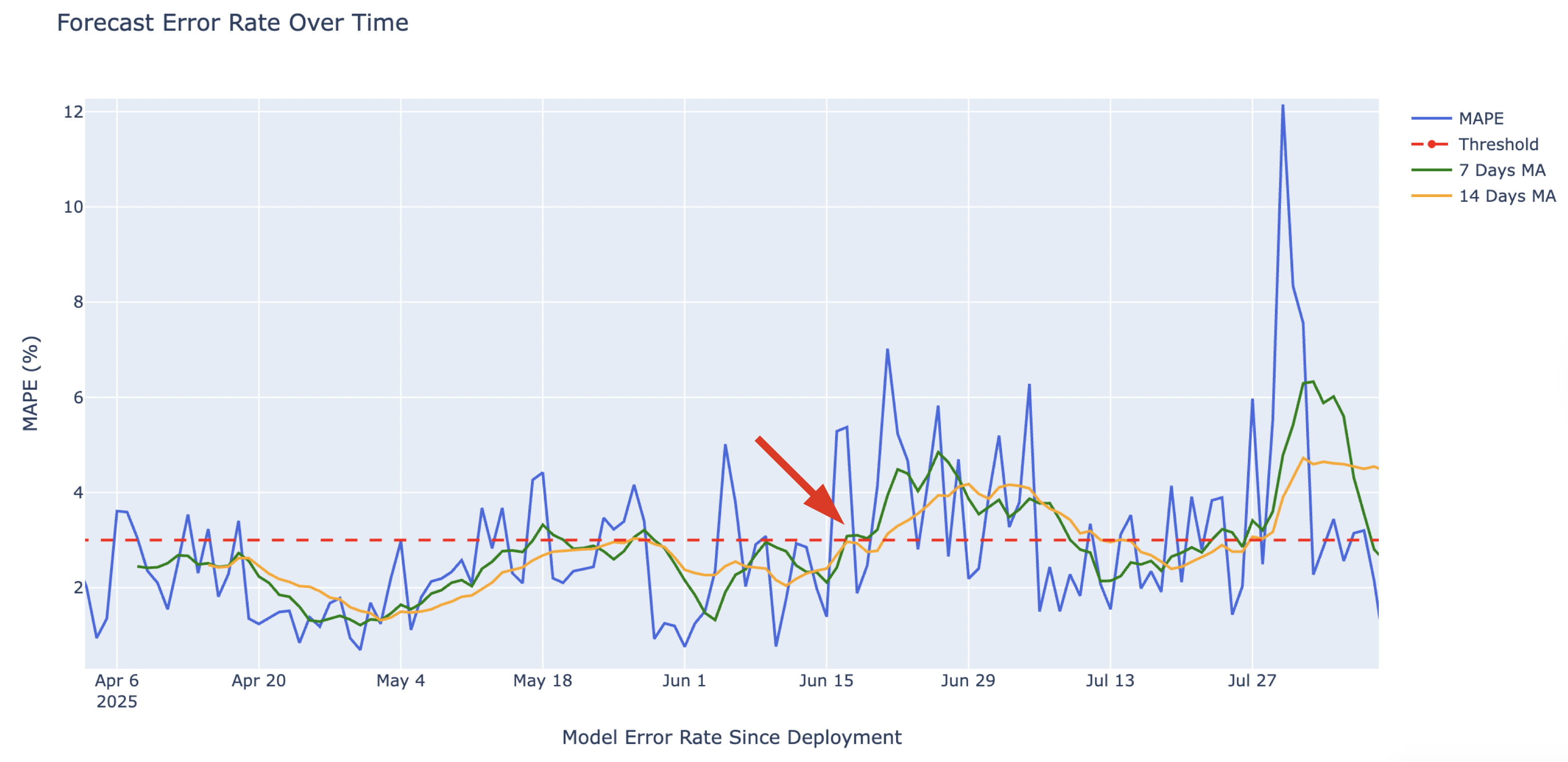
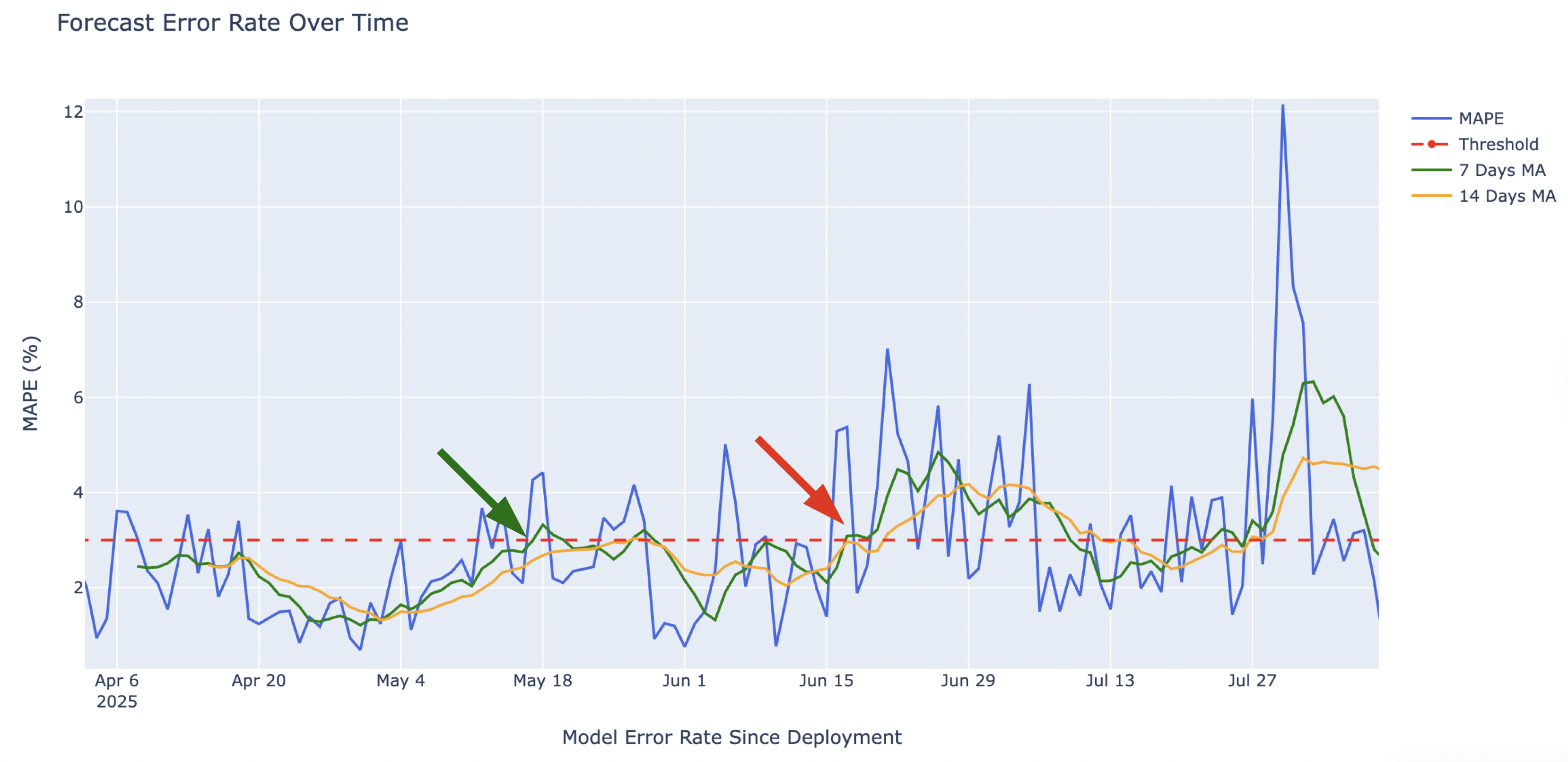
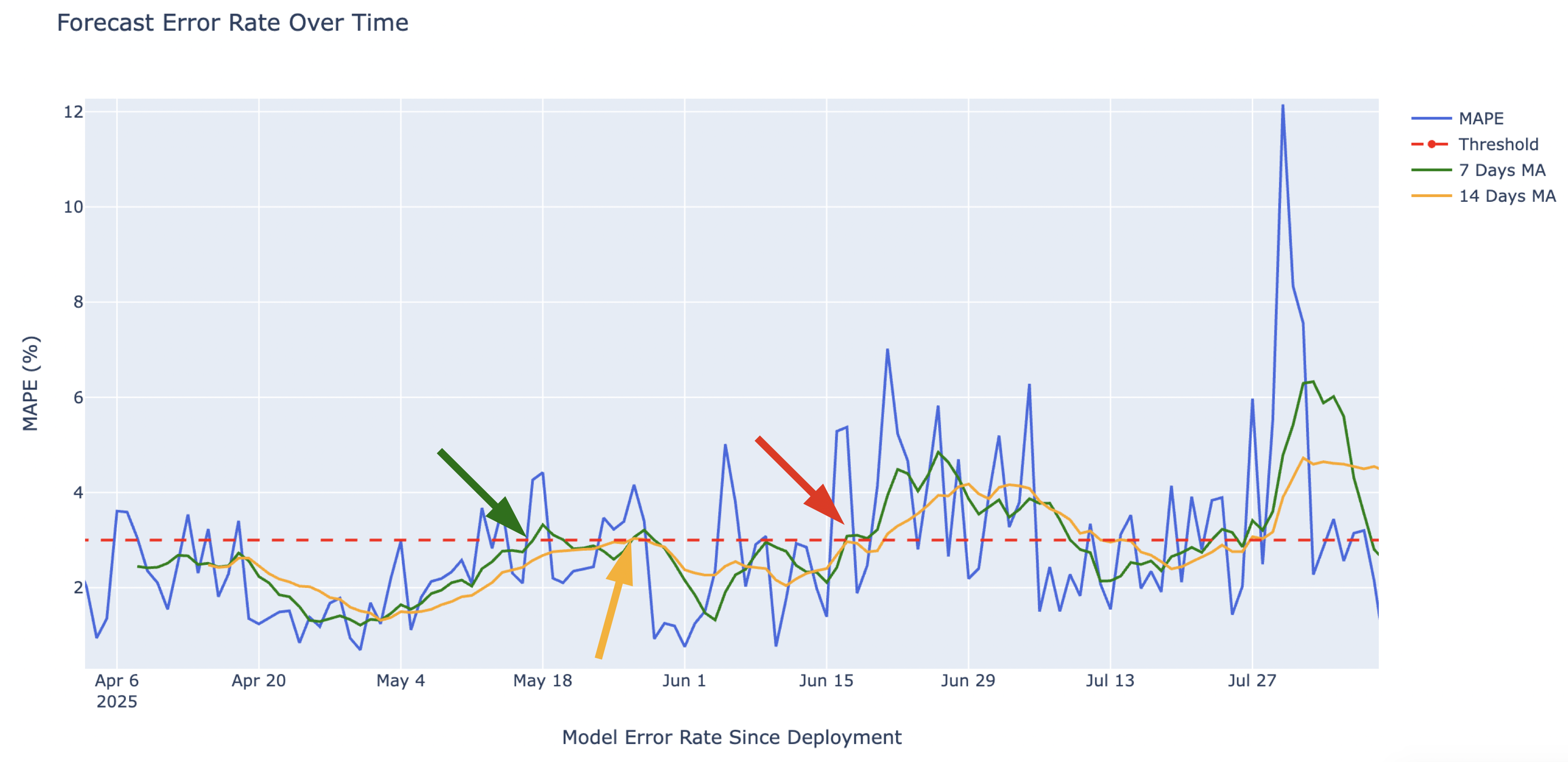
threshold = 3# Setting plotly figure p = go.Figure() # Add the model performance (MAPE) over time p.add_trace(go.Scatter(x = fc_log["forecast_start"], y = 100 * fc_log["mape"], mode="lines", name="MAPE", line=dict(color='royalblue', width=2))) # Setting the plots layout p.update_layout(title = "Tingkat Error Peramalan dari Waktu ke Waktu", xaxis_title="Tingkat Error Model Sejak Deployment", yaxis_title="MAPE (%)")
# Adding the threshold and 7 and 14 rolling windows p.add_shape(type="line", x0=fc_log["forecast_start"].min(), x1=fc_log["forecast_start"].max(), y0=threshold, y1=threshold, line=dict(color="red", width=2, dash = "dash"))p.add_trace(go.Scatter(x = fc_log["forecast_start"], y = 100 * fc_log["mape_ma_7"], mode="lines",name="MA 7 Hari", line=dict(color="green", width=2))) p.add_trace(go.Scatter(x = fc_log["forecast_start"], y = 100 * fc_log["mape_ma_14"], mode="lines",name="MA 14 Hari", line=dict(color="orange", width=2)))p.show()


Merancang Pipeline Peramalan untuk Produksi