Classi e ID CSS

Web scraping in R

Timo Grossenbacher

Instructor

Classi
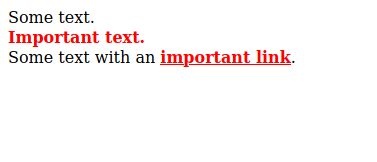
.alert {
  color: red;
  font-weight: 800;
}
...
<div>Del testo.</div>
<div class = 'alert'>Testo importante.</div>  
<div>
  Testo con un
  <a href = '#' class = 'alert'>link importante</a>.
</div>
...

HTML con classi

html %>% html_elements('.alert')
{xml_nodeset (2)}
[1] <div class="alert">Testo importa...
[2] <a href="#" class="alert">link impor...
Web scraping in R

Selezionare più classi insieme

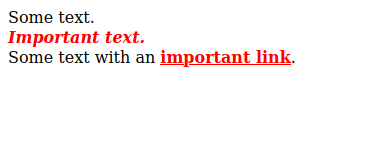
.alert {
  color: red;
  font-weight: 800;
}
.emph {
  font-style: italic;
}
...
<div>Del testo.</div>
<div class = 'alert emph'>Testo importante.</div>  
<div>
  Testo con un
  <a href = '#' class = 'alert'>link importante</a>.
</div>
...

Classi multiple

html %>% 
    html_elements('.alert.emph') # non: .alert, .emph
{xml_nodeset (1)}
[1] <div class="alert emph">Testo importa...
Web scraping in R

ID

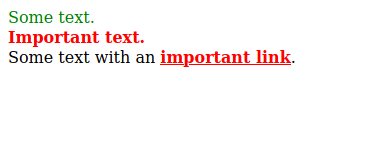
#special {
  color: green;
}
.alert {
  color: red;
  font-weight: 800;
}
...
<div id = 'special'>Del testo.</div>
<div class = 'alert'>Testo importante.</div>  
<div>
  Testo con un
  <a href = '#' class = 'alert'>link importante</a>.
</div>
...

HTML con un ID

html %>% 
  html_elements('#special')
{xml_nodeset (1)}
[1] <div id="special">Del testo.</div>
Web scraping in R

Restringere la selezione con i tipi

#special {
  color: green;
}
.alert {
  color: red;
  font-weight: 800;
}
...
<div id = 'special'>Del testo.</div>
<div class = 'alert'>Testo importante.</div>  
<div>
  Testo con un
  <a href = '#' class = 'alert'>link importante</a>.
</div>
...
html %>% 
  html_elements('a.alert')
{xml_nodeset (1)}
[1] <a href="#" class="alert">importan ...
html %>% 
  html_elements('#special')

è equivalente a...

html %>% 
  html_elements('div#special')
Web scraping in R

Pseudo-classi per selezionare figli specifici
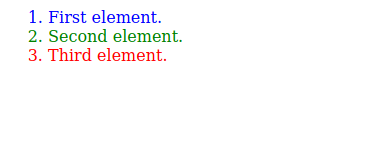
li:first-child { color: blue; }

li:nth-child(2) { color: green; }

li:last-child { color: red; }
...
<ol>
  <li>Primo elemento.</li>
  <li>Secondo elemento.</li>
  <li>Terzo elemento.</li>
</ol>
...

Pseudo-classi CSS

html %>% html_elements('li:last-child') 
    # oppure html_elements('li:nth-child(3)')
{xml_nodeset (1)}
[1] <li>Terzo elemento.</li>
1 https://developer.mozilla.org/en-US/docs/Web/CSS/Pseudo-classes
Web scraping in R

In sintesi...

Tipo selettore HTML Selettore CSS
Tipo <p>...</p> p
Tipi multipli <p>...</p><div>...</div> p, div
Classe <p class = 'x'>...</p> .x
Classi multiple <p class = 'x y'>...</p> .x.y
Tipo + Classe <p class = 'x'>...</p> p.x
ID <p id = 'x'>...</p> #x
Tipo + Pseudo-classe <p>...</p><p>...</p> p:first-child
Web scraping in R

Vamos praticar!

Web scraping in R

Preparing Video For Download...