Complessità del modello e overfitting

Progettare workflow di Machine Learning in Python

Dr. Chris Anagnostopoulos

Honorary Associate Professor

Cos’è la complessità del modello?

RandomForestClassifier() accetta altri argomenti, come max_depth:

help(RandomForestClassifier)
Help on class RandomForestClassifier in module sklearn.ensemble.forest:
...
 |  max_depth : integer or None, optional (default=None)
 |      The maximum depth of the tree. If None, then nodes are expanded until
 |      all leaves are pure or until all leaves contain less than
 |      min_samples_split samples.
Progettare workflow di Machine Learning in Python
m2 = RandomForestClassifier(
    max_depth=2)
m2.fit(X_train, y_train)

m2.estimators_[0]

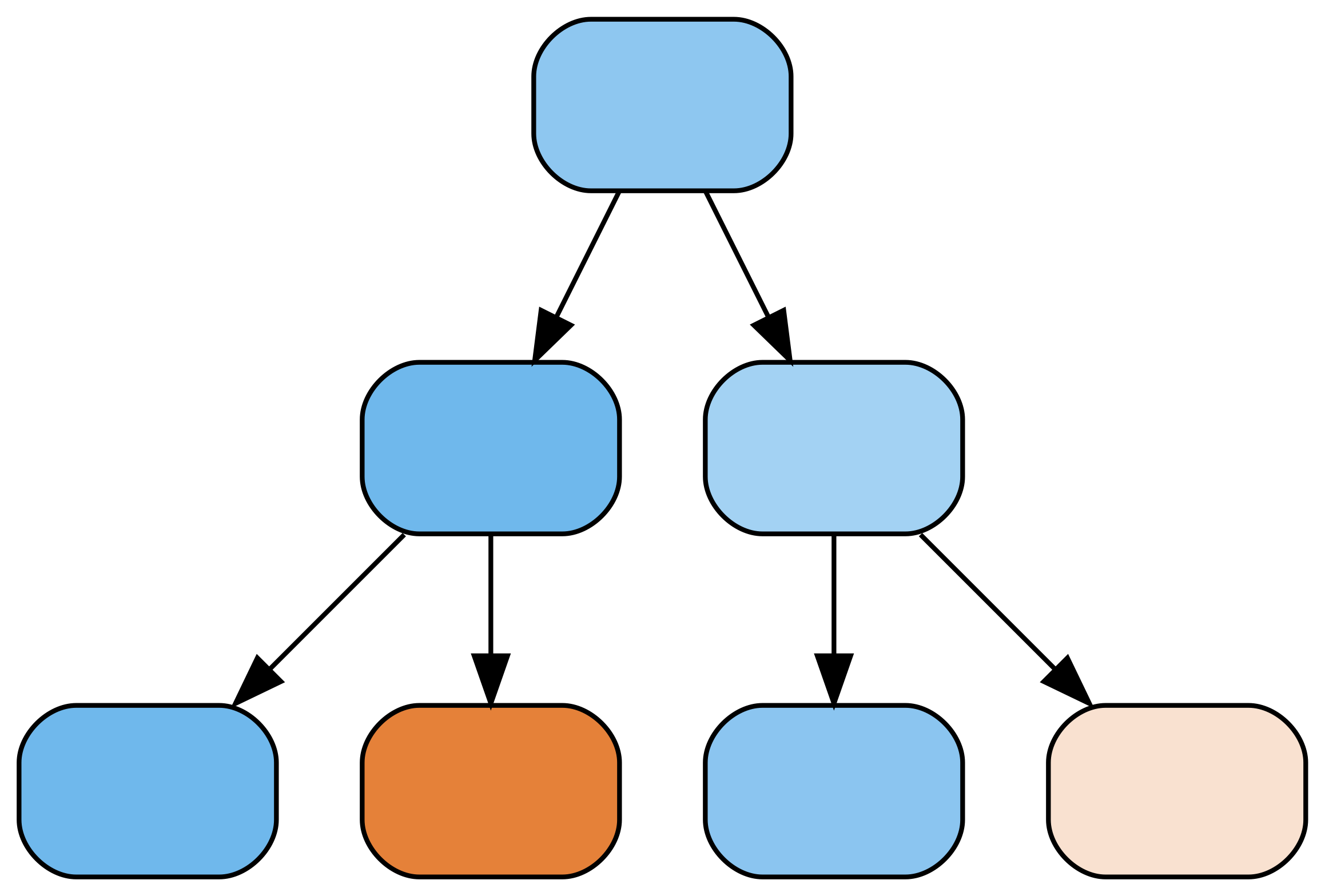
Un albero decisionale con profondità 2.

m4 = RandomForestClassifier(
    max_depth=4)
m4.fit(X_train, y_train)

m4.estimators_[0]

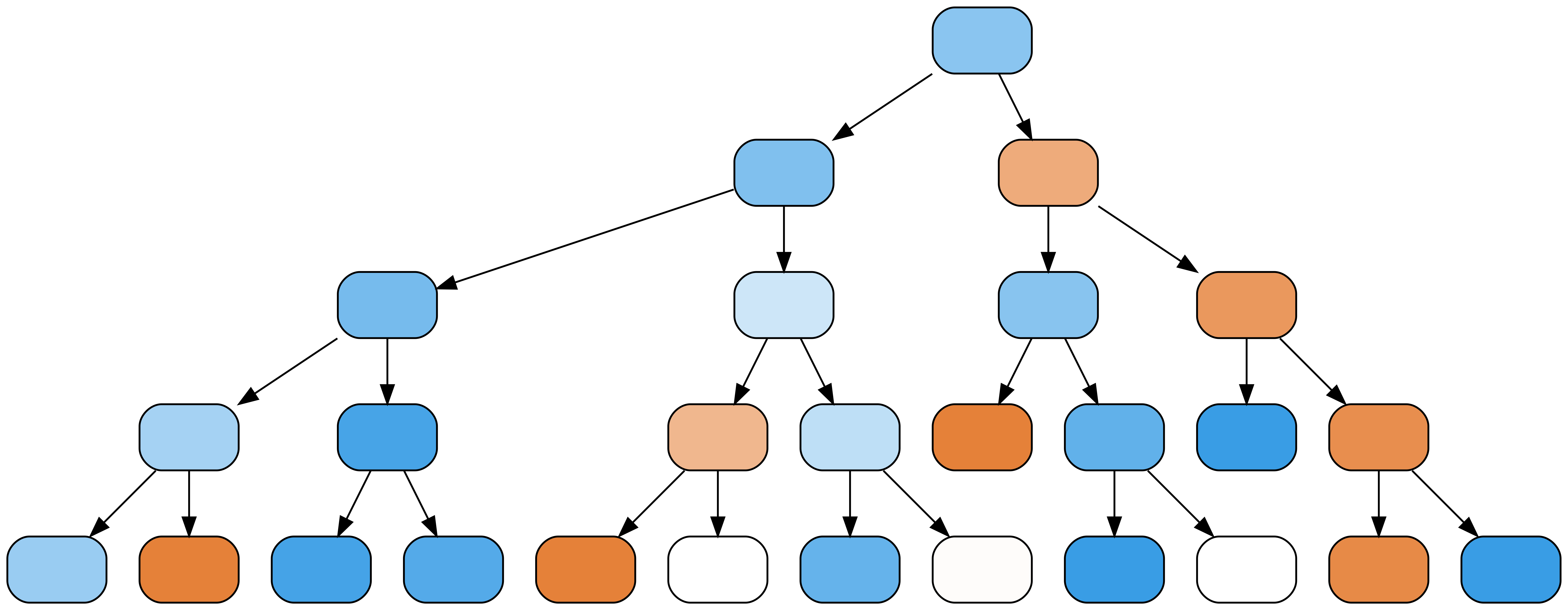
Un albero decisionale con profondità 4.

Progettare workflow di Machine Learning in Python

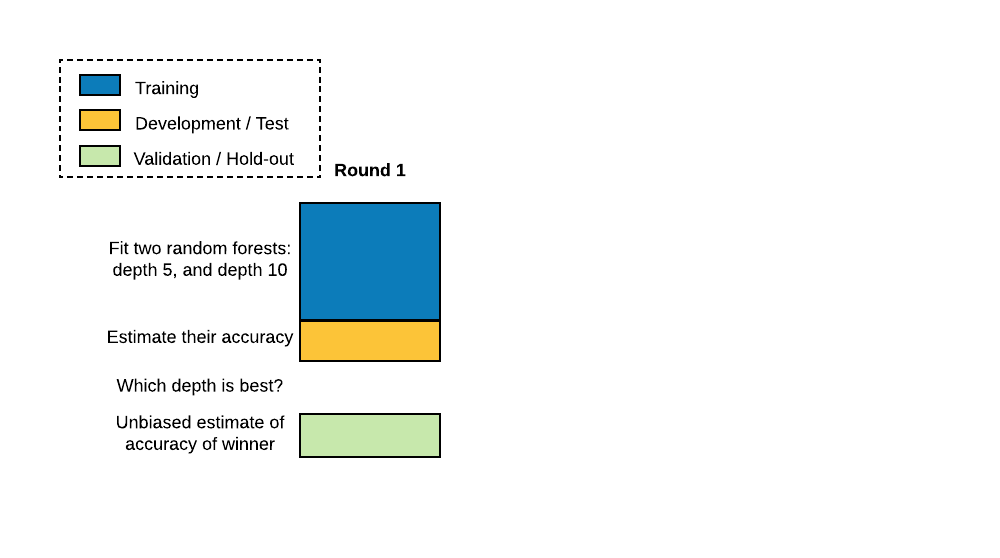
La prassi standard è dividere i dati in training, test (o development) e validation (o hold-out).

Progettare workflow di Machine Learning in Python

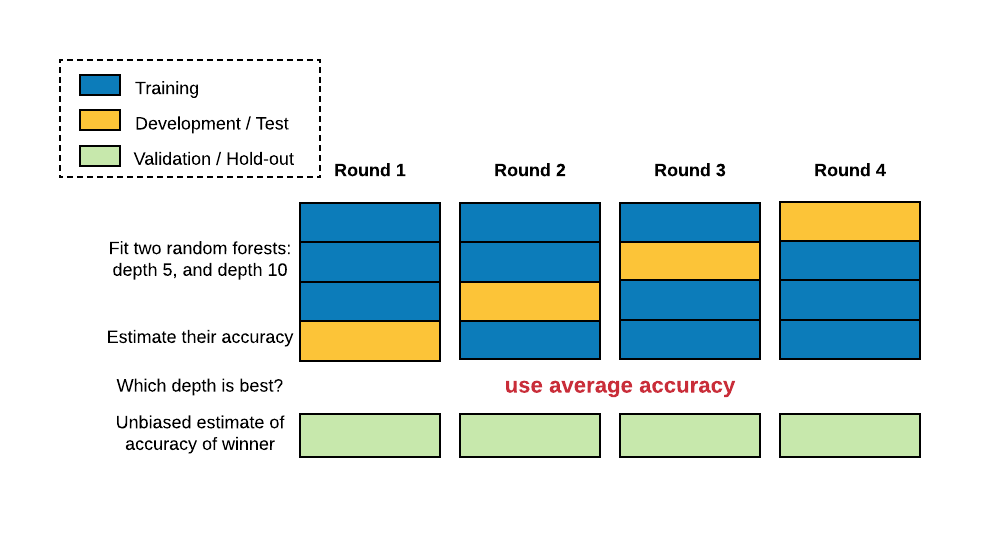
Nella cross-validation il train-test split si ripete più volte. Il dataset è diviso in N blocchi; ogni volta si usa un diverso N-1 per il training e il rimanente per il test.

Progettare workflow di Machine Learning in Python

Cross-validation

Valuta l’accuratezza con cross_val_score():

from sklearn.model_selection import cross_val_score

cross_val_score(RandomForestClassifier(), X, y)
array([0.7218 , 0.7682, 0.7866])
numpy.mean(cross_val_score(RandomForestClassifier(), X, y))
0.7589
Progettare workflow di Machine Learning in Python

Ottimizzare la complessità

Ottimizza la profondità con GridSearchCV():

from sklearn.model_selection import GridSearchCV
param_grid = {'max_depth':[5,10,20]}
grid = GridSearchCV(RandomForestClassifier(), param_grid)
grid.fit(X,y)
grid._best_params
{'max_depth': 10}
Progettare workflow di Machine Learning in Python

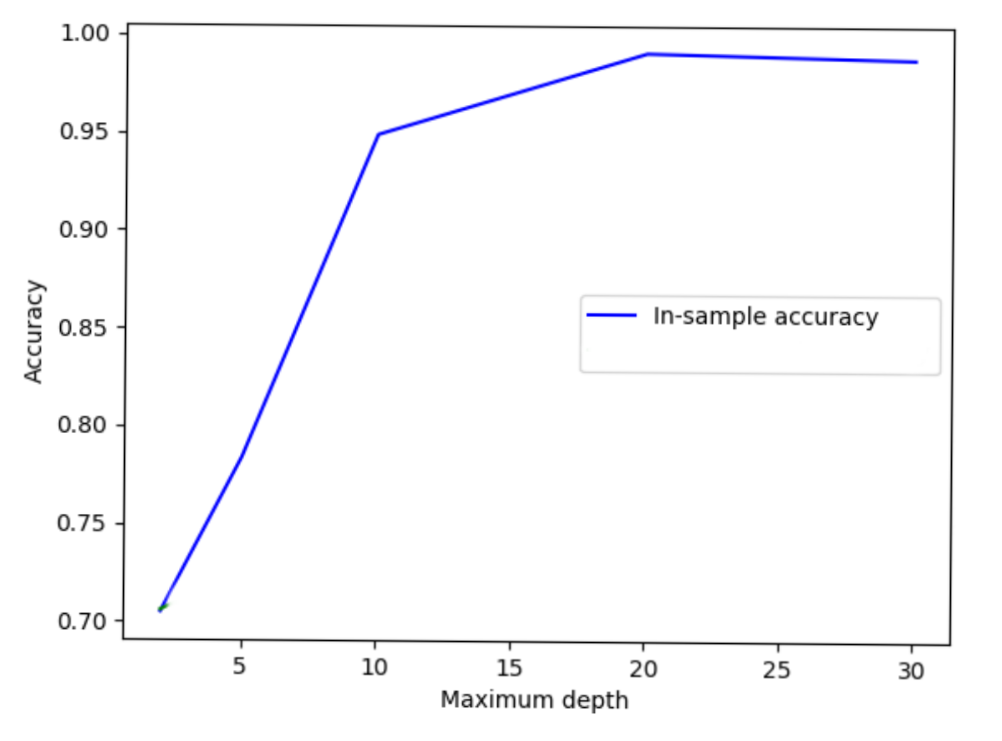
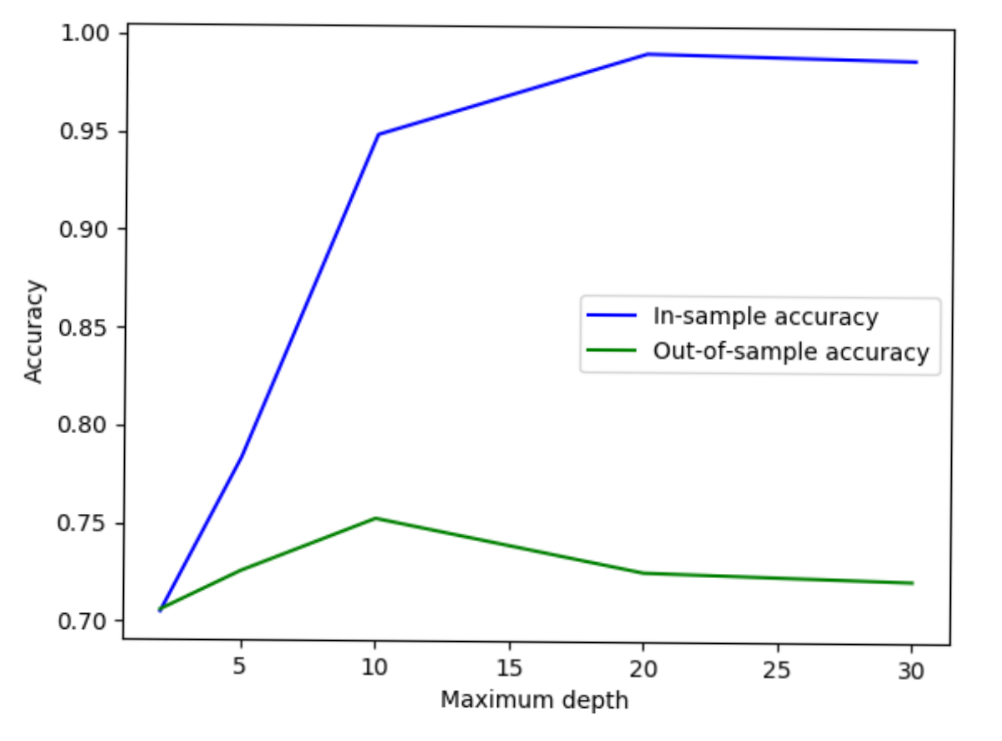
L’accuratezza in-sample parte da 0,7 con profondità massima 3 e sale quasi a 1,0 tra 5 e 30.

Progettare workflow di Machine Learning in Python

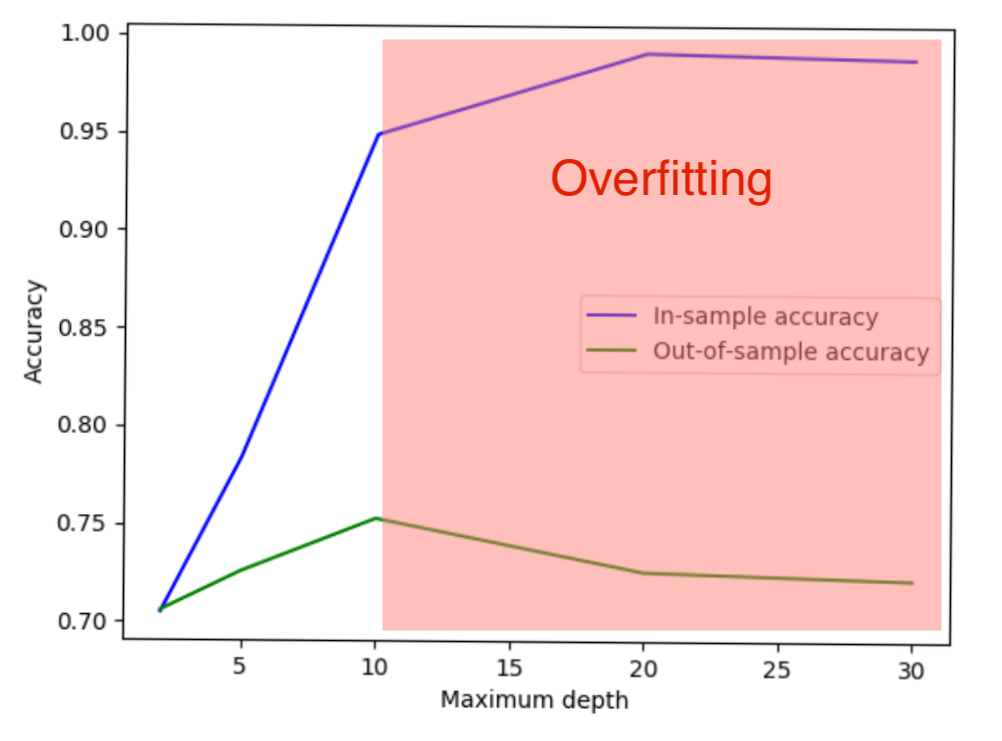
L’accuratezza out-of-sample parte da 0,7, arriva a 0,75 con profondità 10 e poi torna a 0,7 per profondità maggiori.

Progettare workflow di Machine Learning in Python

L’intervallo da profondità 10 in poi è in rosso, indicando overfitting.

Progettare workflow di Machine Learning in Python

Più complesso non è sempre meglio!

Progettare workflow di Machine Learning in Python

Preparing Video For Download...