Conversazioni multi-turno con DeepSeek

Lavorare con DeepSeek in Python

James Chapman

AI Curriculum Lead, DataCamp

Messaggi dell'assistente

response = client.chat.completions.create(
  model="deepseek-ai/DeepSeek-V4.1-Flash",
  messages=[{"role": "system",
             "content": "You are a Python programming tutor who responds using concise,
                         one-sentence explanations."},

{"role": "user", "content": "How do you define a Python list?"},
{"role": "assistant", "content": "Lists are defined by enclosing a comma-separated sequence of objects inside square brackets [ ]."},
{"role": "user", "content": "What is the difference between mutable and immutable objects?"}] )
Lavorare con DeepSeek in Python

Costruire una conversazione

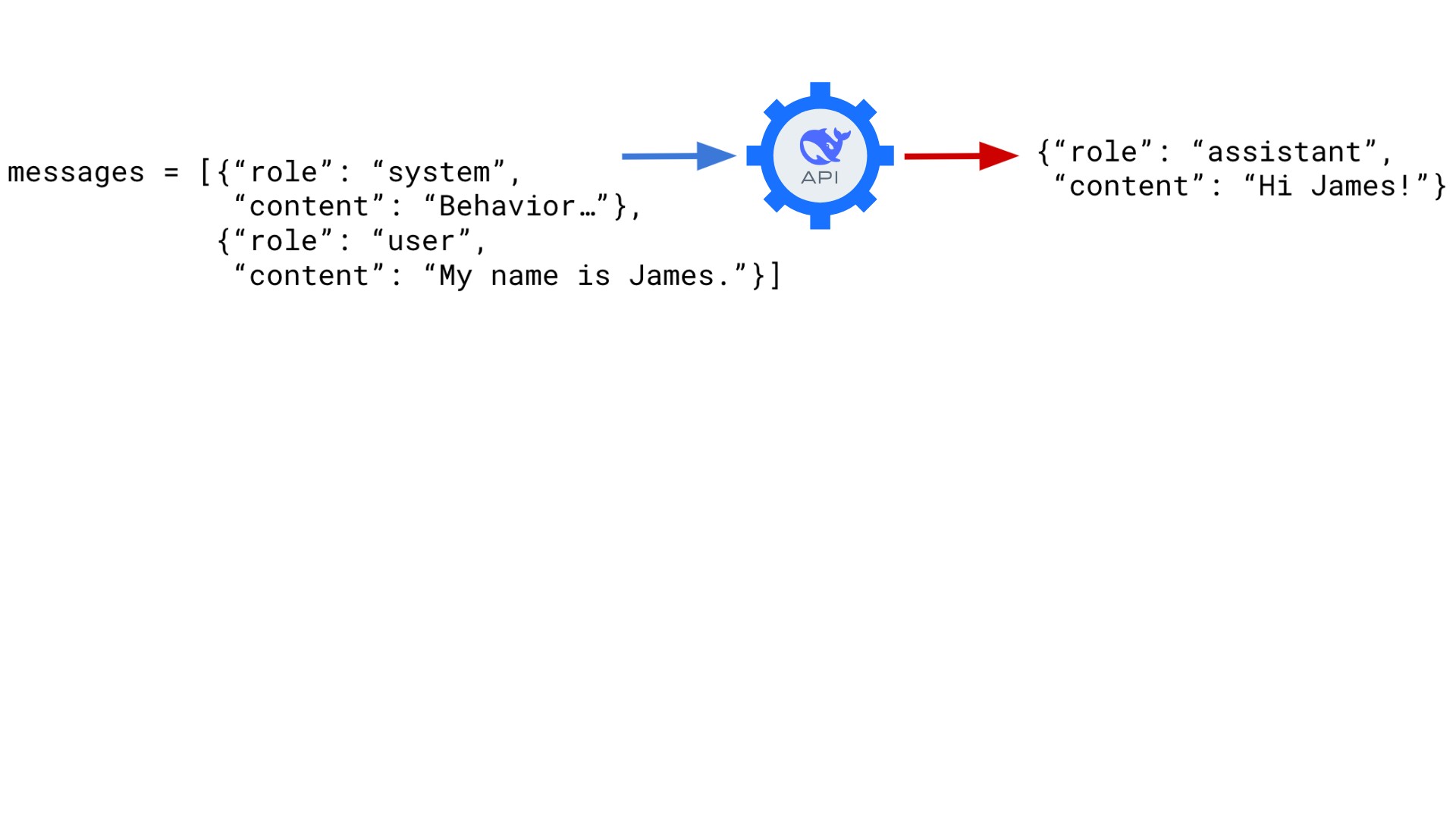
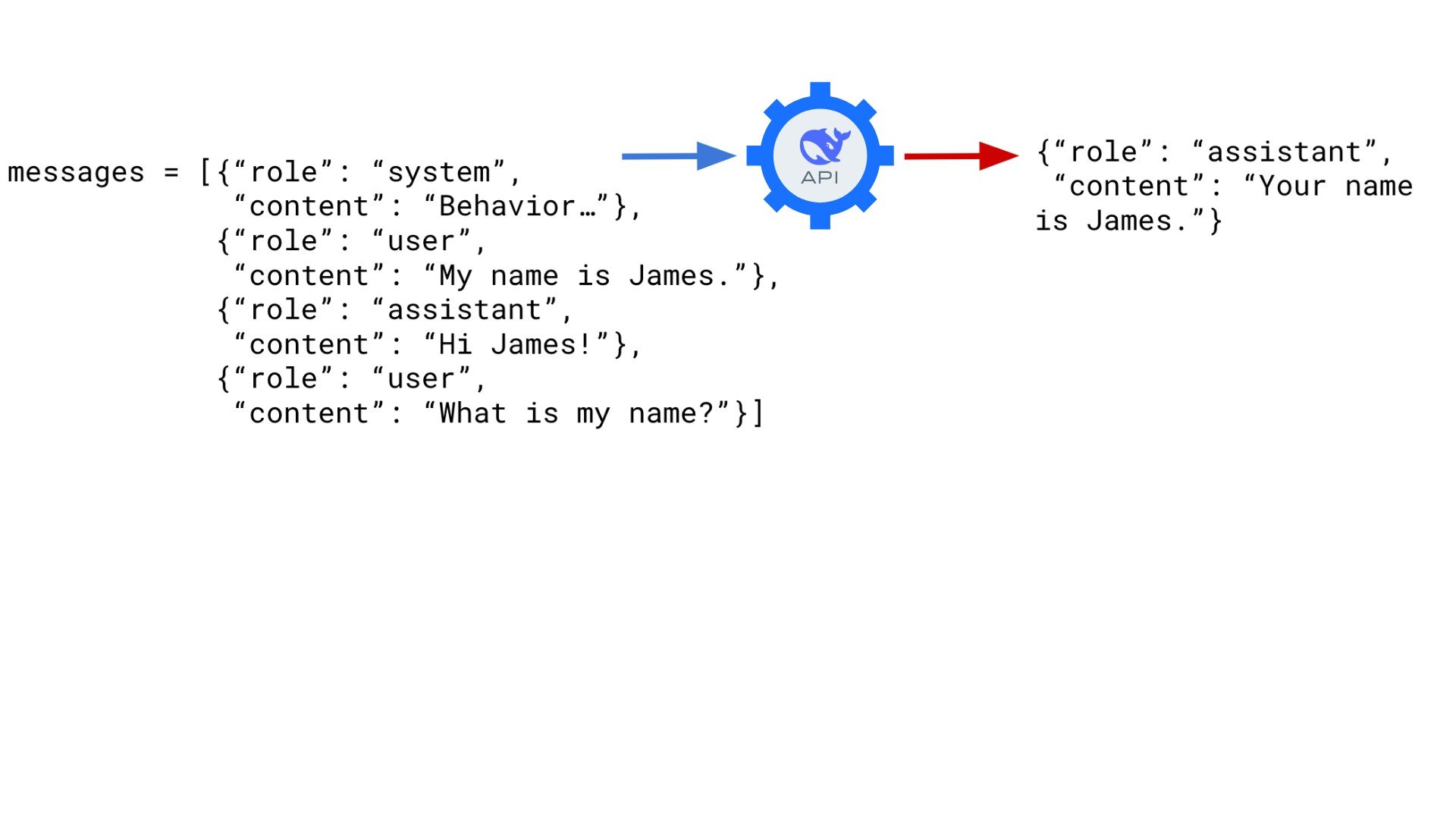
Invio di una richiesta utente che dice all'assistente che mi chiamo James. L'assistente risponde con "Ciao James!"

Lavorare con DeepSeek in Python

Costruire una conversazione

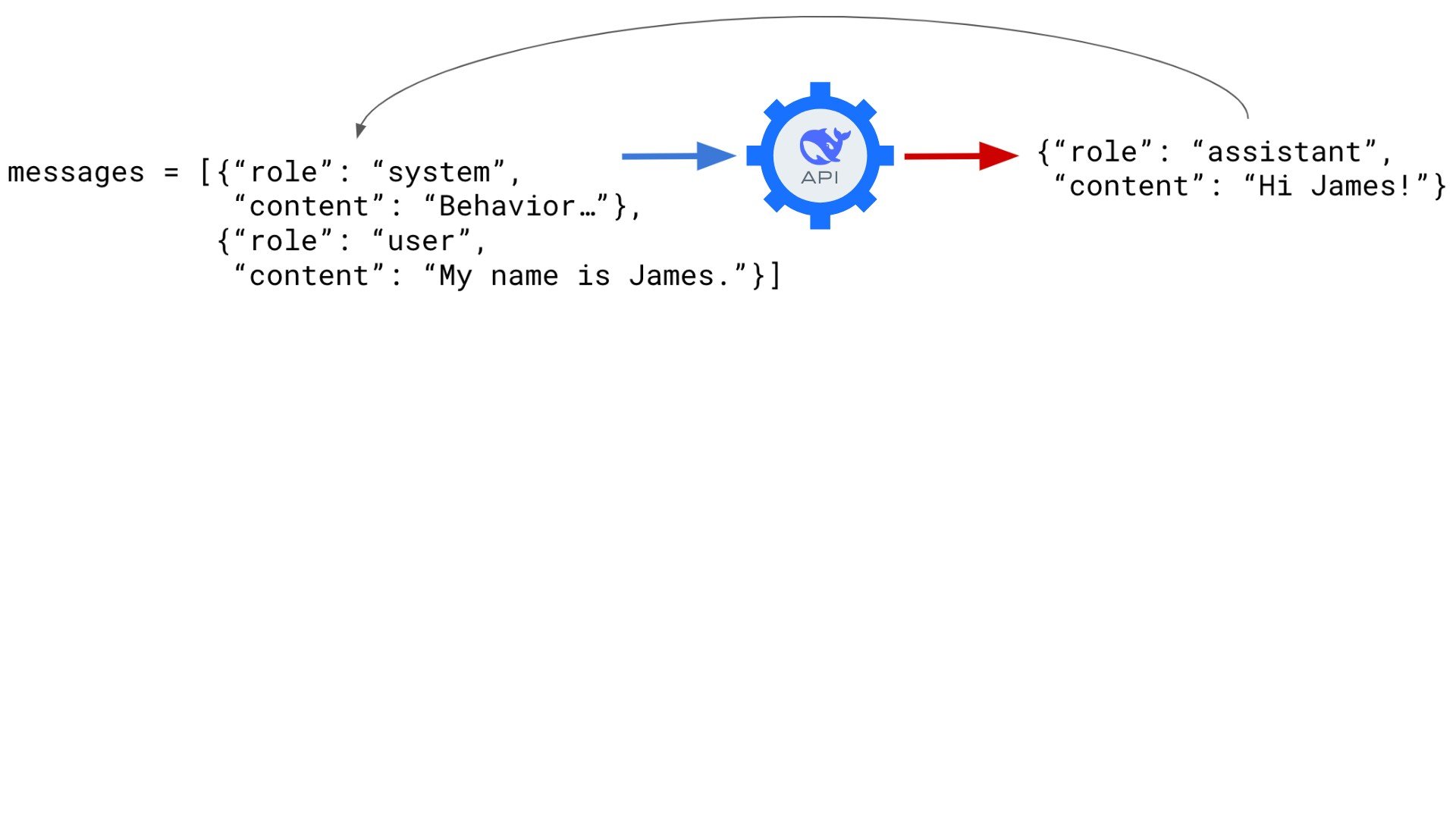
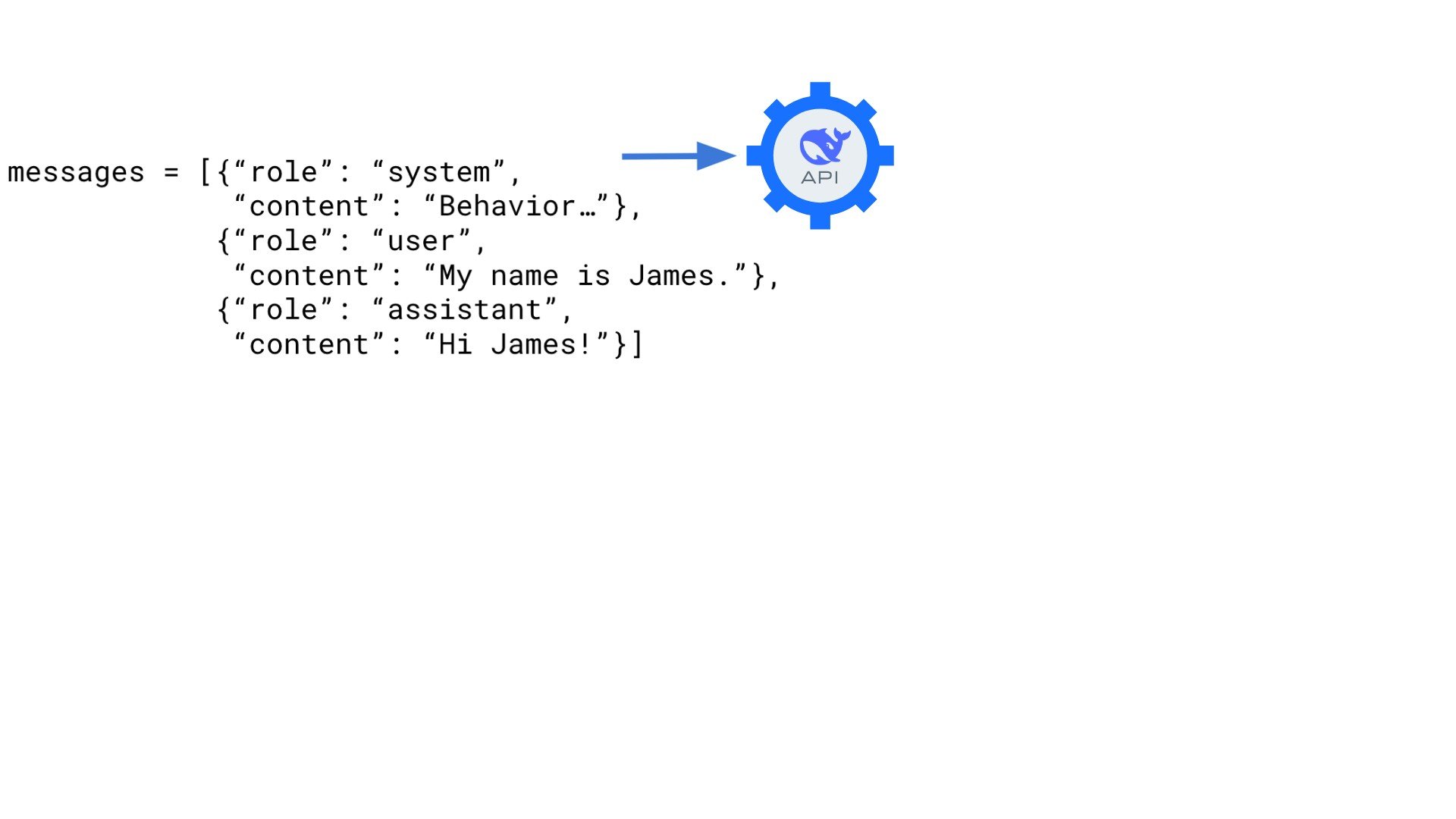
La risposta "Ciao James!" dell'assistente viene spostata nell'elenco messages di dizionari.

Lavorare con DeepSeek in Python

Costruire una conversazione

La risposta "Ciao James!" dell'assistente viene spostata nell'elenco messages di dizionari.

Lavorare con DeepSeek in Python

Costruire una conversazione

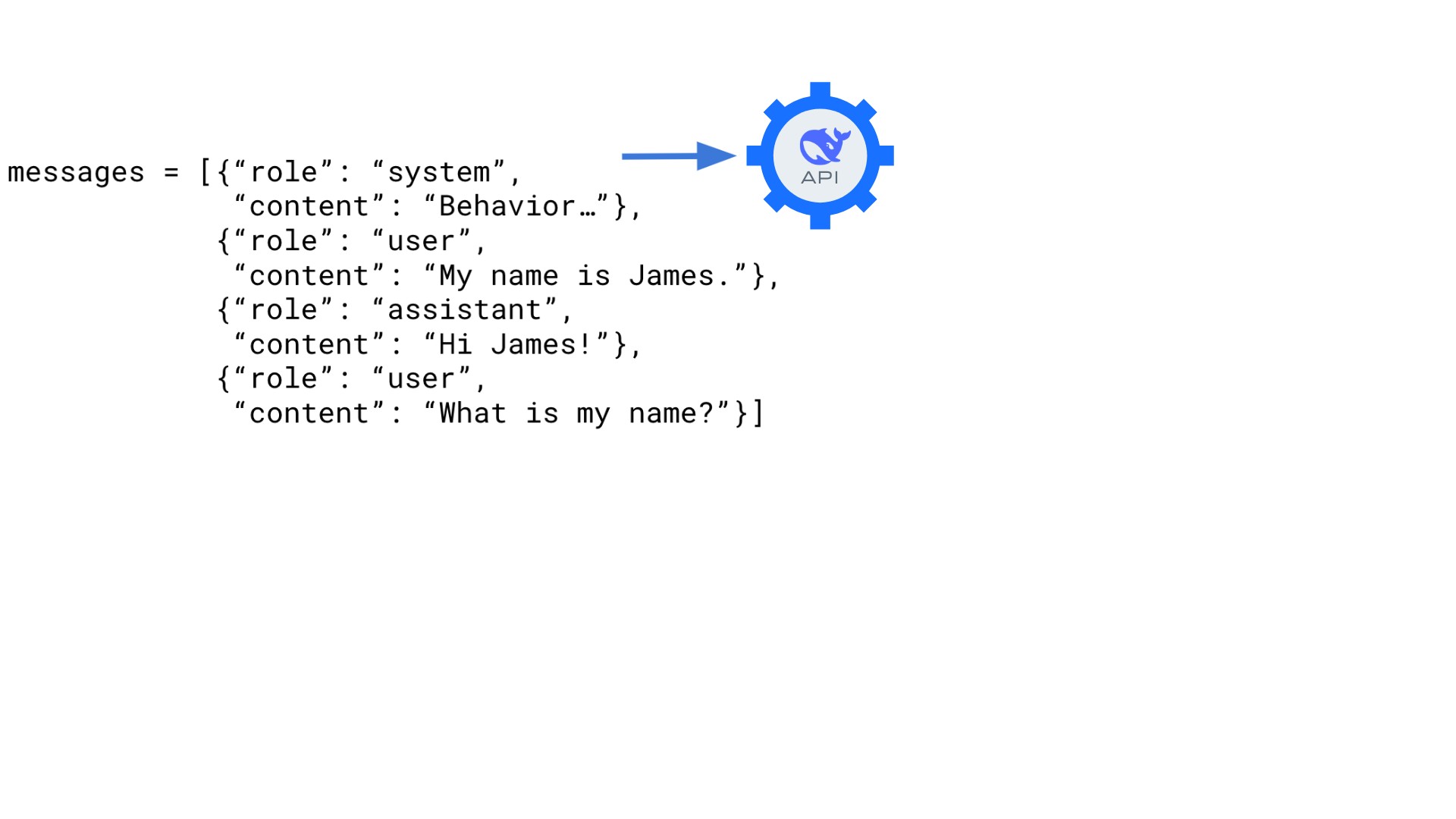
Una risposta dell'utente viene aggiunta alla fine dell'elenco messages di dizionari chiedendo "Come mi chiamo?"

Lavorare con DeepSeek in Python

Costruire una conversazione

L'assistente risponde con "Ti chiami James."

Lavorare con DeepSeek in Python
messages = [{"role": "system",
             "content": "You are a Python programming tutor who responds using concise,
                         one-sentence explanations."}]


user_qs = ["Why is Python so popular?", "Summarize this in one sentence."]
for q in user_qs:
print("User: ", q)
user_dict = {"role": "user", "content": q}
messages.append(user_dict)
response = client.chat.completions.create( model="deepseek-ai/DeepSeek-V4.1-Flash", messages=messages )
assistant_dict = {"role": "assistant", "content": response.choices[0].message.content} messages.append(assistant_dict)
print("Assistant: ", response.choices[0].message.content, "\n")
Lavorare con DeepSeek in Python

Conversare con un'IA

User:  Why is Python so popular?
Assistant:  Python is popular because it's easy to learn, has a simple syntax, and
offers powerful libraries for various applications like web development, data
science, and automation. 

User:  Summarize this in one sentence.
Assistant:  Python's simplicity, versatility, and extensive libraries make it
widely popular.
Lavorare con DeepSeek in Python

Esercitiamoci!

Lavorare con DeepSeek in Python

Preparing Video For Download...