Phân tích nhanh với Direct Lake
Giới thiệu về Microsoft Fabric

Alex Kuntz
Technical Instructional Designer
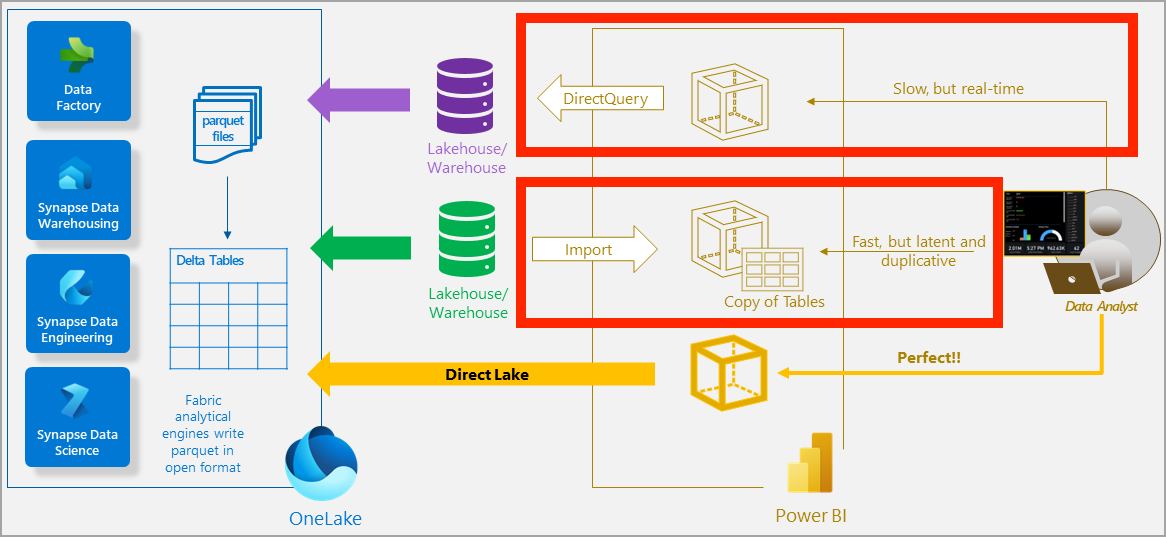
Phương thức tải dữ liệu trước đây (Phần 1)
Phương thức tải dữ liệu trước đây (Phần 2)
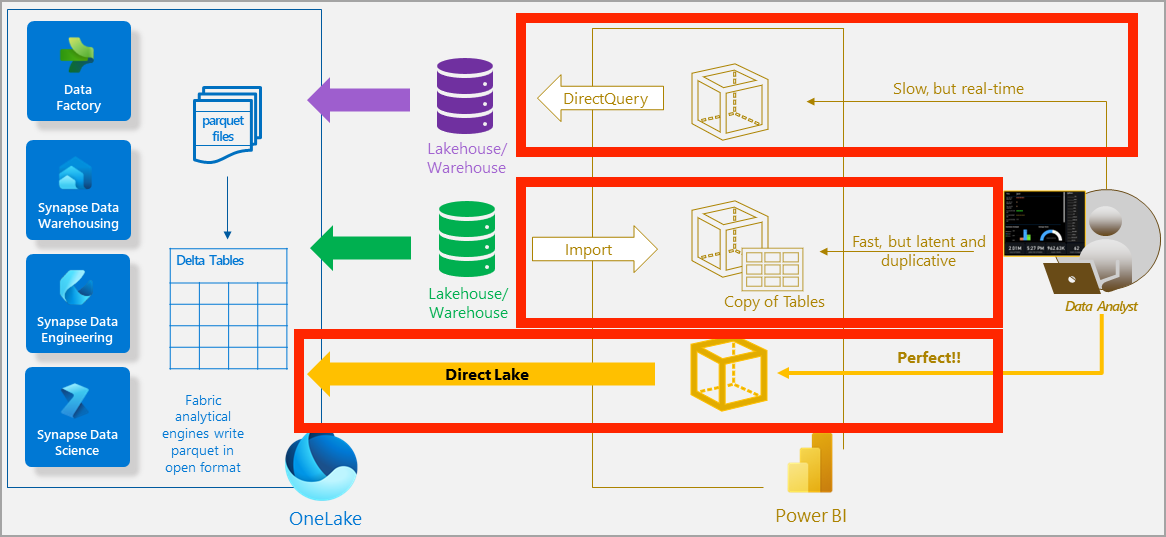
Chế độ Direct Lake
- Nhanh và luôn cập nhật
- Dựa trên lưu trữ file parquet của OneLake
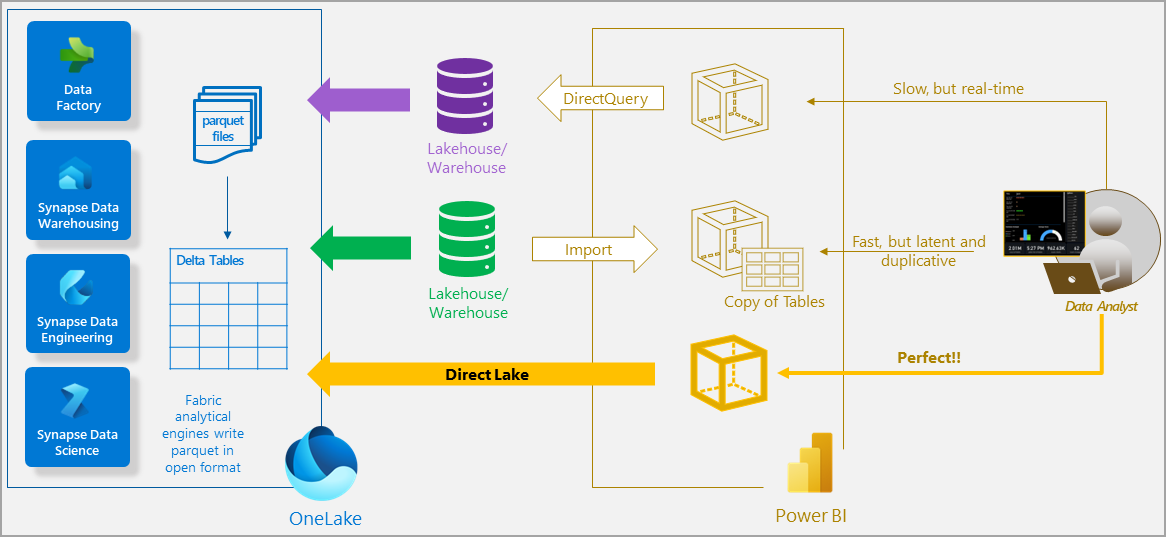
1 https://learn.microsoft.com/en-us/fabric/get-started/direct-lake-overview
Chế độ Direct Lake
- Nhanh và luôn cập nhật
- Dựa trên lưu trữ file parquet của OneLake
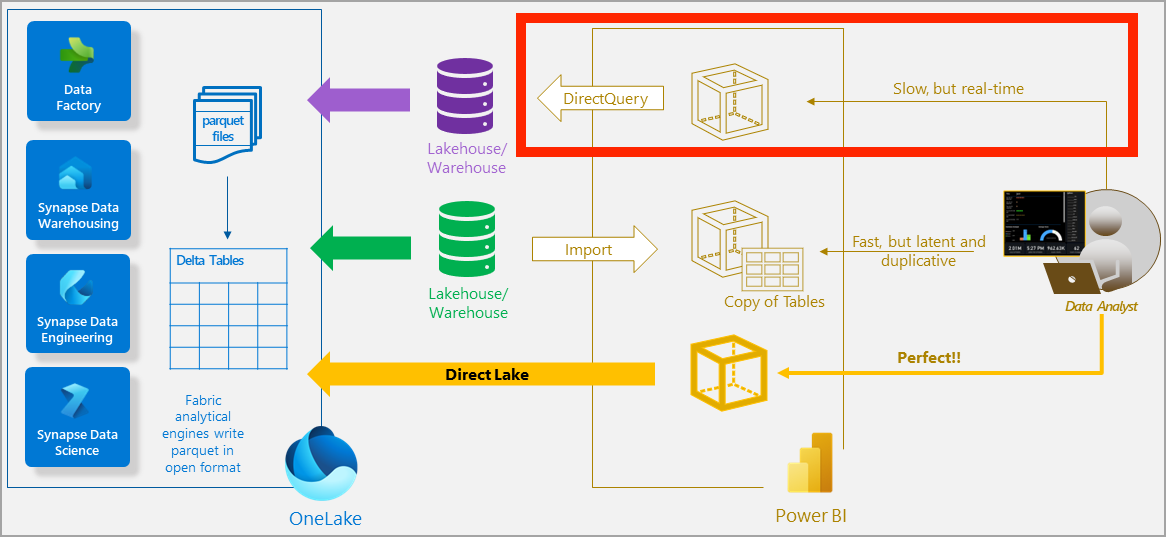
1 https://learn.microsoft.com/en-us/fabric/get-started/direct-lake-overview
Chế độ Direct Lake
- Nhanh và luôn cập nhật
- Dựa trên lưu trữ file parquet của OneLake
1 https://learn.microsoft.com/en-us/fabric/get-started/direct-lake-overview
Chế độ Direct Lake
- Nhanh và luôn cập nhật
- Dựa trên lưu trữ file parquet của OneLake
1 https://learn.microsoft.com/en-us/fabric/get-started/direct-lake-overview

