Nhập môn Quản lý Phiên bản Dữ liệu với DVC
Ravi Bhadauria
Machine Learning Engineer
.dvc của workspace$ dvc cache dir ~/mycache

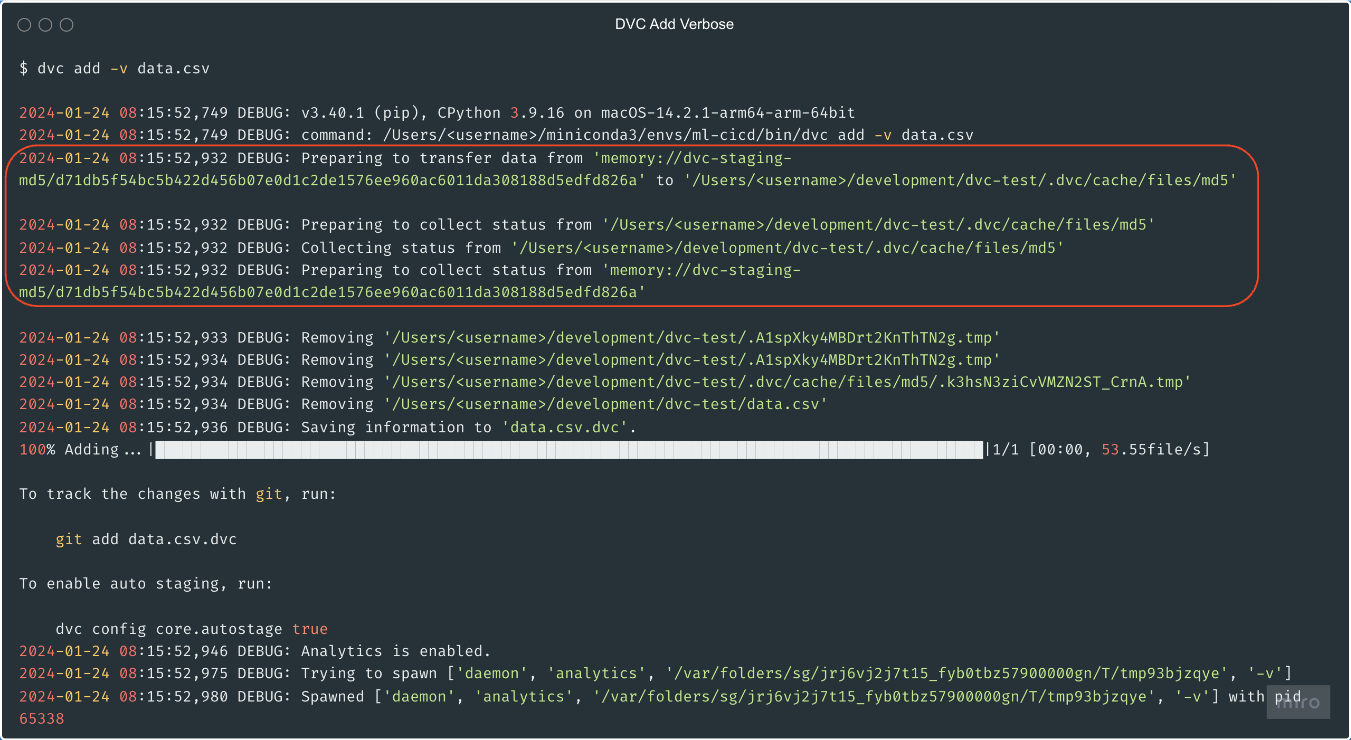
$ dvc add data.csv
100% Adding...|====================|1/1 [00:00, 53.55file/s]
To track the changes with git, run:
git add data.csv.dvc
To enable auto staging, run:
dvc config core.autostage true
Mỗi tệp được DVC theo dõi có tệp .dvc tương ứng
data.csv -> data.csv.dvcĐể tạo phiên bản cho tệp dữ liệu, dùng git commit -m "data.csv.dvc"
Nội dung tệp .dvc
outs:- md5: f38a850818377e97155d22755caa39d0size: 16hash: md5path: data.csv
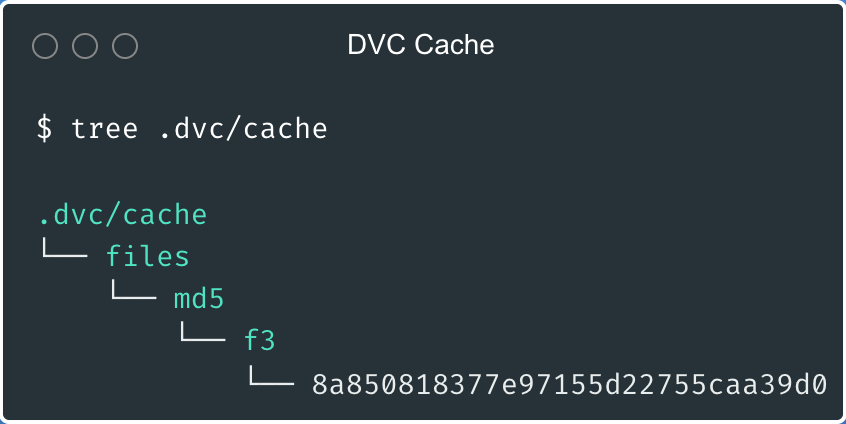
$ find .dvc/cache -type f
.dvc/cache/f3/8a850818377e97155d22755caa39d0
$ md5 data.csv
MD5 (data.csv) = f38a850818377e97155d22755caa39d0
dvc add -v để xem log chi tiết
dvc remove$ dvc remove data.csv.dvc
dvc gc-w để xóa cache của workspace$ dvc gc -w
WARNING: This will remove all cache except items used in the workspace of the current repo.
Are you sure you want to proceed? [y/n]: y
Removed 1 objects from repo cache.
dvc cache dir ~/mycachedvc add data.csv.dvc chứa siêu dữ liệudvc remove data.csv.dvcdvc gc -wNhập môn Quản lý Phiên bản Dữ liệu với DVC