Các loại input

Xây dựng Dashboard với shinydashboard

Png Kee Seng

Researcher

Hàm input

  • Trong UI, người dùng có thể cung cấp input
    • Giống như chỉ dẫn cho bồi bàn
  • Trong shinyApp, chỉ dẫn được truyền qua server
  • Bằng cách thêm hàm input vào UI
  • <type>input(<identifying label>, <displayed label>, ...)
    • Đối số đầu là nhãn định danh
    • Đối số thứ hai là nhãn hiển thị
    • Các đối số khác tùy theo loại input
Xây dựng Dashboard với shinydashboard

Ví dụ: nghiên cứu giấc ngủ

  • Giả sử ta thực hiện một nghiên cứu về giấc ngủ và thu thập dữ liệu
  • Người dùng shinyApp có thể cung cấp những input nào?

Đồ họa về nghiên cứu giấc ngủ

1 Hình ảnh bởi storyset trên Freepik
Xây dựng Dashboard với shinydashboard

selectInput

  • selectInput() là input phổ biến
  • Tạo menu thả xuống với nhiều tùy chọn
  • Đối số thứ ba là vector các tùy chọn
  • Ở đây có bốn tùy chọn
  • Tạm để rỗng server
  • Chạy shinyApp() để render app
ui <- fluidPage(
  titlePanel("Sleeping habits in America"), 
    selectInput("selectlabel", 
                "Select an option",

choices = c("Option 1", "Option 2", "Option 3", "Option 4"))
server <- function(input, output, session) {
}
shinyApp(ui, server)
Xây dựng Dashboard với shinydashboard

selectInput

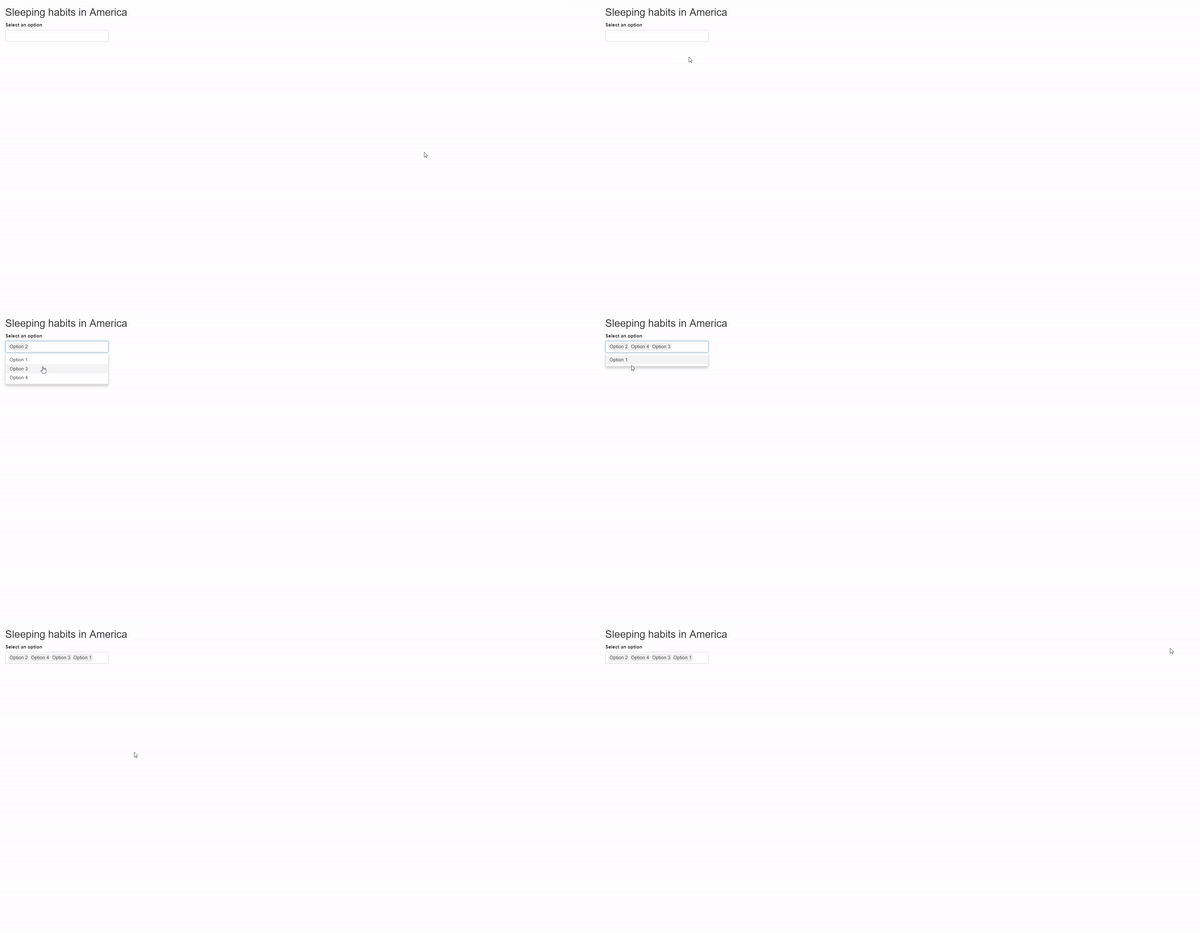
selectInput với một lựa chọn.

Xây dựng Dashboard với shinydashboard

selectInput với nhiều lựa chọn

  • Ta có thể thêm đối số multiple
    ui <- fluidPage(
    titlePanel("Sleeping habits in America"), 
      selectInput("selectlabel", 
                  "Select an option",
                  choices = c("Option 1", "Option 2", "Option 3", "Option 4"),
                  multiple = TRUE))
    server <- function(input, output, session) {
    }
    shinyApp(ui, server)
    
Xây dựng Dashboard với shinydashboard

selectInput với nhiều lựa chọn

selectInput với nhiều lựa chọn

Xây dựng Dashboard với shinydashboard

textInput

  • Có hai đối số quan trọng khác
    • value: giá trị điền sẵn trong ô văn bản
    • placeholder: gợi ý nội dung nên nhập
ui <- fluidPage(
  titlePanel("Sleeping habits in America"), 
  textInput("textlabel", 
            "Tell me your name", 

value = "Birdie",
placeholder = "Don"))
server <- function(input, output, session) {
}
shinyApp(ui, server)
Xây dựng Dashboard với shinydashboard

textInput

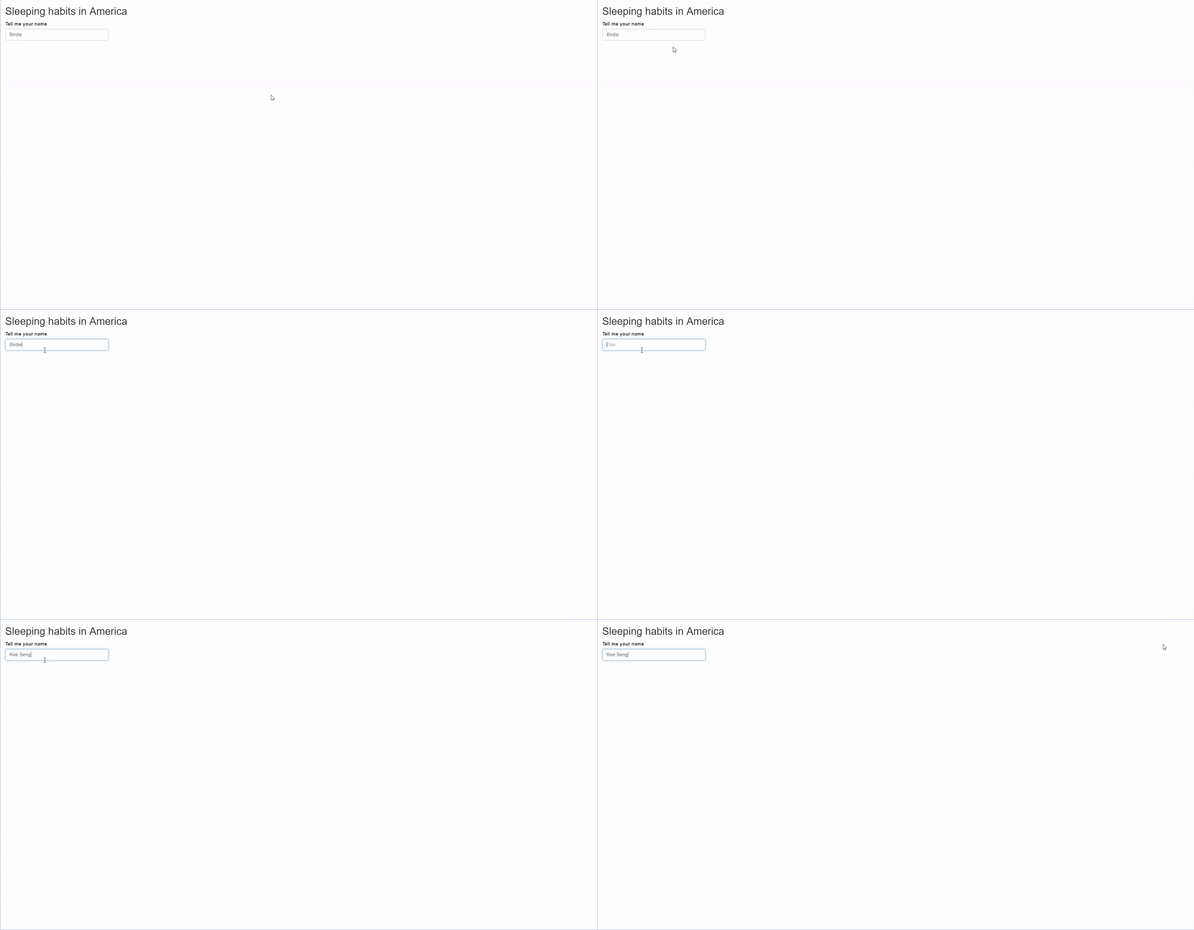
demo textInput

Xây dựng Dashboard với shinydashboard

checkboxInput

  • Tạo một ô checkbox đơn trong app
  • value: TRUE hoặc FALSE, đặt trạng thái ban đầu
  • Có biến thể checkboxInputcheckboxGroupInput
ui <- fluidPage(
  titlePanel("Sleeping habits in America"), 
  checkboxInput("checkboxlabel",
                "65 years and over",

value = FALSE))
server <- function(input, output, session) { } shinyApp(ui, server)
Xây dựng Dashboard với shinydashboard

checkboxInput

demo checkboxInput

Xây dựng Dashboard với shinydashboard

sliderInput

  • Tạo thanh trượt cho hai mục đích
    • Chọn một giá trị số trong một khoảng
    • Chọn hai giá trị số trong một khoảng
  • Để chọn một giá trị, đặt minmax
  • Giá trị ban đầu do value quyết định
  • Bước nhảy do step quyết định
ui <- fluidPage(
  titlePanel("Sleeping habits in America"), 
  sliderInput("sliderlabel",
              "Average hours of sleep",

min = 7.5, max = 11,
value = 9,
step = 0.02))
server <- function(input, output, session) { } shinyApp(ui, server)
Xây dựng Dashboard với shinydashboard

sliderInput

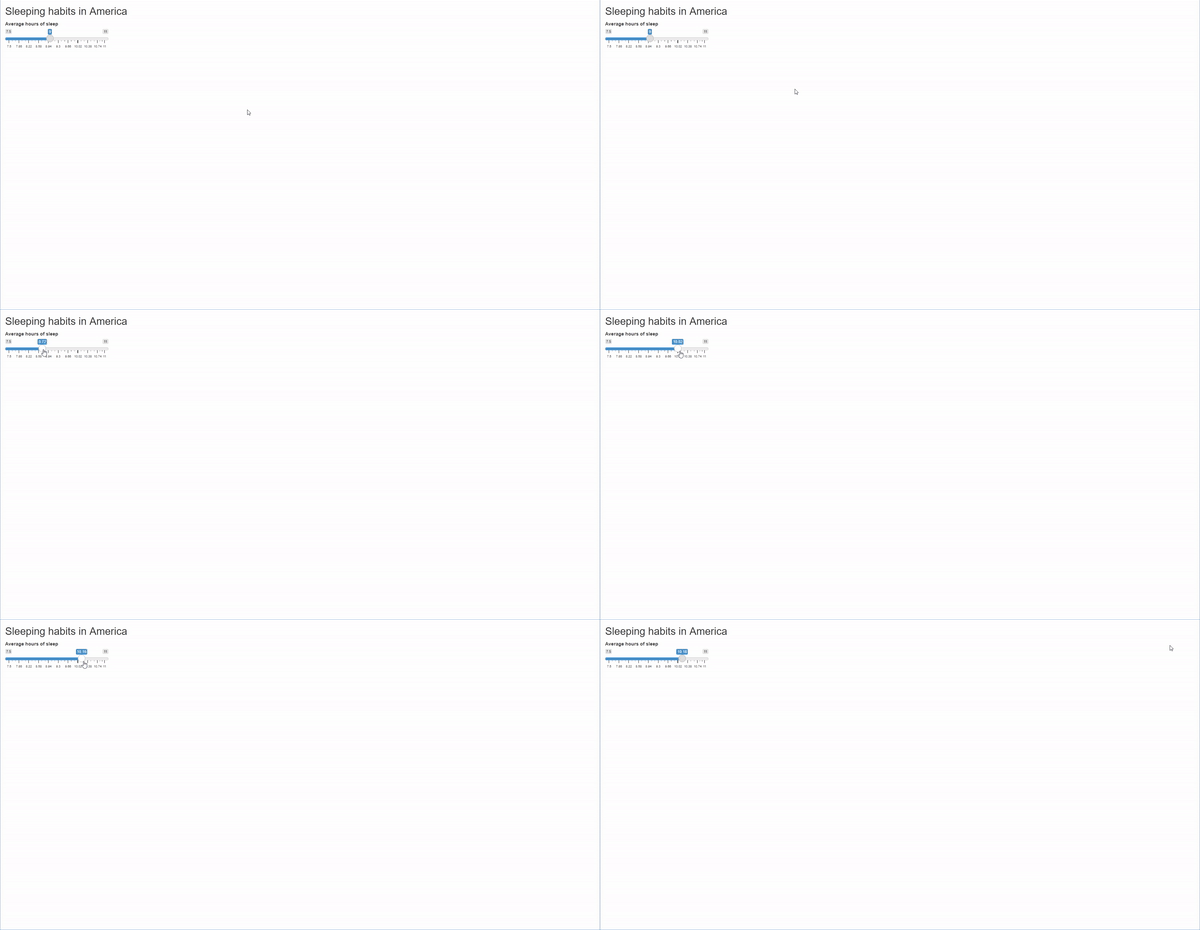
demo sliderInput. Người dùng chỉ chọn một giá trị.

Xây dựng Dashboard với shinydashboard

sliderInput với khoảng giá trị

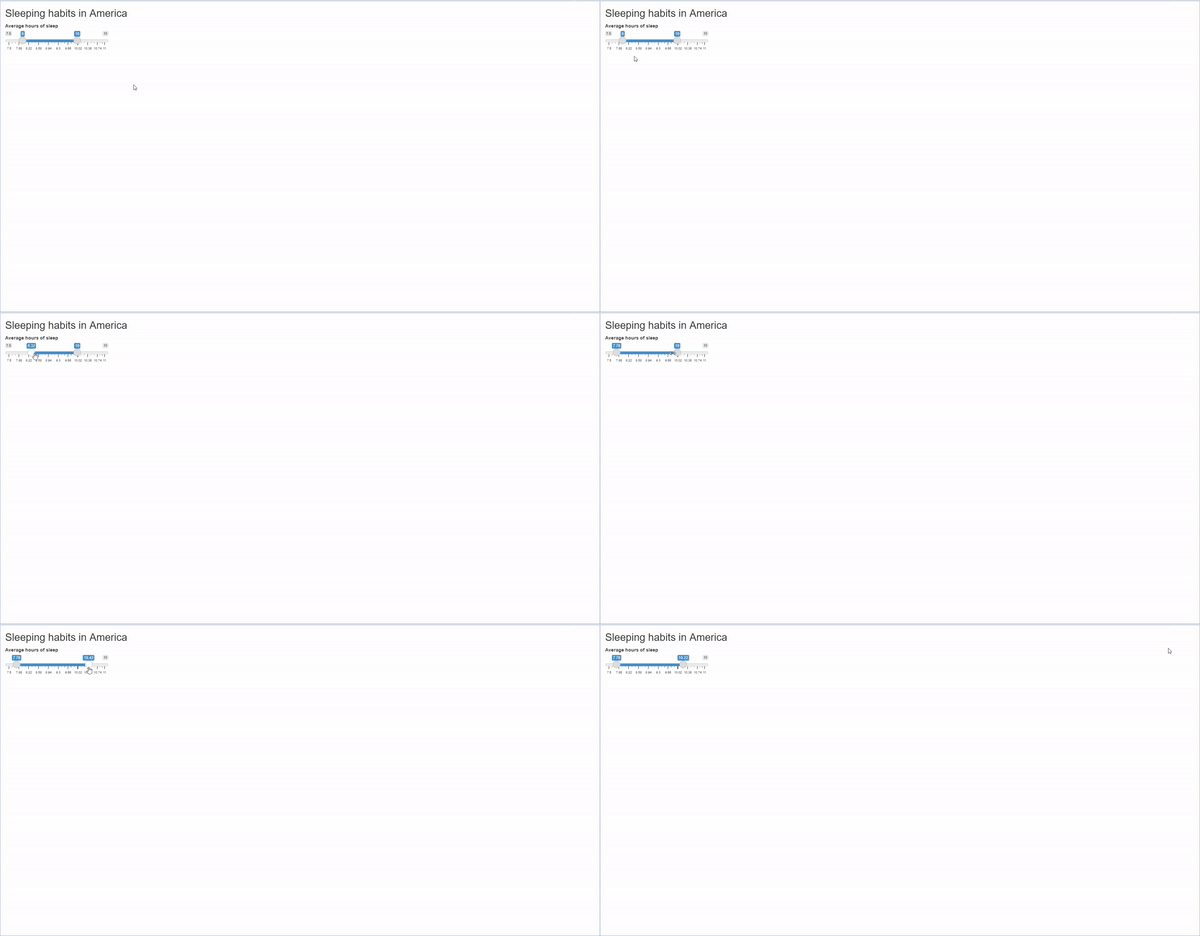
  • Có thể làm thanh trượt hai đầu nếu value là vector độ dài 2
ui <- fluidPage(
  titlePanel("Sleeping habits in America"), 
  sliderInput("sliderlabel",
              "Average hours of sleep",
              min = 7.5,
              max = 11,

value = c(8, 10),
step = 0.02)) server <- function(input, output, session) { } shinyApp(ui, server)
Xây dựng Dashboard với shinydashboard

sliderInput với khoảng giá trị

thanh trượt với khoảng giá trị

Xây dựng Dashboard với shinydashboard

Ayo berlatih!

Xây dựng Dashboard với shinydashboard

Preparing Video For Download...