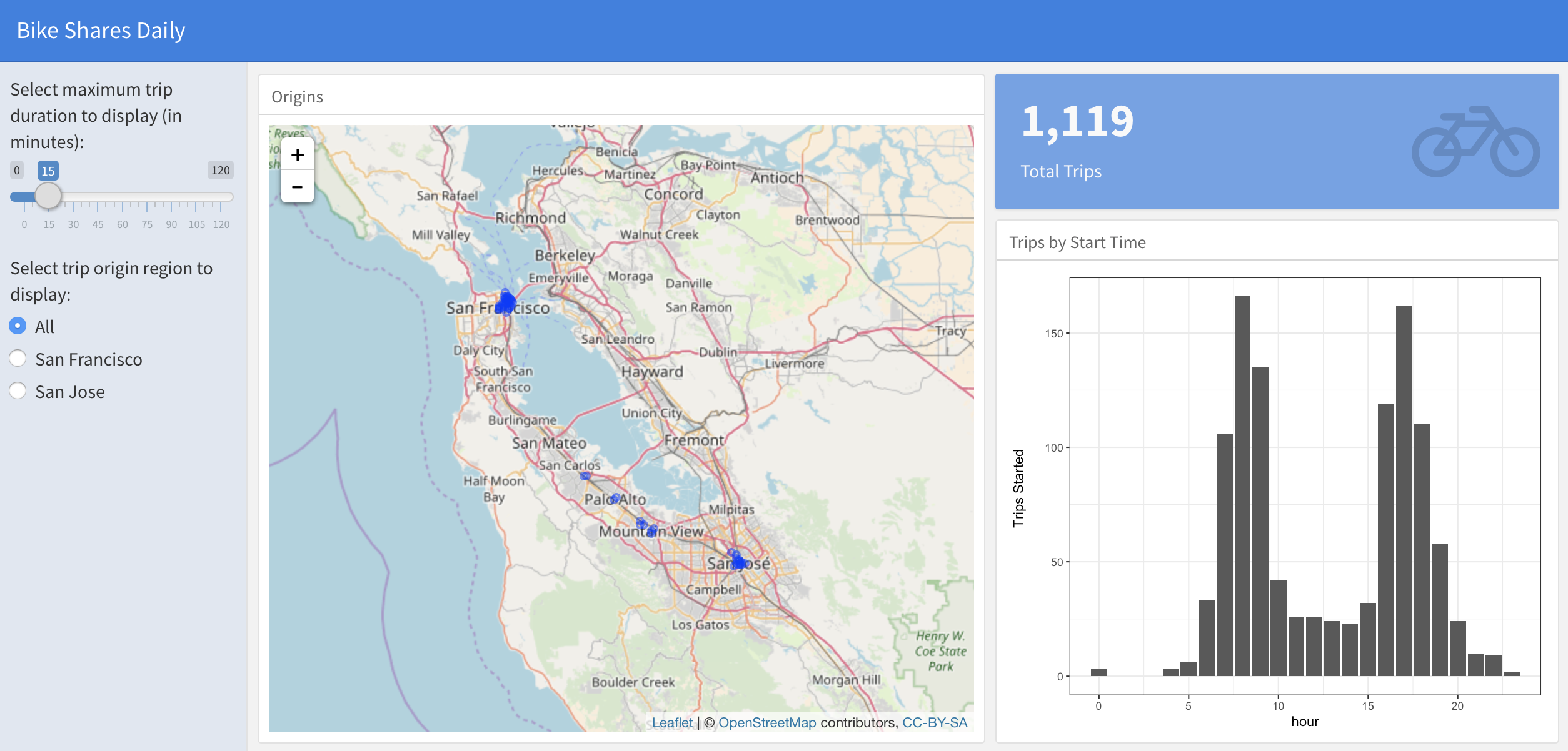
The reactive dataframe pattern

Xây dựng Dashboard với flexdashboard

Elaine McVey

Director of Data Science

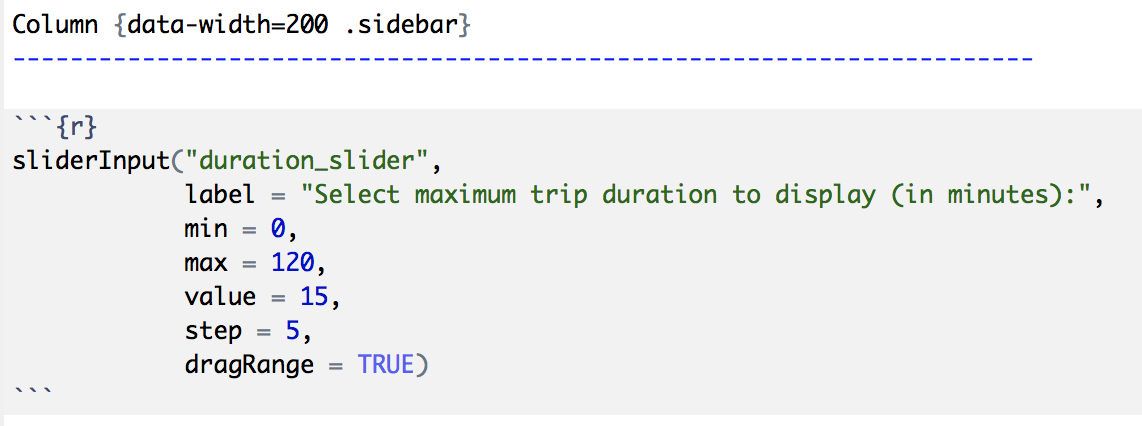
Creating a sidebar
Column {data-width=200 .sidebar}
Xây dựng Dashboard với flexdashboard

Creating a sidebar

alt text

Xây dựng Dashboard với flexdashboard

Adding user inputs

alt text

Xây dựng Dashboard với flexdashboard

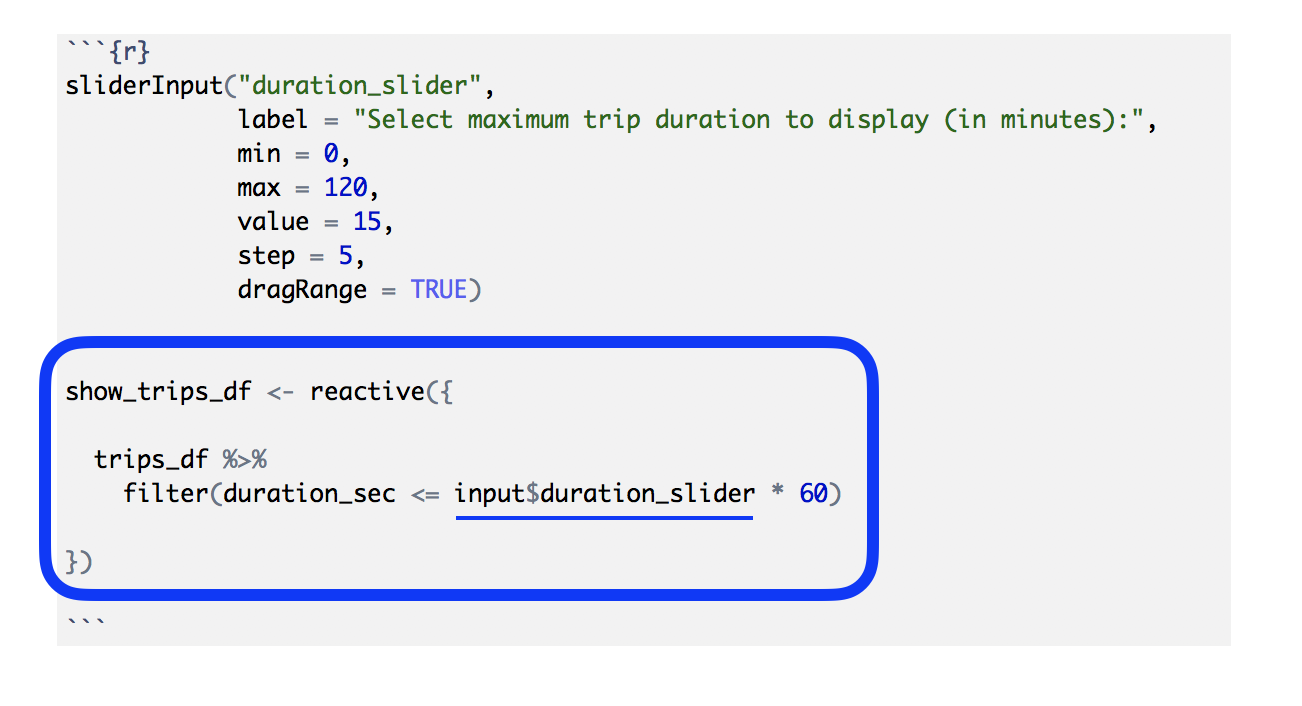
Making our dataframe reactive

alt text

Xây dựng Dashboard với flexdashboard

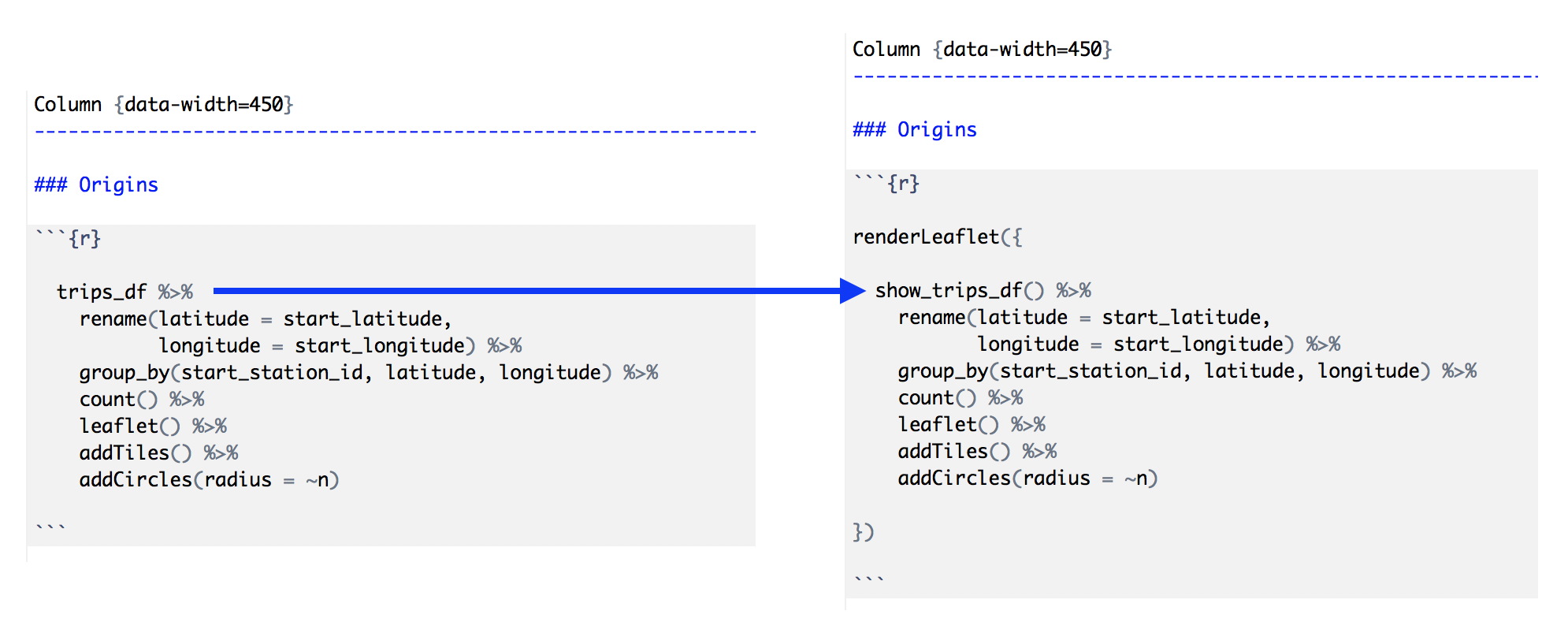
Using the reactive dataframe

alt text

Xây dựng Dashboard với flexdashboard

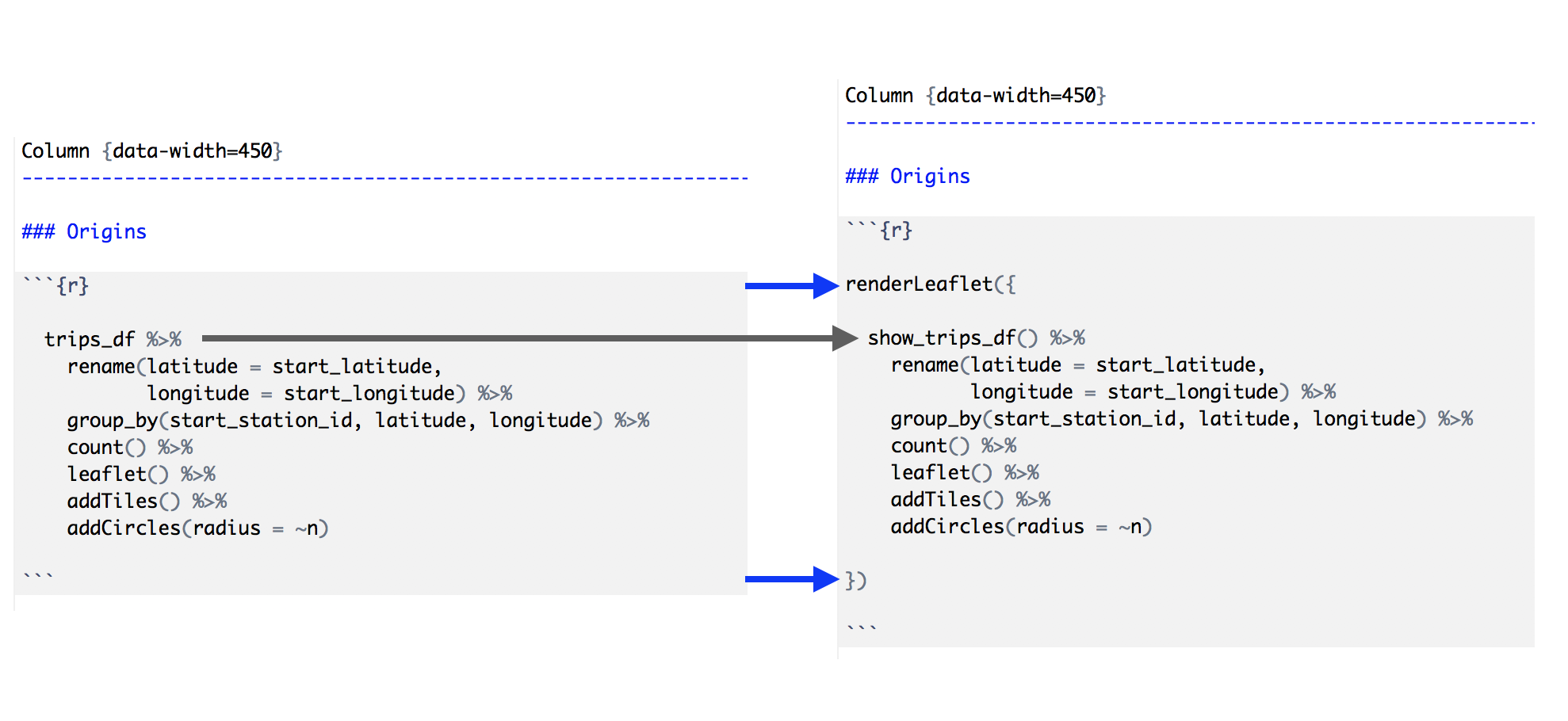
Making dashboard components reactive

alt text

Xây dựng Dashboard với flexdashboard

Steps to the reactive dataframe pattern

  1. Create a sidebar column (using .sidebar).
  2. Add user inputs to the sidebar (using xyzInput() Shiny widgets).
  3. Make a "dataframe" that reacts to user inputs (using reactive()).
  4. Replace the dataframe in the dashboard component code with the reactive version.
  5. Wrap each dashboard output with the appropriate Shiny version (renderXyz()).
Xây dựng Dashboard với flexdashboard

Let's practice!

Xây dựng Dashboard với flexdashboard

Preparing Video For Download...