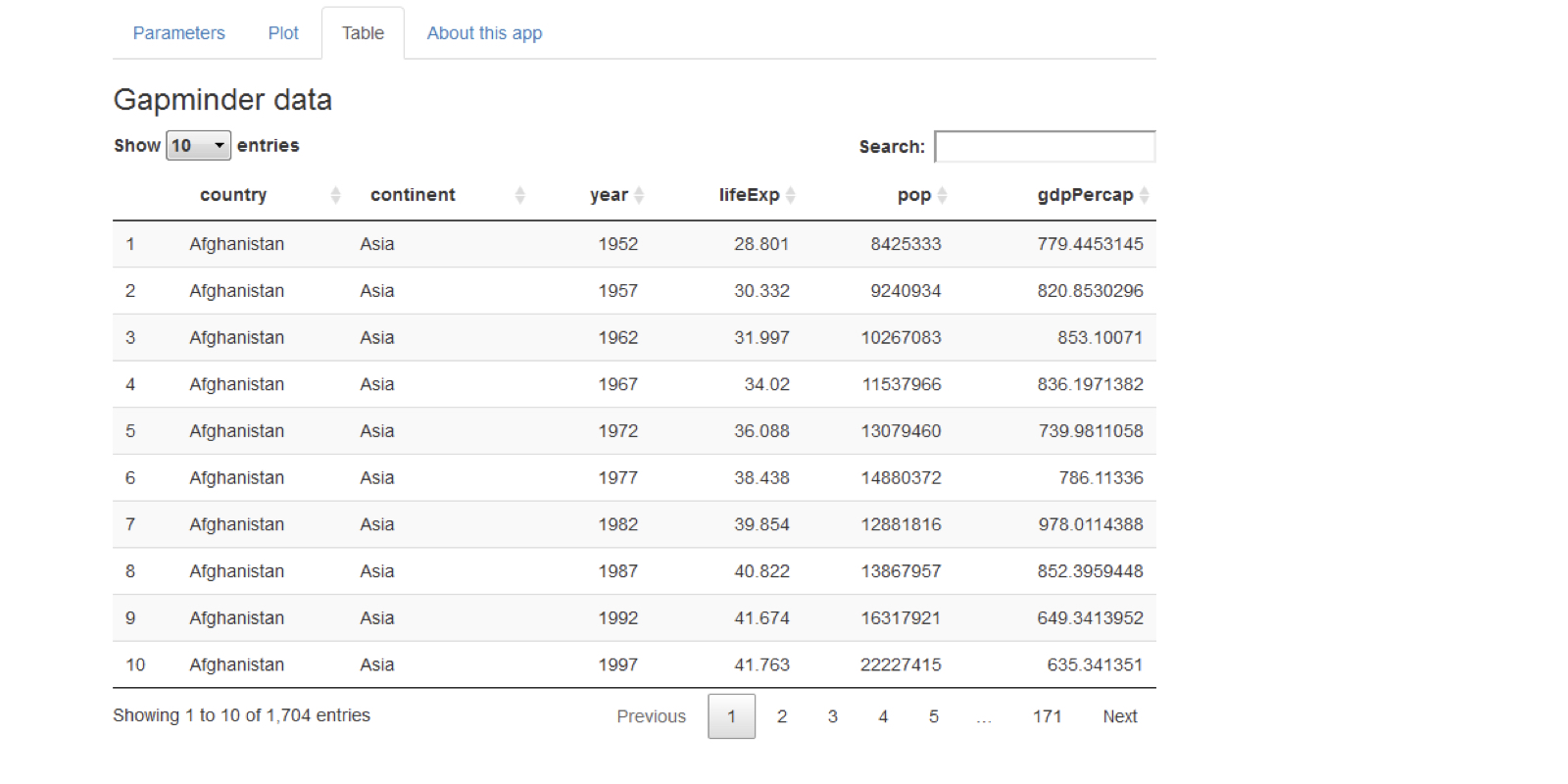
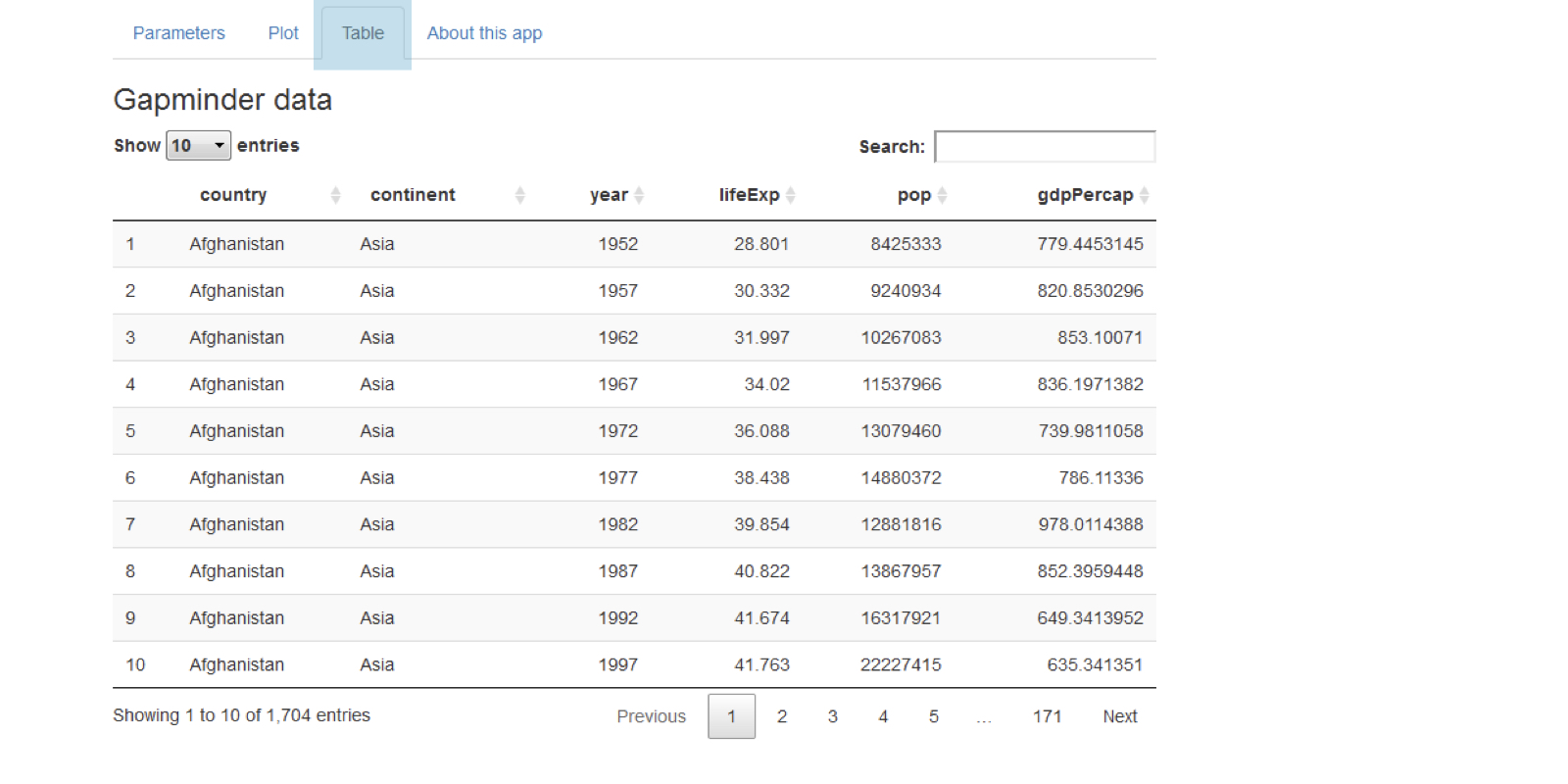
Tăng cường trực quan

Nghiên cứu tình huống: Xây dựng ứng dụng web với Shiny trong R

Dean Attali

Shiny Consultant

Bảng trong Shiny

tableOutput("table")

output$table <- renderTable({ gapminder })
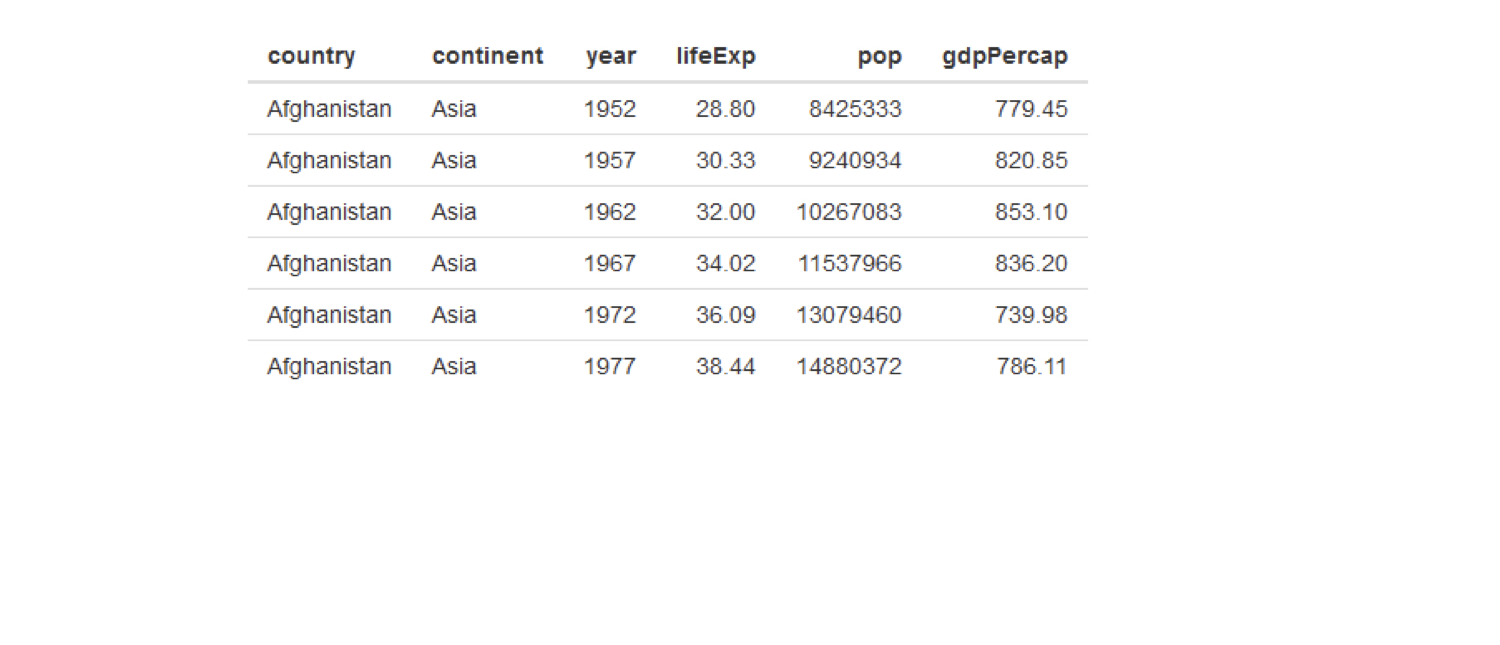
chapter3_4_visual_enhancements.003.png

Nghiên cứu tình huống: Xây dựng ứng dụng web với Shiny trong R

Tạo bảng tốt hơn với DT

DT::dataTableOutput("table")

output$table <- DT::renderDataTable({ gapminder })
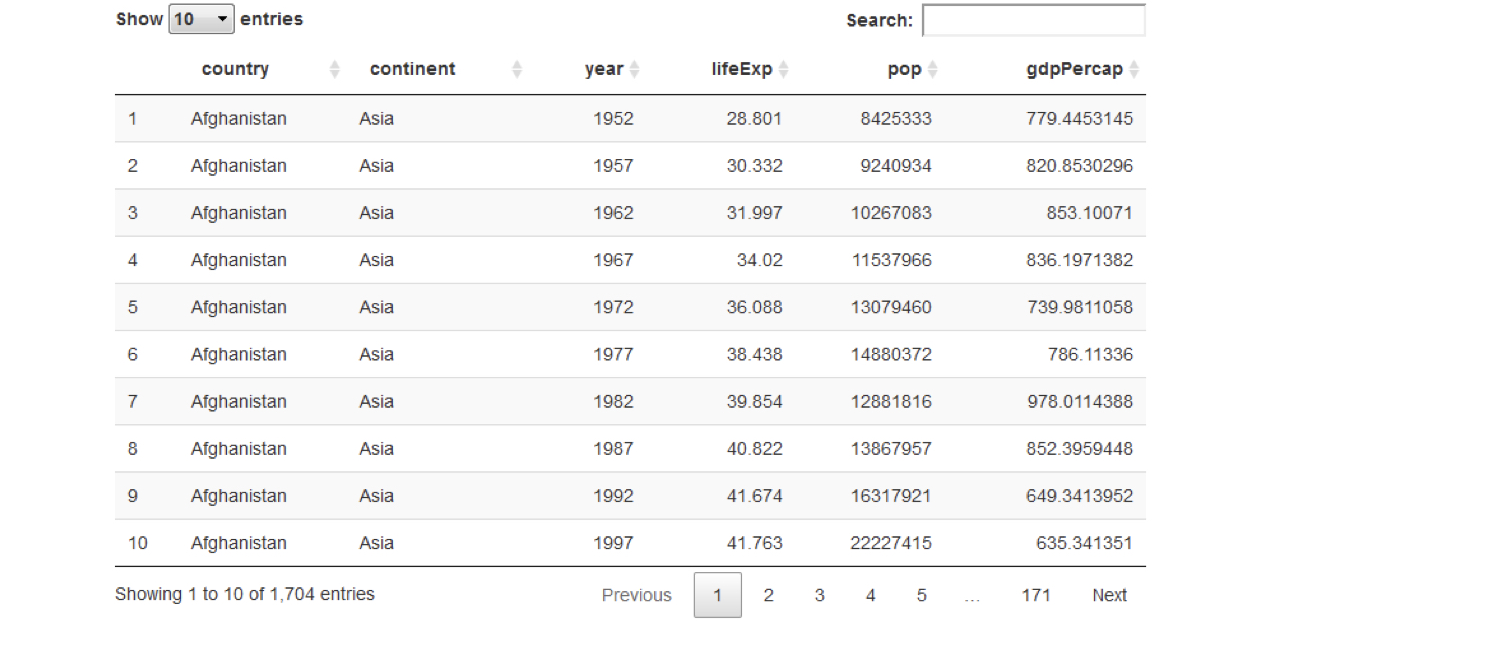
chapter3_4_visual_enhancements.004.png

Nghiên cứu tình huống: Xây dựng ứng dụng web với Shiny trong R

Tạo bảng tốt hơn với DT

DT::dataTableOutput("table")

output$table <- DT::renderDataTable({ gapminder })
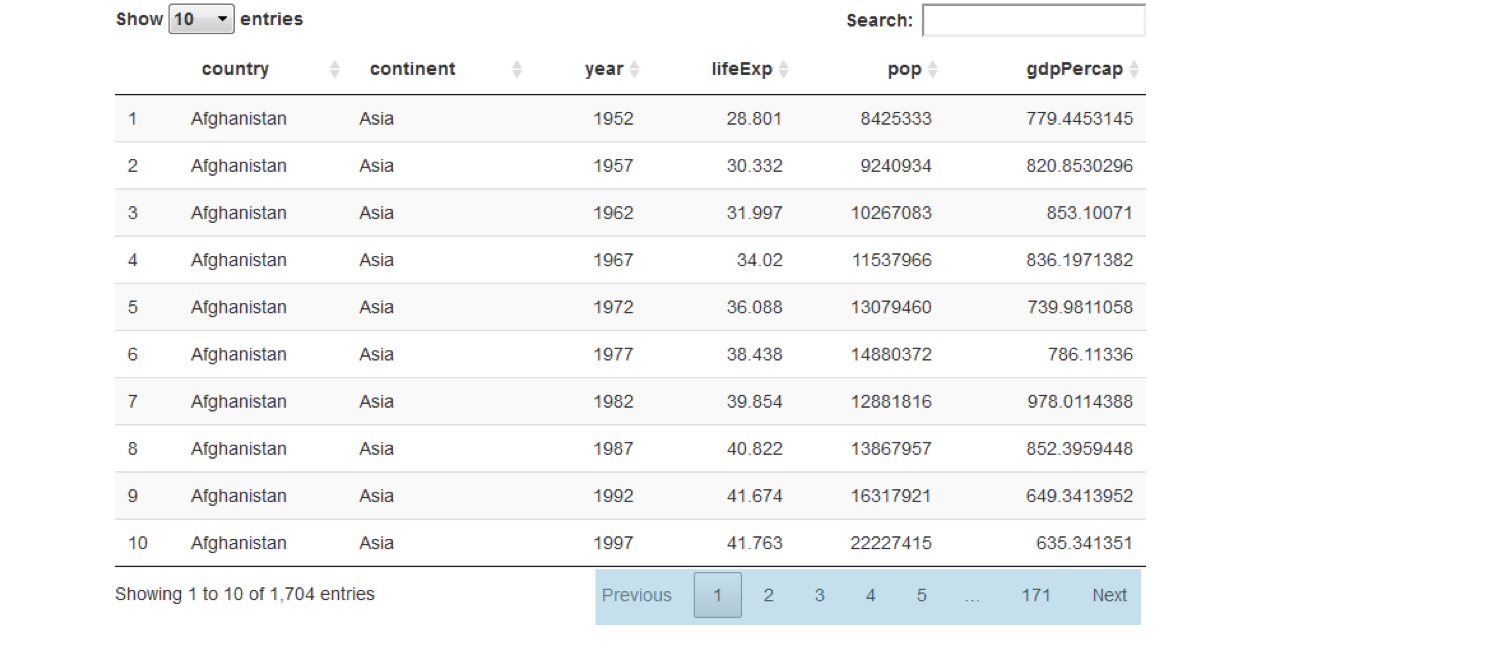
chapter3_4_visual_enhancements.005.png

Nghiên cứu tình huống: Xây dựng ứng dụng web với Shiny trong R

Tạo bảng tốt hơn với DT

DT::dataTableOutput("table")

output$table <- DT::renderDataTable({ gapminder })
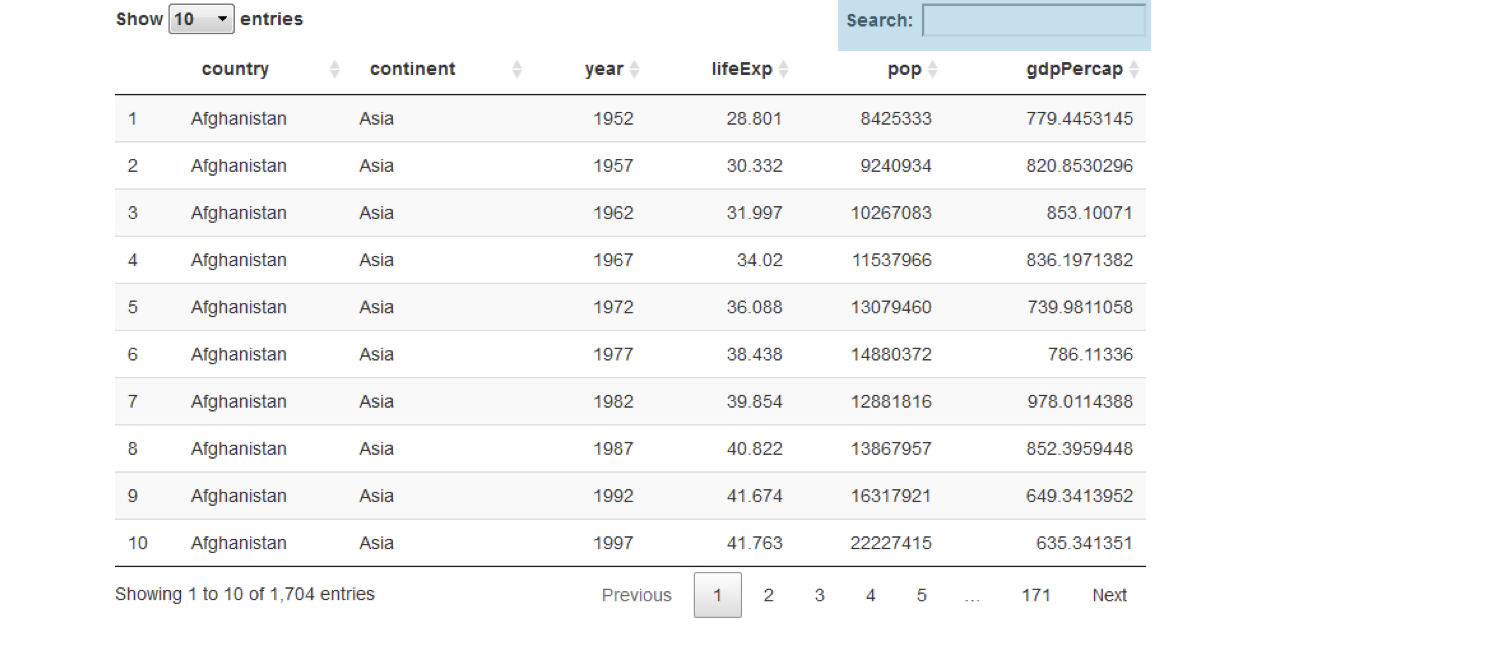
chapter3_4_visual_enhancements.006.png

Nghiên cứu tình huống: Xây dựng ứng dụng web với Shiny trong R

Tạo bảng tốt hơn với DT

DT::dataTableOutput("table")

output$table <- DT::renderDataTable({ gapminder })
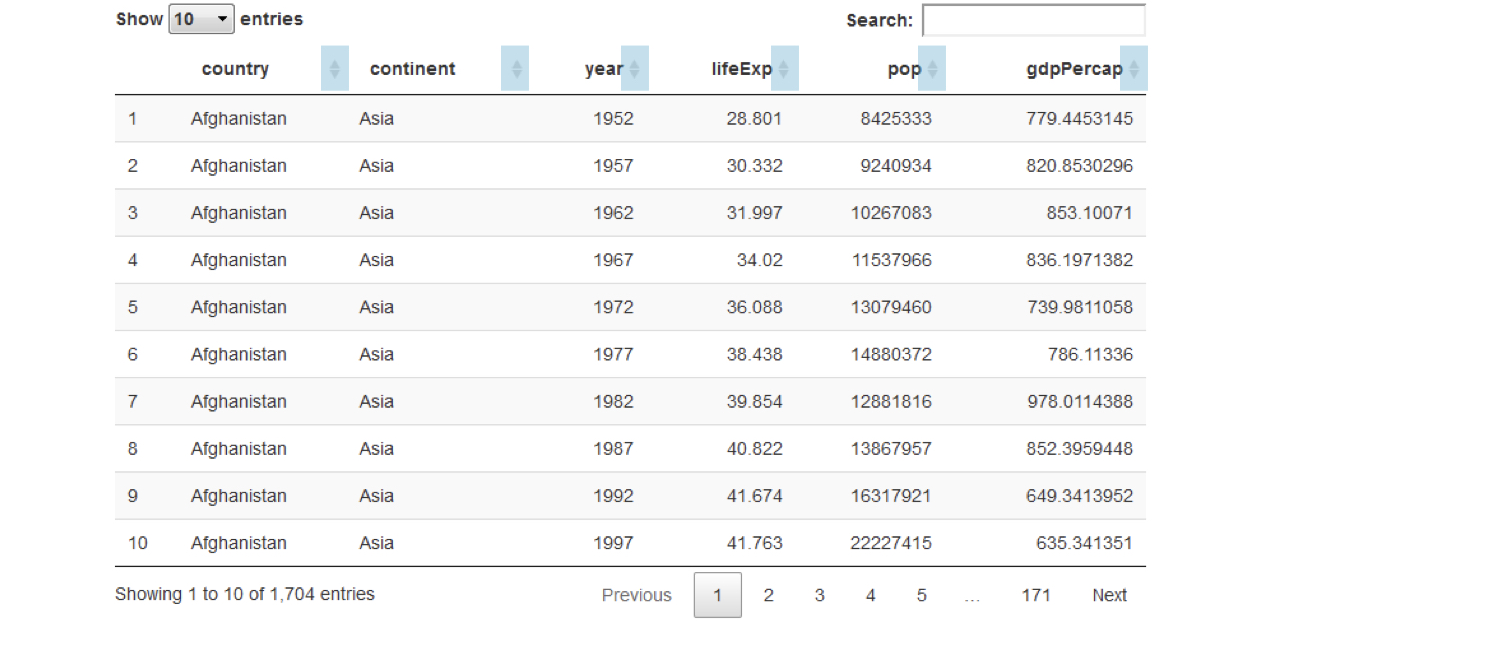
chapter3_4_visual_enhancements.007.png

Nghiên cứu tình huống: Xây dựng ứng dụng web với Shiny trong R

Tạo bảng tốt hơn với DT

DT::dataTableOutput("table")

output$table <- DT::renderDataTable({ gapminder })
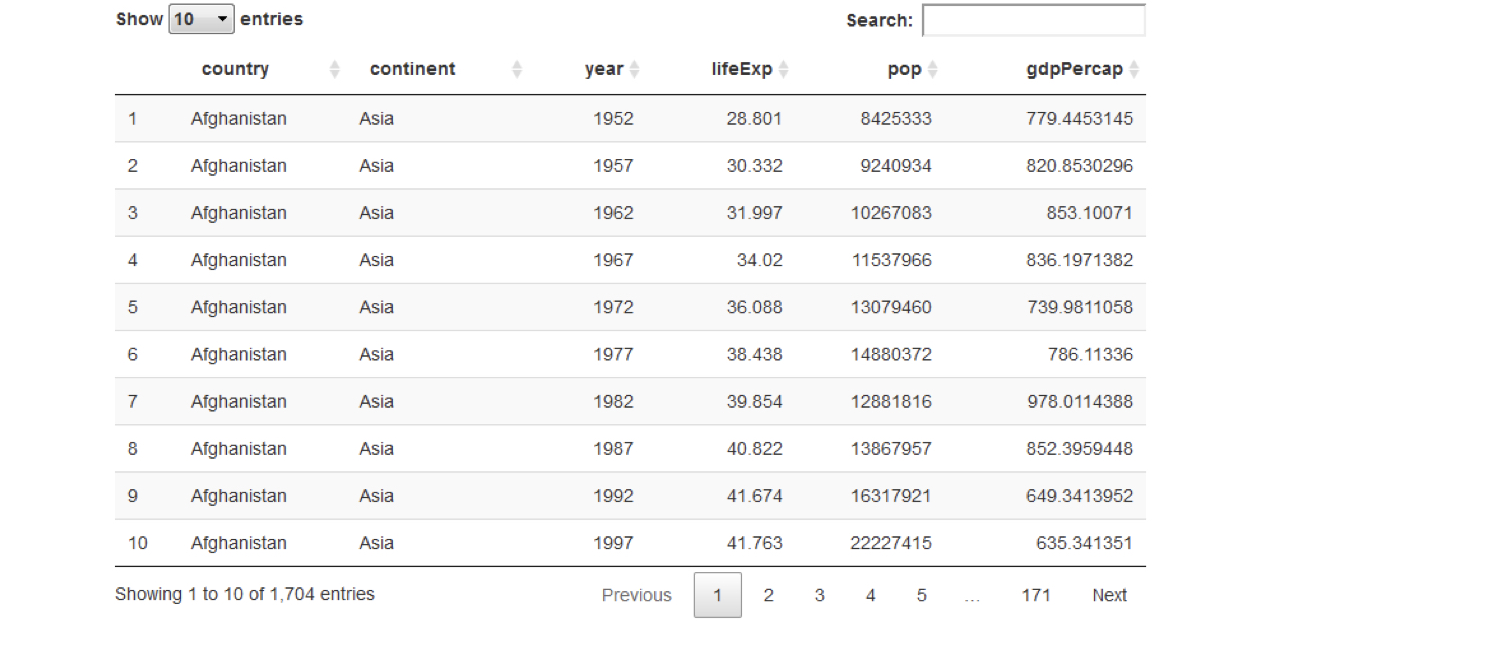
chapter3_4_visual_enhancements.008.png

Nghiên cứu tình huống: Xây dựng ứng dụng web với Shiny trong R

Chia UI thành các tab

chapter3_4_visual_enhancements.009.png

Nghiên cứu tình huống: Xây dựng ứng dụng web với Shiny trong R

Chia UI thành các tab

chapter3_4_visual_enhancements.010.png

Nghiên cứu tình huống: Xây dựng ứng dụng web với Shiny trong R

Chia UI thành các tab

tabPanel(title = "tab 1", "content goes here")

tabPanel(title = "tab 2", "second tab", plotOutput("plot"))
fluidPage(

tabsetPanel(
tabPanel(title = "tab 1", "first tab content goes here"), tabPanel(title = "tab 2", "second tab", plotOutput("plot")), tabPanel(title = "tab 3", textInput("text", "Name", ""))
)
)

chapter3_4_visual_enhancements.016.png

Nghiên cứu tình huống: Xây dựng ứng dụng web với Shiny trong R

CSS: Tinh chỉnh giao diện ứng dụng

  • Cascading Style Sheets
  • Ngôn ngữ đánh dấu để tùy biến giao diện phần tử trên trang web
    • Shiny UI là một trang web
  • Màu nền, màu chữ, cỡ chữ, khoảng trắng, phông, ...
Nghiên cứu tình huống: Xây dựng ứng dụng web với Shiny trong R

Cú pháp CSS

  • Cú pháp quy tắc CSS

    #ID {
      property: value;
      property: value;
      ...
    }
    
  • ID là ID phần tử cần áp dụng kiểu

  • Thêm CSS vào Shiny bằng tags$style()

    ui <- fluidPage(
      tags$style("
        #ID {
          property: value;
        }
      ")
    )
    
Nghiên cứu tình huống: Xây dựng ứng dụng web với Shiny trong R

Ví dụ CSS

ui <- fluidPage(
  textInput("name", "Enter your name", "Dean"),
  tableOutput("table")
)
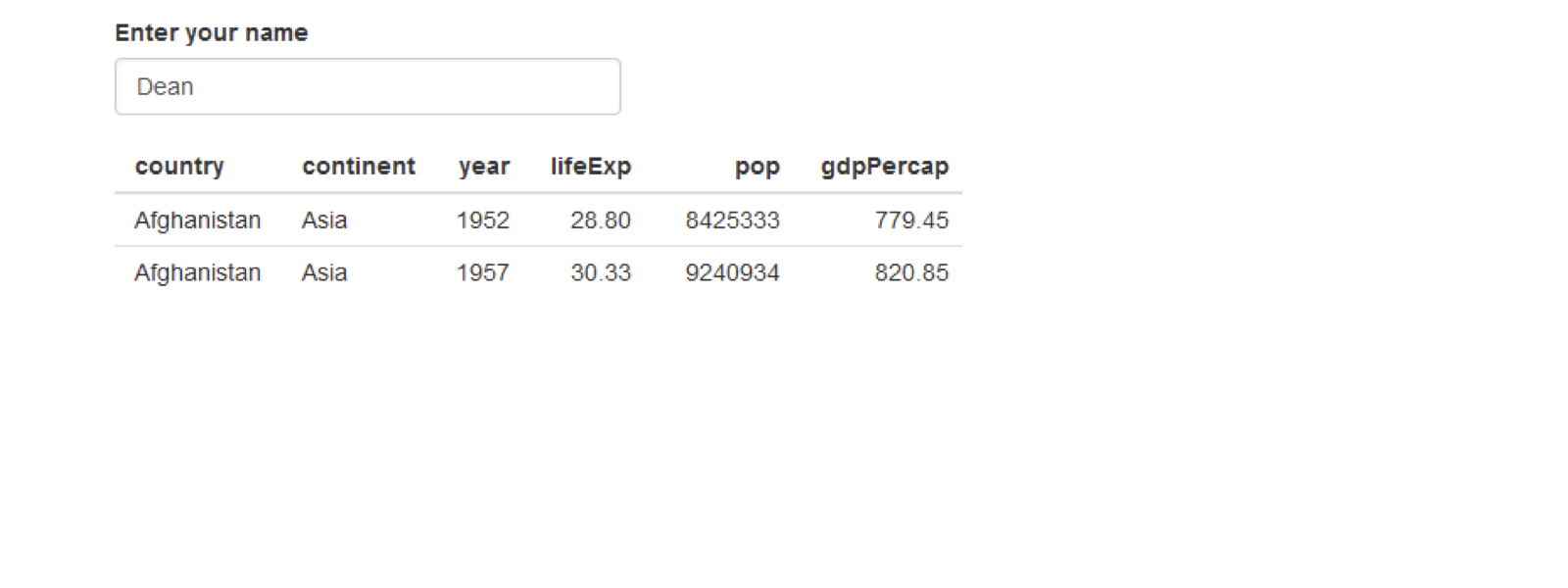
chapter3_4_visual_enhancements.029.png

Nghiên cứu tình huống: Xây dựng ứng dụng web với Shiny trong R

Ví dụ CSS

ui <- fluidPage(
  textInput("name", "Enter your name", "Dean"),
  tableOutput("table")
)
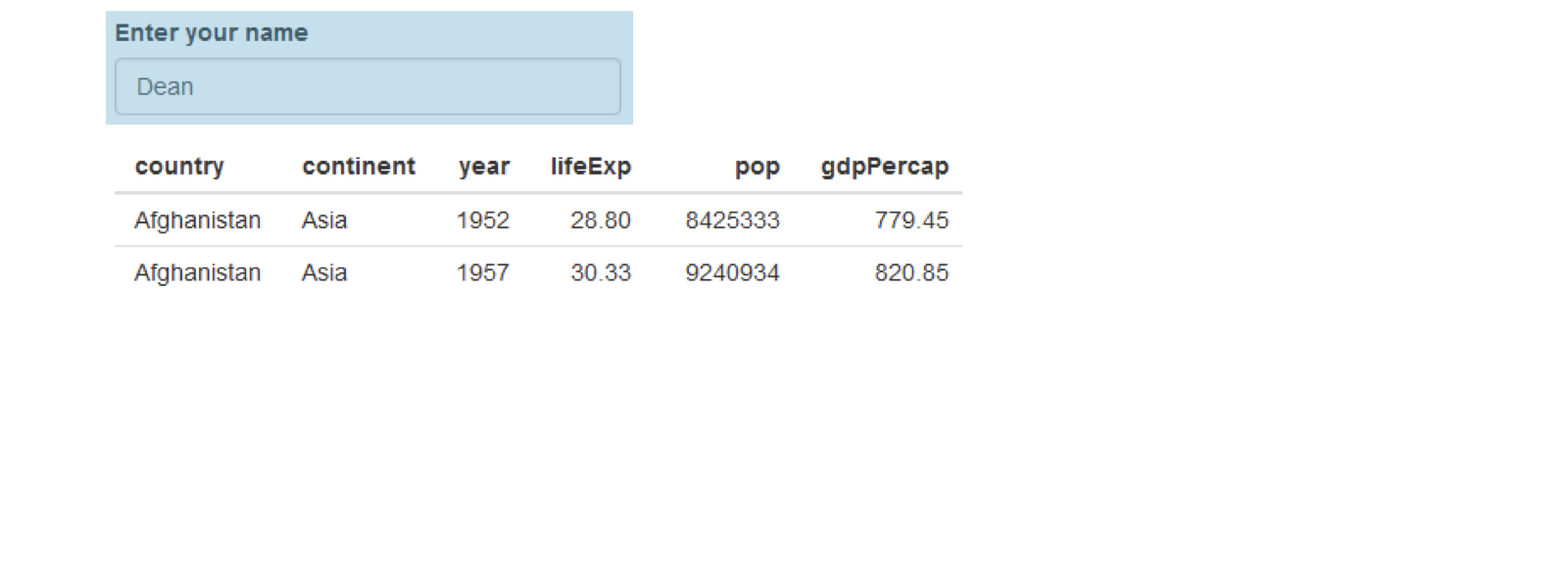
chapter3_4_visual_enhancements.030.png

Nghiên cứu tình huống: Xây dựng ứng dụng web với Shiny trong R

Ví dụ CSS

ui <- fluidPage(
  textInput("name", "Enter your name", "Dean"),
  tableOutput("table")
)
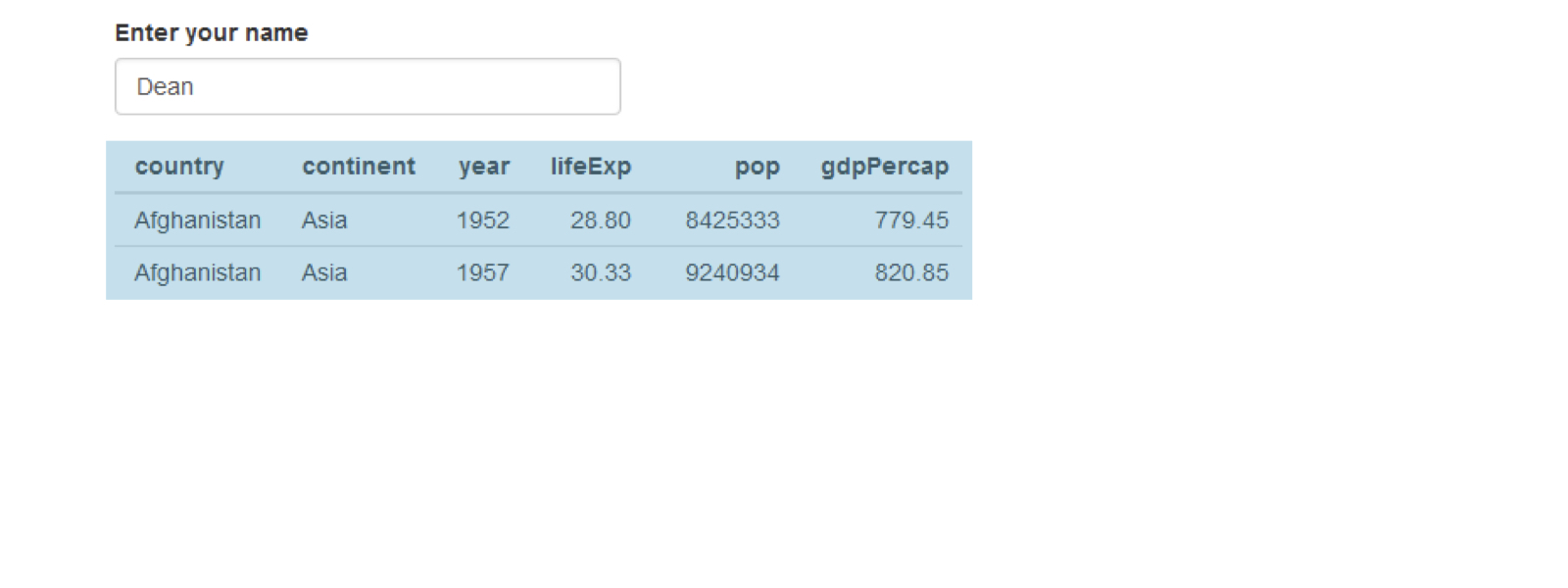
chapter3_4_visual_enhancements.031.png

Nghiên cứu tình huống: Xây dựng ứng dụng web với Shiny trong R

Ví dụ CSS

ui <- fluidPage(
  textInput("name", "Enter your name", "Dean"),
  tableOutput("table")
)
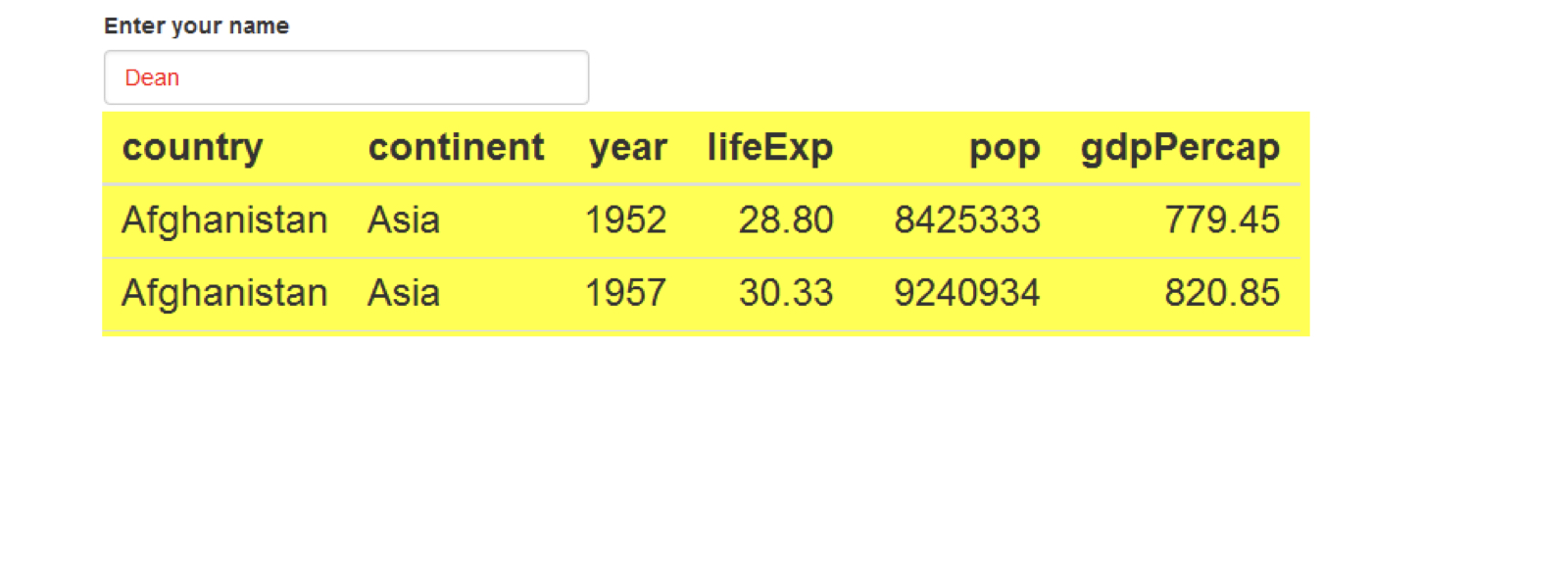
chapter3_4_visual_enhancements.032.png

Nghiên cứu tình huống: Xây dựng ứng dụng web với Shiny trong R

Ví dụ CSS

css <- "

#name { color: red; }
#table { background: yellow; font-size: 24px; }
"
ui <- fluidPage(

tags$style(css),
textInput("name", "Enter your name", "Dean"), tableOutput("table") )
Nghiên cứu tình huống: Xây dựng ứng dụng web với Shiny trong R

Ayo berlatih!

Nghiên cứu tình huống: Xây dựng ứng dụng web với Shiny trong R

Preparing Video For Download...