Chọn thành phần chính

Giảm Chiều Dữ Liệu với Python

Jeroen Boeye

Head of Machine Learning, Faktion

Đặt ngưỡng phương sai giải thích

pipe = Pipeline([
        ('scaler', StandardScaler()),
        ('reducer', PCA(n_components=0.9))])

# Fit the pipe to the data pipe.fit(poke_df) print(len(pipe['reducer'].components_))
5
Giảm Chiều Dữ Liệu với Python

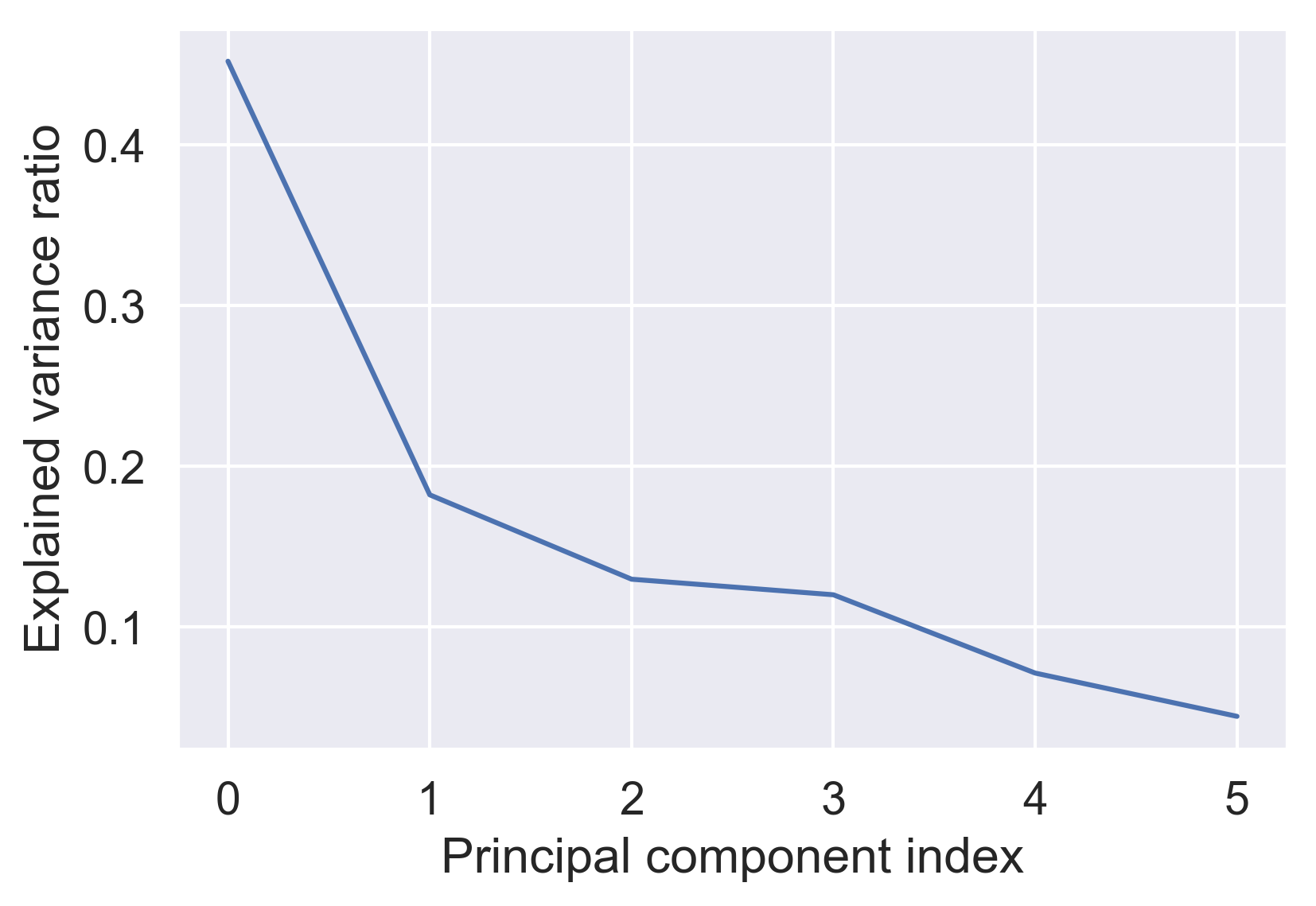
Số lượng thành phần tối ưu

pipe.fit(poke_df)

var = pipe['reducer'].explained_variance_ratio_

plt.plot(var)

plt.xlabel('Chỉ số thành phần chính')
plt.ylabel('Tỷ lệ phương sai giải thích')
plt.show()

tỷ lệ phương sai giải thích

Giảm Chiều Dữ Liệu với Python

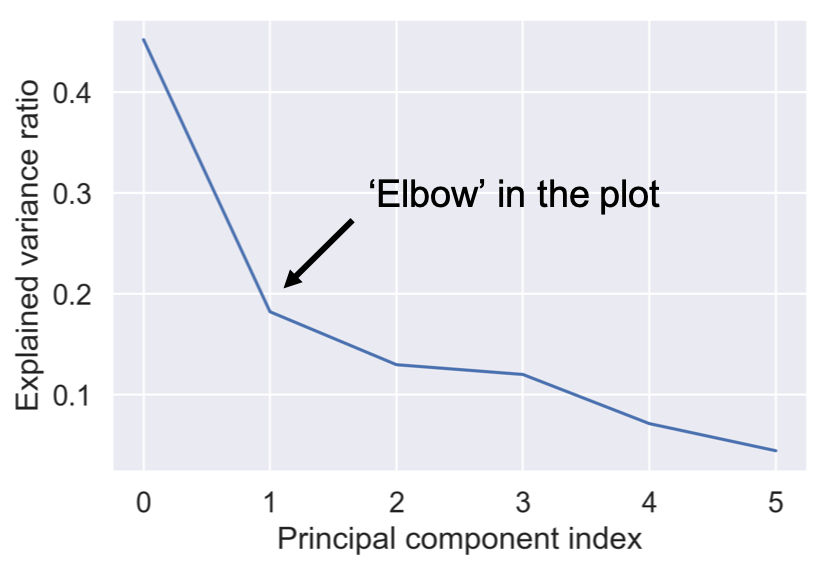
Số lượng thành phần tối ưu

pipe.fit(poke_df)

var = pipe['reducer'].explained_variance_ratio_

plt.plot(var)

plt.xlabel('Chỉ số thành phần chính')
plt.ylabel('Tỷ lệ phương sai giải thích')
plt.show()

khuỷu tay tỷ lệ phương sai giải thích

Giảm Chiều Dữ Liệu với Python

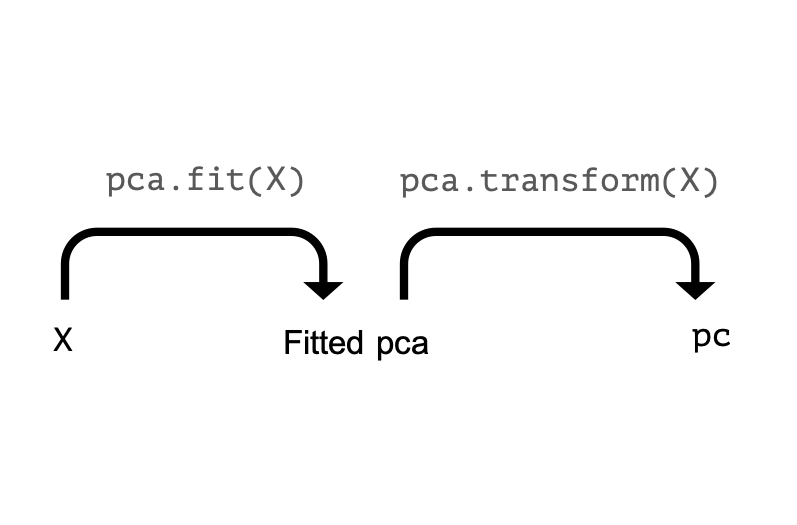
Các thao tác PCA

Sơ đồ fit/transform PCA 1

Giảm Chiều Dữ Liệu với Python

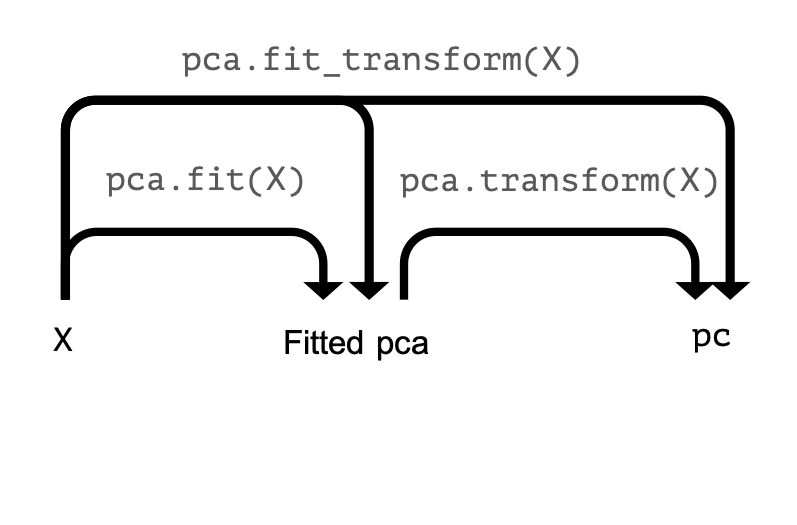
Các thao tác PCA

Sơ đồ fit/transform PCA 2

Giảm Chiều Dữ Liệu với Python

Các thao tác PCA

Sơ đồ fit/transform PCA 3

Giảm Chiều Dữ Liệu với Python

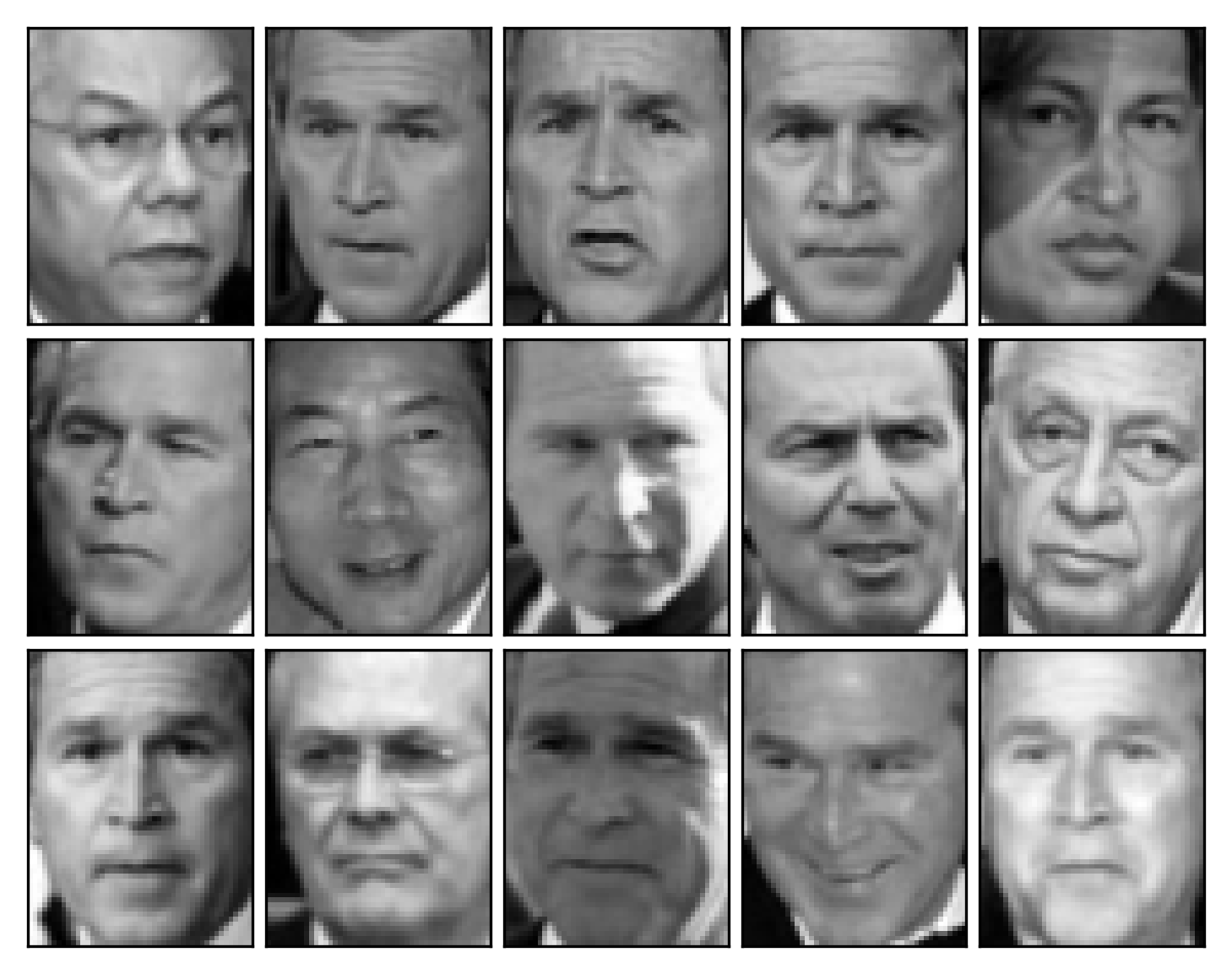
Nén ảnh

ảnh gốc khuôn mặt

Giảm Chiều Dữ Liệu với Python

Nén ảnh

print(X_test.shape)
(15, 2914)

62 x 47 pixel = 2914 giá trị thang xám

print(X_train.shape)
(1333, 2914)
Giảm Chiều Dữ Liệu với Python

Nén ảnh

pipe = Pipeline([
        ('scaler', StandardScaler()),
        ('reducer', PCA(n_components=290))])

pipe.fit(X_train)
pc = pipe.fit_transform(X_test) print(pc.shape)
(15, 290)
Giảm Chiều Dữ Liệu với Python

Khôi phục ảnh

pc = pipe.transform(X_test)

print(pc.shape)
(15, 290)
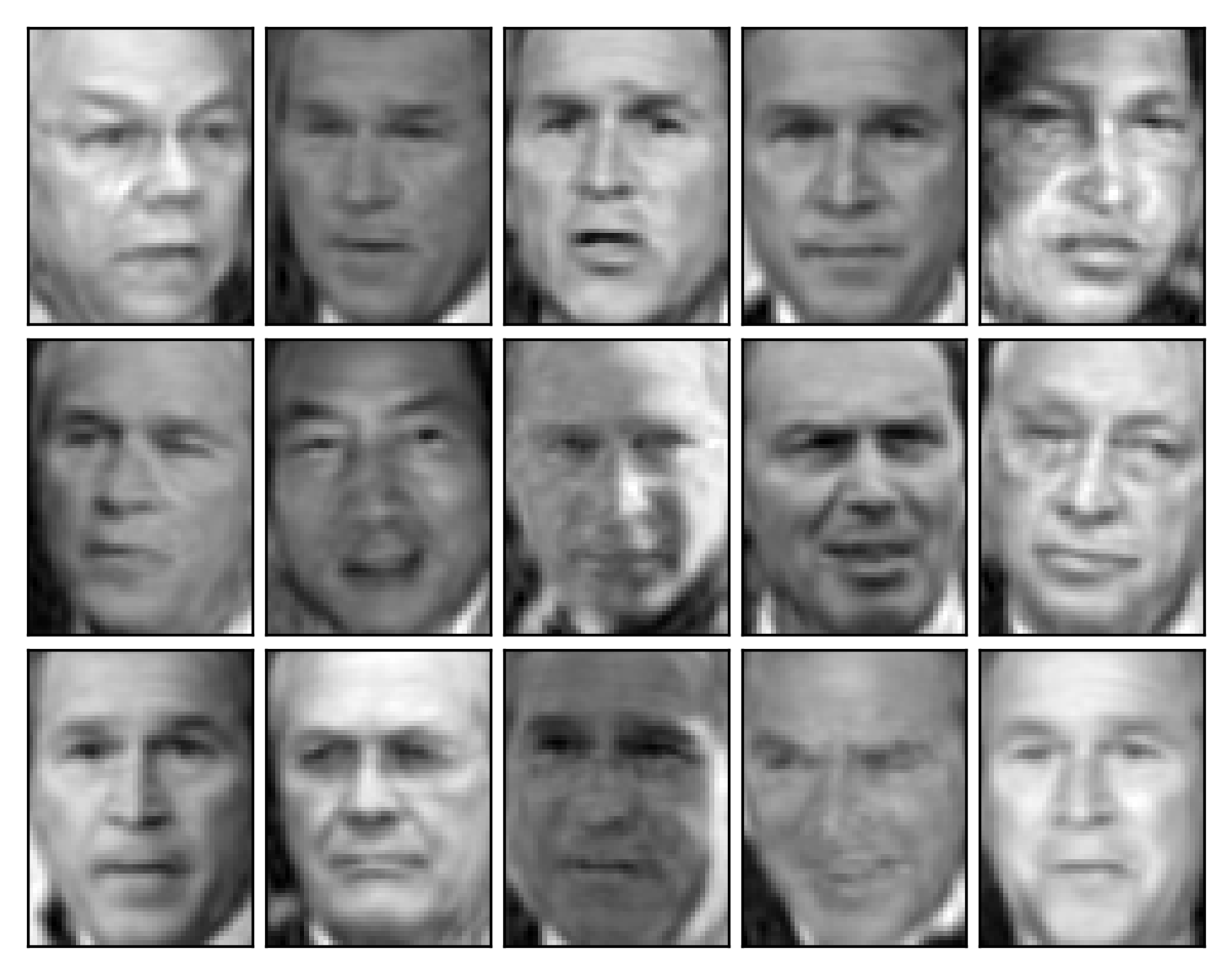
X_rebuilt = pipe.inverse_transform(pc)

print(X_rebuilt.shape)
(15, 2914)
img_plotter(X_rebuilt)

khuôn mặt nén

Giảm Chiều Dữ Liệu với Python

Khôi phục ảnh

ảnh gốc khuôn mặt

khuôn mặt nén

Giảm Chiều Dữ Liệu với Python

Ayo berlatih!

Giảm Chiều Dữ Liệu với Python

Preparing Video For Download...