Quản lý index

Xây dựng ứng dụng AI với Pinecone

James Chapman

Curriculum Manager, DataCamp

Kết nối tới index

pc = Pinecone(api_key="API_KEY")

pc.create_index(
    name='datacamp-index',
    dimension=1536,
    spec=ServerlessSpec(
        cloud='aws', 
        region='us-east-1'
    )
)


index = pc.Index('datacamp-index')
Xây dựng ứng dụng AI với Pinecone

Kết nối tới index

index = pc.Index('datacamp-first')
...
pinecone.core.client.exceptions.NotFoundException: (404)
Reason: Not Found
HTTP response headers: HTTPHeaderDict({'content-type': 'text/plain; charset=...
HTTP response body: {"error":{"code":"NOT_FOUND","message":"Resource datacamp-first
not found"},"status":404}
Xây dựng ứng dụng AI với Pinecone

Thống kê index

index.describe_index_stats()
{'dimension': 1536,
 'index_fullness': 0.0,
 'namespaces': {},
 'total_vector_count': 0}
Xây dựng ứng dụng AI với Pinecone

Namespace


  • Vùng chứa để phân vùng index
    • Tách bộ dữ liệu
    • Phiên bản dữ liệu
    • Nhóm riêng biệt


Tạm tập trung vào trường hợp một namespace

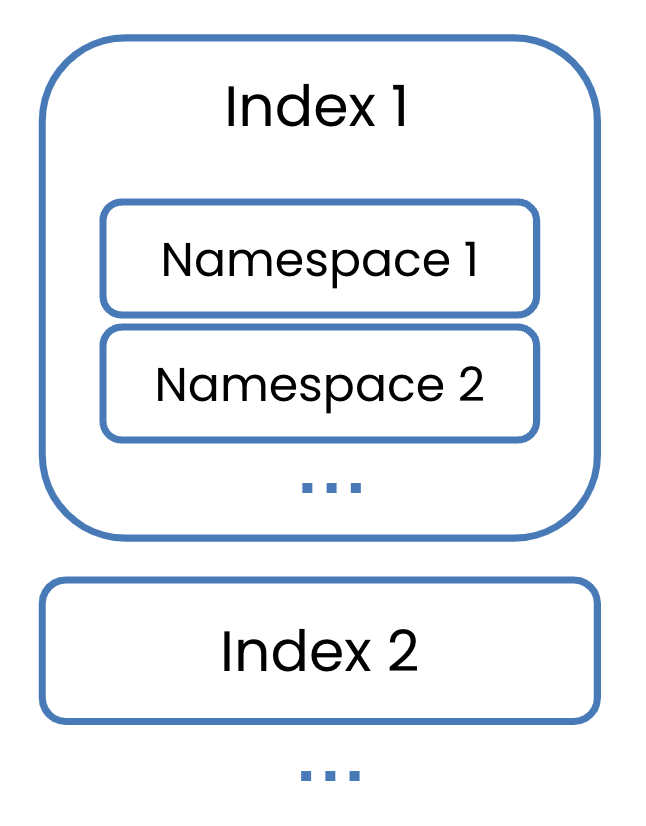
Các index có nhiều namespace bên trong.

Xây dựng ứng dụng AI với Pinecone

Organization

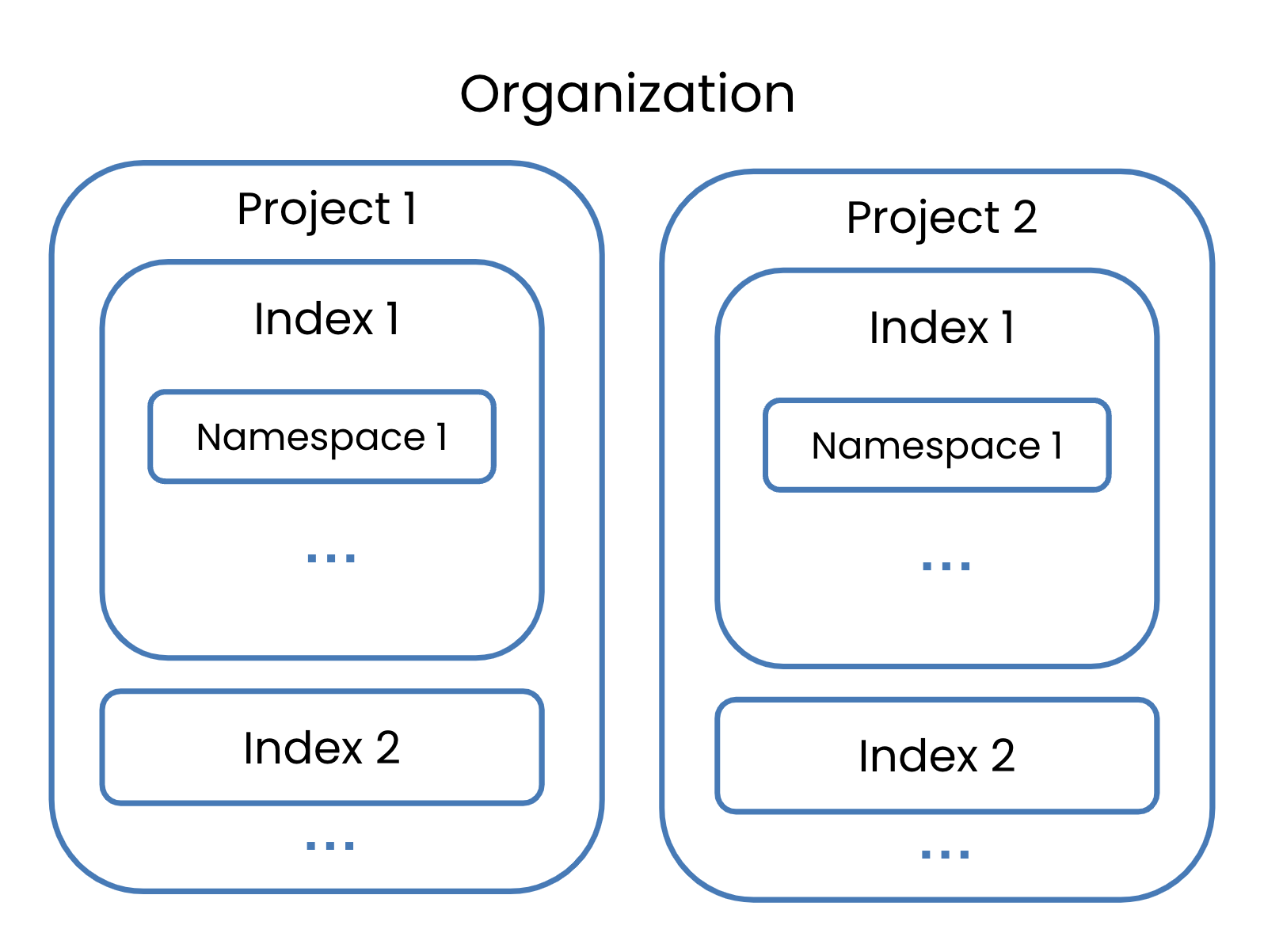
Một organization có hai project, mỗi cái có index riêng.

Xây dựng ứng dụng AI với Pinecone

Organization

Một nhóm owner của organization.

  • Quyền trên toàn bộ org
  • Quản lý thanh toán, người dùng, mọi project
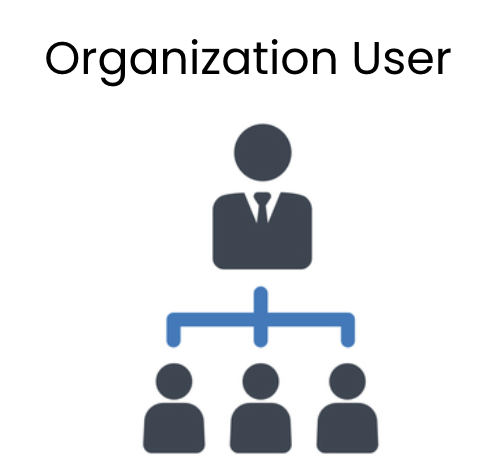
Một owner với vài người dùng bên dưới.

  • Quyền org bị giới hạn
  • Được mời vào project cụ thể
  • Trở thành owner của các project đó
Xây dựng ứng dụng AI với Pinecone

Xóa index

pc.delete_index('datacamp-index')


pc.list_indexes()
{'indexes': []}
Xây dựng ứng dụng AI với Pinecone

Vamos praticar!

Xây dựng ứng dụng AI với Pinecone

Preparing Video For Download...