Bắt đầu với csvkit
Xử lý dữ liệu trên Shell

Susan Sun
Data Person
csvkit là gì?
csvkit:
- bộ công cụ dòng lệnh
- phát triển bằng Python bởi Wireservice
- cung cấp khả năng xử lý và làm sạch dữ liệu trên tệp CSV
- khả năng dữ liệu sánh với Python, R và SQL
- tài liệu: https://csvkit.readthedocs.io/en/latest/
Cài đặt csvkit
Cài csvkit bằng trình quản lý gói Python pip:
pip install csvkit
Nâng cấp csvkit lên bản mới nhất:
pip install --upgrade csvkit
Hướng dẫn đầy đủ:
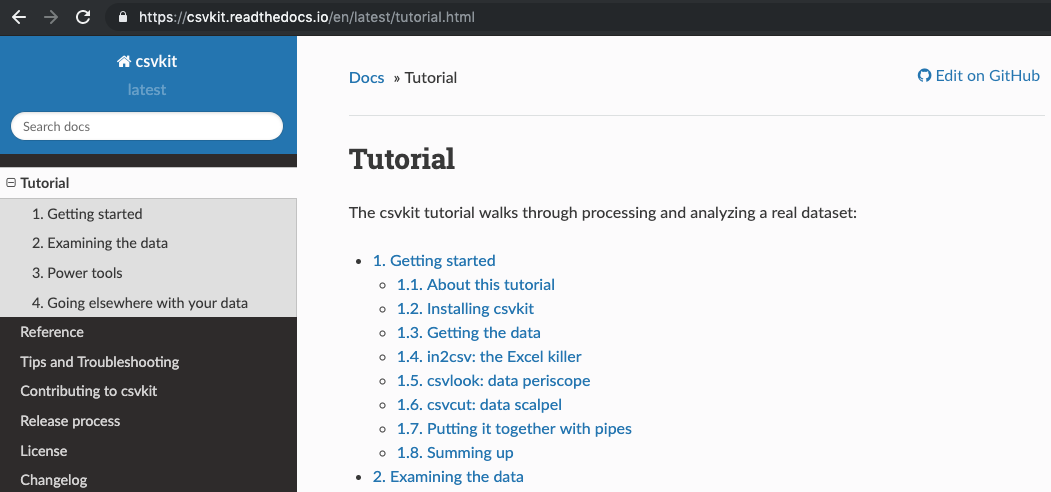
Xem tài liệu csvkit
Tài liệu trên web: https://csvkit.readthedocs.io/en/latest/tutorial.html
in2csv: chuyển đổi tệp sang CSV
Tài liệu trên web:
https://csvkit.readthedocs.io/en/latest/scripts/in2csv.html
Tài liệu trên dòng lệnh:
in2csv --helpin2csv -h
usage: in2csv [-h] [-d DELIMITER] [-t] [-q QUOTECHAR] [-u {0,1,2,3}] [-b]
              [-p ESCAPECHAR] [-z FIELD_SIZE_LIMIT] [-e ENCODING] [-L LOCALE]
              [-S] [--blanks] [--date-format DATE_FORMAT]
              [--datetime-format DATETIME_FORMAT] [-H] [-K SKIP_LINES] [-v]
in2csv: chuyển đổi tệp sang CSV
Cú pháp:
in2csv SpotifyData.xlsx > SpotifyData.csv
In sheet đầu tiên trong Excel ra console và không lưu
in2csv SpotifyData.xlsx
Ký tự > chuyển hướng đầu ra và lưu thành tệp mới SpotifyData.csv
> SpotifyData.csv
in2csv: chuyển đổi tệp sang CSV
Dùng tùy chọn --names hoặc -n để in tất cả tên sheet trong SpotifyData.xlsx.
in2csv -n SpotifyData.xlsx
Worksheet1_Popularity
Worksheet2_MusicAttributes
Dùng tùy chọn --sheet theo sau là sheet "Worksheet1_Popularity" để chuyển đổi.
in2csv SpotifyData.xlsx --sheet "Worksheet1_Popularity" > Spotify_Popularity.csv
in2csv: chuyển đổi tệp sang CSV
in2csv không in log ra console.
in2csv SpotifyData.xlsx --sheet "Worksheet1_Popularity" > Spotify_Popularity.csv
Kiểm tra nhanh:
ls
SpotifyData.xlsx Spotify_Popularity.csv backup bin
csvlook: xem nhanh dữ liệu trên dòng lệnh
csvlook: hiển thị CSV trên dòng lệnh ở định dạng cố định, tương thích Markdown
Tài liệu:
csvlook -h
usage: csvlook [-h] [-d DELIMITER] [-t] [-q QUOTECHAR] [-u {0,1,2,3}] [-b]
               [-p ESCAPECHAR] [-z FIELD_SIZE_LIMIT] [-e ENCODING] [-L LOCALE]
               [-S] [--blanks] [--date-format DATE_FORMAT]
csvlook: xem nhanh dữ liệu trên dòng lệnh
Cú pháp:
csvlook Spotify_Popularity.csv
| track_id               | popularity |
| ---------------------- | ---------- |
| 118GQ70Sp6pMqn6w1oKuki |          7 |
| 6S7cr72a7a8RVAXzDCRj6m |          7 |
| 7h2qWpMJzIVtiP30E8VDW4 |          7 |
| 3KVQFxJ5CWOcbxdpPYdi4o |          7 |
| 0JjNrI1xmsTfhaiU1R6OVc |          7 |
| 3HjTcZt29JUHg5m60QhlMw |          7 |
csvstat: thống kê mô tả cho tệp CSV
csvstat: in thống kê mô tả cho mọi cột trong CSV (ví dụ: mean, median, số lượng giá trị duy nhất)
Tài liệu:
csvstat -h
usage: csvstat [-h] [-d DELIMITER] [-t] [-q QUOTECHAR] [-u {0,1,2,3}] [-b]
               [-p ESCAPECHAR] [-z FIELD_SIZE_LIMIT] [-e ENCODING] [-S] [-H]
               [-K SKIP_LINES] [-v] [-l] [--zero] [-V] [--csv] [-n]
csvstat: thống kê mô tả cho tệp CSV
Cú pháp:
csvstat Spotify_Popularity.csv
  1. "track_id"

        Type of data:          Text
        Contains null values:  False
        Unique values:         24
        Longest value:         22 characters
        Most common values:    118GQ70Sp6pMqn6w1oKuki (1x)
                               6S7cr72a7a8RVAXzDCRj6m (1x)
Hãy thử csvkit!
Xử lý dữ liệu trên Shell

