이미지를 위한 NumPy
Python으로 배우는 이미지 처리

Rebeca Gonzalez
Data Engineer
이미지를 위한 NumPy
NdArray로서의 이미지

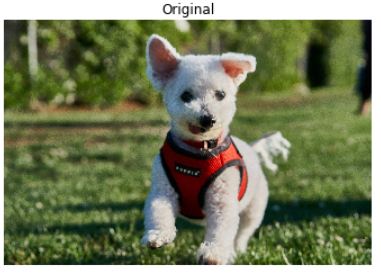
# Matplotlib로 이미지 불러오기
madrid_image = plt.imread('/madrid.jpeg')

type(madrid_image)
<class 'numpy.ndarray'>
NumPy와 색상
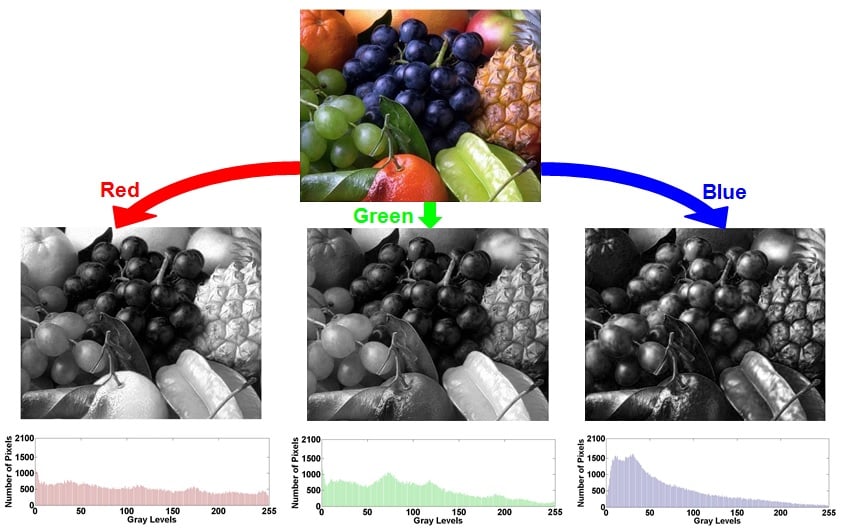
NumPy와 색상
# 이미지의 빨간색 값 추출
red = image[:, :, 0]

# 이미지의 초록색 값 추출
green = image[:, :, 1]

# 이미지의 파란색 값 추출
blue = image[:, :, 2]
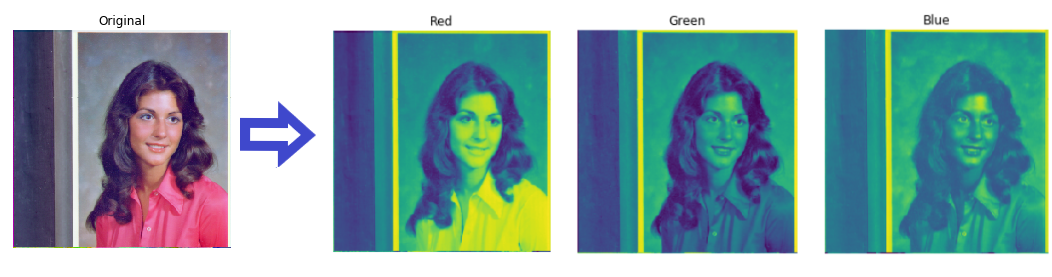
NumPy와 색상
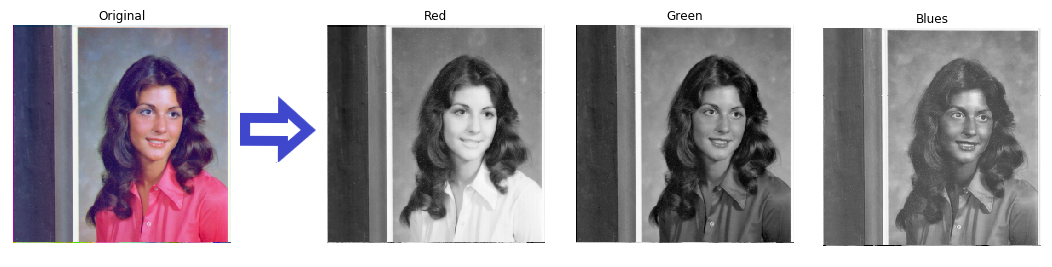
plt.imshow(red, cmap="gray")
plt.title('Red')
plt.axis('off')
plt.show()
Shape
# 이미지의 shape 확인
madrid_image.shape
(426, 640, 3)
Size
# 이미지의 크기(요소 수) 확인
madrid_image.size
817920
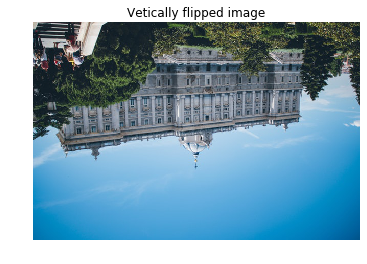
영상 뒤집기: 수직
# 이미지를 위아래로 뒤집기
vertically_flipped = np.flipud(madrid_image)

show_image(vertically_flipped, 'Vertically flipped image')
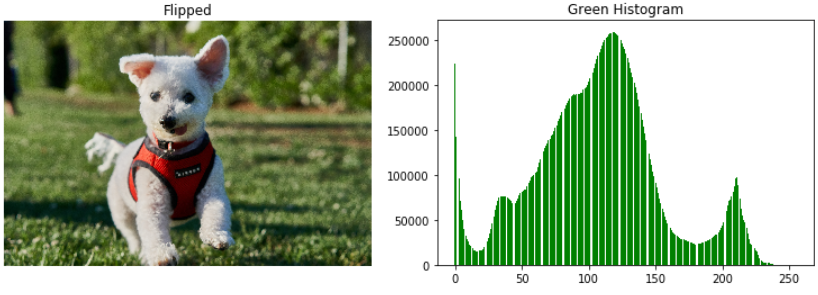
영상 뒤집기: 수평
# 이미지를 좌우로 뒤집기
horizontally_flipped = np.fliplr(madrid_image)

show_image(horizontally_flipped, 'Horizontally flipped image')

히스토그램이란?
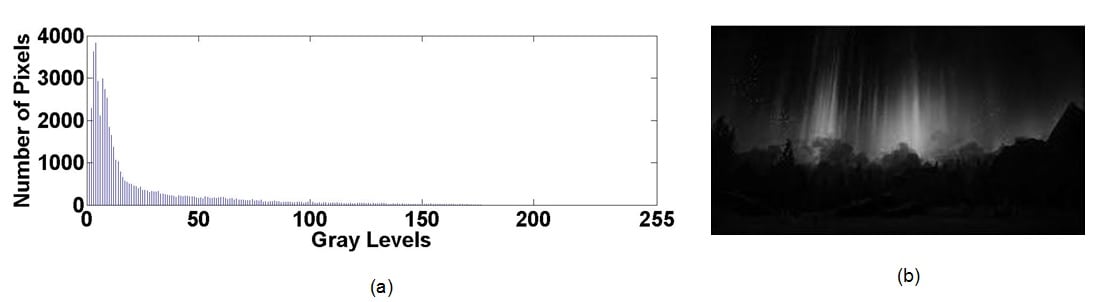
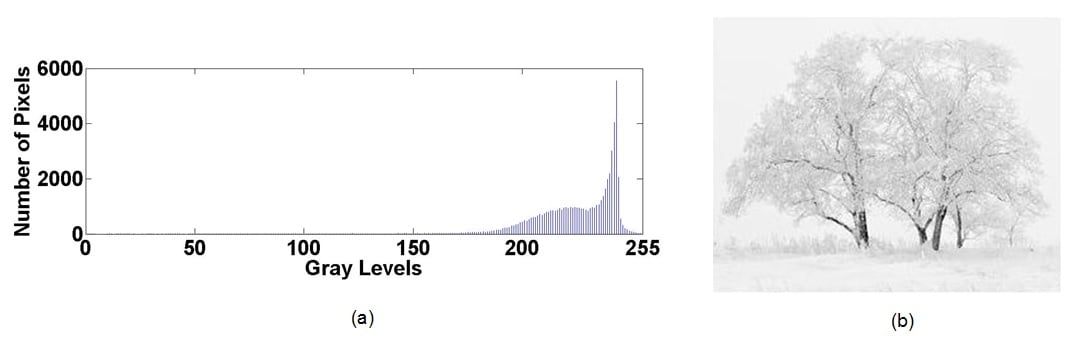
색상 히스토그램

히스토그램의 활용
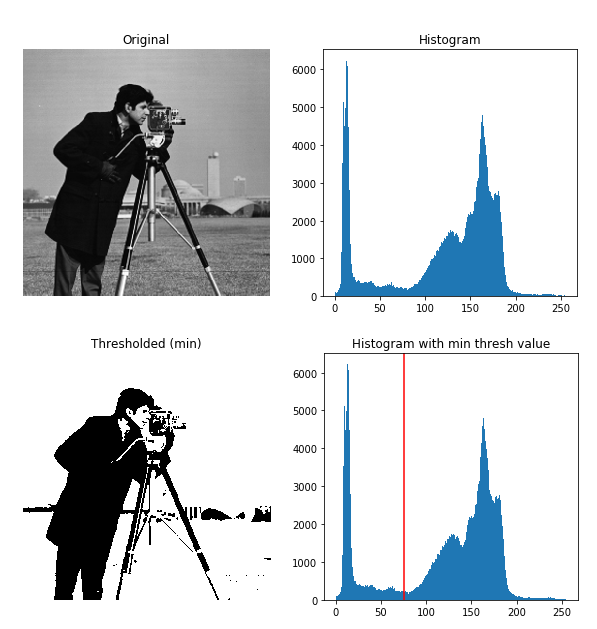
Matplotlib에서 히스토그램
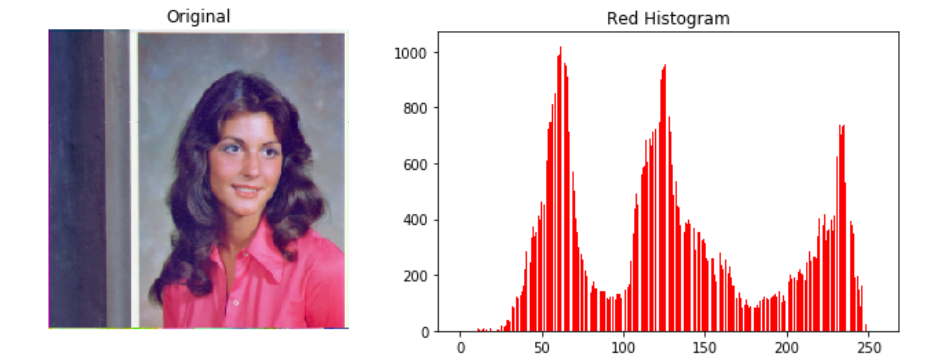
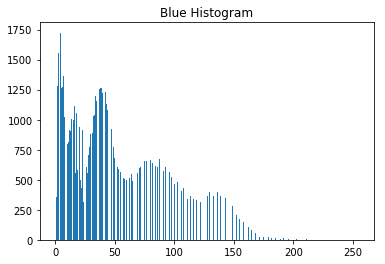
# 이미지의 빨간색 채널 red = image[:, :, 0]# 빨간색 히스토그램 계산 plt.hist(red.ravel(), bins=256)
Matplotlib로 히스토그램 시각화
blue = image[:, :, 2]

plt.hist(blue.ravel(), bins=256)
plt.title('Blue Histogram')
plt.show()