FastAPI 입문
Matt Eckerle
Software and Data Engineering Leader
HTTP 프로토콜 – 여러 작업 유형
예: https://www.google.com:80/search?q=fastapi
https://www.google.com:80/search?q=fastapi
GET 요청의 핵심 구성:
www.google.com
80
/search
?q=fastapi
가장 단순한 FastAPI 애플리케이션:
from fastapi import FastAPI


# 앱 인스턴스화
app = FastAPI()


# 루트에 대한 GET 요청 처리
@app.get("/")
def root():
    return {"message": "Hello World"}
from fastapi import FastAPI
# 앱 인스턴스화 app = FastAPI()
# 루트에 대한 GET 요청 처리 @app.get("/") def root(): return {"message": "Hello World"}
주요 cURL 옵션:
$ curl -h
Usage: curl [options...] <url>
 -v, --verbose               Make the operation more talkative
 -H, --header <header/@file> Pass custom header(s) to server
 -d, --data <data>           HTTP POST data
사용 예시:
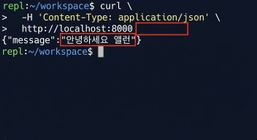
$ curl http://localhost:8000
{"message":"Hello World"}
새 엔드포인트:
@app.get("/hello")
def hello(name: str = "Alan"):
    return {"message": f"Hello {name}"}
요청에 이름 없음:
요청에 이름 포함: