벡터 공간 탐색
OpenAI API로 시작하는 임베딩 Introduction

Emmanuel Pire
Senior Software Engineer, DataCamp
예시: 헤드라인 임베딩
articles = [
    {"headline": "Economic Growth Continues Amid Global Uncertainty", "topic": "Business"},
    {"headline": "Interest rates fall to historic lows", "topic": "Business"},
    {"headline": "Scientists Make Breakthrough Discovery in Renewable Energy", "topic": "Science"},
    {"headline": "India Successfully Lands Near Moon's South Pole", "topic": "Science"},
    {"headline": "New Particle Discovered at CERN", "topic": "Science"},
    {"headline": "Tech Company Launches Innovative Product to Improve Online Accessibility", "topic": "Tech"},
    {"headline": "Tech Giant Buys 49% Stake In AI Startup", "topic": "Tech"},
    {"headline": "New Social Media Platform Has Everyone Talking!", "topic": "Tech"},
    {"headline": "The Blues get promoted on the final day of the season!", "topic": "Sport"},
    {"headline": "1.5 Billion Tune-in to the World Cup Final", "topic": "Sport"}
]
예시: 헤드라인 임베딩
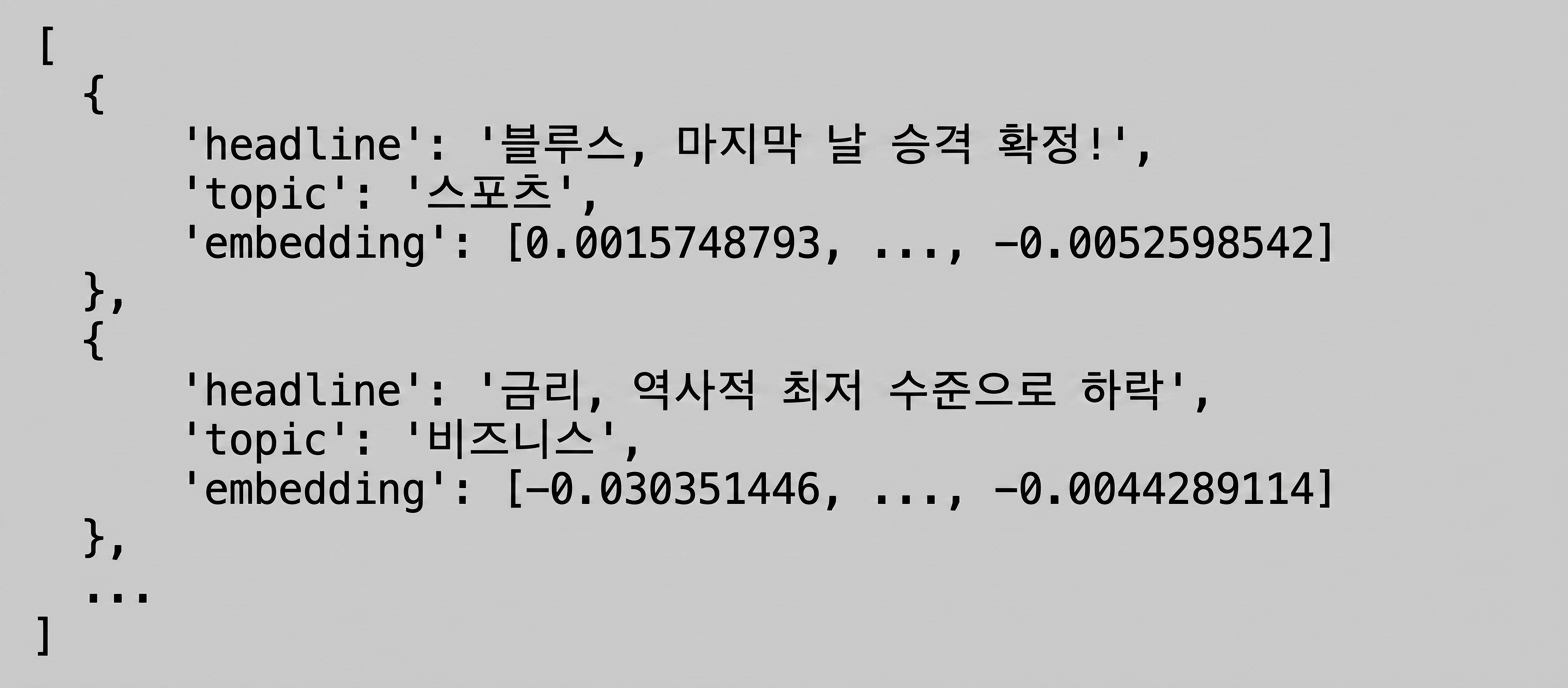
여러 입력값 임베딩
headline_text = [article['headline'] for article in articles]
headline_text
["Economic Growth Continues Amid Global Uncertainty",
 ...,
 "1.5 Billion Tune-in to the World Cup Final"]
response = client.embeddings.create(
  model="text-embedding-3-small",
  input=headline_text
)
response_dict = response.model_dump()
- 배치 처리는 여러 API 호출보다 효율적입니다
[...]

'data': [
    {
      "embedding": [-0.017142612487077713, ..., -0.0012911480152979493],
      "index": 0,
      "object": "embedding"
    },
    {
      "embedding": [-0.032995883375406265, ..., -0.0028605300467461348],
      "index": 1,
      "object": "embedding"
    },
    ...
  ]

[...]
여러 입력값 임베딩
articles = [
    {"headline": "Economic Growth Continues Amid Global Uncertainty", "topic": "Business"},
     ...
]
for i, article in enumerate(articles):article['embedding'] = response_dict['data'][i]['embedding']print(articles[:2])
[{'headline': 'Economic Growth Continues Amid Global Uncertainty',
  'topic': 'Business',
  'embedding': [-0.017142612487077713, ..., -0.0012911480152979493]}
 {'headline': 'Interest rates fall to historic lows',
  'topic': 'Business',
  'embedding': [-0.032995883375406265, ..., -0.0028605300467461348]}]
임베딩 벡터의 길이는?
- "Economic Growth Continues Amid Global Uncertainty"
len(articles[0]['embedding'])
1536
- "Tech Company Launches Innovative Product to Improve Accessibility"
len(articles[5]['embedding'])
1536
- 항상 1536개의 숫자를 반환합니다!
차원 축소와 t-SNE
- 차원 수를 줄이는 다양한 기법
- t-SNE (t-distributed Stochastic Neighbor Embedding)
1 https://www.datacamp.com/tutorial/introduction-t-sne
t-SNE 구현
from sklearn.manifold import TSNE import numpy as npembeddings = [article['embedding'] for article in articles]tsne = TSNE(n_components=2, perplexity=5)embeddings_2d = tsne.fit_transform(np.array(embeddings))
n_components: 결과 차원 수perplexity: 알고리즘에서 사용, 데이터 포인트 수보다 작아야 함- 정보 손실이 발생합니다
1 https://www.datacamp.com/tutorial/introduction-t-sne
임베딩 시각화
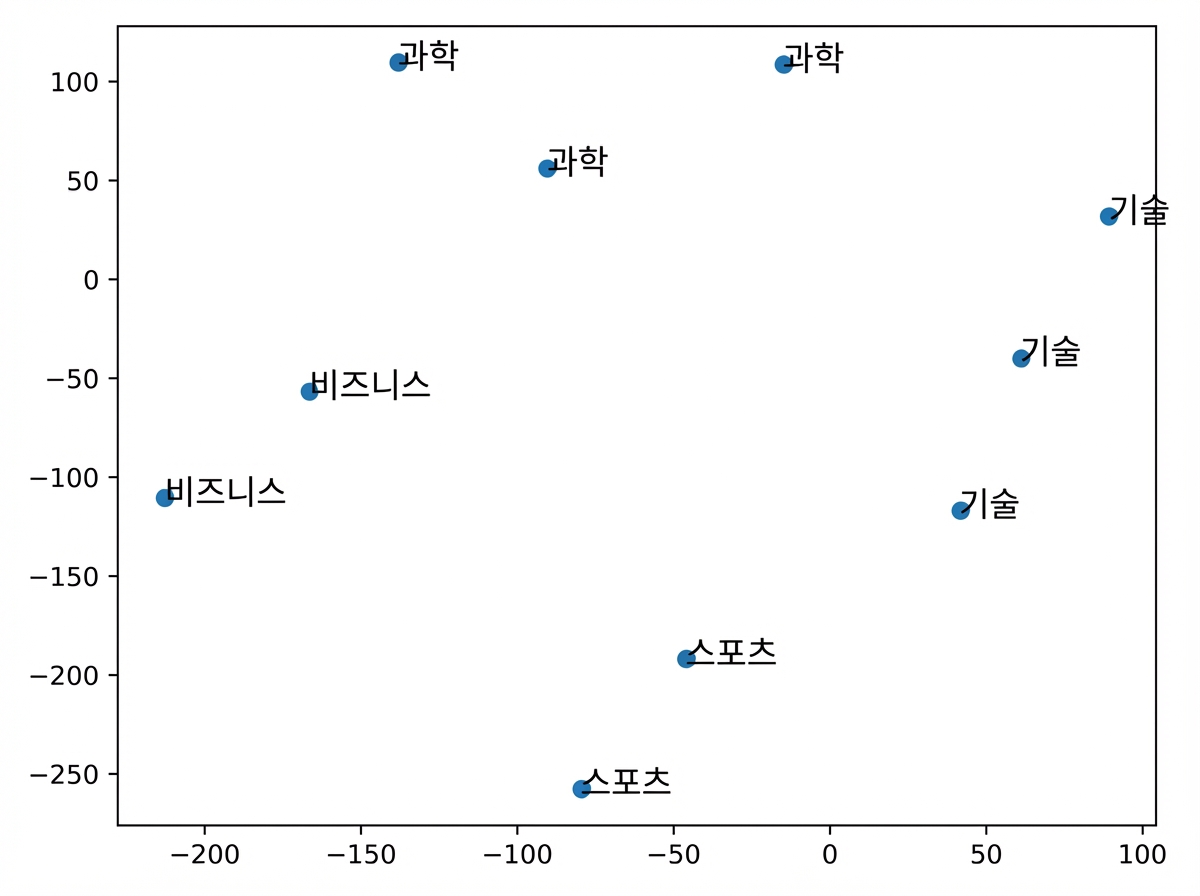
import matplotlib.pyplot as plt plt.scatter(embeddings_2d[:, 0], embeddings_2d[:, 1])topics = [article['topic'] for article in articles] for i, topic in enumerate(topics): plt.annotate(topic, (embeddings_2d[i, 0], embeddings_2d[i, 1])) plt.show()
임베딩 시각화
- 유사한 기사끼리 군집을 이룹니다!
- 모델이 의미적 의미를 포착했습니다
- 다음: 유사도 계산
연습해 봅시다!
OpenAI API로 시작하는 임베딩 Introduction

