중첩 JSON 다루기
pandas로 빠르고 간편한 데이터 적재

Amany Mahfouz
Instructor
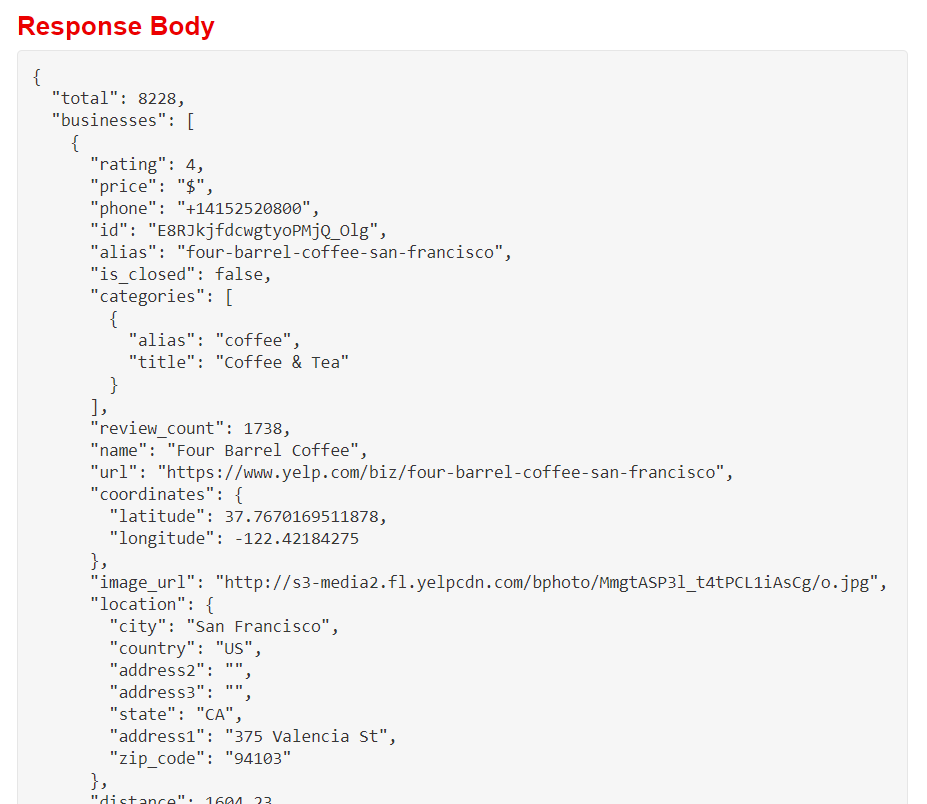
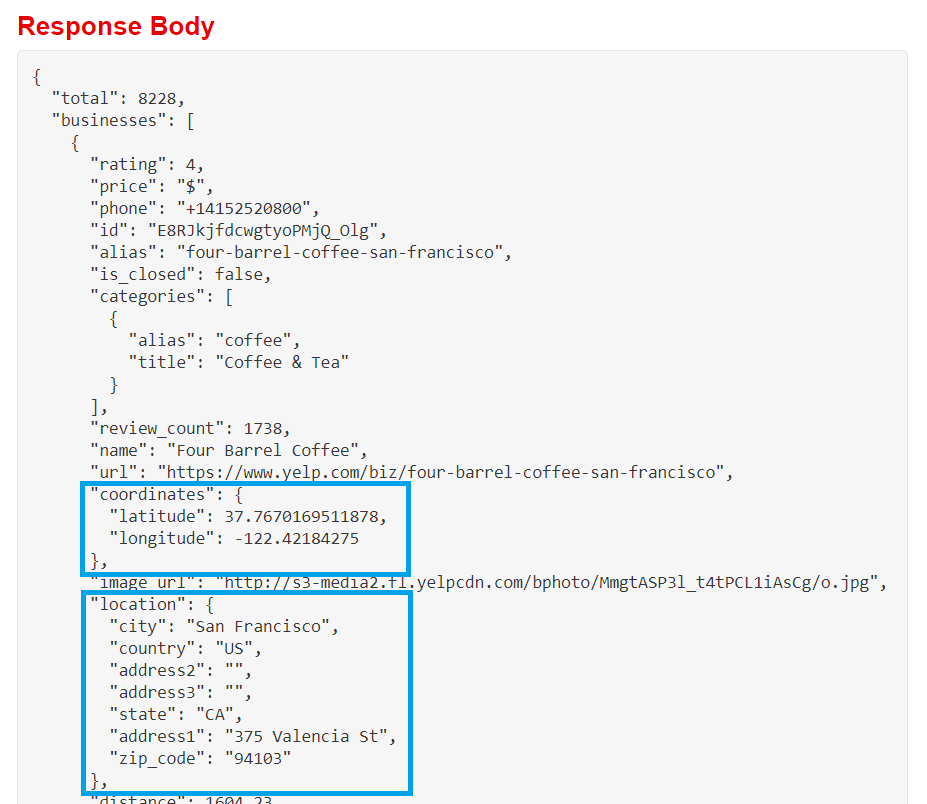
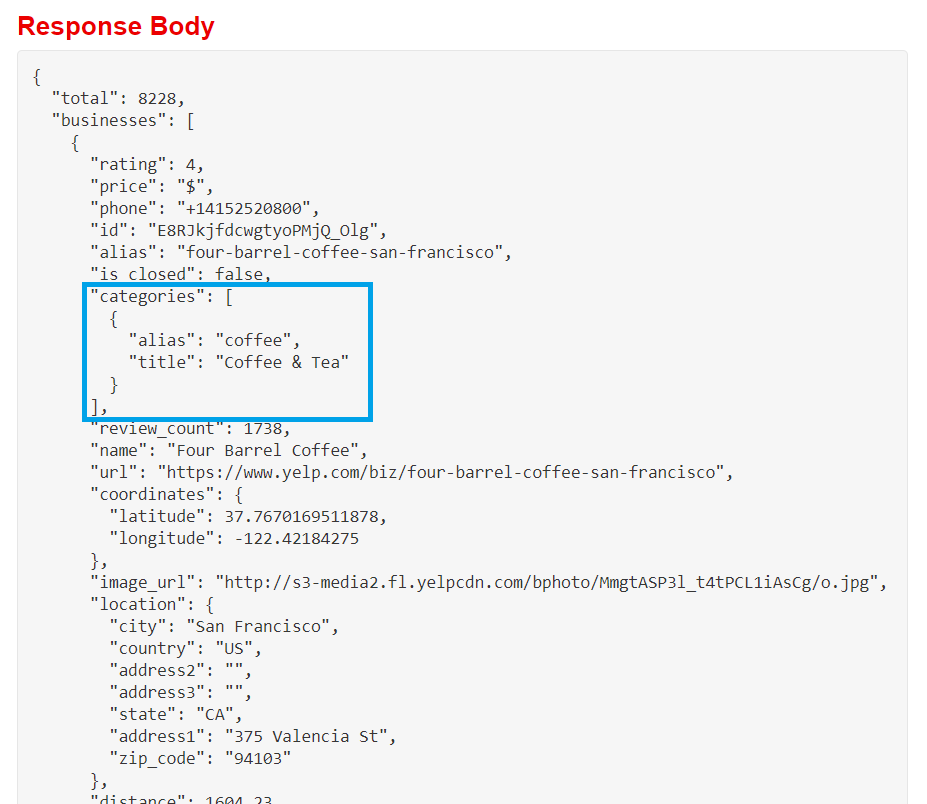
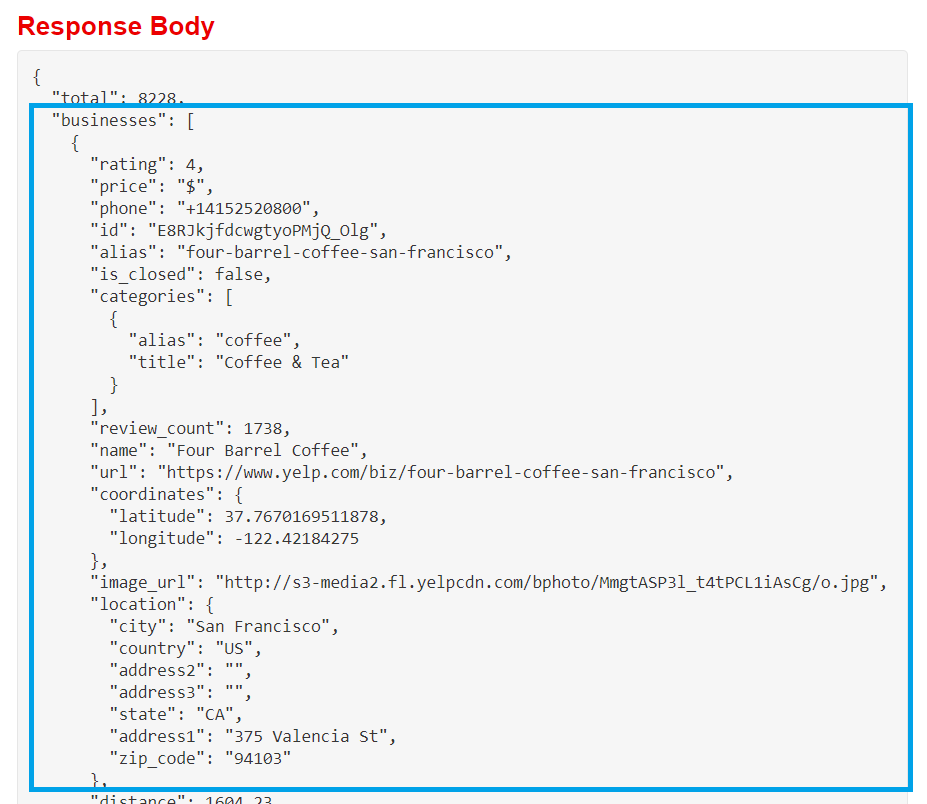
중첩 JSON
- JSON은 속성-값 쌍의 객체로 구성됩니다
- 값이 또 다른 객체이면 JSON이 중첩됩니다
# 중첩 데이터를 포함한 열 출력
print(bookstores[["categories", "coordinates", "location"]].head(3))
                                          categories  \
0   [{'alias': 'bookstores', 'title': 'Bookstores'}]
1  [{'alias': 'bookstores', 'title': 'Bookstores'...
2   [{'alias': 'bookstores', 'title': 'Bookstores'}]

                                         coordinates  \
0  {'latitude': 37.7975997924805, 'longitude': -1...
1  {'latitude': 37.7885846793652, 'longitude': -1...
2  {'latitude': 37.7589836120605, 'longitude': -1...

                                            location
0  {'address1': '261 Columbus Ave', 'address2': '...
1  {'address1': '50 2nd St', 'address2': '', 'add...
2  {'address1': '866 Valencia St', 'address2': ''...
pandas.io.json
pandas.io.json서브모듈은 JSON 입출력 도구를 제공합니다- 별도
import가 필요합니다
- 별도
json_normalize()- 딕셔너리/딕셔너리 리스트를 입력으로 받습니다 (
pd.DataFrame()과 유사) - 평탄화된 데이터프레임을 반환합니다
- 기본 열 이름 패턴:
attribute.nestedattribute sep인수로 구분자 변경
- 딕셔너리/딕셔너리 리스트를 입력으로 받습니다 (
중첩 JSON 데이터 불러오기
import pandas as pd import requestsfrom pandas.io.json import json_normalize# 헤더, 파라미터, API 엔드포인트 설정 api_url = "https://api.yelp.com/v3/businesses/search" headers = {"Authorization": "Bearer {}".format(api_key)} params = {"term": "bookstore", "location": "San Francisco"}# API 호출 및 JSON 추출 response = requests.get(api_url, headers=headers, params=params) data = response.json()
# 데이터를 평탄화하여 데이터프레임에 적재, 구분자는 _ 사용
bookstores = json_normalize(data["businesses"], sep="_")
print(list(bookstores))
['alias',
 'categories',
 'coordinates_latitude',
 'coordinates_longitude',
 ...
 'location_address1',
 'location_address2',
 'location_address3',
 'location_city',
 'location_country',
 'location_display_address',
 'location_state',
 'location_zip_code',
 ...
 'url']
깊게 중첩된 데이터
print(bookstores.categories.head())
0     [{'alias': 'bookstores', 'title': 'Bookstores'}]
1    [{'alias': 'bookstores', 'title': 'Bookstores'...
2     [{'alias': 'bookstores', 'title': 'Bookstores'}]
3     [{'alias': 'bookstores', 'title': 'Bookstores'}]
4    [{'alias': 'bookstores', 'title': 'Bookstores'...
Name: categories, dtype: object
깊게 중첩된 데이터
json_normalize()record_path: 중첩 데이터로의 속성(문자열/문자열 리스트)meta: 데이터프레임에 포함할 기타 속성 리스트meta_prefix: 메타 열 이름에 붙일 접두사
깊게 중첩된 데이터
# categories를 평탄화하고, 업체 상세를 함께 가져오기 df = json_normalize(data["businesses"], sep="_",record_path="categories",meta=["name", "alias", "rating", ["coordinates", "latitude"], ["coordinates", "longitude"]],meta_prefix="biz_")
print(df.head(4))
        alias               title                biz_name  \
0  bookstores          Bookstores   City Lights Bookstore
1  bookstores          Bookstores  Alexander Book Company
2  stationery  Cards & Stationery  Alexander Book Company
3  bookstores          Bookstores       Borderlands Books

                              biz_alias  biz_rating  biz_coordinates_latitude  \
0   city-lights-bookstore-san-francisco         4.5                 37.797600
1  alexander-book-company-san-francisco         4.5                 37.788585
2  alexander-book-company-san-francisco         4.5                 37.788585
3       borderlands-books-san-francisco         5.0                 37.758984

   biz_coordinates_longitude
0                -122.406578
1                -122.400631
2                -122.400631
3                -122.421638
실습해 봅시다!
pandas로 빠르고 간편한 데이터 적재

