사전 학습 모델 활용

PyTorch로 배우는 이미지 딥러닝

Michal Oleszak

Machine Learning Engineer

사전 학습 모델 활용하기

  • 처음부터 모델 학습:

    • 시간이 오래 걸림
    • 많은 데이터 필요
  • 사전 학습 모델 - 이미 특정 작업에 학습된 모델

    • 새 작업에 바로 재사용 가능
    • 새 작업에 맞게 조정 필요(전이 학습)
  • 사전 학습 모델 활용 단계:

    • 로컬로 모델 저장 및 로드
    • torchvision 모델 다운로드
PyTorch로 배우는 이미지 딥러닝

PyTorch 모델 저장

  • torch.save()
  • 모델 확장자: .pt 또는 .pth
  • .state_dict()로 가중치 저장
    torch.save(model.state_dict(), "BinaryCNN.pth")
    
PyTorch로 배우는 이미지 딥러닝

PyTorch 모델 로드

  • 새 모델 인스턴스화

    new_model = BinaryCNN()
    
  • 저장한 파라미터 로드

    new_model.load_state_dict(torch.load('BinaryCNN.pth'))
    
PyTorch로 배우는 이미지 딥러닝

`torchvision` 모델 다운로드

from torchvision.models import (
    resnet18, ResNet18_Weights
)


weights = ResNet18_Weights.DEFAULT
model = resnet18(weights=weights)
transforms = weights.transforms()
  • resnet 구조와 가중치 임포트
  • 가중치 추출
  • 가중치를 전달해 모델 생성
  • 필요한 데이터 변환 저장
PyTorch로 배우는 이미지 딥러닝

새 입력 이미지 준비

from PIL import Image

image = Image.open("cat013.jpg")

image_tensor = transform(image)
image_reshaped = image_tensors.unsqueeze(0)
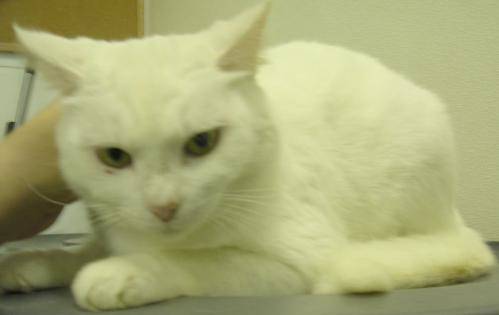
 

고양이 이미지

  • 이미지 로드
  • 이미지 변환
  • 이미지 리쉐이프
PyTorch로 배우는 이미지 딥러닝

새 예측 생성

model.eval()


with torch.no_grad():
pred = model(image_reshaped).squeeze(0)
pred_cls = pred.softmax(0)
cls_id = pred_cls.argmax().item()
cls_name = weights.meta["categories"][cls_id]
print(cls_name)
Egyptian cat
  • 추론을 위한 평가 모드
  • 그래디언트 비활성화
  • 이미지를 모델에 전달하고 배치 차원 제거
  • 소프트맥스 적용
  • 최고 확률 클래스 선택해 인덱스 추출
  • 클래스 인덱스를 라벨로 매핑
  • 클래스 라벨 출력
PyTorch로 배우는 이미지 딥러닝

Lass uns üben!

PyTorch로 배우는 이미지 딥러닝

Preparing Video For Download...