미세 조정을 위한 데이터 전처리

Llama 3 미세 조정(Fine-Tuning)

Francesca Donadoni

Curriculum Manager, DataCamp

미세 조정을 위한 데이터셋 사용
  • 데이터 품질이 핵심

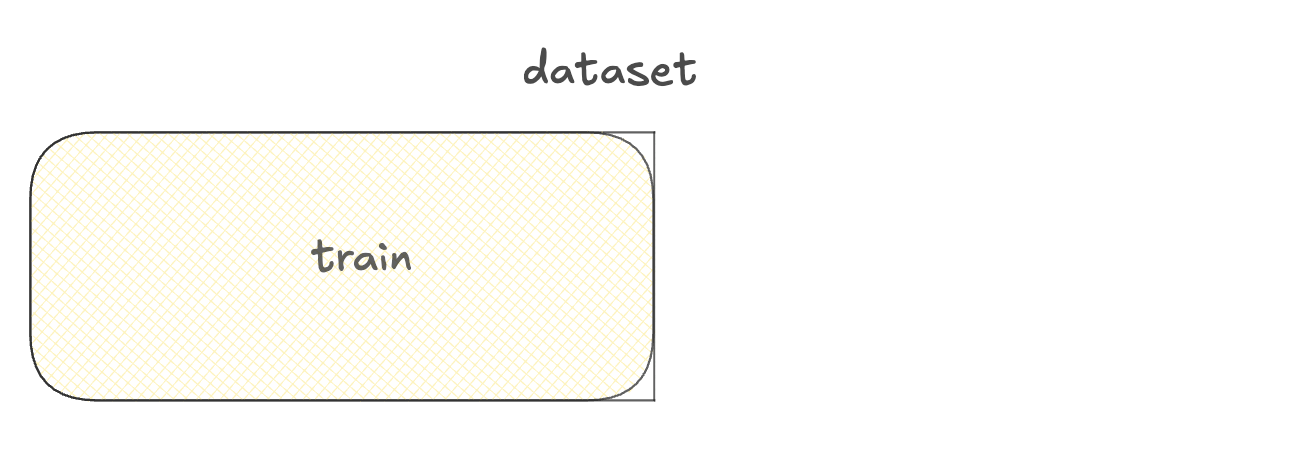
  • 훈련 세트:

    • 모델 학습용
    • 데이터의 대부분

훈련 세트가 표시된 데이터셋 다이어그램.

Llama 3 미세 조정(Fine-Tuning)

미세 조정을 위한 데이터셋 사용

  • 데이터 품질이 핵심

  • 훈련 세트:

    • 모델 학습용
    • 데이터의 대부분
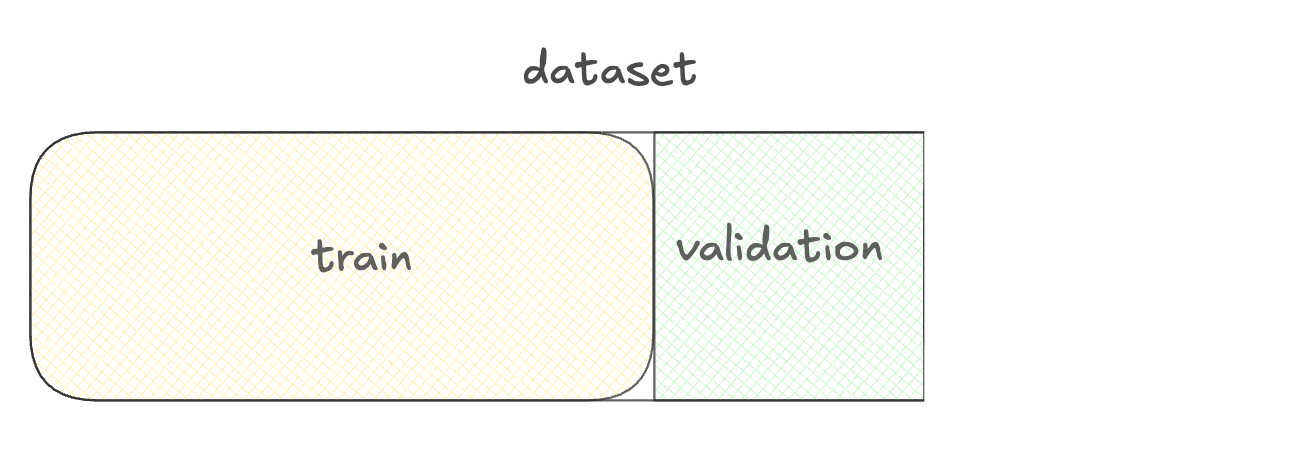
  • 검증 세트:
    • 최적 모델 버전 선택용

훈련 세트와 검증 세트 다이어그램.

Llama 3 미세 조정(Fine-Tuning)

미세 조정을 위한 데이터셋 사용

  • 데이터 품질이 핵심

  • 훈련 세트:

    • 모델 학습용
    • 데이터의 대부분
  • 검증 세트:
    • 최적 모델 버전 선택용
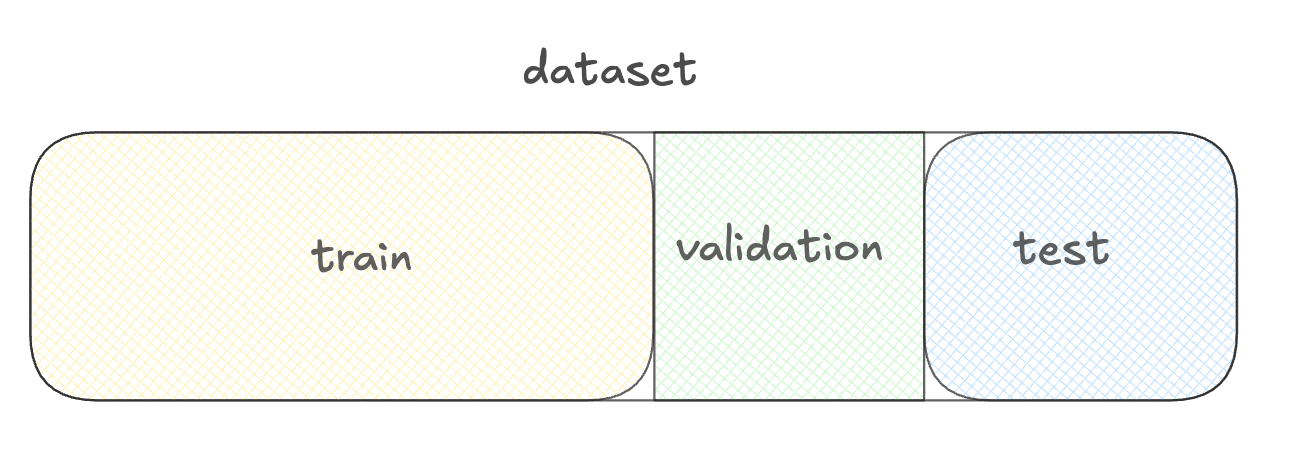
  • 테스트 세트:
    • 모델 성능 평가용

훈련, 검증, 테스트 세트 다이어그램.

Llama 3 미세 조정(Fine-Tuning)

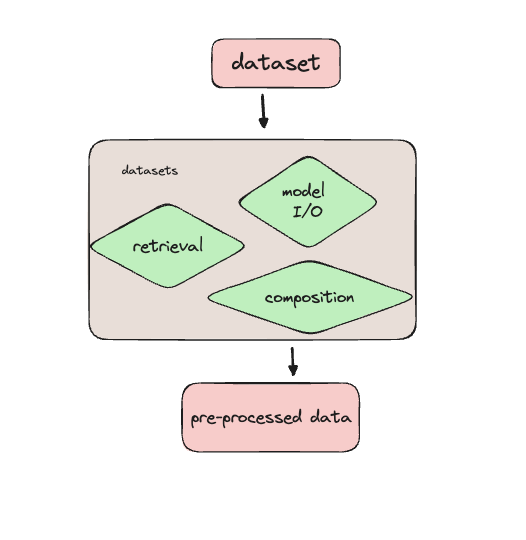
datasets 라이브러리로 데이터 준비하기


  • Datasets 라이브러리
  • 전처리
  • 분할
  • 로드
  • 메모리 관리

데이터 흐름 다이어그램: 데이터셋이 datasets 라이브러리로 들어가 전처리, 로딩/데이터 관리, 통합(녹색 상자 3개)을 거쳐, 준비된 데이터 출력 상자로 이어짐.

Llama 3 미세 조정(Fine-Tuning)

고객 서비스 데이터셋 로드하기

from datasets import load_dataset

ds = load_dataset( 'bitext/Bitext-customer-support-llm-chatbot-training-dataset',
split="train"
)
print(ds.column_names)
['flags', 'instruction', 'category', 'intent', 'response']
Llama 3 미세 조정(Fine-Tuning)

데이터 미리보기

import pprint
pprint.pprint(ds[0])
{'category': 'ORDER',
 'flags': 'B',
 'instruction': 'question about cancelling order {{Order Number}}',
 'intent': 'cancel_order',
 'response': "I've understood you have a question regarding canceling order "
             "{{Order Number}}, and I'm here to provide you with the "
             'information you need. Please go ahead and ask your question, and '
             "I'll do my best to assist you."}
Llama 3 미세 조정(Fine-Tuning)

데이터셋 필터링

from datasets import load_dataset, Dataset

ds = load_dataset(
    'bitext/Bitext-customer-support-llm-chatbot-training-dataset',
    split="train")

print(ds.shape)
(26872, 5)
first_thousand_points = ds[:1000]

ds = Dataset.from_dict(first_thousand_points)
Llama 3 미세 조정(Fine-Tuning)

데이터셋 전처리

def merge_example(row):

row['conversation'] = f"Query: {row['instruction']}\nResponse: {row['response']}" return row
ds = ds.map(merge_example)
print(ds[0]['conversation'])
Query: question about cancelling order {{Order Number}}
Response: I've understood you have a question regarding canceling order {{Order Number}}, 
and I'm here to provide you with the information you need. Please go ahead and ask your 
question, and I'll do my best to assist you.
Llama 3 미세 조정(Fine-Tuning)

전처리된 데이터셋 저장하기

ds.save_to_disk("preprocessed_dataset")
Saving the dataset (1/1 shards): 100%
26872/26872 [00:00<00:00, 383823.33 examples/s]
from datasets import load_from_disk
ds_preprocessed = load_from_disk("preprocessed_dataset")
Llama 3 미세 조정(Fine-Tuning)

TorchTune에서 Hugging Face 데이터셋 사용하기


  • TorchTune에서 Hugging Face 데이터셋 사용 가능
  • 데이터셋 경로와 설정 지정


tune run full_finetune_single_device --config llama3/8B_full_single_device \
dataset=preprocessed_dataset dataset.split=train
Llama 3 미세 조정(Fine-Tuning)

연습해 봅시다!

Llama 3 미세 조정(Fine-Tuning)

Preparing Video For Download...