R로 Shiny 웹 애플리케이션 만들기
Ramnath Vaidyanathan
VP of Product Research
보통 브라우저 인터페이스를 통해 들어오는 사용자 입력
ui <- fluidPage(
  titlePanel('Greeting'),

  textInput('name', 'Enter Name')

)
server <- function(input, output, session){

}

shinyApp(ui = ui, server = server)
ui <- fluidPage( titlePanel('Greeting'),
textInput('name', 'Enter Name')
) server <- function(input, output, session){ } shinyApp(ui = ui, server = server)
보통 브라우저 창에 나타나는 출력(예: 플롯, 테이블) `r
`
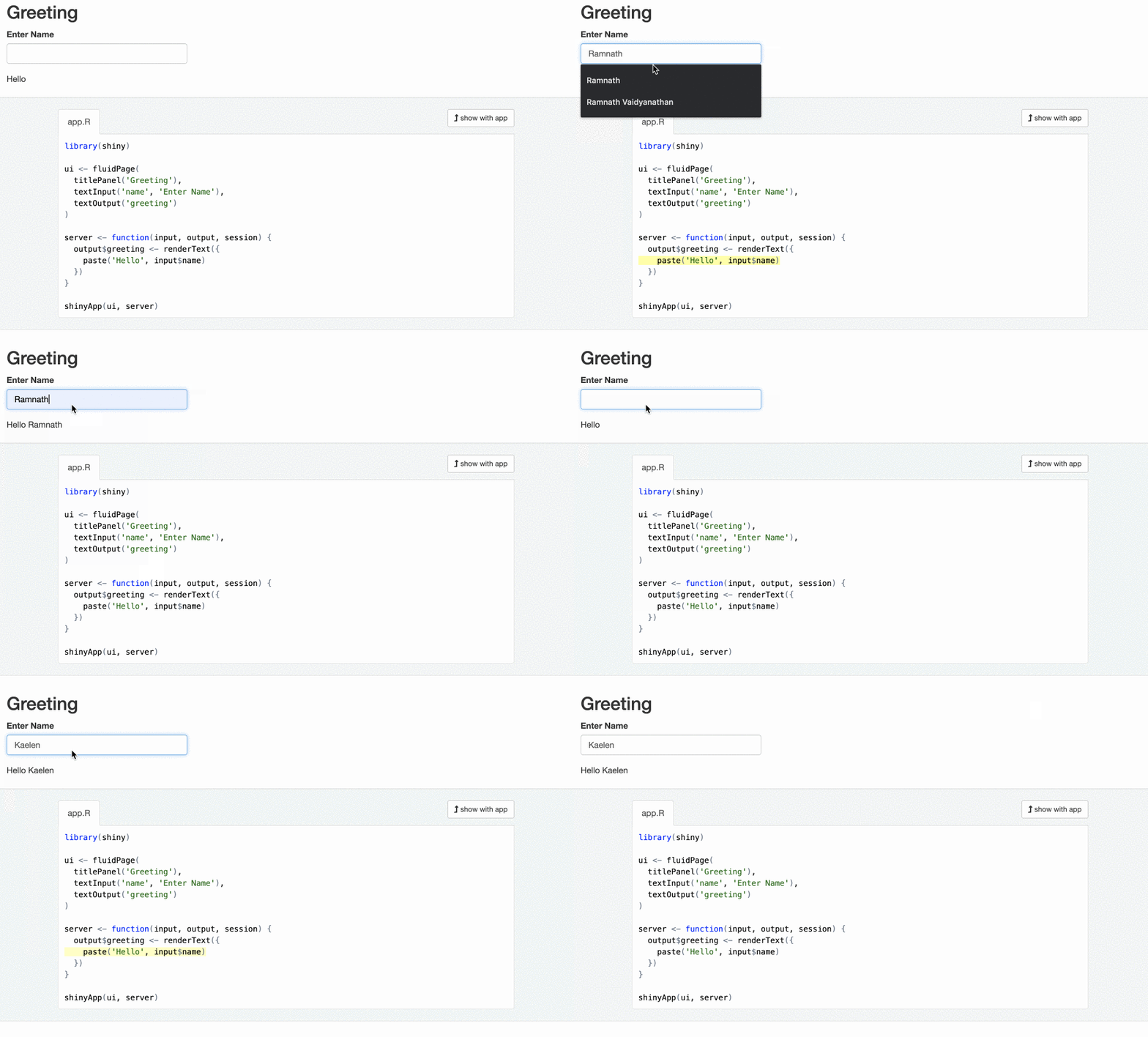
ui <- fluidPage( titlePanel('Greeting'), textInput('name', 'Enter Name'), textOutput('greeting') )
----CODE_GLUE----
```r
server <- function(input, output, session){

  output$greeting <- renderText({
    paste("Hello", input$name)
  })

}
----CODE_GLUE---- ```r server <- function(input, output, session){
output$greeting <- renderText({ paste("Hello", input$name) })
}
반응형 소스에 의존하고/또는 반응형 엔드포인트를 갱신하는 중간 단계.
server <- function(input, output, session){
  output$plot_trendy_names <- plotly::renderPlotly({
    babynames %>%
      filter(name == input$name) %>%
      ggplot(val_bnames, aes(x = year, y = n)) +
      geom_col()
  })
  output$table_trendy_names <- DT::renderDT({
     babynames %>%
      filter(name == input$name)
  })
}
반응식은 지연 평가되고 캐시됩니다.
server <- function(input, output, session){
  rval_babynames <- reactive({
    babynames %>%
      filter(name == input$name)
  })
  output$plot_trendy_names <- plotly::renderPlotly({
     rval_babynames() %>%
      ggplot(val_bnames, aes(x = year, y = n)) +
      geom_col()
  })
  output$table_trendy_names <- DT::renderDT({
     rval_babynames()
  })
}