Power BI에서 Python 기초 배우기

Power BI에서 Python 시작하기

Jacob H. Marquez

Data Scientist

사전 지식

Power BI에서 Python 시작하기

학습 내용

Power BI

  • Power Query로 데이터 가져오기 및 조인
  • Power Query로 결측치 찾기
  • 빠른 측정으로 상관계수 계산

Python

  • pandas로 데이터 가져오기 및 조인
  • 결측치 탐지와 대치
  • Seaborn으로 시각화 생성
Power BI에서 Python 시작하기

시작하기 - Python 다운로드

Power BI에서 Python 시작하기

시작하기 - 패키지 설치

필수 Python 패키지 두 가지:

  • pandas
  • matplotlib

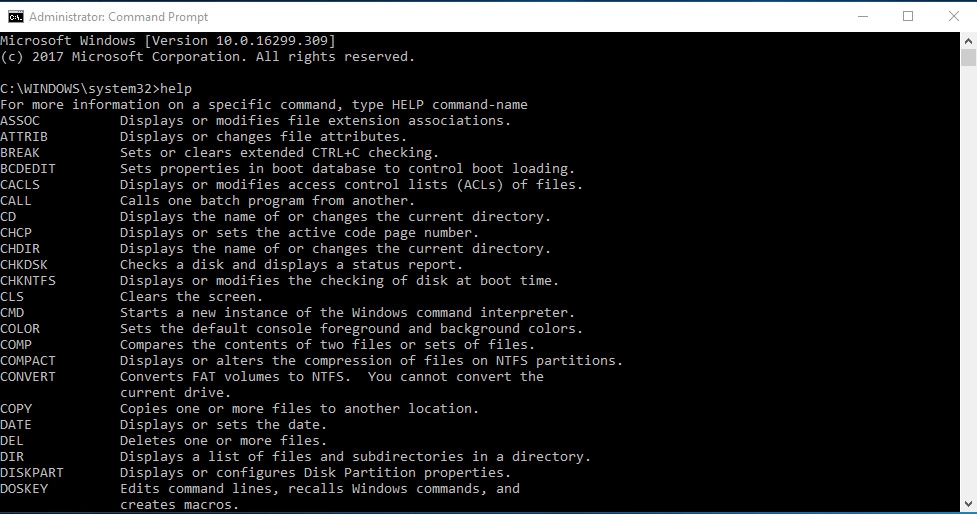
명령줄 인터페이스 터미널 이미지.

1 https://packaging.python.org/en/latest/tutorials/installing-packages/
Power BI에서 Python 시작하기

시작하기 - Power BI

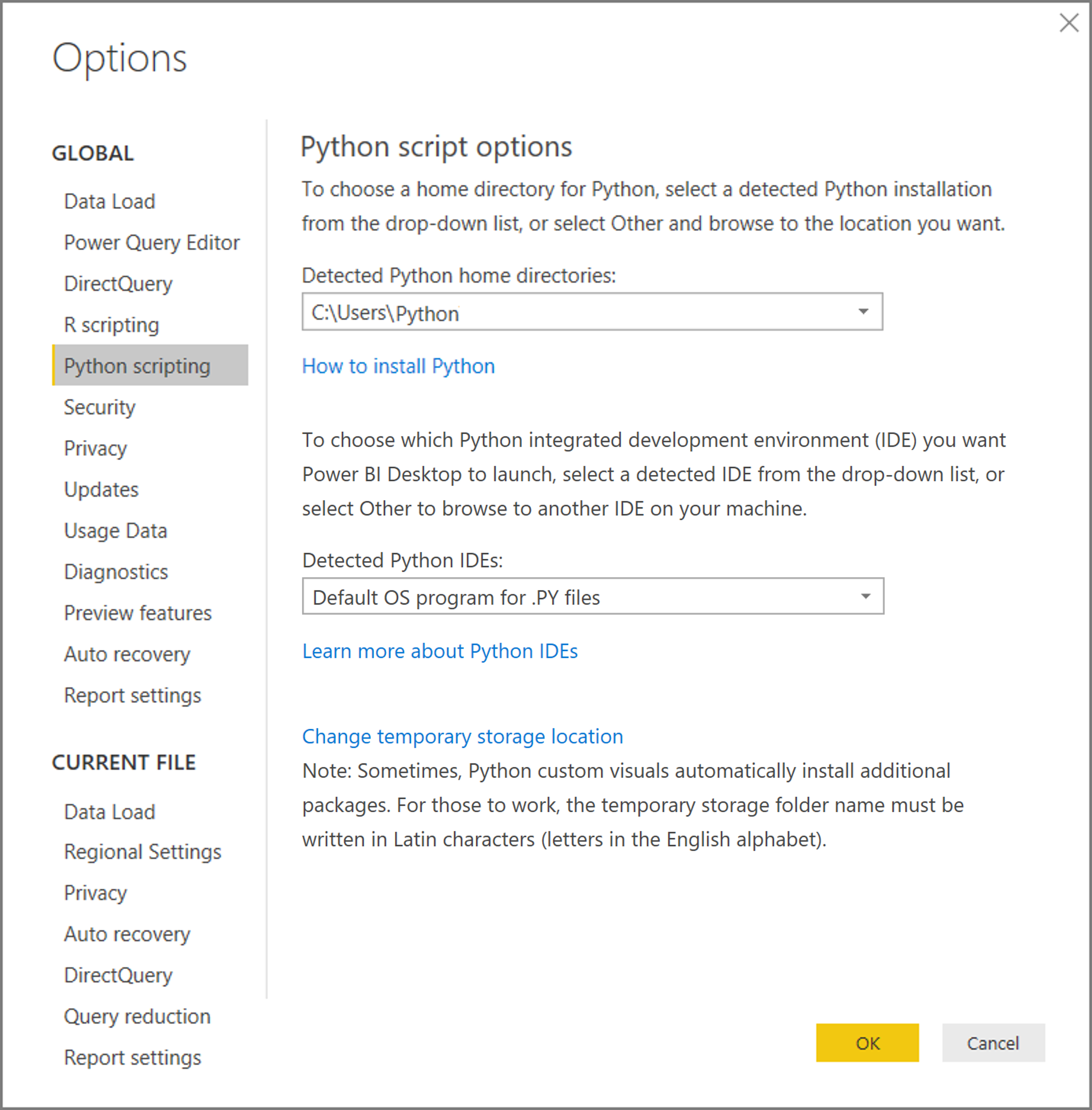
"파일" > "옵션 및 설정" > "옵션" > "Python 스크립팅"

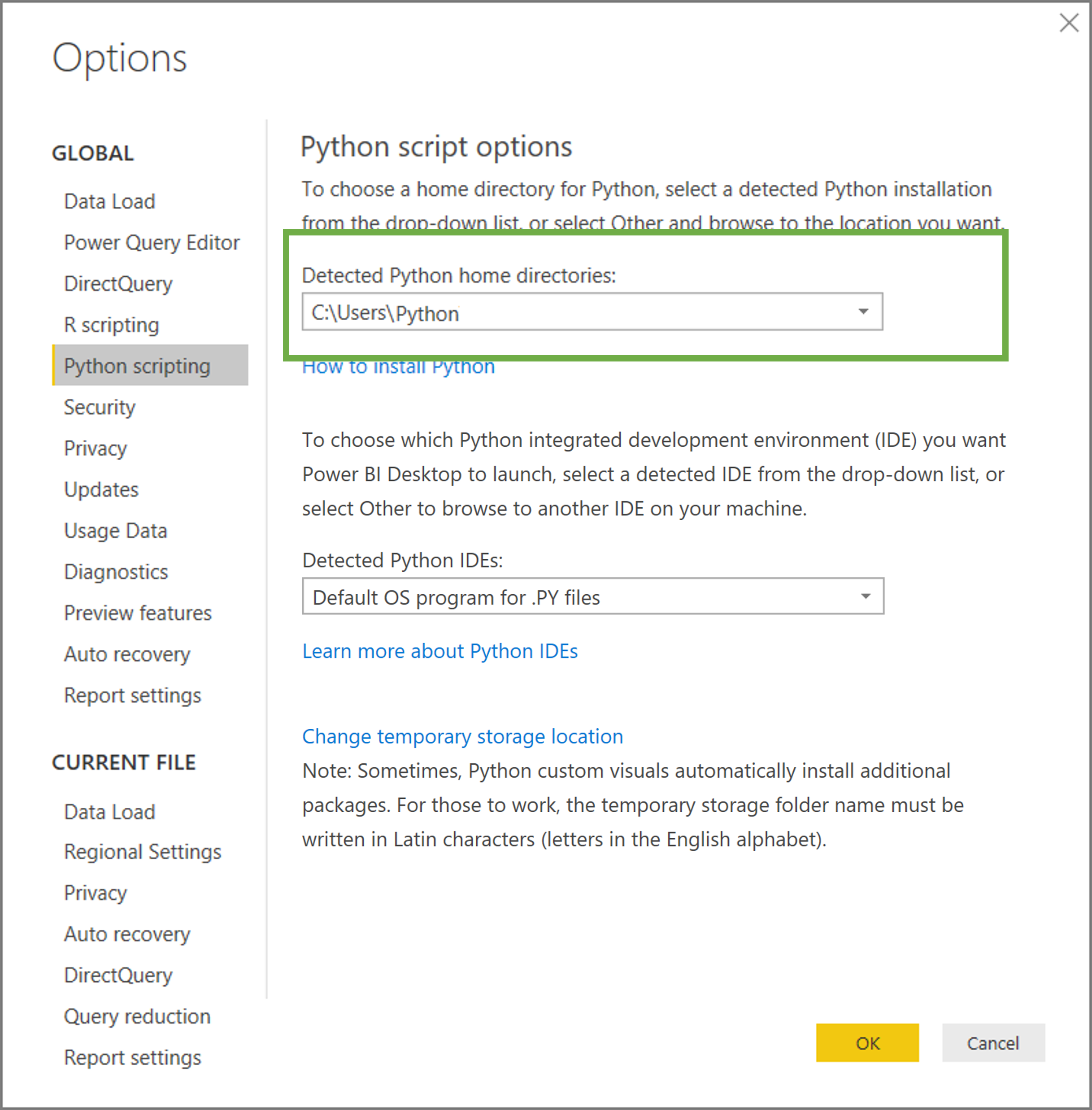
  • 홈 디렉터리
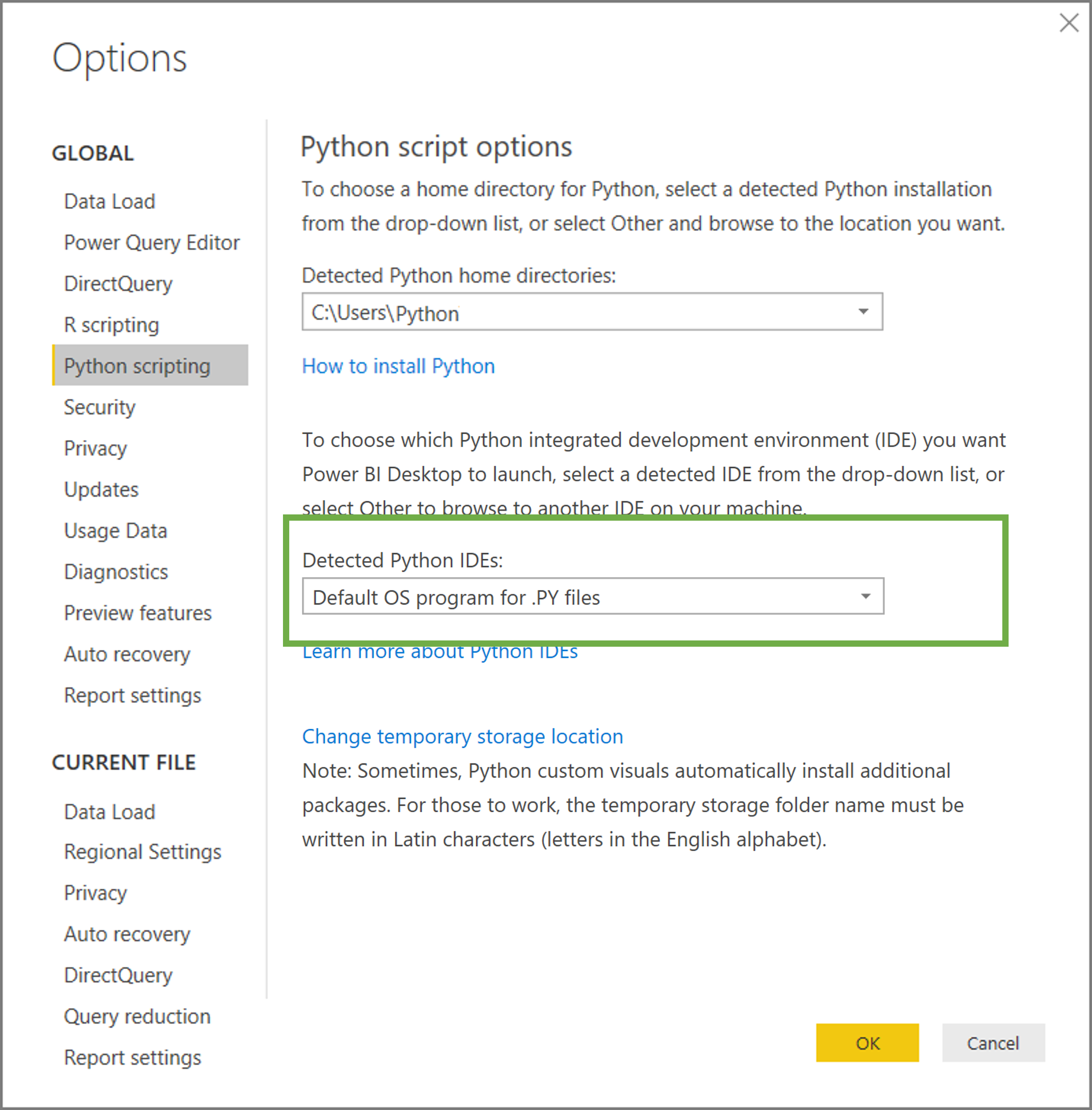
  • 통합 개발 환경(IDE)

Power BI 설정 메뉴, Python 스크립트 옵션이 강조되어 있습니다.

1 https://docs.microsoft.com/en-us/power-bi/connect-data/desktop-python-scripts
Power BI에서 Python 시작하기

시작하기 - Power BI

Power BI 설정 메뉴, Python 스크립트 옵션이 강조되어 있습니다. 홈 디렉터리 설정 주위에 초록색 텍스트 상자가 있습니다.

1 https://docs.microsoft.com/en-us/power-bi/connect-data/desktop-python-scripts
Power BI에서 Python 시작하기

시작하기 - Power BI

Power BI 설정 메뉴, Python 스크립트 옵션이 강조되어 있습니다. 통합 개발 환경 설정 주위에 초록색 텍스트 상자가 있습니다.

1 https://docs.microsoft.com/en-us/power-bi/connect-data/desktop-python-scripts
Power BI에서 Python 시작하기

제한 사항

  • DataFrame은 임시 저장됨
  • 시각화에 150,000행 사용
  • 250 MB 미만 데이터셋
  • 데이터셋은 "Public"으로 설정
Power BI에서 Python 시작하기

배우는 이유와 장점

Power BI 사용자로서의 Python

  • 데이터 변환에 유연성
  • 어려운 계산을 더 쉽게
  • 맞춤 시각화 생성

Python 사용자로서의 Power BI

  • 더 빠른 데이터 시각화
  • 빠른 대시보드 제작
  • 공유가 더 쉬움
Power BI에서 Python 시작하기

데이터셋

fished.csv

entity year fished
Australia 1990 153148
United States 1990 502923
Japan 1990 567895

farmed.csv

entity year farmed
Australia 1990 23567
United States 1990 436758
Japan 1990 534978
Power BI에서 Python 시작하기

Lass uns üben!

Power BI에서 Python 시작하기

Preparing Video For Download...