웹사이트로 파일 공유

Python으로 시작하는 AWS Boto

Maksim Pecherskiy

Data Engineer

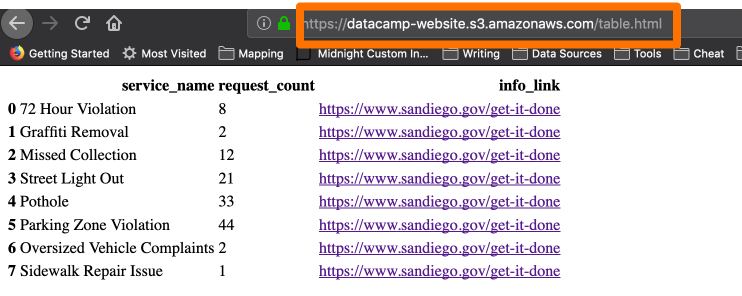
HTML 페이지 제공
S3에서 HTML 제공

Python으로 시작하는 AWS Boto

Pandas의 HTML 테이블

DataFrame을 HTML로 변환

df.to_html('table_agg.html')
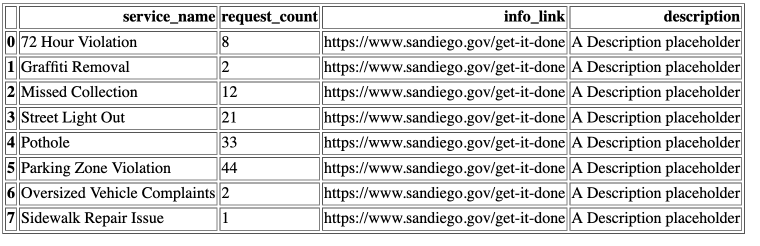
DataFrame에서 HTML로

Python으로 시작하는 AWS Boto

링크 포함 HTML 테이블

DataFrame을 HTML로 변환

df.to_html('table_agg.html', render_links=True)
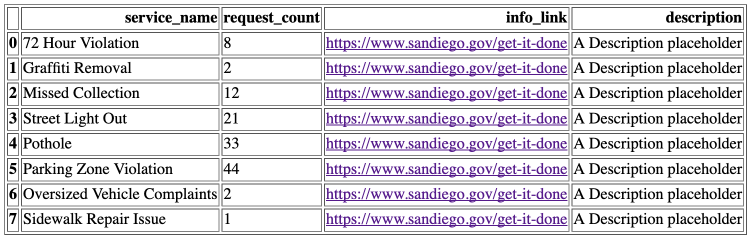
DataFrame에서 HTML로

Python으로 시작하는 AWS Boto

일부 열만 HTML로

DataFrame을 HTML로 변환

df.to_html('table_agg.html', 
           render_links=True,
           columns['service_name', 'request_count', 'info_link'])
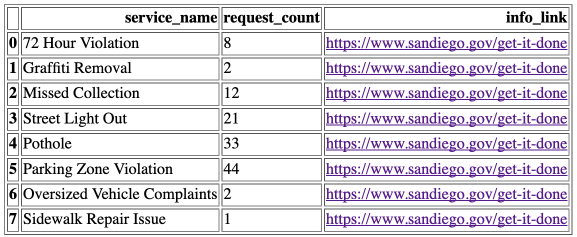
DataFrame에서 HTML로

Python으로 시작하는 AWS Boto

테두리

DataFrame을 HTML로 변환

df.to_html('table_agg.html', 
           render_links=True,
           columns['service_name', 'request_count', 'info_link'],
           border=0)
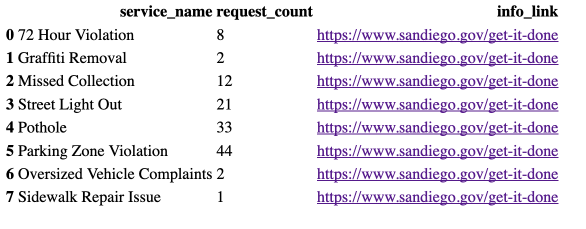
경계선 없는 HTML

Python으로 시작하는 AWS Boto

HTML 파일 S3 업로드

HTML 파일을 S3에 업로드

s3.upload_file(
  Filename='./table_agg.html', 
  Bucket='datacamp-website',

Key='table.html',
ExtraArgs = { 'ContentType': 'text/html', 'ACL': 'public-read'} )
Python으로 시작하는 AWS Boto

HTML 파일 접근

S3 객체 URL 템플릿

https://{bucket}.{key}
https://datacamp-website.table.html
Python으로 시작하는 AWS Boto

HTML 페이지

HTML 페이지

Python으로 시작하는 AWS Boto

다른 콘텐츠 유형 업로드

이미지 파일을 S3에 업로드

s3.upload_file(
  Filename='./plot_image.png', 
  Bucket='datacamp-website',
  Key='plot_image.png',

ExtraArgs = { 'ContentType': 'image/png', 'ACL': 'public-read'} )
Python으로 시작하는 AWS Boto

IANA 미디어 타입

  • JSON : application/json
  • PNG : image/png
  • PDF : application/pdf
  • CSV : text/csv
1 http://www.iana.org/assignments/media-types/media-types.xhtml
Python으로 시작하는 AWS Boto

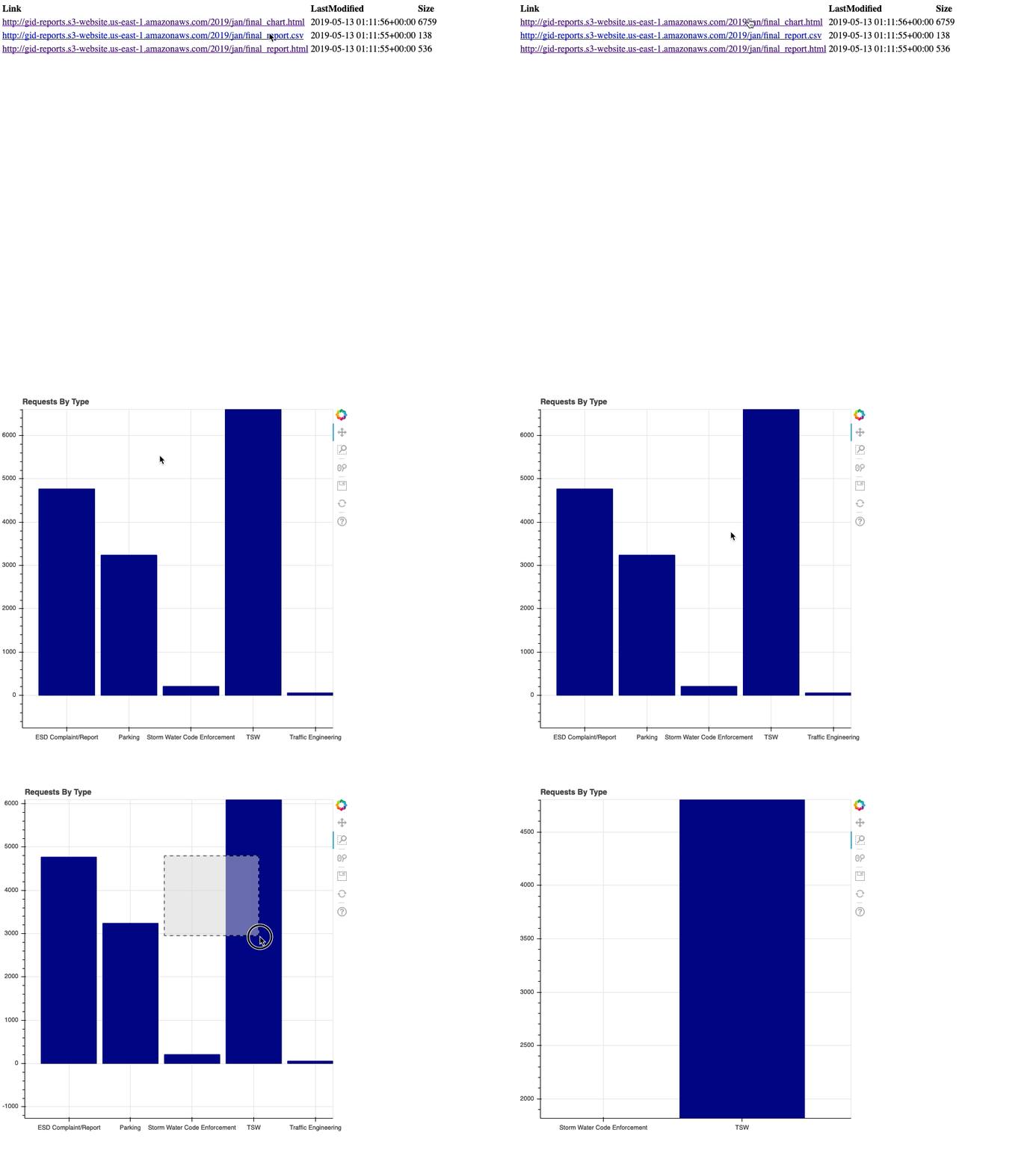
색인 페이지 생성

# 2019/로 시작하는 gid-reports 버킷 객체 나열
r = s3.list_objects(Bucket='gid-reports', Prefix='2019/')

# 응답 내용을 DataFrame으로 변환 objects_df = pd.DataFrame(r['Contents'])

색인 페이지

Python으로 시작하는 AWS Boto

색인 페이지 생성

# "Link" 열 생성: 웹사이트 URL + 키
base_url = "http://datacamp-website."
objects_df['Link'] = base_url + objects_df['Key']
# DataFrame을 HTML로 저장
objects_df.to_html('report_listing.html', 
                   columns=['Link', 'LastModified', 'Size'],
                   render_links=True)
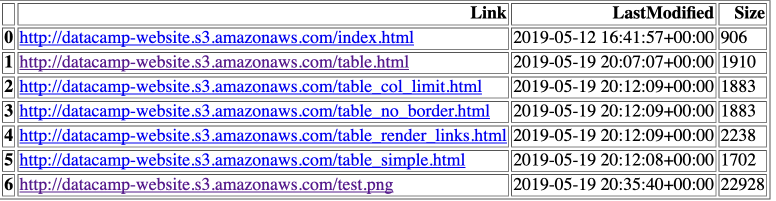
색인 페이지 생성

Python으로 시작하는 AWS Boto

색인 페이지 업로드

HTML 파일을 S3에 업로드

s3.upload_file(
  Filename='./report_listing.html', 
  Bucket='datacamp-website',
  Key='index.html',
  ExtraArgs = {
    'ContentType': 'text/html', 
    'ACL': 'public-read'}
)

https://datacamp-website.index.html

Python으로 시작하는 AWS Boto

요약

  • Pandas에서 HTML 테이블 (df.to_html('table.html'))
  • HTML 파일 업로드 (ContentType: text/html)
  • 이미지 파일 업로드 (ContentType: image/png)
  • HTML 페이지 URL 공유
Python으로 시작하는 AWS Boto

연습해 봅시다!

Python으로 시작하는 AWS Boto

Preparing Video For Download...