사례 연구: 보고서 저장소 생성

Python으로 시작하는 AWS Boto

Maksim Pecherskiy

Data Engineer

최종 결과물
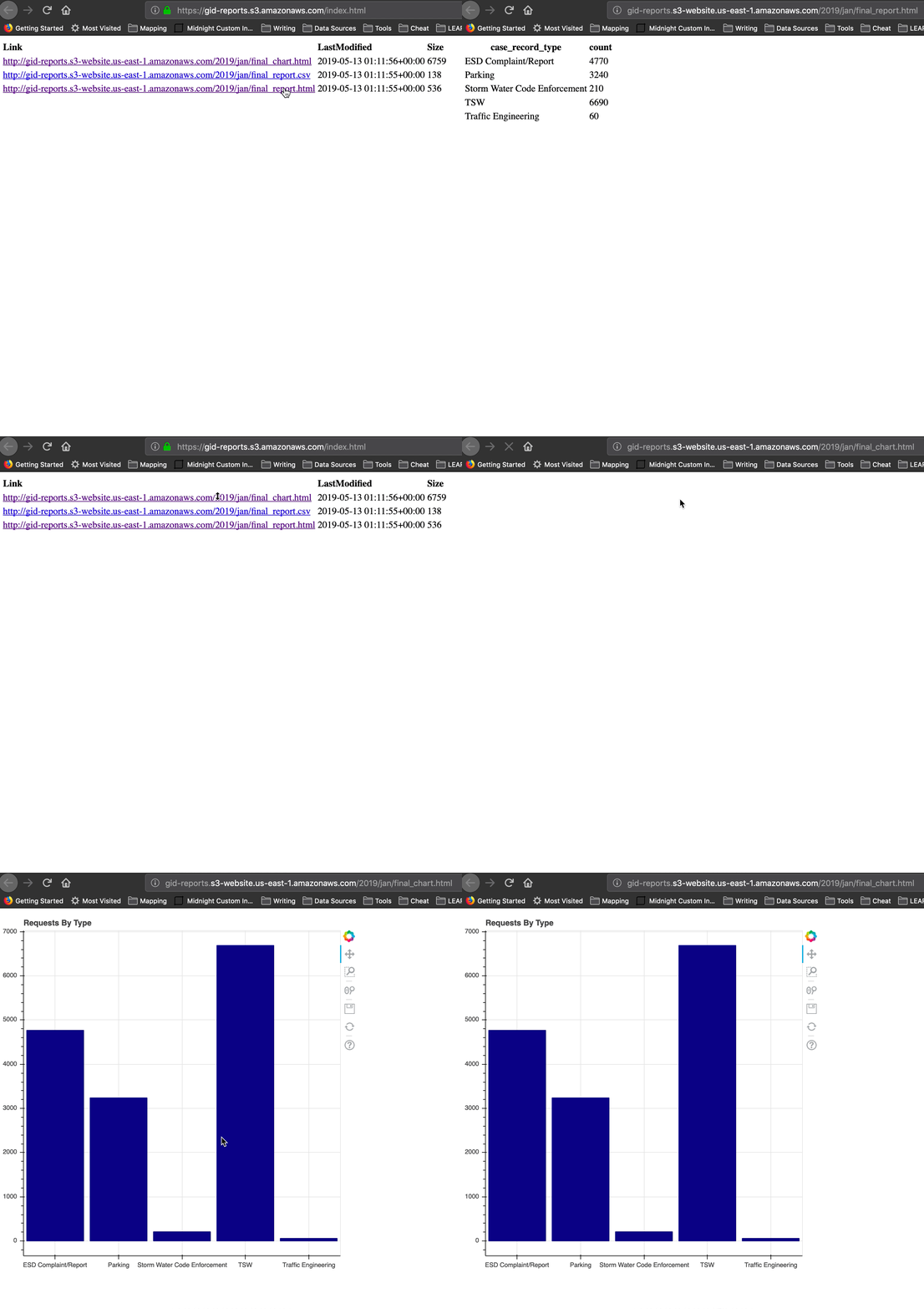
최종 결과물

Python으로 시작하는 AWS Boto

절차

데이터 준비
  • 원시 데이터 버킷에서 해당 월 파일 다운로드
  • 하나의 csv로 연결
  • 집계 DataFrame 생성
Python으로 시작하는 AWS Boto

절차

보고서 생성
  • DataFrame을 CSV와 HTML로 저장
  • Bokeh 플롯 생성, HTML로 저장
Python으로 시작하는 AWS Boto

절차

공유 가능한 웹사이트에 업로드
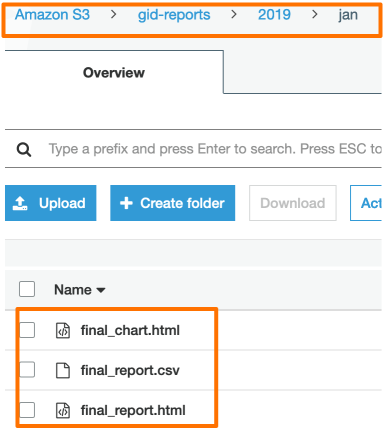
  • gid-reports 버킷 생성
  • 해당 월의 세 파일을 S3에 업로드
  • 모든 파일을 나열하는 index.html 생성
  • 웹사이트 URL 확인
Python으로 시작하는 AWS Boto

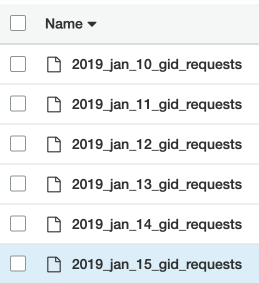
원시 데이터 버킷

원시 데이터 버킷

  • 비공개 파일
  • 앱 요청의 일별 CSV
  • 원시 데이터

Gid 요청 버킷

Python으로 시작하는 AWS Boto

원시 데이터 파일 읽기

# DataFrame를 담을 리스트 생성
df_list = []

# 프리픽스로 S3에서 csv 목록 요청; 내용 가져오기 response = s3.list_objects( Bucket='gid-requests', Prefix='2019_jan')
# 응답 내용 가져오기 request_files = response['Contents']
Python으로 시작하는 AWS Boto

원시 데이터 파일 읽기

# 각 객체 반복
for file in request_files:
    obj = s3.get_object(Bucket='gid-requests', Key=file['Key'])

# DataFrame으로 읽기 obj_df = pd.read_csv(obj['Body'])
# 리스트에 DataFrame 추가 df_list.append(obj_df)
Python으로 시작하는 AWS Boto

원시 데이터 파일 읽기

# 리스트의 모든 DataFrame 연결
df = pd.concat(df_list)

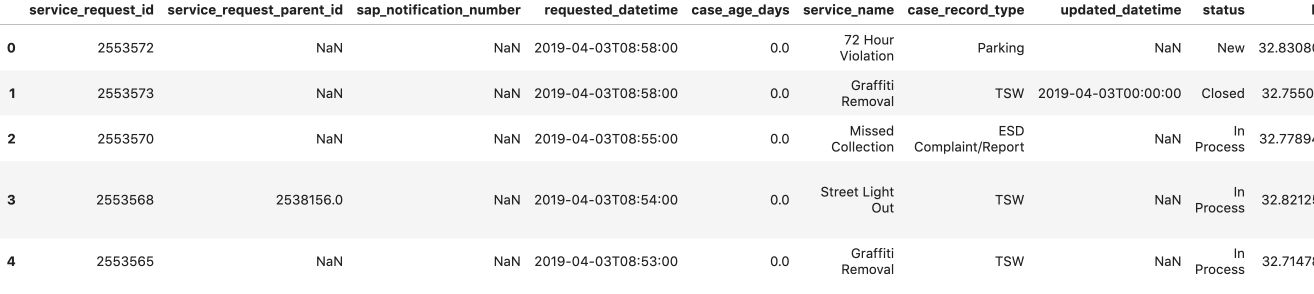
# 미리보기 df.head()

DataFrame 미리보기

Python으로 시작하는 AWS Boto

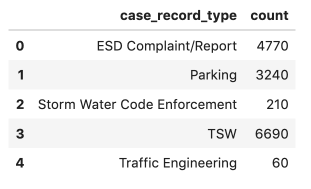
집계 보고서 생성

  • 집계를 수행합니다
  • df.to_csv('jan_final_report.csv')
  • df.to_html('jan_final_report.html')
  • jan_final_chart.html

집계된 보고서

Python으로 시작하는 AWS Boto

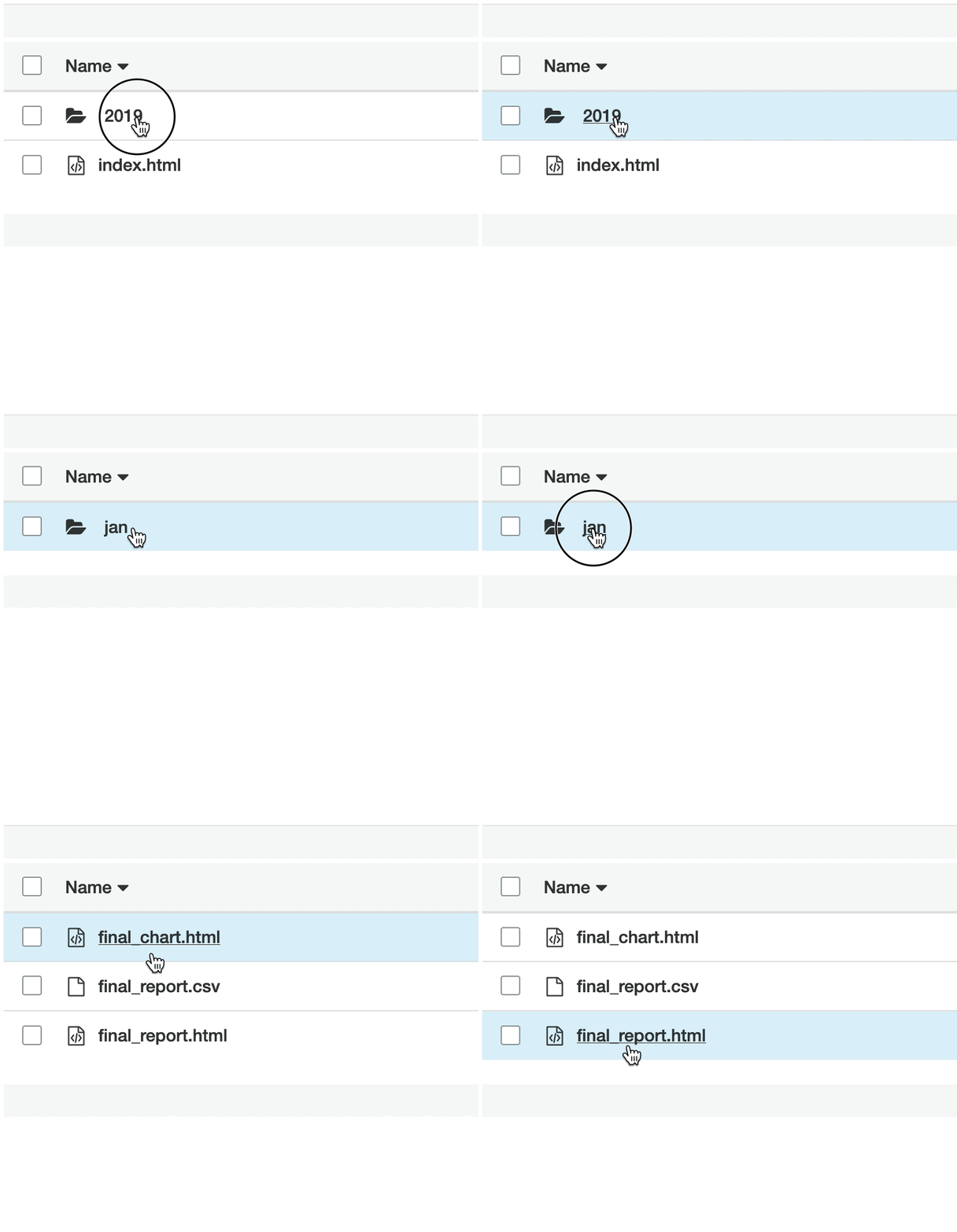
보고서 버킷

보고서 버킷

  • 버킷 웹사이트
  • 공개 액세스 가능
  • 집계 데이터 및 HTML 보고서

보고서 버킷

Python으로 시작하는 AWS Boto

집계 CSV 업로드

# 집계된 CSV를 S3에 업로드
s3.upload_file(Filename='./jan_final_report.csv', 
                      Key='2019/jan/final_report.csv', 
                      Bucket='gid-reports',
                      ExtraArgs = {'ACL': 'public-read'})
Python으로 시작하는 AWS Boto

HTML 테이블 업로드

# HTML 테이블을 S3에 업로드
s3.upload_file(Filename='./jan_final_report.html', 
                      Key='2019/jan/final_report.html', 
                      Bucket='gid-reports',
                      ExtraArgs = {
                        'ContentType': 'text/html',
                        'ACL': 'public-read'})
Python으로 시작하는 AWS Boto

HTML 차트 업로드

# 집계 차트를 S3에 업로드
s3.upload_file(Filename='./jan_final_chart.html', 
                      Key='2019/jan/final_chart.html', 
                      Bucket='gid-reports',
                      ExtraArgs = {
                        'ContentType': 'text/html',
                        'ACL': 'public-read'})
Python으로 시작하는 AWS Boto

업로드된 보고서

업로드된 보고서

Python으로 시작하는 AWS Boto

index.html 생성

# 2019/로 시작하는 gid-reports 버킷 객체 나열
r = s3.list_objects(Bucket='gid-reports', Prefix='2019/')

# 응답 내용을 DataFrame으로 변환 objects_df = pd.DataFrame(r['Contents'])
# 웹사이트 URL + Key로 "Link" 열 생성 base_url = "https://gid-reports." objects_df['Link'] = base_url + objects_df['Key']
Python으로 시작하는 AWS Boto

index.html 생성

# DataFrame을 HTML로 저장
objects_df.to_html('report_listing.html', 
                   columns=['Link', 'LastModified', 'Size'],
                   render_links=True)

DF를 HTML로 쓰기

Python으로 시작하는 AWS Boto

index.html 업로드

# 파일을 gid-reports 버킷 루트에 업로드
s3.upload_file(
  Filename='./report_listing.html', 
  Key='index.html', 
  Bucket='gid-reports',
  ExtraArgs = {
    'ContentType': 'text/html', 
    'ACL': 'public-read'
  })
Python으로 시작하는 AWS Boto

index URL 얻기!

버킷 웹사이트 URL *


"http://gid-reports.index.html"
Python으로 시작하는 AWS Boto

조정해 봅시다!

Python으로 시작하는 AWS Boto

Preparing Video For Download...