IAM policy evaluation and explicit deny

Using AWS Security for Developers

Rahul Singh

Technical Product Manager

A policy is a list of rules
{
  "Effect": "Allow",
  "Action": "s3:GetObject",
  "Resource": "arn:aws:s3:::reports/*",
  "Condition": {
    "Bool": {
      "aws:SecureTransport": "true"
    },
    "IpAddress": {
      "aws:SourceIp": "203.0.113.0/24"
    }
  }
}

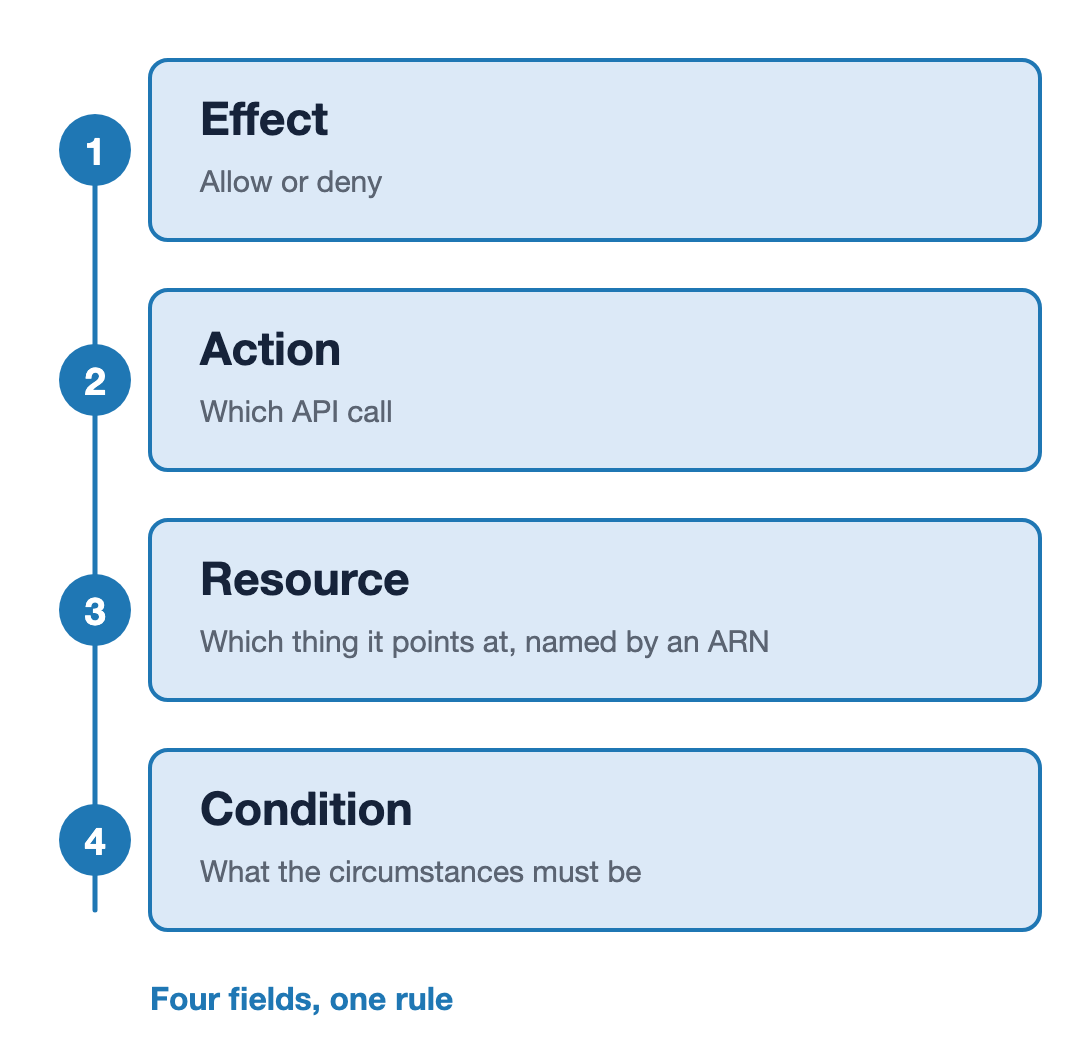
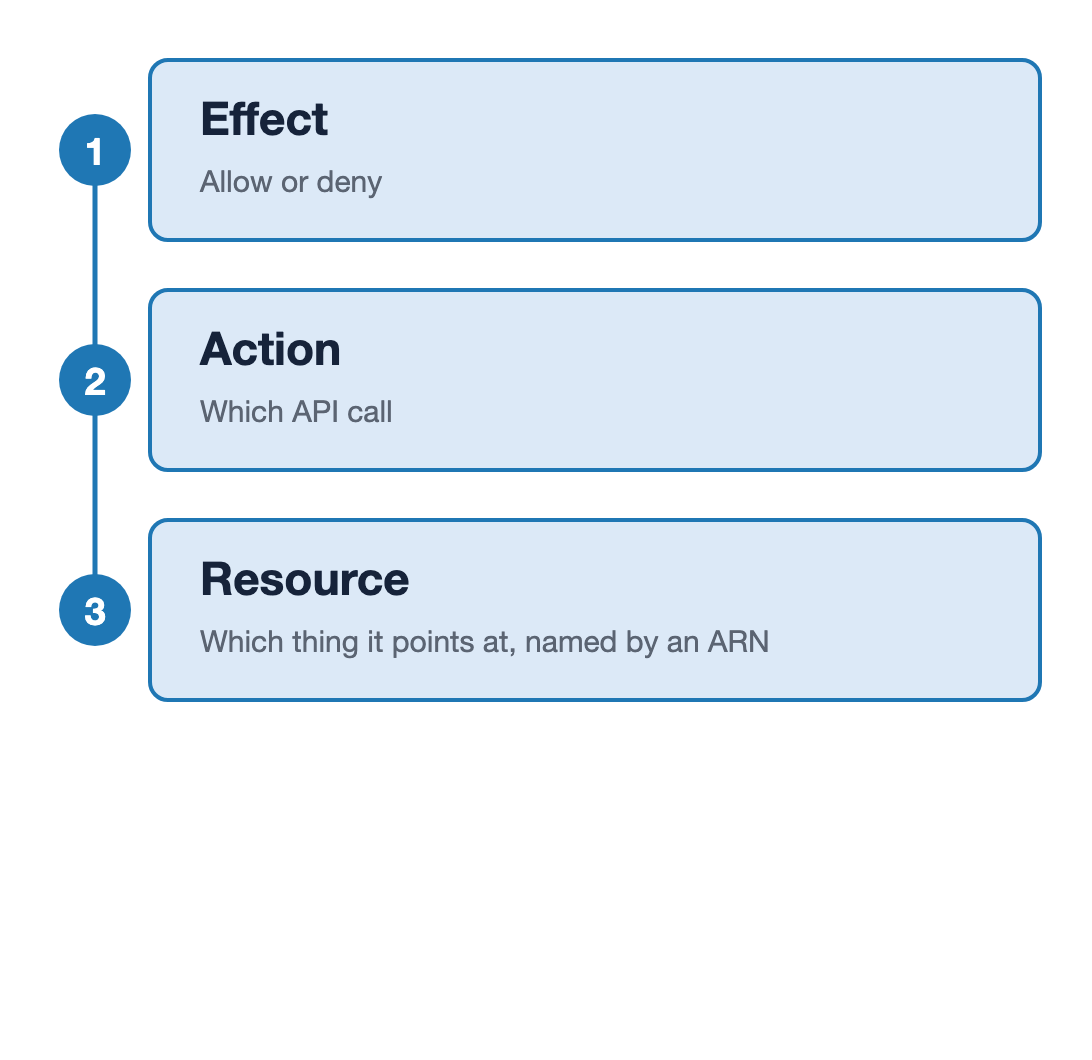
Three fields of one IAM statement stacked on a single spine and numbered one to three: Effect is allow or deny, Action is which API call, and Resource is which thing it points at, named by an ARN.

Using AWS Security for Developers

A policy is a list of rules

{
  "Effect": "Allow",
  "Action": "s3:GetObject",
  "Resource": "arn:aws:s3:::reports/*",
  "Condition": {
    "Bool": {
      "aws:SecureTransport": "true"
    },
    "IpAddress": {
      "aws:SourceIp": "203.0.113.0/24"
    }
  }
}

Four fields of one IAM statement stacked on a single spine and numbered one to four: Effect is allow or deny, Action is which API call, Resource is which thing it points at named by an ARN, and Condition is what the circumstances must be. A closing line reads four fields, one rule.

Using AWS Security for Developers

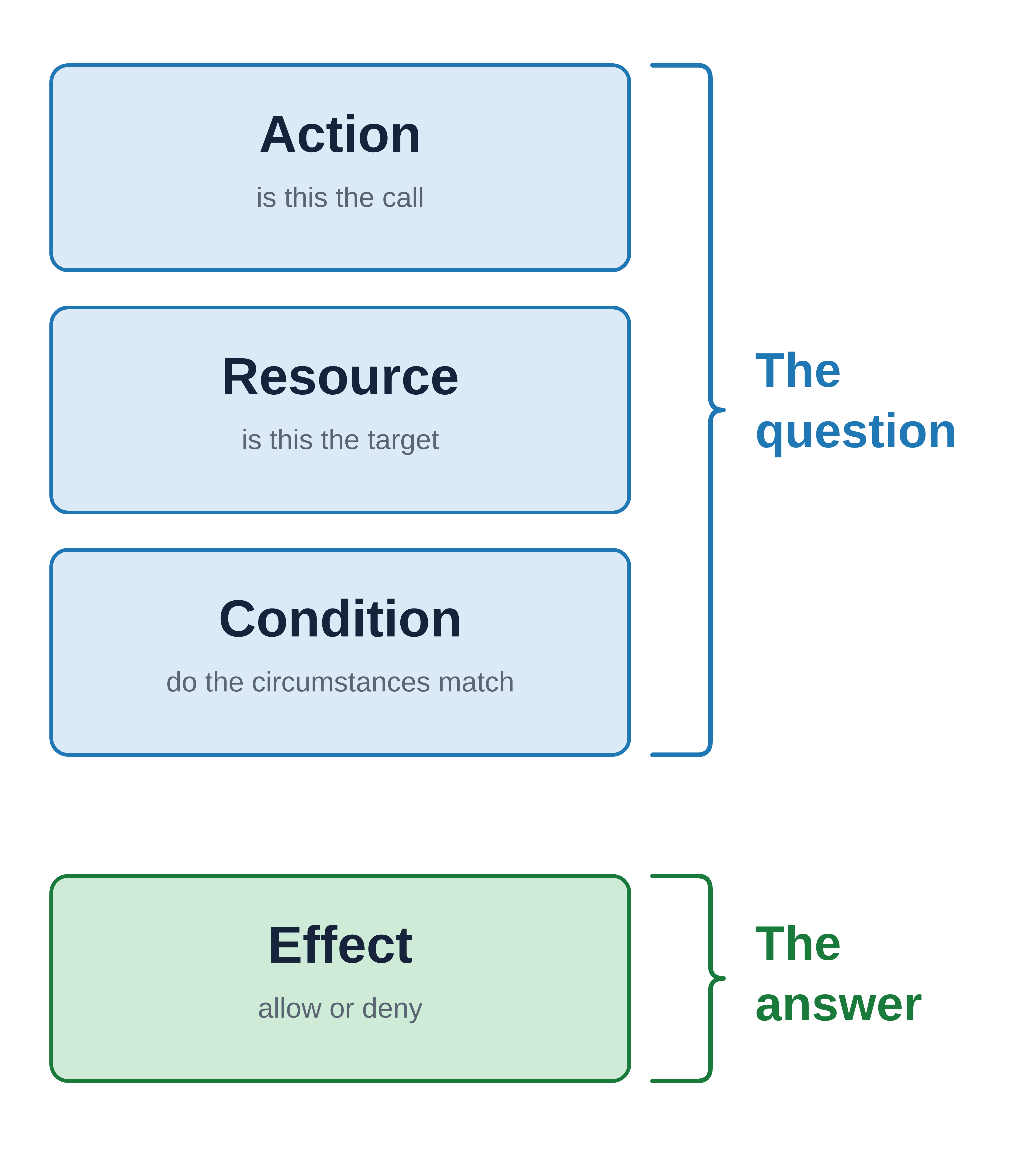
Three fields ask, one field answers

The question

  • Action: is this the call
  • Resource: is this the target
  • Condition: do the circumstances match

The answer

  • Effect: allow or deny

An IAM statement's four fields stacked vertically: Action, Resource and Condition grouped by one bracket labeled "The question", and Effect grouped by a second bracket labeled "The answer".

Using AWS Security for Developers

Rules come from more than one place
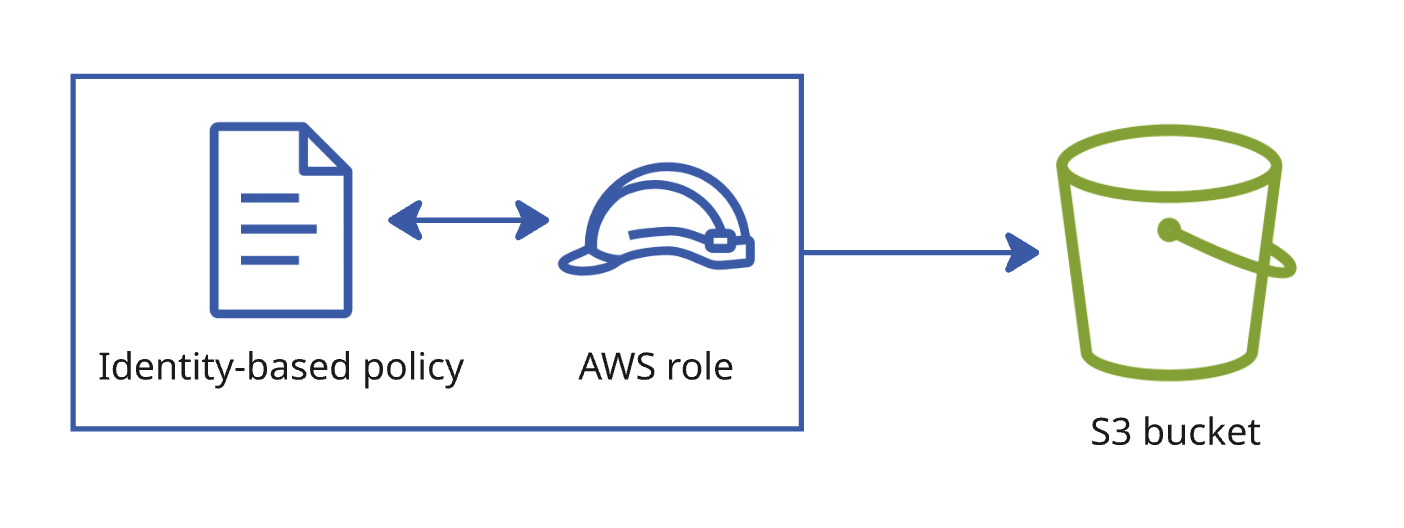
A policy document attached to a role, with an arrow from the role across to a bucket.

Identity-based

  • Attached to the role
  • What can this role do
Using AWS Security for Developers

Rules come from more than one place

A policy document attached to a role, with an arrow from the role across to a bucket.

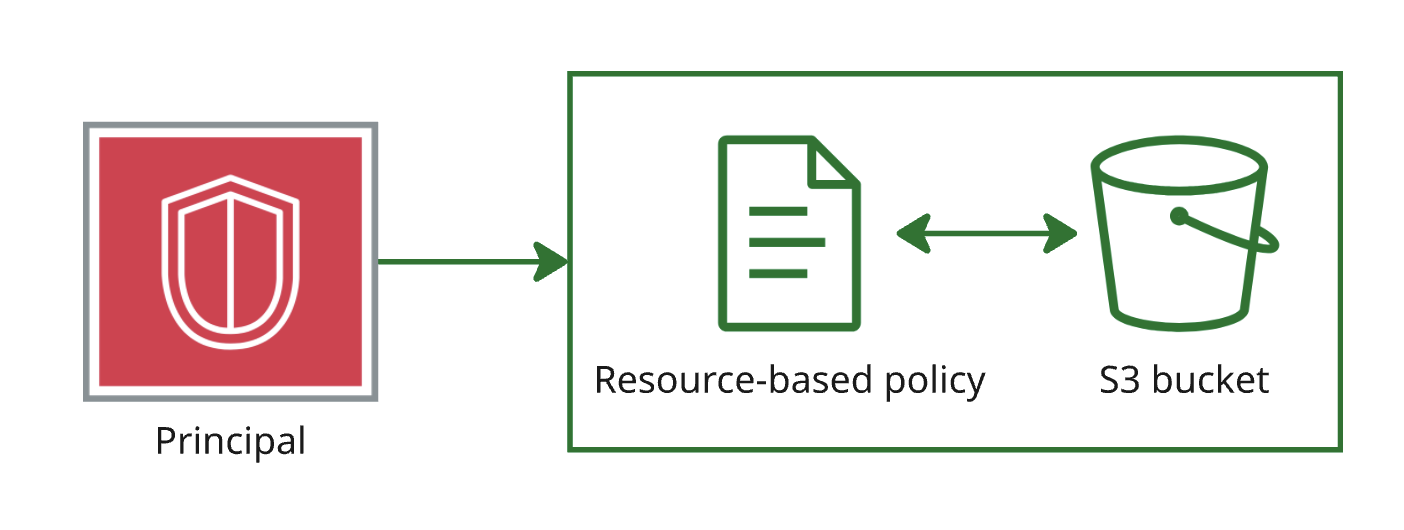
A policy document attached to a resource, with an arrow from the principal across to a bucket.

Identity-based

  • Attached to the role
  • What can this role do

Resource-based

  • Attached to the thing being reached
  • Who can reach this bucket
Using AWS Security for Developers

When the rules disagree

{"Effect": "Allow", "Action": "s3:*", "Resource": "*"}
{"Effect": "Deny",  "Action": "s3:DeleteObject", "Resource": "*"}
Using AWS Security for Developers

When the rules disagree

{"Effect": "Allow", "Action": "s3:*", "Resource": "*"}
{"Effect": "Deny",  "Action": "s3:DeleteObject", "Resource": "*"}

Request: s3:DeleteObject results in: Denied.

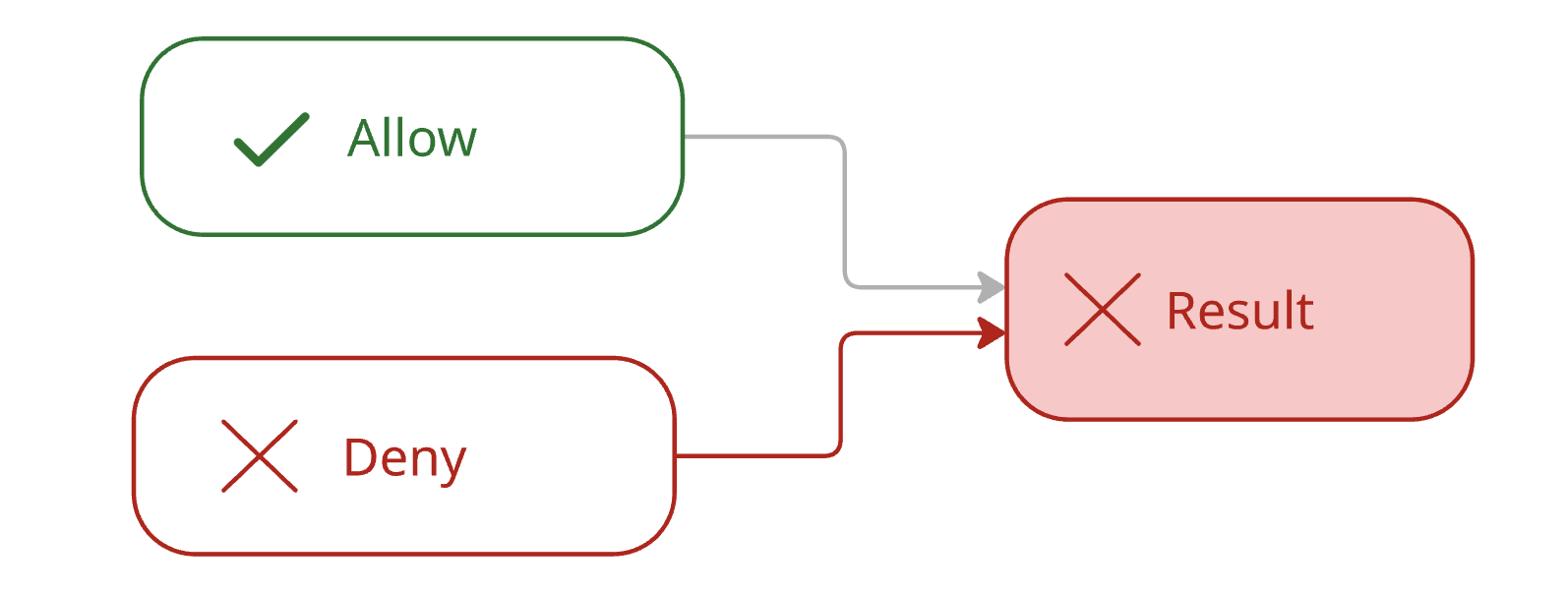
An explicit deny beats any allow, however broad

An allow statement and a deny statement both feeding into one request, with the deny path drawn heavily and the outcome marked denied.

Using AWS Security for Developers

The evaluation order, and implicit deny
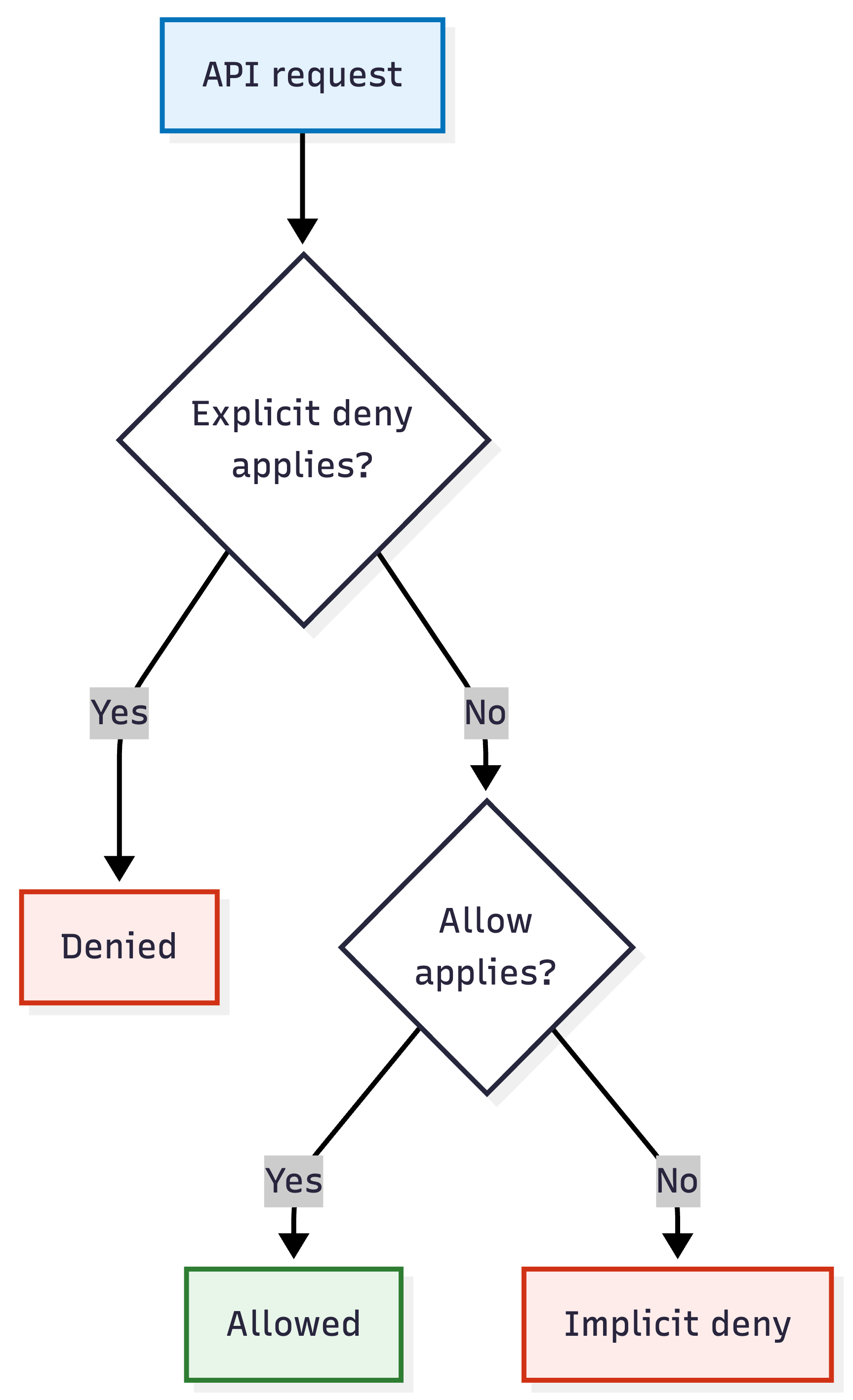
Flowchart of IAM policy evaluation: an API request checks for an applicable explicit deny, then for an applicable allow, and reaches implicit deny when neither is found.

  • Explicit deny: something said no
  • Allow: something said yes, and nothing said no
  • Implicit deny: nothing said anything at all
Using AWS Security for Developers

Four requests, three outcomes

{"Effect": "Allow", "Action": "s3:*",
 "Resource": "*"}

{"Effect": "Deny", "Action": "s3:DeleteObject",
 "Resource": "*"}
  • s3:GetObjectallow: the broad allow covers it
  • s3:DeleteObjectexplicit deny: a statement says no
  • kms:Decrypt, dynamodb:GetItemimplicit deny: this policy never mentions those services
  • KMS holds encryption keys; DynamoDB is a managed key-value database
Using AWS Security for Developers

Why adding permissions often fails

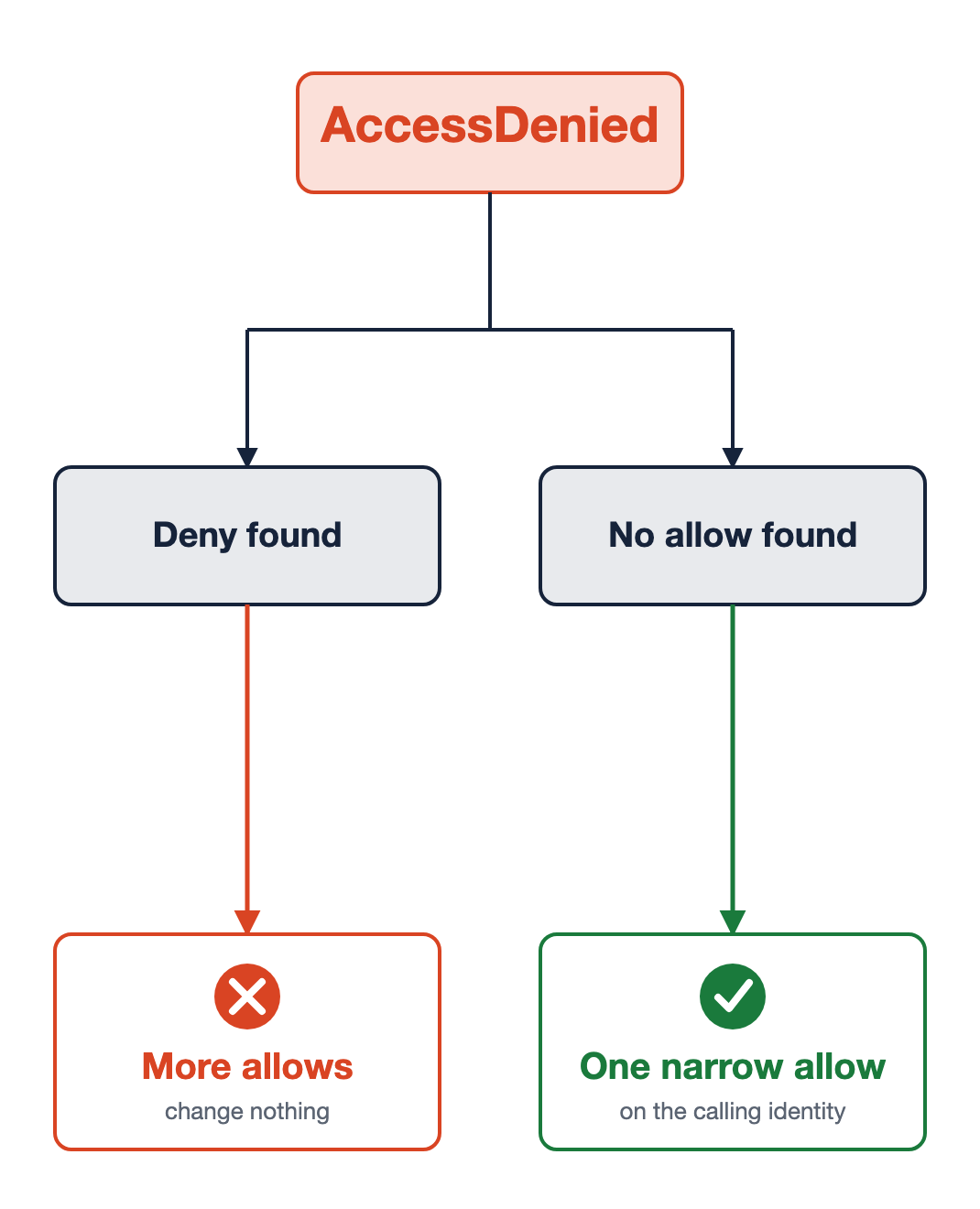
Same error, two causes

Explicit deny

  • Another allow changes nothing
  • Find the deny, then scope or remove it

Implicit deny

  • One narrow allow
  • On the identity that made the call

An AccessDenied error branching into two causes. On the left, a deny was found, so more allows change nothing. On the right, no allow was found, so one narrow allow on the calling identity resolves it.

Using AWS Security for Developers

Let's practice!

Using AWS Security for Developers

Preparing Video For Download...