Identity, resource, and boundary

Using AWS Security for Developers

Rahul Singh

Technical Product Manager

Which policy is in charge?
The edit that changes nothing

  • Chapter one: explicit deny, or no allow
  • Here: a third cause

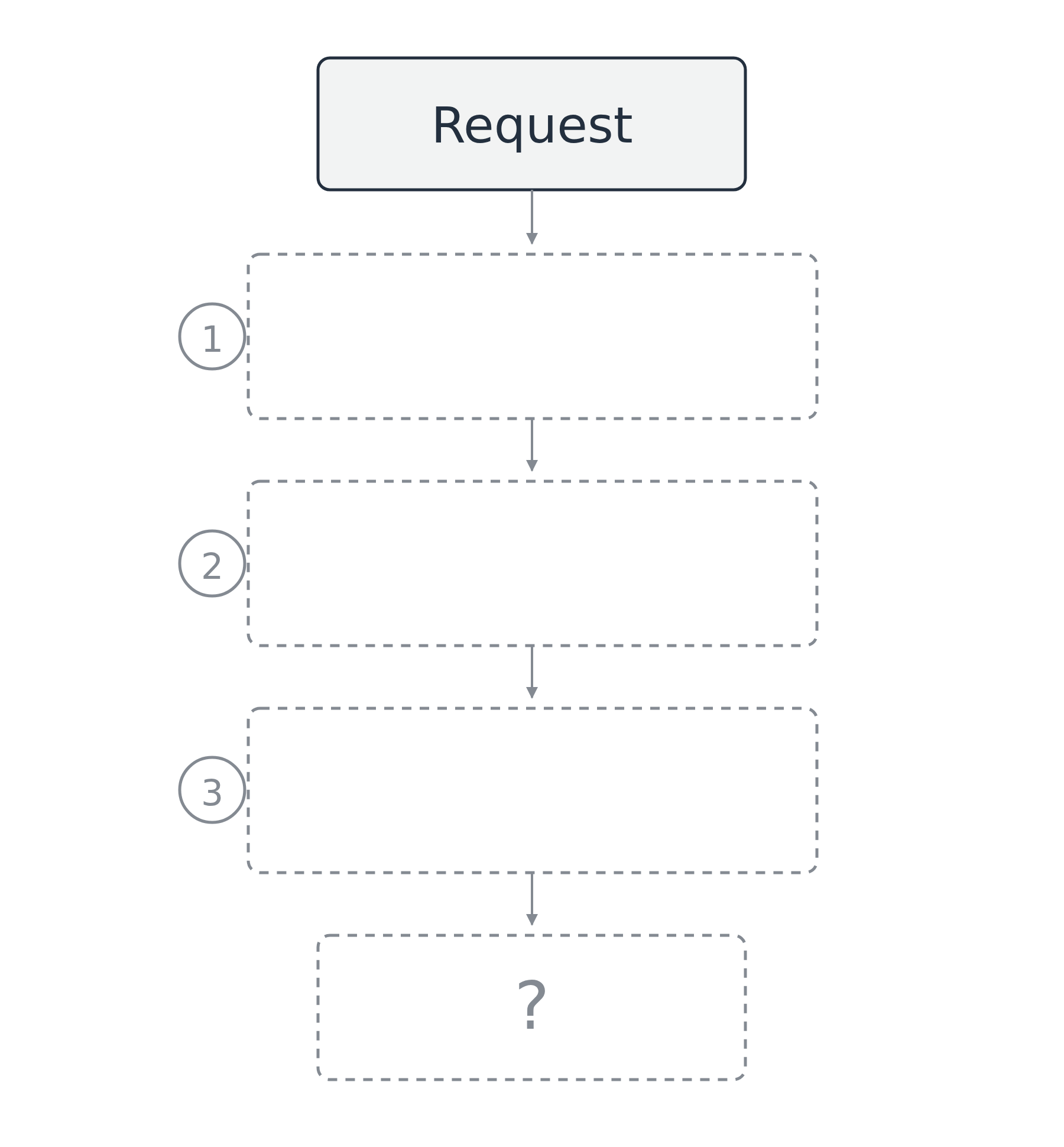
A request meeting a stack of three policy checks, with a question mark where the decision would be.

Using AWS Security for Developers

Which policy is in charge?

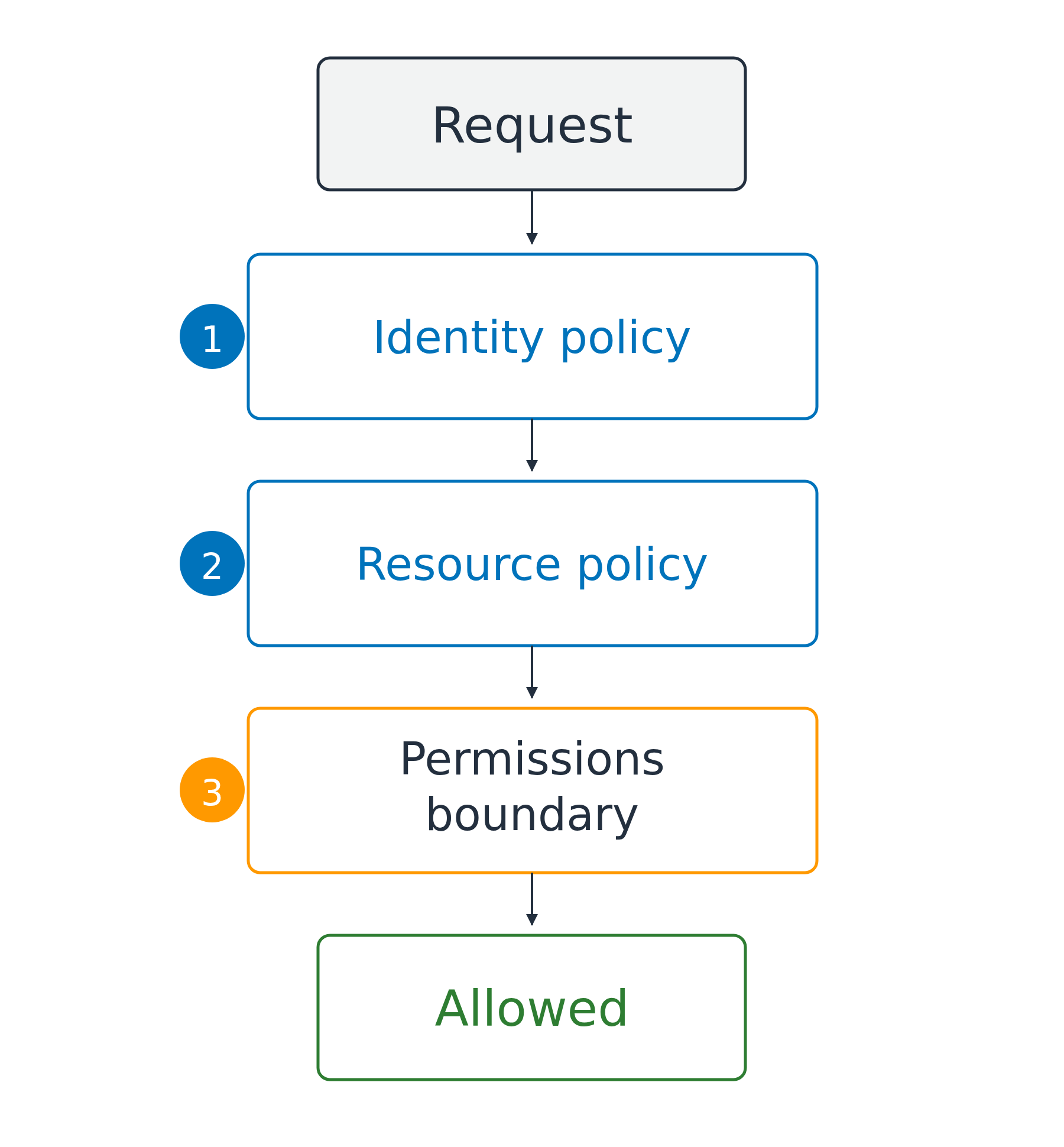
Up to three layers

  1. Identity policy on the caller
  2. Resource policy on the resource
  3. Boundary above, only subtracts

In your own account, either policy allowing is enough

Denied by any layer it meets

A request flows top to bottom through three checks in order, an identity policy, a resource policy, and a permissions boundary, before reaching an allowed result.

Using AWS Security for Developers

Two places a policy can live

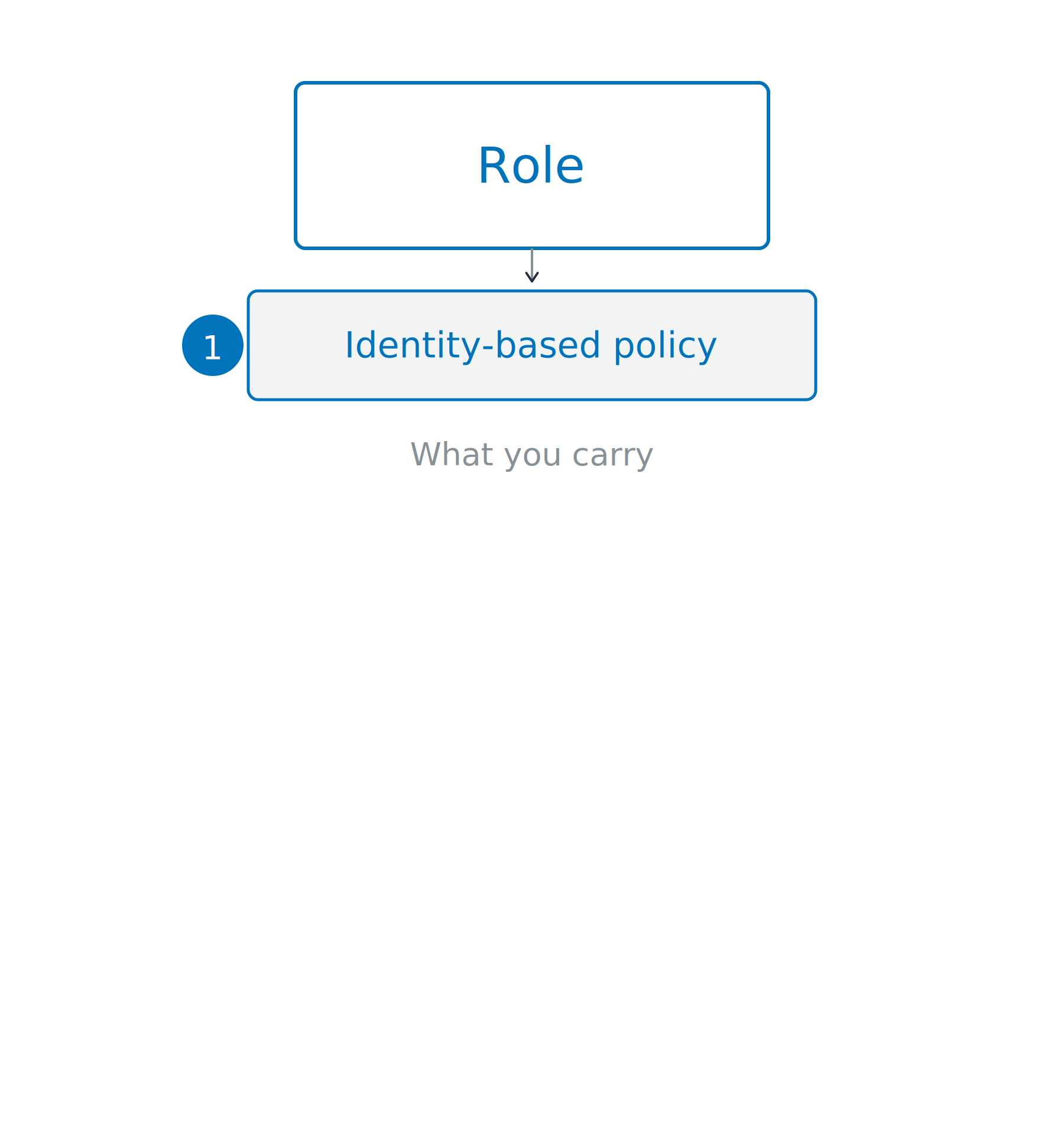
Identity-based policy

  • Attached on the caller
  • What that identity may do
  • A pass you wear

A role at the top carries an identity-based policy, with space below for the resource side of the same request.

Using AWS Security for Developers

Two places a policy can live

Identity-based policy

  • Attached on the caller
  • What that identity may do
  • A pass you wear

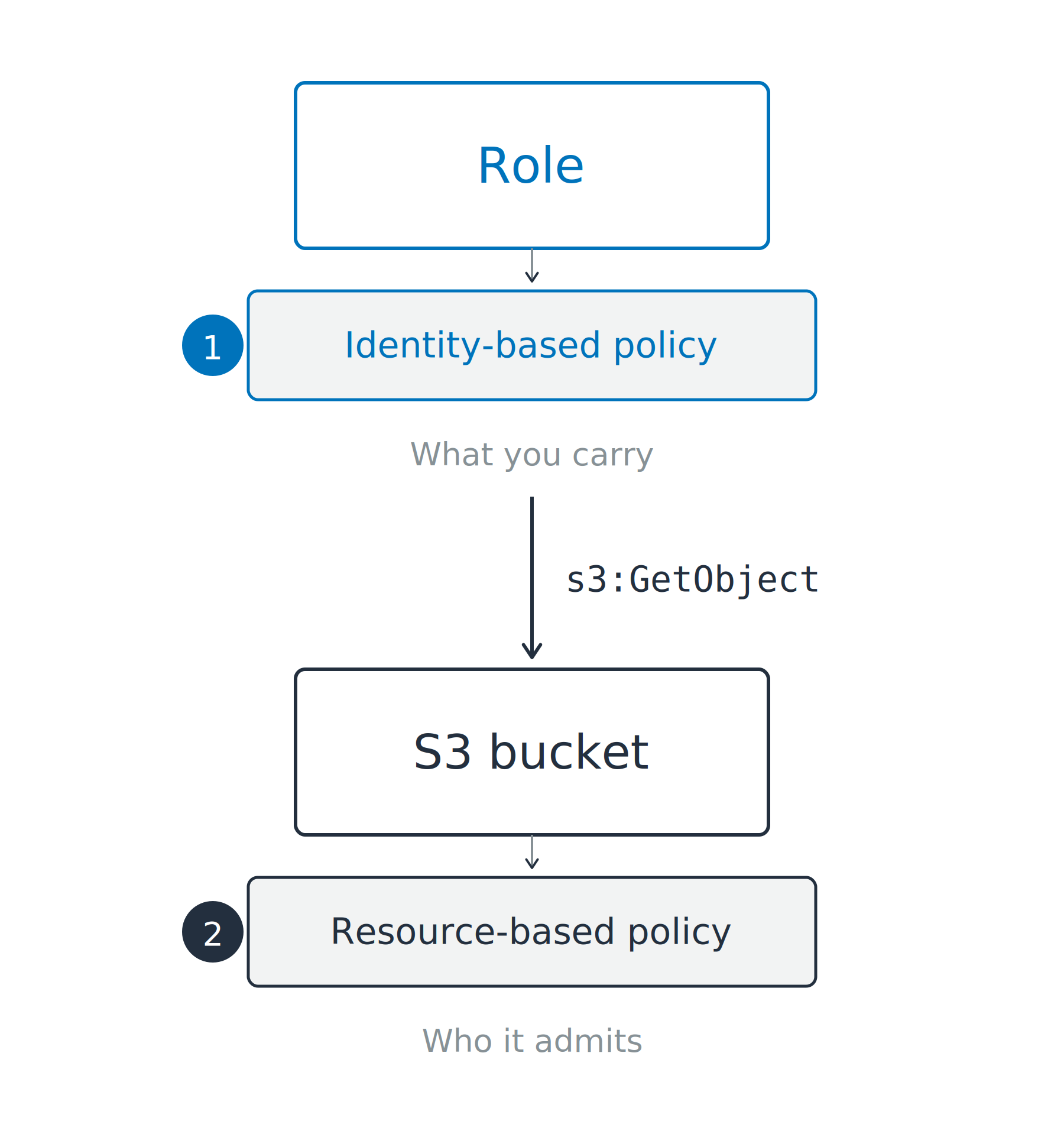
Resource-based policy

  • Attached on the resource
  • Who may touch it
  • Needed for cross-account callers

A role at the top carries an identity-based policy while an S3 bucket below carries a resource-based policy, and a request travels down between them.

Using AWS Security for Developers

Managed for you, or by you

Two kinds of identity-based policies

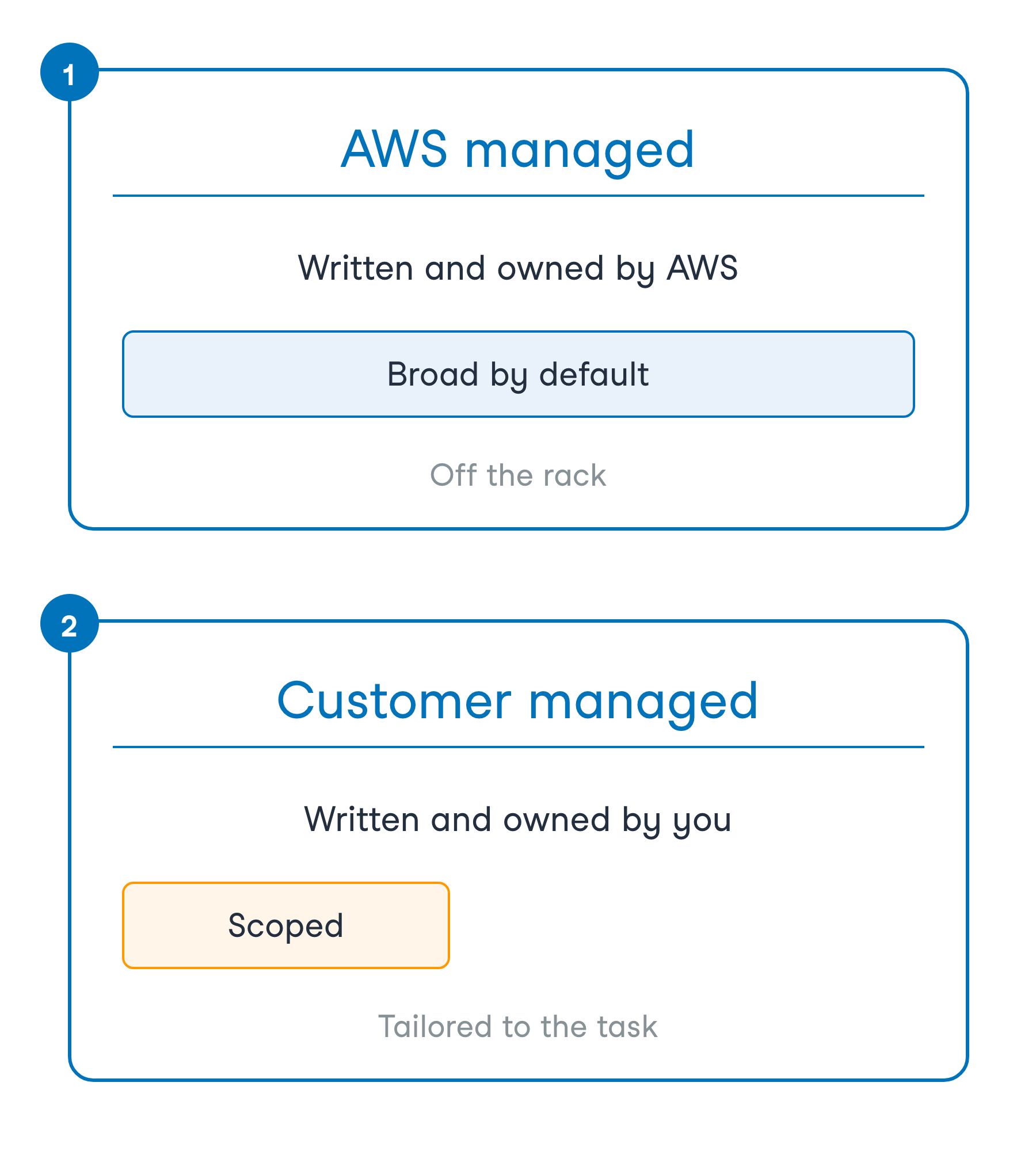
  • AWS managed: owned by AWS
  • Customer managed: owned by you

Two stacked cards compare an AWS managed policy, owned by AWS and broad by default, against a customer managed policy, owned by you and scoped to the task.

Using AWS Security for Developers

Managed for you, or by you

Two kinds of identity-based policies

  • AWS managed: owned by AWS
  • Customer managed: owned by you


Convenience or precision

  • AWS managed: move fast
  • Customer managed: least privilege

Two stacked cards compare an AWS managed policy, owned by AWS and broad by default, against a customer managed policy, owned by you and scoped to the task.

Using AWS Security for Developers

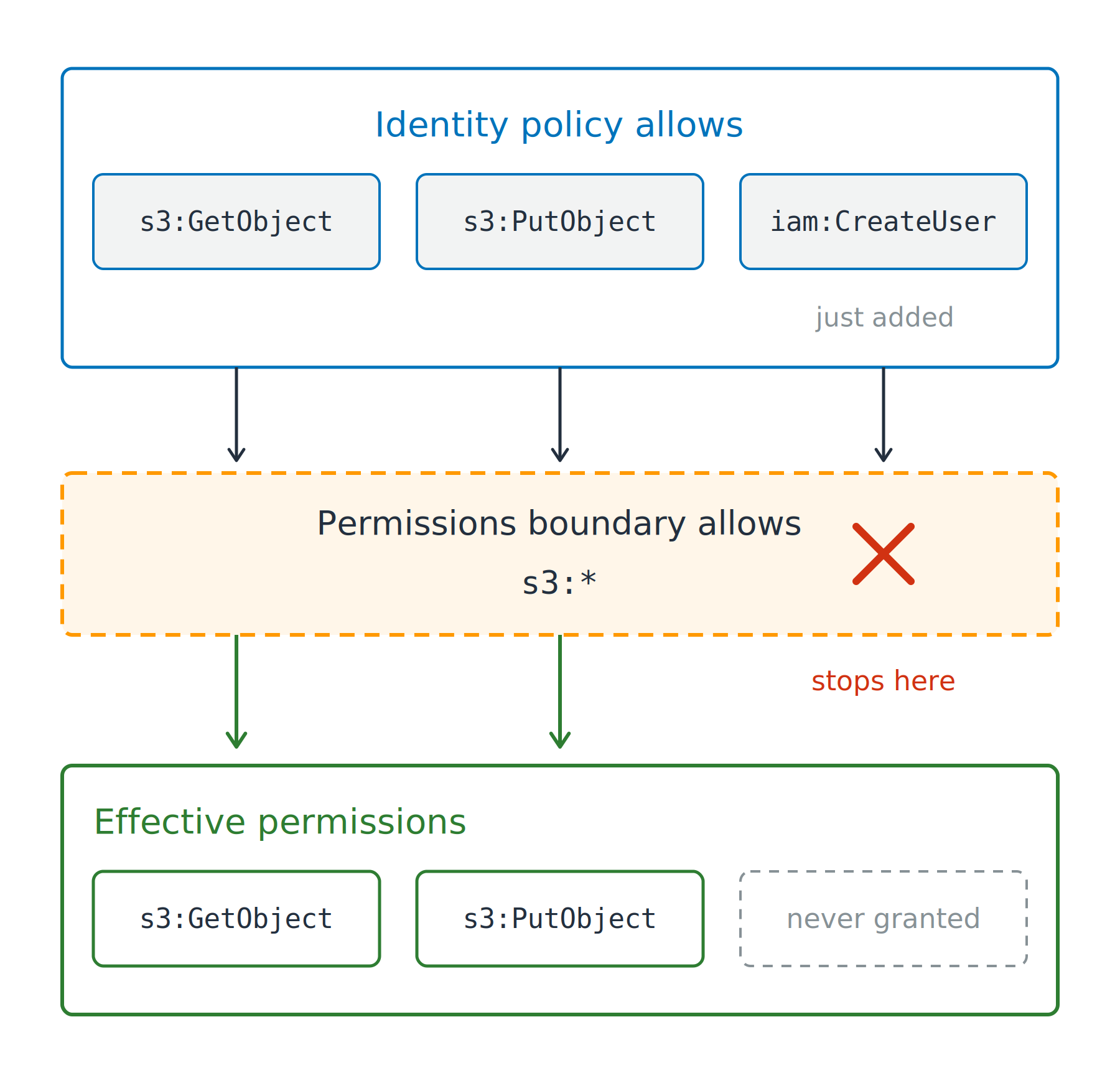
A boundary caps what a policy grants

Why an account attaches one

  • Developers create roles, nobody escalates

Permissions boundary

  • A ceiling on what a policy grants
  • Effective: allowed by both

Three permissions granted by an identity policy pass down into a permissions boundary that allows only S3 actions, where the iam:CreateUser permission is stopped and the other two continue into the effective permissions below.

Using AWS Security for Developers

A boundary caps what a policy grants

Why an account attaches one

  • Developers create roles, nobody escalates

Permissions boundary

  • A ceiling on what a policy grants
  • Effective: allowed by both

Why iam:CreateUser did nothing

  • Only subtracts, never grants

Three permissions granted by an identity policy pass down into a permissions boundary that allows only S3 actions, where the iam:CreateUser permission is stopped and the other two continue into the effective permissions below.

Using AWS Security for Developers

A boundary caps what a policy grants

Why an account attaches one

  • Developers create roles, nobody escalates

Permissions boundary

  • A ceiling on what a policy grants
  • Effective: allowed by both

Why iam:CreateUser did nothing

  • Only subtracts, never grants

Session policy: one AssumeRole session

Three permissions granted by an identity policy pass down into a permissions boundary that allows only S3 actions, where the iam:CreateUser permission is stopped and the other two continue into the effective permissions below.

Using AWS Security for Developers

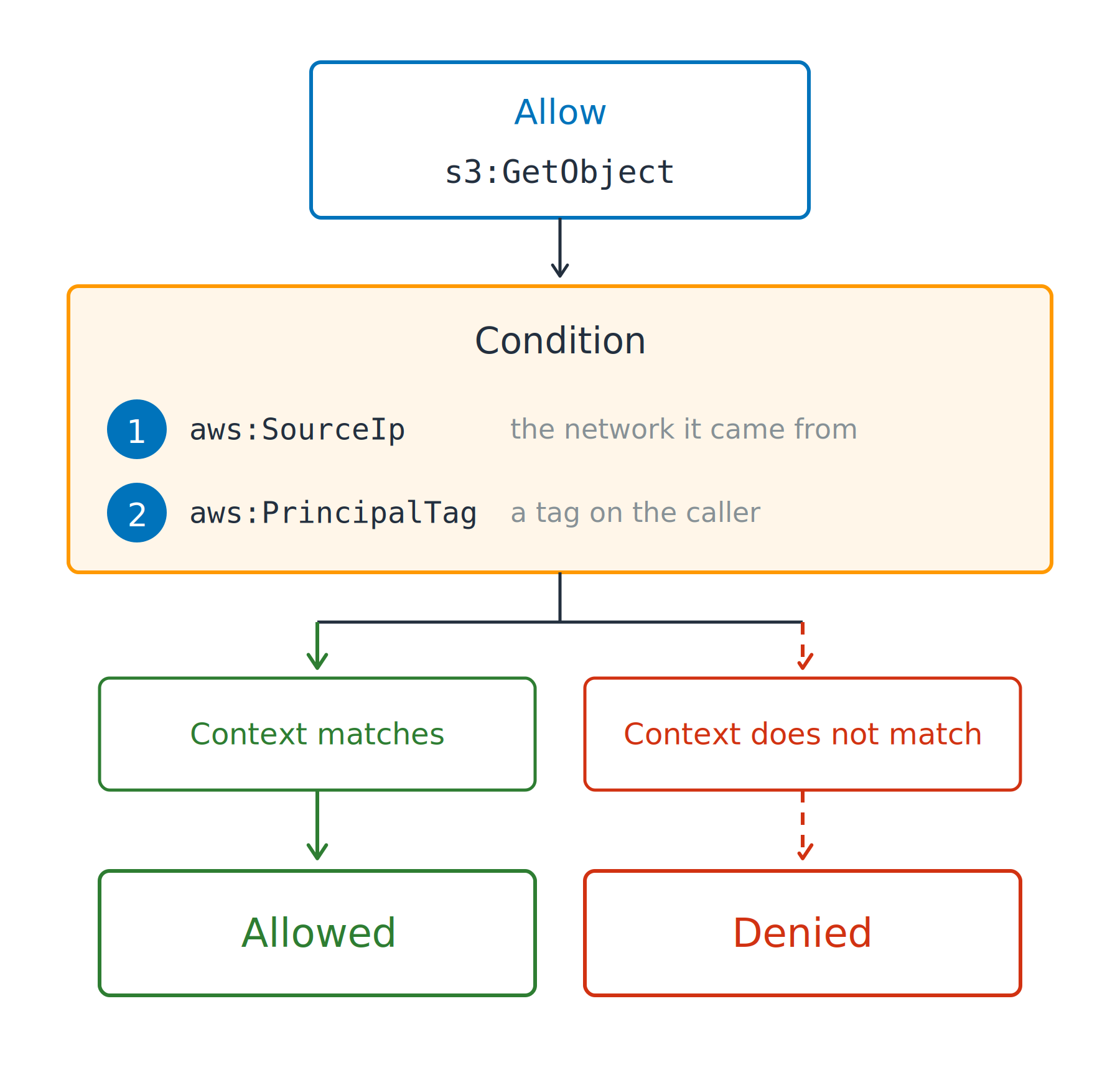
A condition narrows the allow

Condition key

  • Narrows an allow to a request's context

  • aws:SourceIp: the network it came from

One allow to read an S3 object passes through a condition band listing a source network key and a caller tag key, then splits into an allowed path where the context matches and a denied path where it does not.

Using AWS Security for Developers

A condition narrows the allow

Condition key

  • Narrows an allow to a request's context

  • aws:SourceIp: the network it came from

  • aws:PrincipalTag: a tag on the caller

ABAC: attribute-based access control

  • One policy, many principals

One allow to read an S3 object passes through a condition band listing a source network key and a caller tag key, then splits into an allowed path where the context matches and a denied path where it does not.

Using AWS Security for Developers

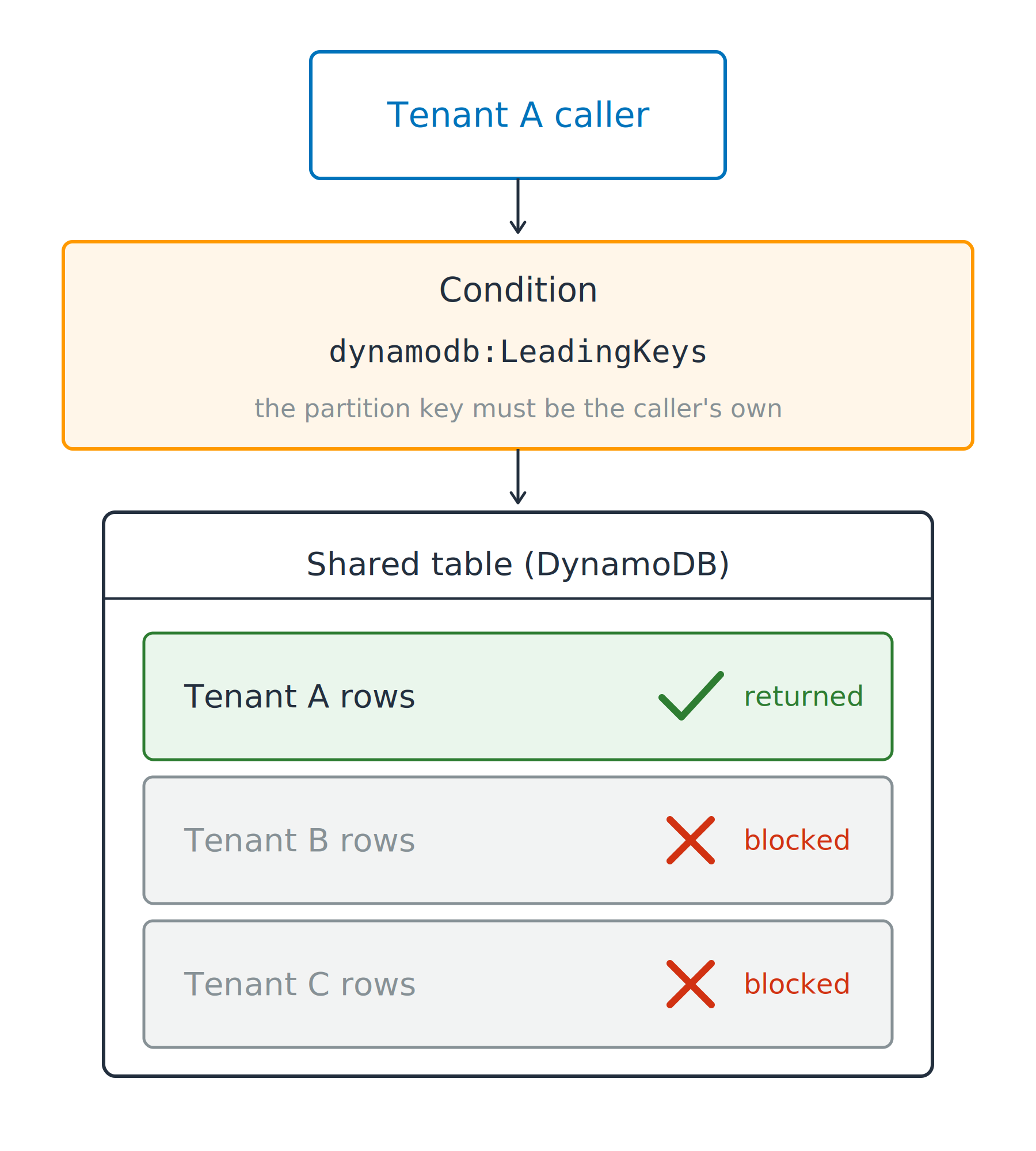
One table, one tenant at a time

One shared table

  • DynamoDB, one partition key per tenant
  • Not isolation on its own

A tenant A caller passes through a leading keys condition into a shared DynamoDB table, where the tenant A rows are returned and the tenant B and tenant C rows are blocked.

Using AWS Security for Developers

One table, one tenant at a time

"Condition": {
  "ForAllValues:StringEquals": {
    "dynamodb:LeadingKeys": ["${aws:PrincipalTag/tenant}"]
  }
}

One shared table

  • DynamoDB, one partition key per tenant
  • Not isolation on its own

One condition narrows it

  • ForAllValues: every key supplied must match
Using AWS Security for Developers

One table, one tenant at a time

"Action": ["dynamodb:Query", "dynamodb:GetItem", "dynamodb:Scan"],
"Condition": {
  "ForAllValues:StringEquals": {
    "dynamodb:LeadingKeys": ["${aws:PrincipalTag/tenant}"]
  }
}

One shared table

  • DynamoDB, one partition key per tenant
  • Not isolation on its own

One condition narrows it

  • ForAllValues: every key supplied must match
The gap it leaves: not every request names a partition
  • dynamodb:Scan supplies none, so nothing can fail
Using AWS Security for Developers

Let's practice!

Using AWS Security for Developers

Preparing Video For Download...