User pools, identity pools, and JWTs

Using AWS Security for Developers

Rahul Singh

Technical Product Manager

Cognito is two services in one name
Amazon Cognito

  • Managed identity for your application's users
  • One name, two separate services

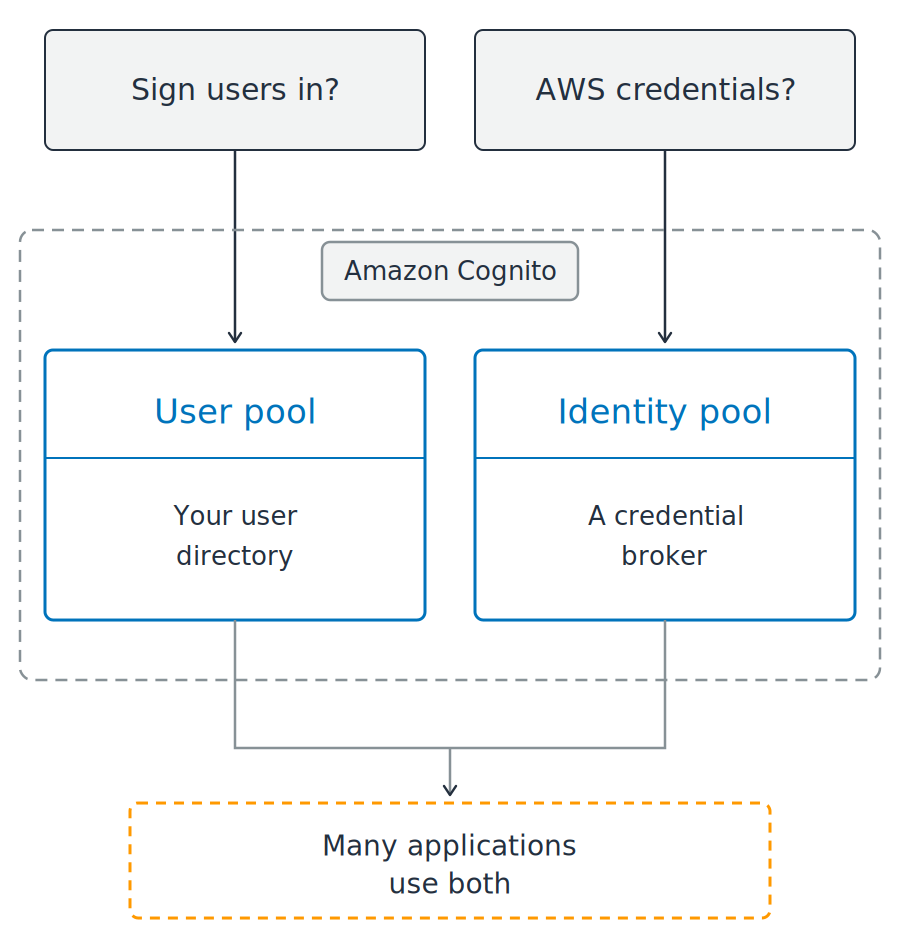
Two questions sit above a dashed boundary labeled Amazon Cognito. Inside the boundary are two blue panels side by side, a user pool described as your user directory and an identity pool described as a credential broker. Lines from both panels converge on a dashed orange box below, noting that many applications use both.

Using AWS Security for Developers

Cognito is two services in one name

Amazon Cognito

  • Managed identity for your application's users
  • One name, two separate services

Which one do you need?

  • Sign-in and user profiles: user pool
  • Browser or mobile calling AWS directly: identity pool

Two questions sit above a dashed boundary labeled Amazon Cognito. Inside the boundary are two blue panels side by side, a user pool described as your user directory and an identity pool described as a credential broker. Lines from both panels converge on a dashed orange box below, noting that many applications use both.

Using AWS Security for Developers

A user pool signs users in

A managed user directory

  • Sign-up and sign-in
  • Password reset
  • Multi-factor authentication

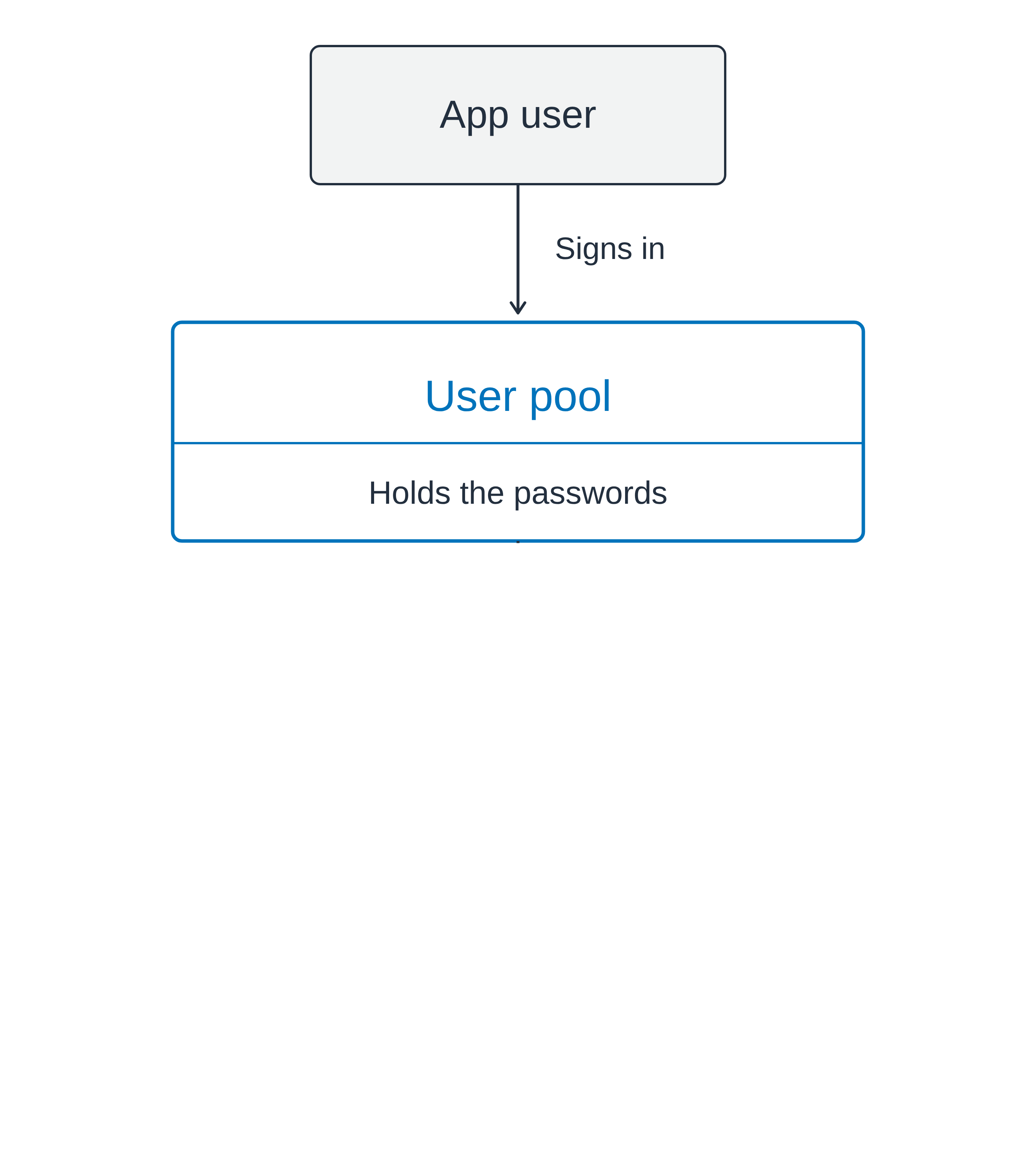
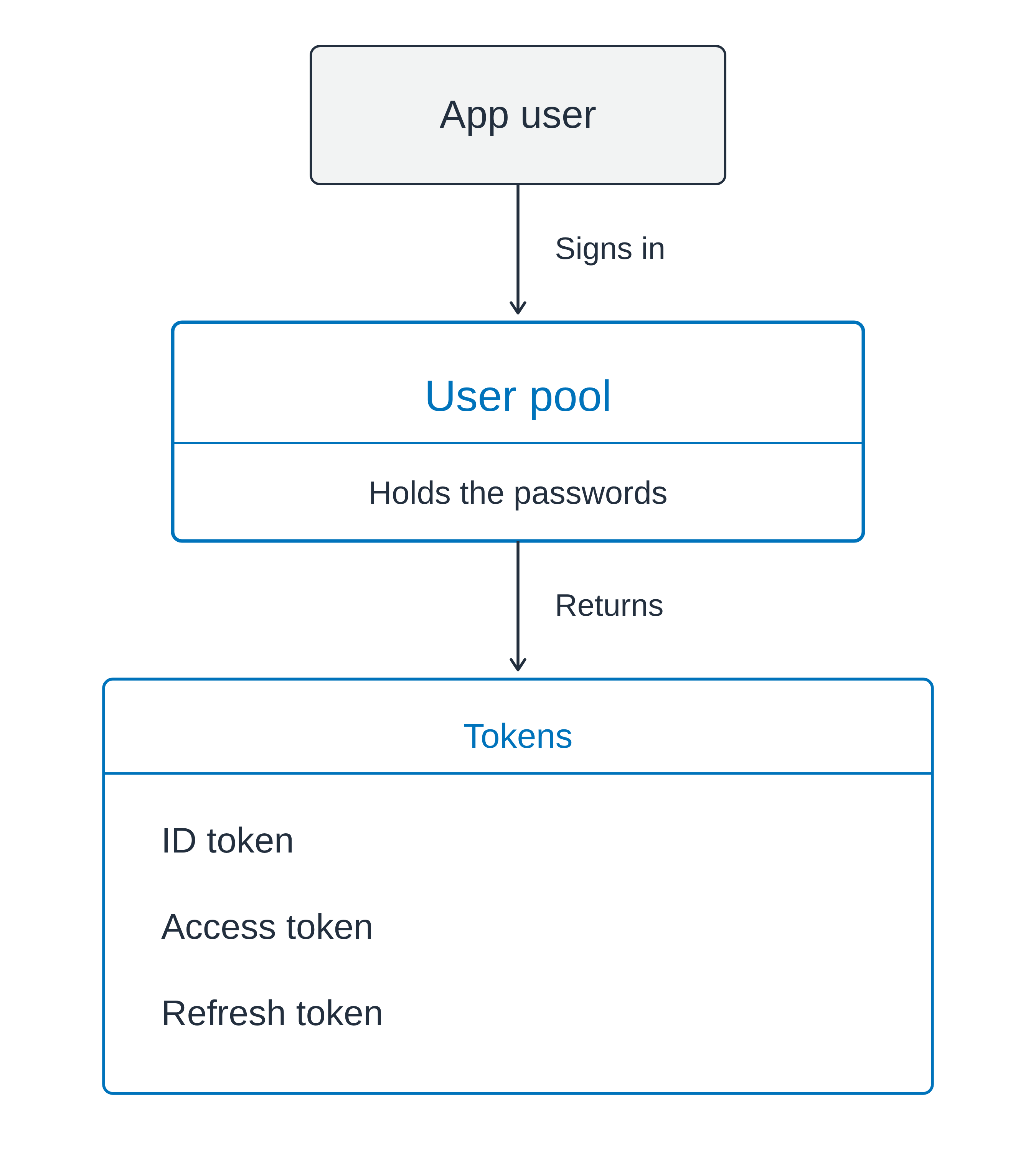
Vertical flow: an app user signs in to a user pool that holds the passwords, and the pool returns a box containing an ID token, an access token and a refresh token

Using AWS Security for Developers

A user pool signs users in

A managed user directory

  • Sign-up and sign-in
  • Password reset
  • Multi-factor authentication


On success, three tokens

Vertical flow: an app user signs in to a user pool that holds the passwords, and the pool returns a box containing an ID token, an access token and a refresh token

Using AWS Security for Developers

A user pool signs users in

A managed user directory

  • Sign-up and sign-in
  • Password reset
  • Multi-factor authentication


On success, three tokens

  • ID token: who the user is
  • Access token: what they may call
  • Refresh token: get fresh ones later

Vertical flow: an app user signs in to a user pool that holds the passwords, and the pool returns a box containing an ID token, an access token and a refresh token

Using AWS Security for Developers

An identity pool issues AWS credentials
Tokens are not credentials

  • Identity proof for your app
  • Not credentials to access AWS services


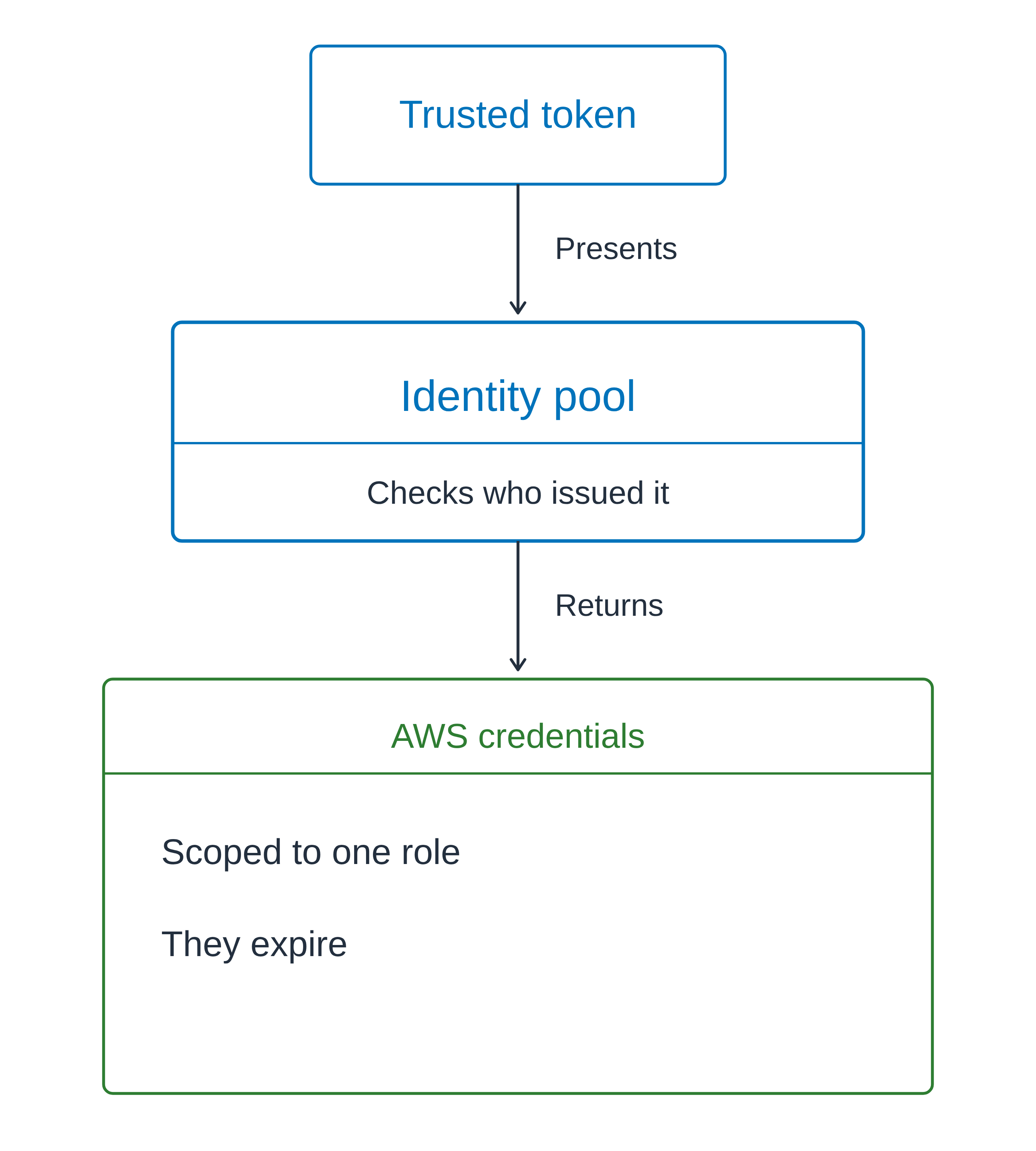
Identity pools: trusted token in, credentials out

Vertical flow with the same geometry as the user pool diagram: a trusted token is presented to an identity pool, which checks who issued it and returns AWS credentials scoped to one role that expire

Using AWS Security for Developers

An identity pool issues AWS credentials

Tokens are not credentials

  • Identity proof for your app
  • Not credentials to access AWS services


Identity pools: trusted token in, credentials out

  • A build job traded an OIDC token
  • Proof you hold, traded for a keycard

Vertical flow with the same geometry as the user pool diagram: a trusted token is presented to an identity pool, which checks who issued it and returns AWS credentials scoped to one role that expire

Using AWS Security for Developers

One app, both parts

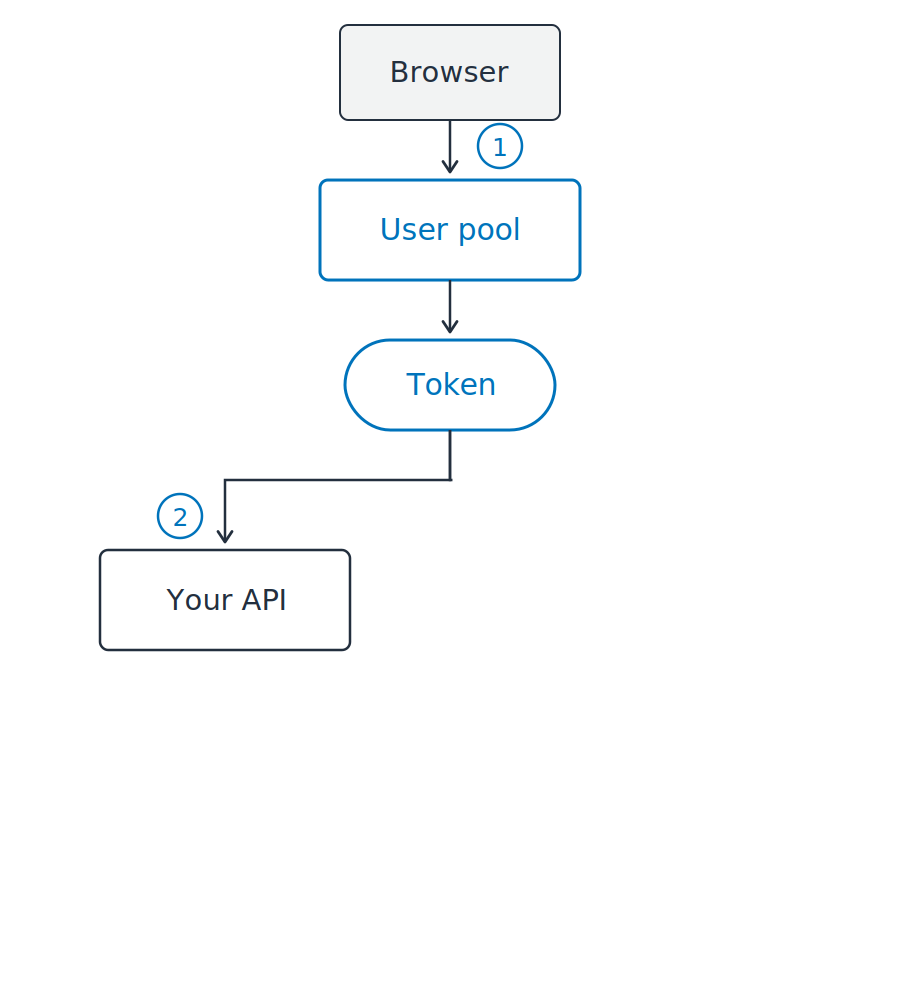
A browser using both

  1. Sign in, receive a token
  2. Send that token to your API

Bearer token: whoever holds it, uses it

A vertical flow. A browser signs in at a user pool, which returns a token. That single token then branches two ways, left to your API and right to an identity pool. The identity pool returns credentials, and those credentials are what reach S3.

Using AWS Security for Developers

One app, both parts

A browser using both

  1. Sign in, receive a token
  2. Send that token to your API
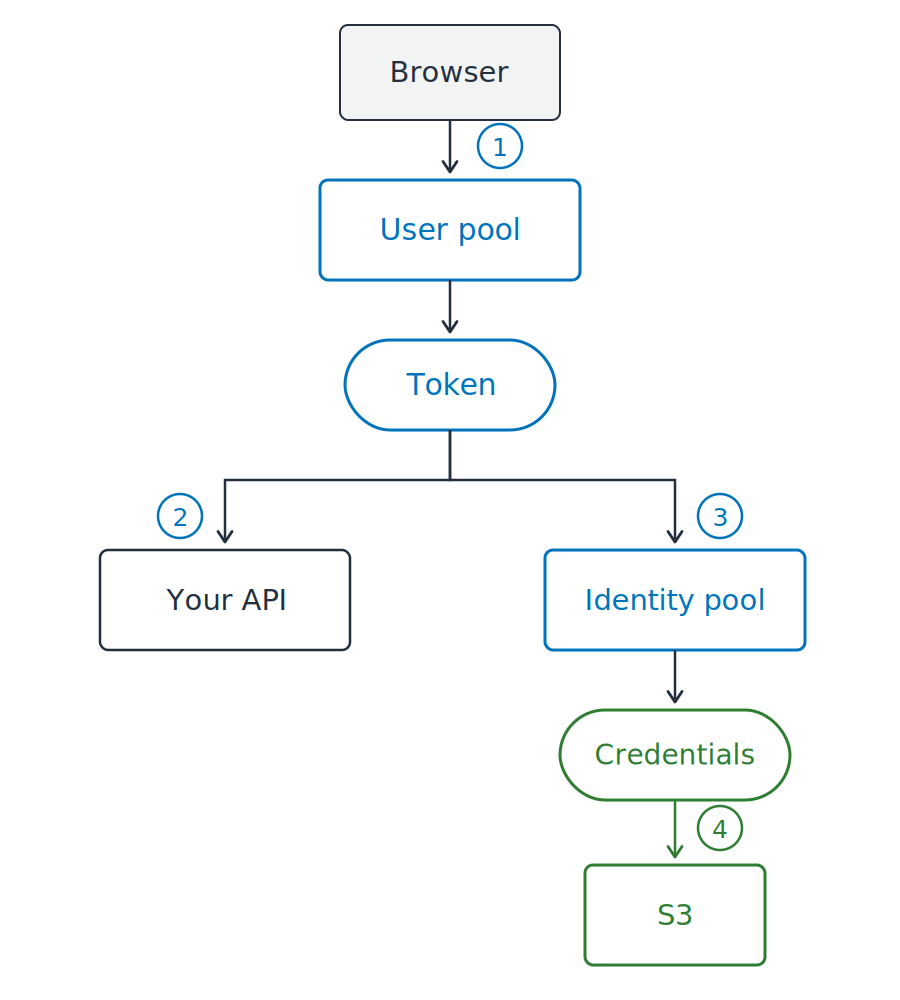
  3. Trade that same token for credentials

A vertical flow. A browser signs in at a user pool, which returns a token. That single token then branches two ways, left to your API and right to an identity pool. The identity pool returns credentials, and those credentials are what reach S3.

Using AWS Security for Developers

One app, both parts

A browser using both

  1. Sign in, receive a token
  2. Send that token to your API
  3. Trade that same token for credentials
  4. Reach S3 with those credentials

Tokens to your code, credentials to AWS

A vertical flow. A browser signs in at a user pool, which returns a token. That single token then branches two ways, left to your API and right to an identity pool. The identity pool returns credentials, and those credentials are what reach S3.

Using AWS Security for Developers

A token is text with a signature

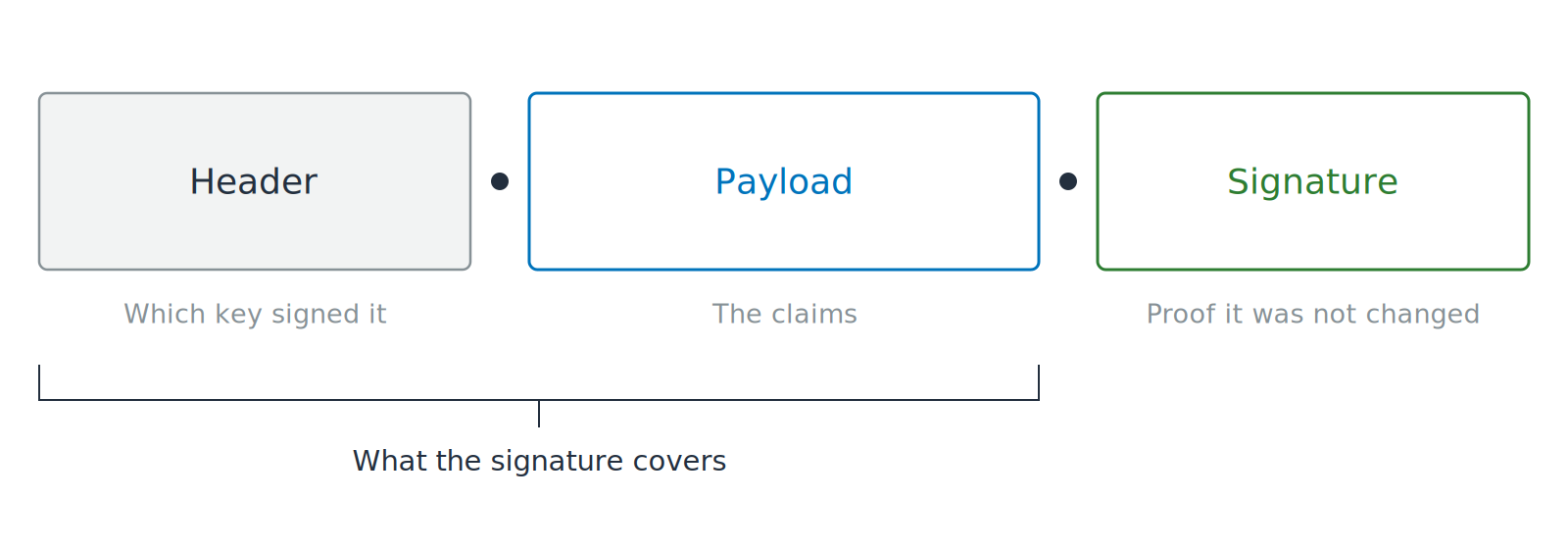
Three segments joined by dots and labeled Header, Payload and Signature. An open padlock sits on the payload, and a bracket under the first two segments shows how far the signature reaches.

JWT: JSON Web Token

  • Claims: labeled statements about the user
Using AWS Security for Developers

A token is text with a signature

Three segments joined by dots and labeled Header, Payload and Signature. An open padlock sits on the payload, and a bracket under the first two segments shows how far the signature reaches.

JWT: JSON Web Token

  • Claims: labeled statements about the user
  • Encoded, not encrypted
  • Anyone can read it and anyone can change it
Using AWS Security for Developers

Verify before you read

Verification comes first

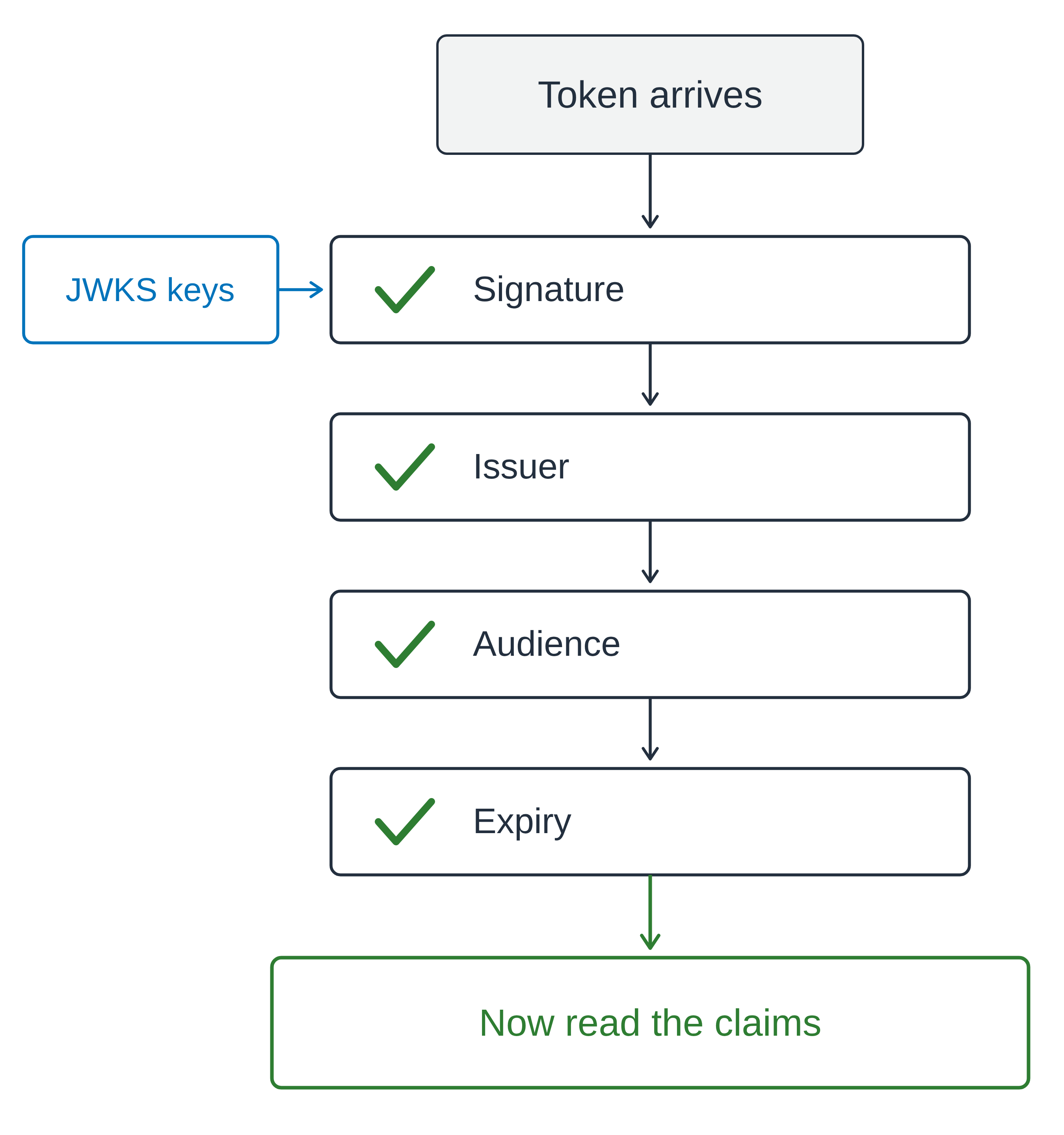
  • JWKS: JSON Web Key Set, the issuer's public signing keys
  • Signature checked against those keys

A vertical gate diagram. A token arrives and passes four ticked checks in order: signature, issuer, audience and expiry. The issuer's public keys feed into the signature check from the side, and only past the fourth check does the path reach a green box for reading the claims.

Using AWS Security for Developers

Verify before you read

Verification comes first

  • JWKS: JSON Web Key Set, the issuer's public signing keys
  • Signature checked against those keys


Then three claims

  • iss: your user pool
  • aud on an ID token, client_id on an access token
  • exp: still current

A vertical gate diagram. A token arrives and passes four ticked checks in order: signature, issuer, audience and expiry. The issuer's public keys feed into the signature check from the side, and only past the fourth check does the path reach a green box for reading the claims.

Using AWS Security for Developers

A verified token can still be wrong

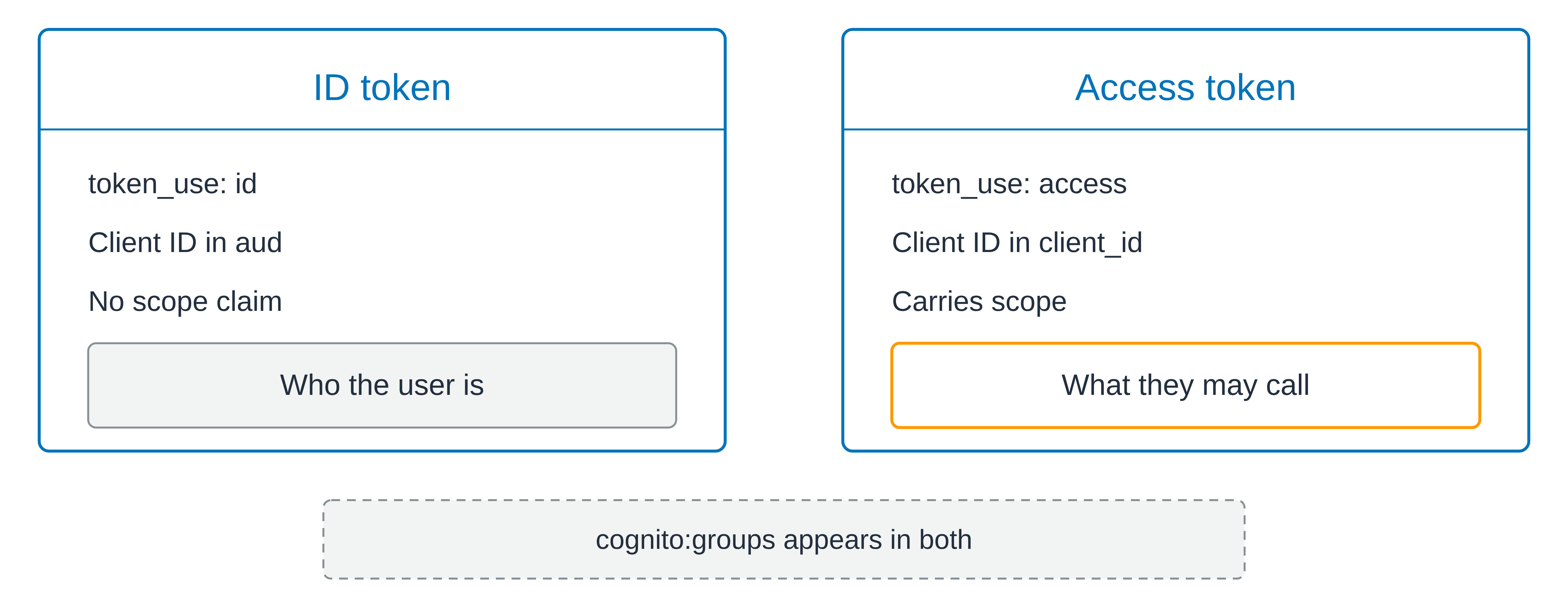
Two matched cards side by side. The ID token card is marked as an identity token, shows the client ID held in the audience claim, and notes that it carries no scope, above a gray box for who the user is. The access token card is marked as an access token, shows the client ID held in its own client identifier claim, and notes that it carries a scope, above an orange box for what they may call. A dashed strip below both cards notes that the Cognito groups claim appears in both tokens.

Verified, and still the wrong token

Using AWS Security for Developers

A verified token can still be wrong

Two matched cards side by side. The ID token card is marked as an identity token, shows the client ID held in the audience claim, and notes that it carries no scope, above a gray box for who the user is. The access token card is marked as an access token, shows the client ID held in its own client identifier claim, and notes that it carries a scope, above an orange box for what they may call. A dashed strip below both cards notes that the Cognito groups claim appears in both tokens.

Verified, and still the wrong token

token_use says which kind

  • cognito:groups rides on both kinds, and is not a scope

  • scope: what the token may call

  • sub: which user, and it never changes
  • Identity is not permission
Using AWS Security for Developers

Let's practice!

Using AWS Security for Developers

Preparing Video For Download...