Using AWS Security for Developers
Rahul Singh
Technical Product Manager
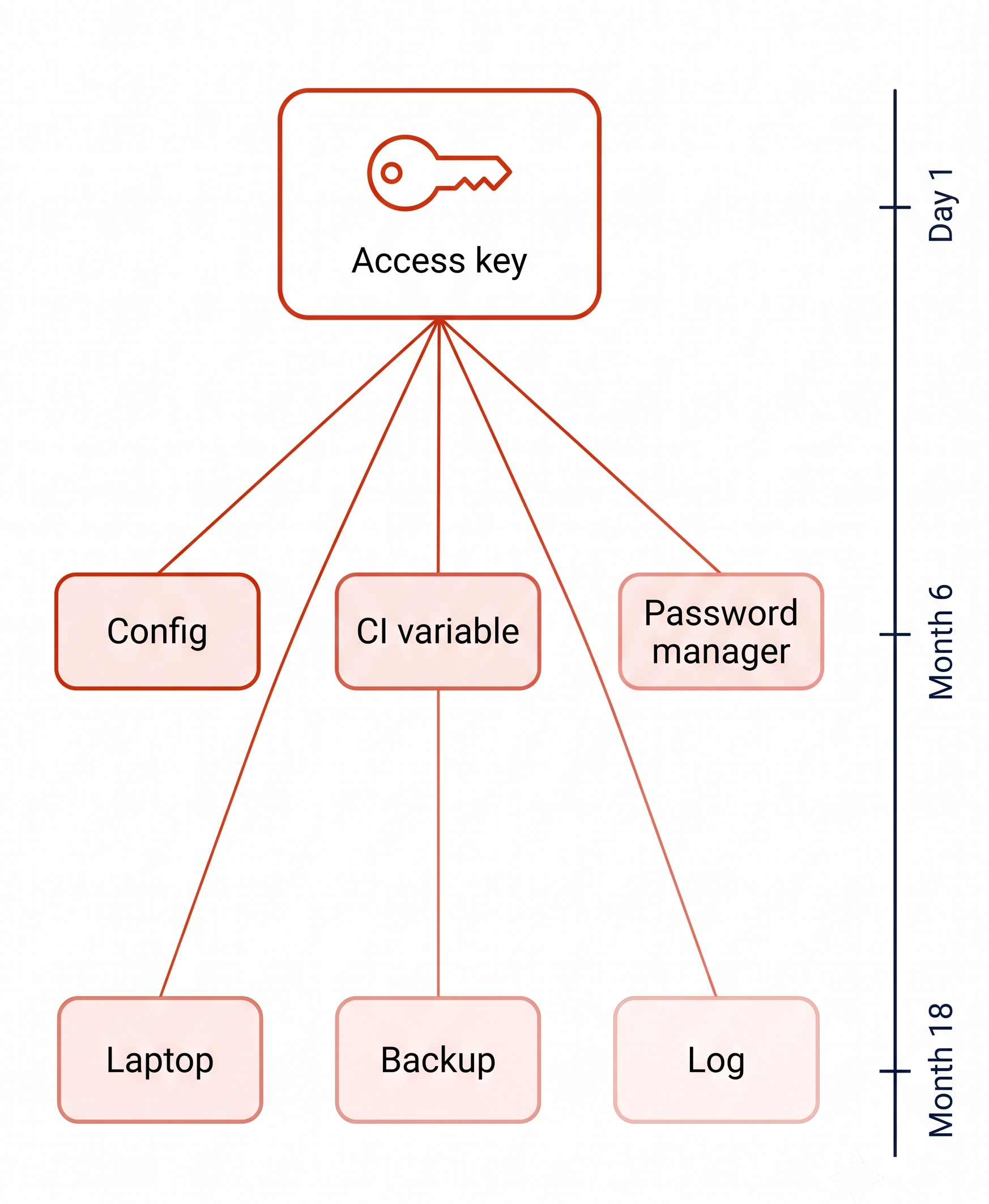
To speed up work, a key gets created in a script and is stored in a configuration file.
Inside the file it is:

To speed up work, a key gets created in a script and is stored in a configuration file.
Inside the file it is:
18 months later, it is still valid

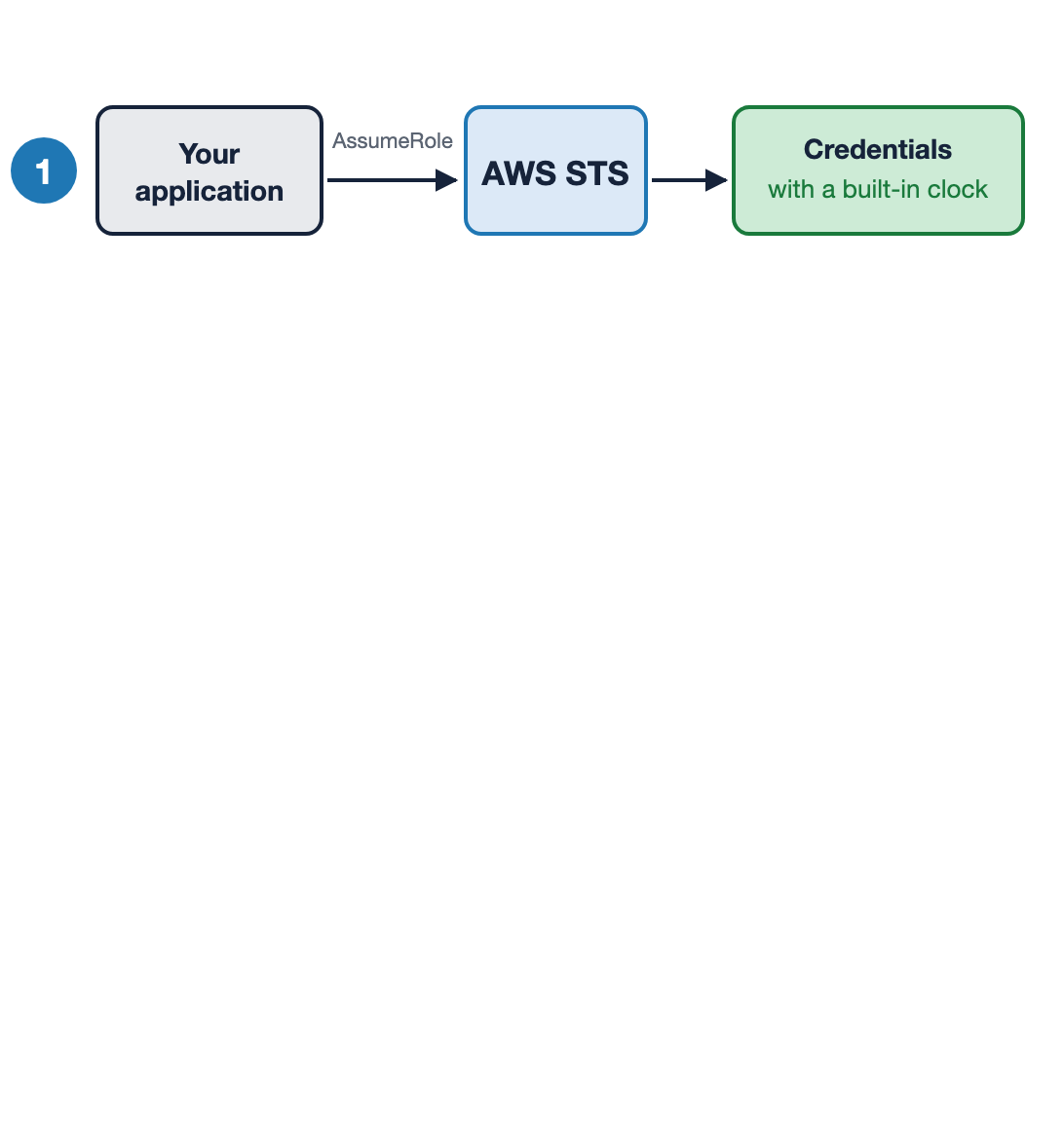
Make expiry the default using AWS STS
Request a role, get credentials with a built-in clock
Security Token Service (STS): expiry attached, one hour by default

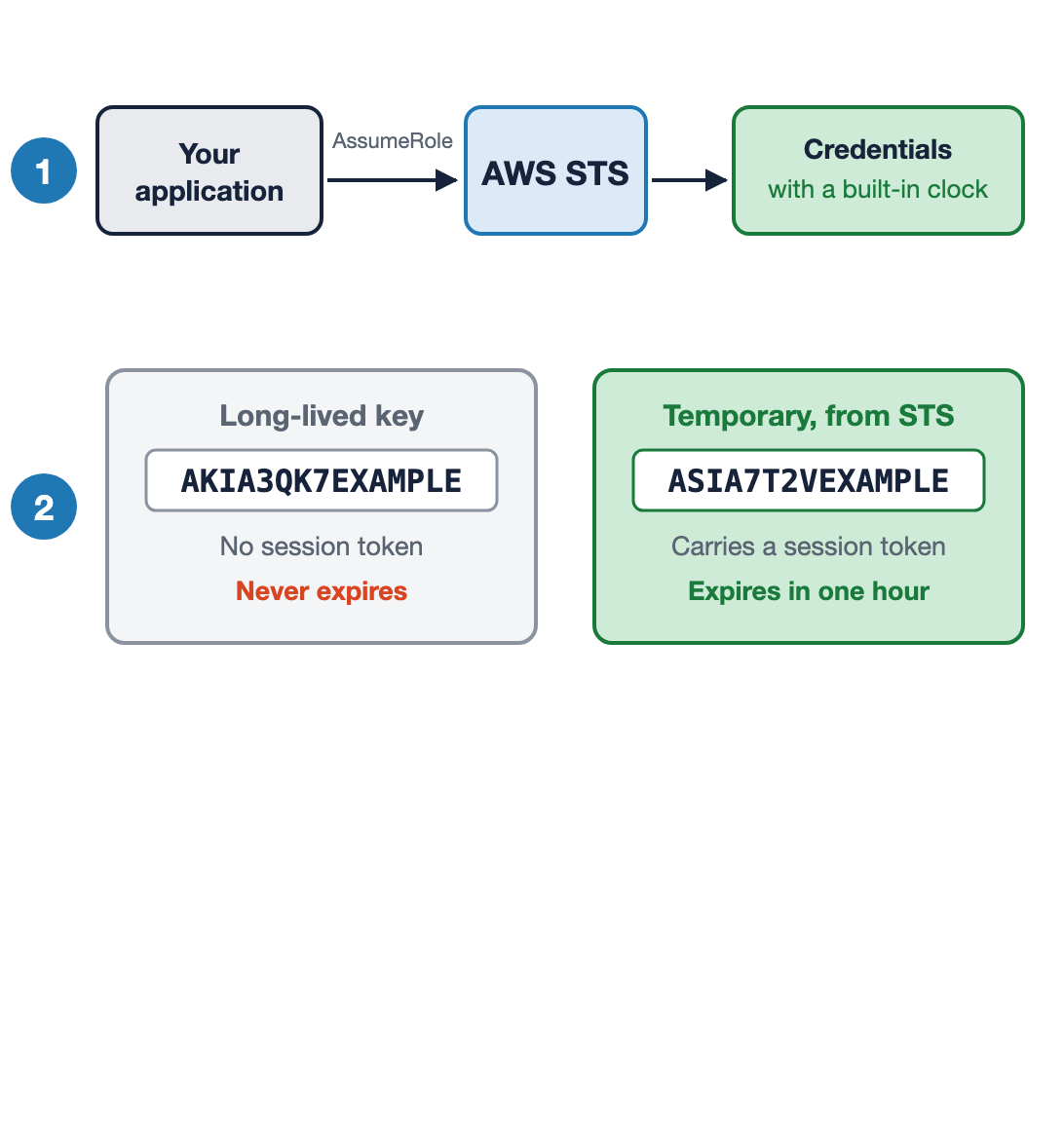
Make expiry the default using AWS STS
Request a role, get credentials with a built-in clock
Temporary credentials start with ASIA and carry a session token
Security Token Service (STS): expiry attached, one hour by default

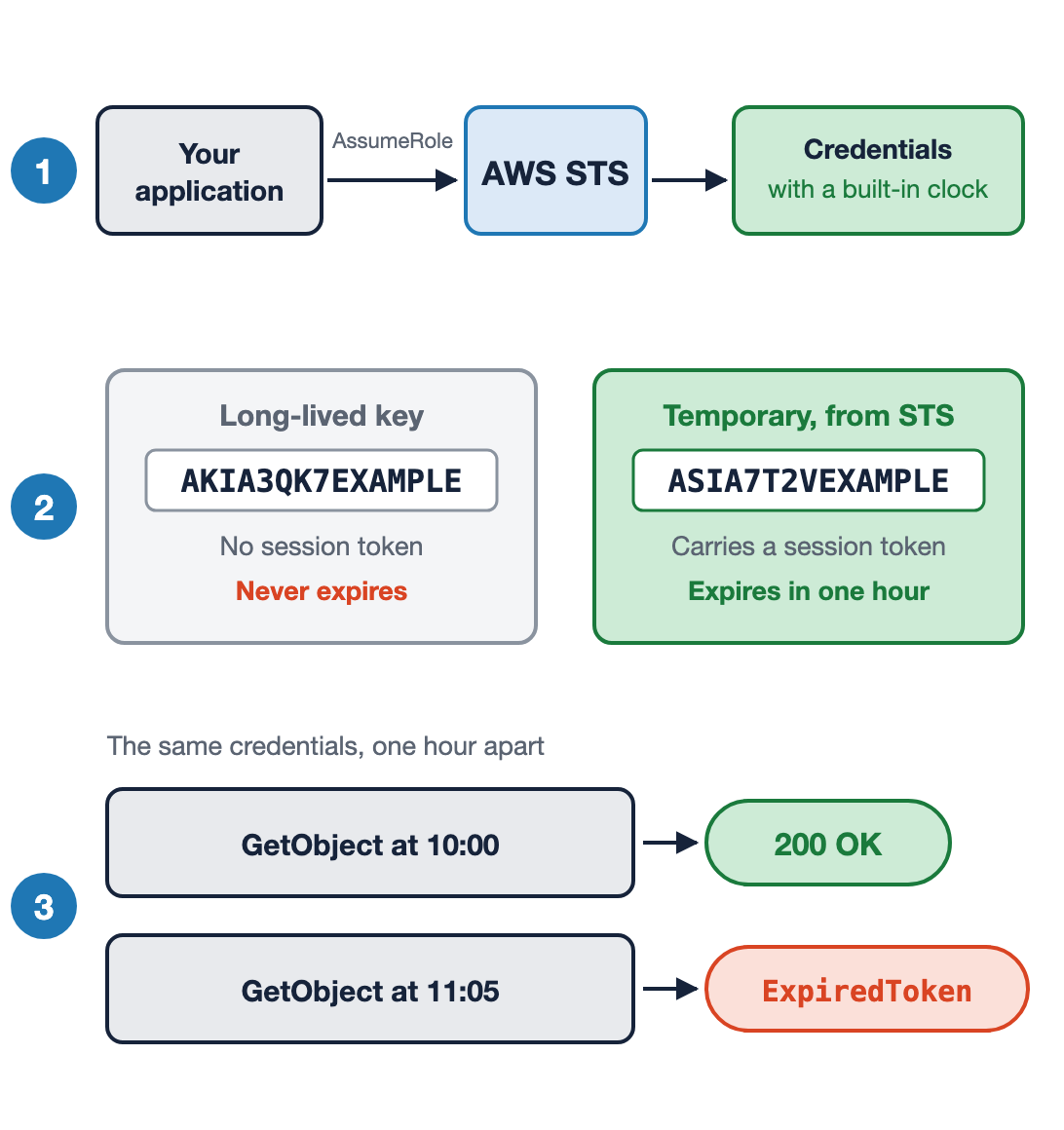
Make expiry the default using AWS STS
Request a role, get credentials with a built-in clock
Temporary credentials start with ASIA and carry a session token
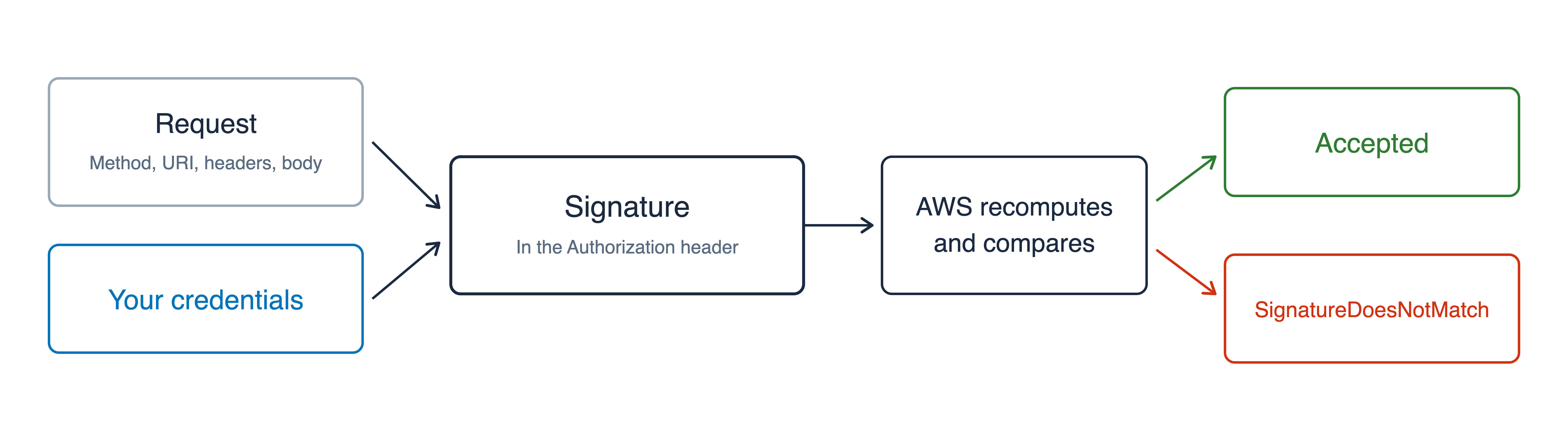
The same call is accepted, then it is not
Security Token Service (STS): expiry attached, one hour by default

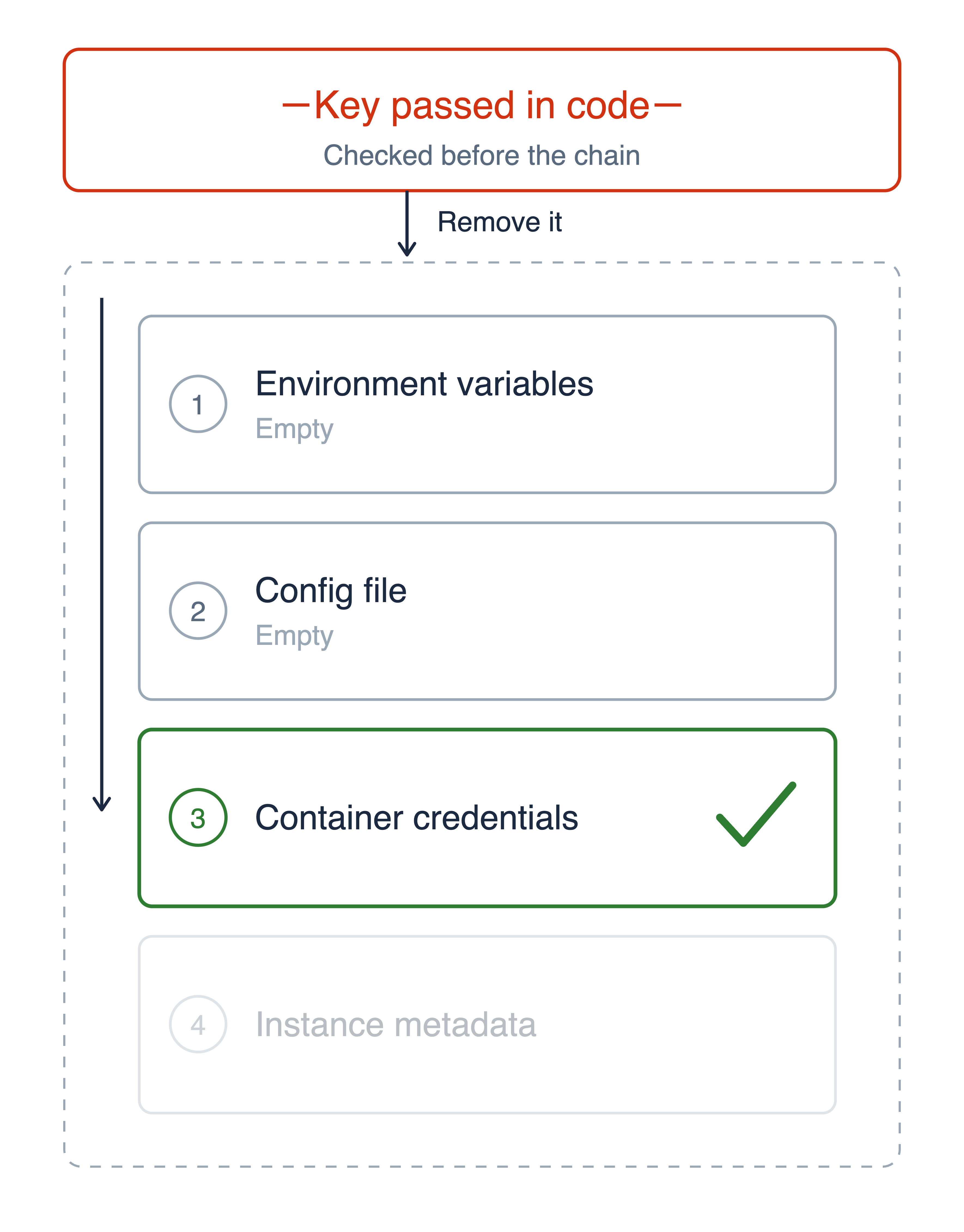
Checking the credential provider chain

Checking the credential provider chain
Hard-coded keys are checked first, and therefore need to be deleted

1. explicit a key passed in your code
2. environment AWS_* variables, and on Lambda
that is the execution role
3. config file ~/.aws/credentials
4. container ECS or EKS task role
5. instance EC2 instance profile, via IMDS
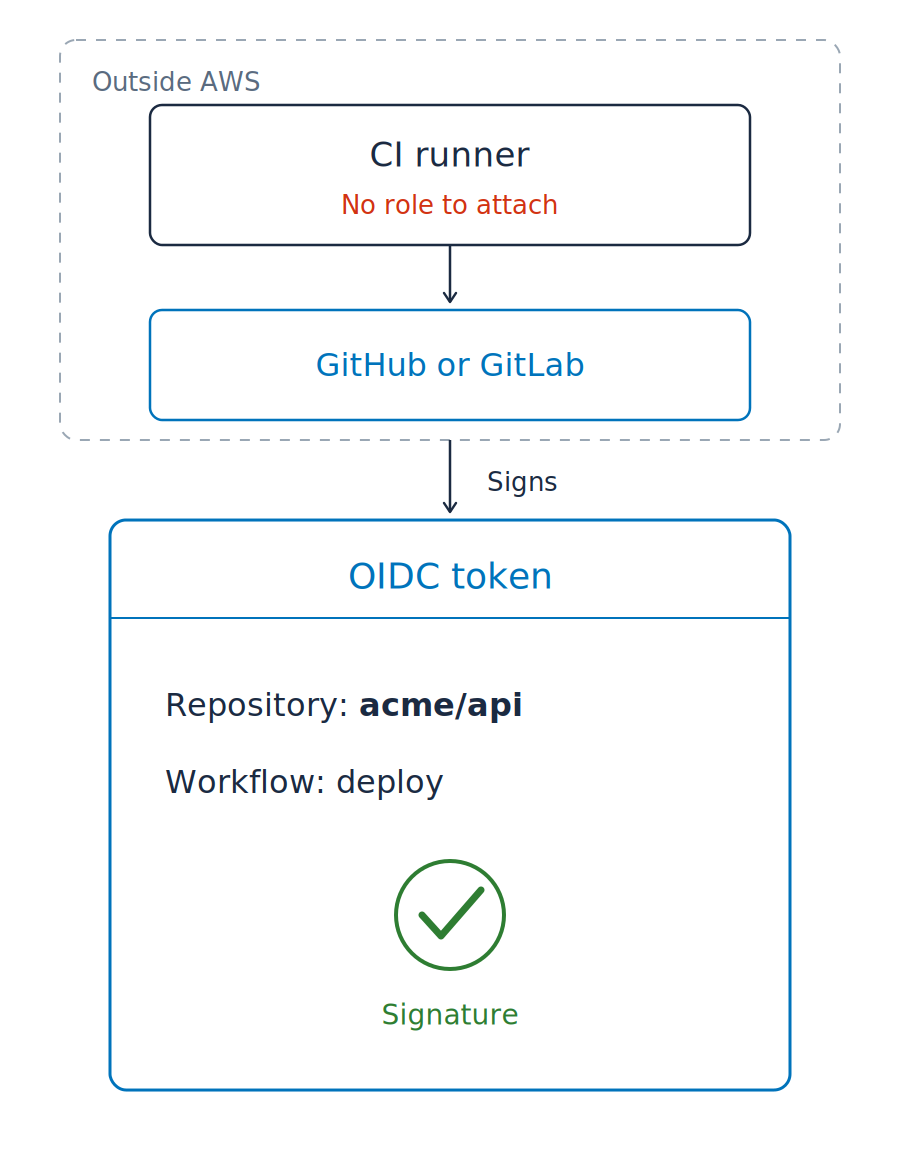
Code pipelines often run outside AWS, so the credential chain cannot be attached

Code pipelines often run outside AWS, so the credential chain cannot be attached
OIDC token (OpenID Connect)


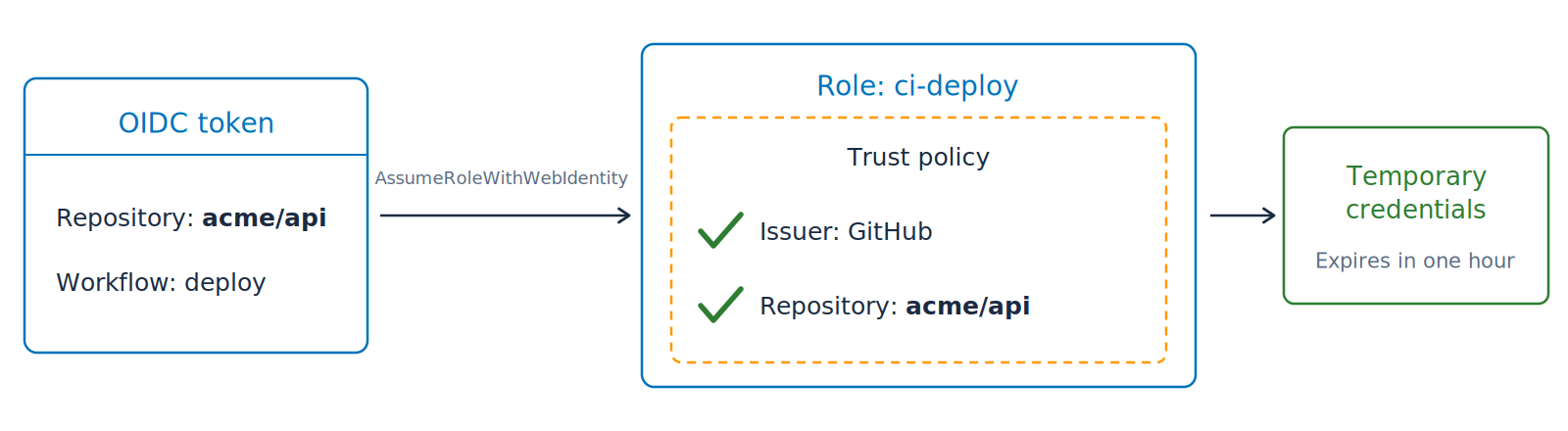
Trading the token for credentials

Trading the token for credentials
Repository secrets: now empty
Signature Version 4, or SigV4

Temporary credentials

Temporary credentials
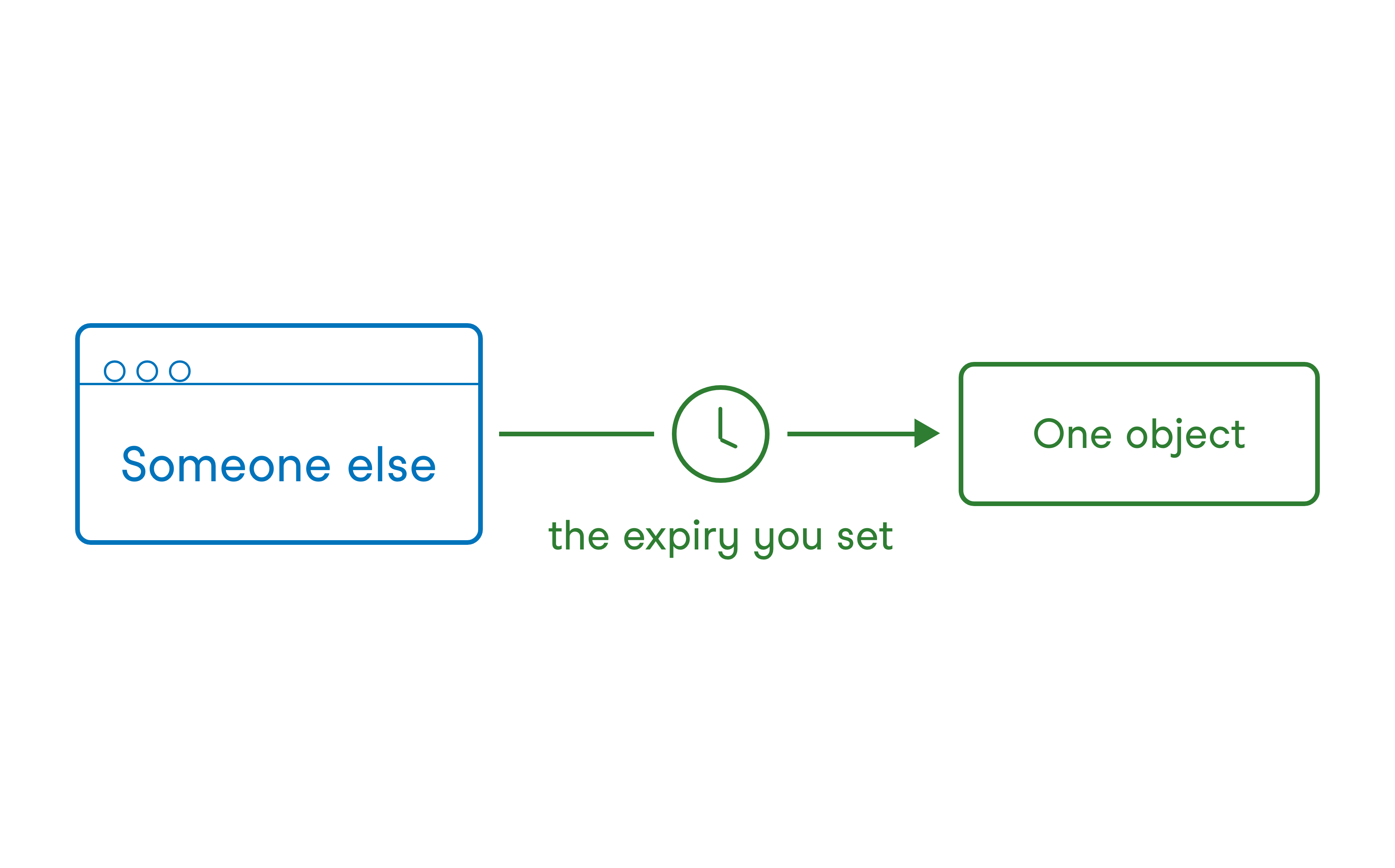
Pre-signed URL


Using AWS Security for Developers