Shipping it safely

Using AWS Security for Developers

Rahul Singh

Technical Product Manager

What the checklist is for
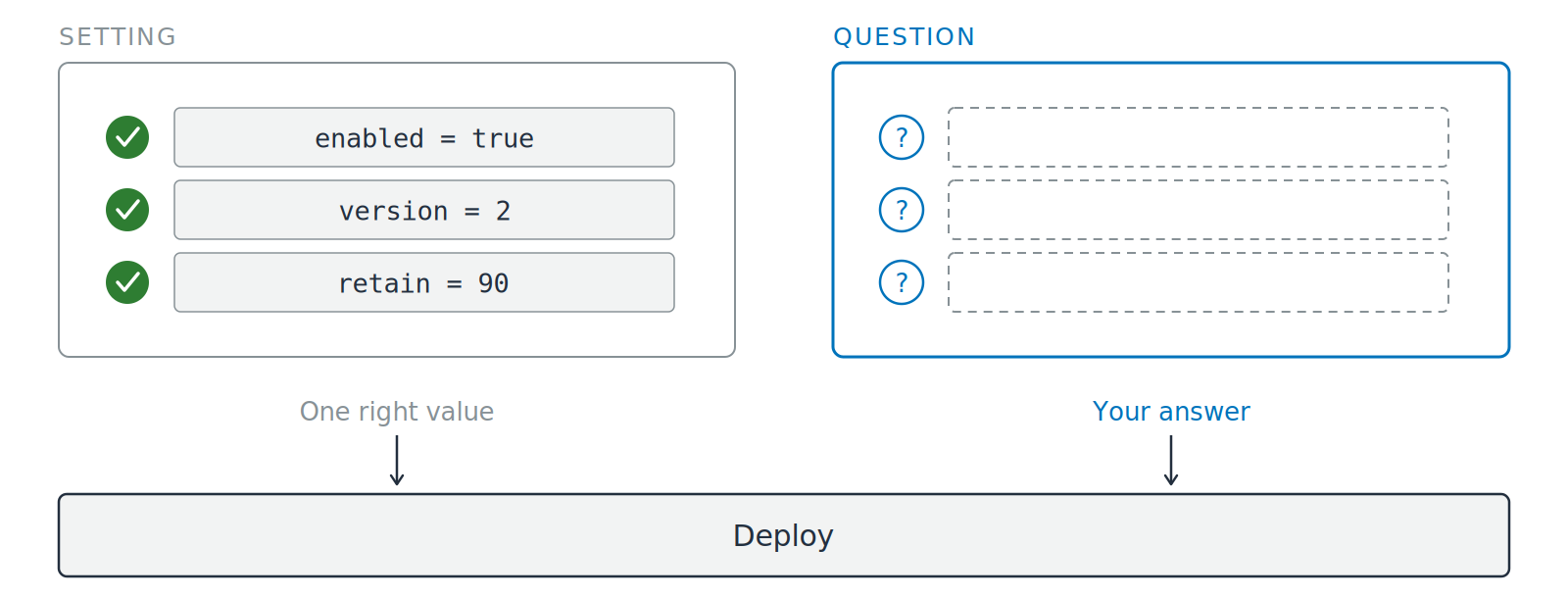
Two cards side by side above a full-width deploy bar. The left card, labeled setting, holds three configuration values each with a green tick, and is captioned one right value. The right card, labeled question, holds three question marks beside empty dashed answer slots, and is captioned your answer. Arrows run from both cards down into the deploy bar.

  • Six questions, asked before you ship
  • Not six settings to switch on
Using AWS Security for Developers

Six questions, in request order

Ask in this order

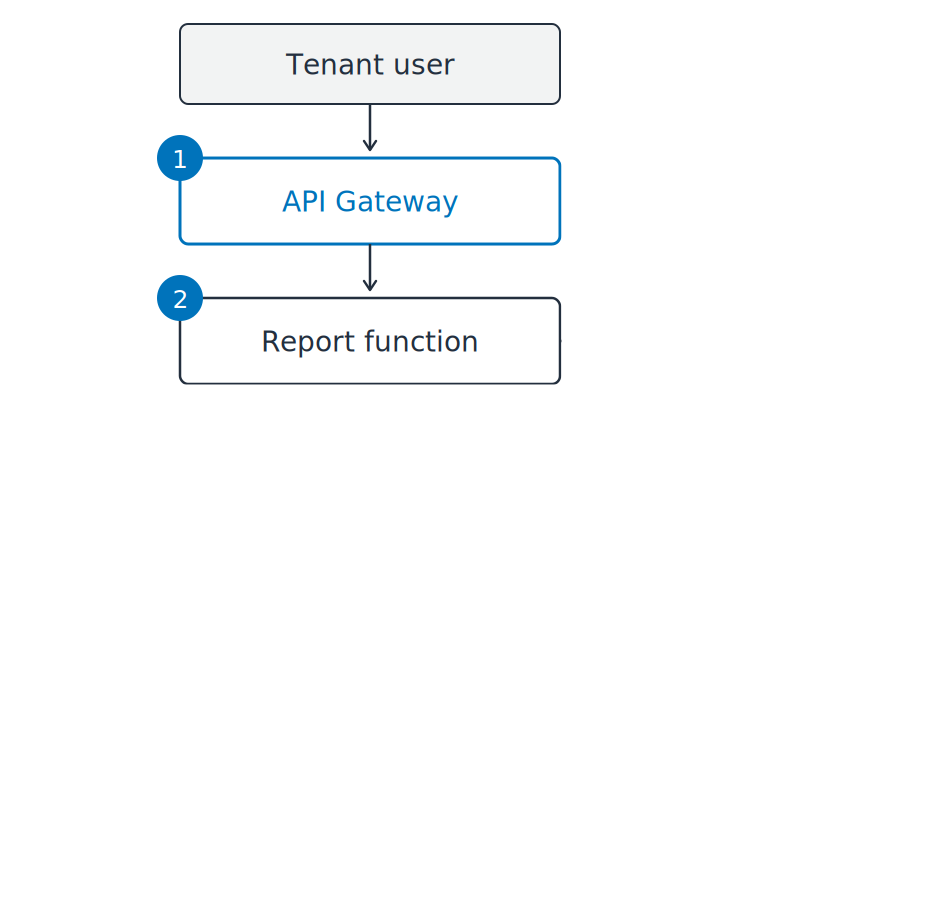
  1. Who verifies the caller's token?
  2. Which identity is AWS checking?

The tenant report service beginning to be drawn as a vertical path: tenant user, then API Gateway, then the report function. Numbered markers one and two sit on the two places a question applies.

Using AWS Security for Developers

Six questions, in request order

Ask in this order

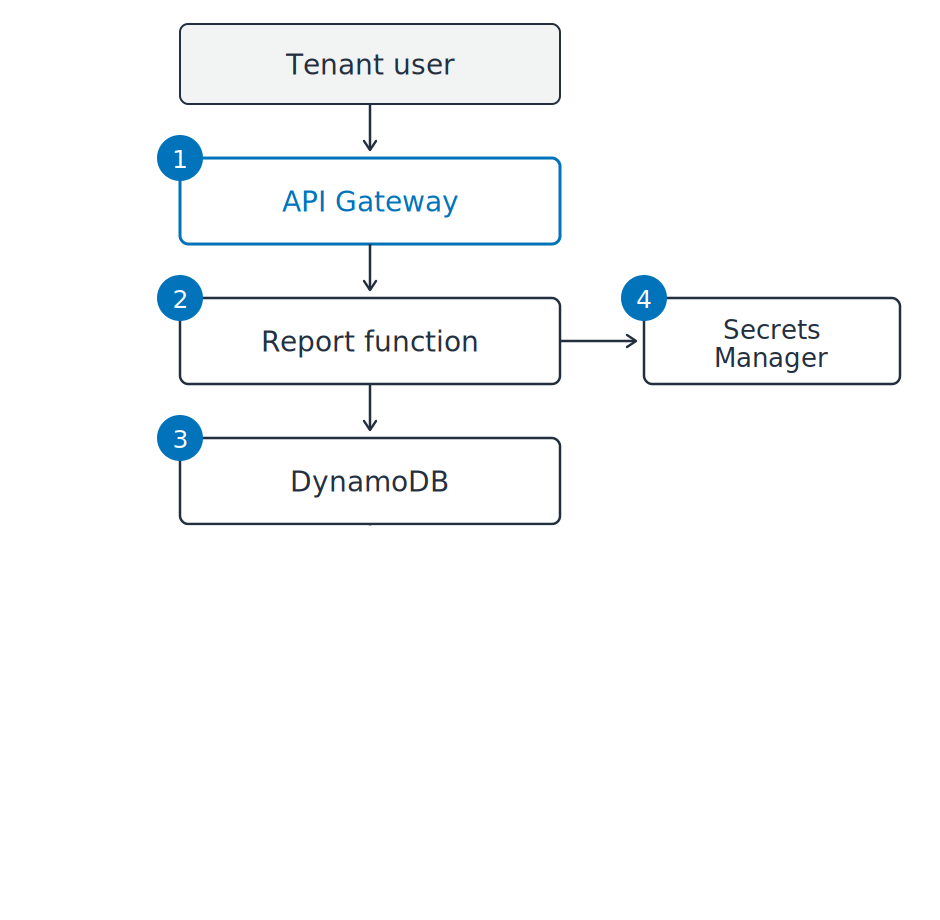
  1. Who verifies the caller's token?
  2. Which identity is AWS checking?
  3. What stops one tenant reading another's rows?
  4. Where does the database password live?

The tenant report service drawn as a vertical path: tenant user, API Gateway, report function, and DynamoDB, with Secrets Manager branching to the side. Numbered markers one to four sit on the four places a question applies.

Using AWS Security for Developers

Six questions, in request order

Ask in this order

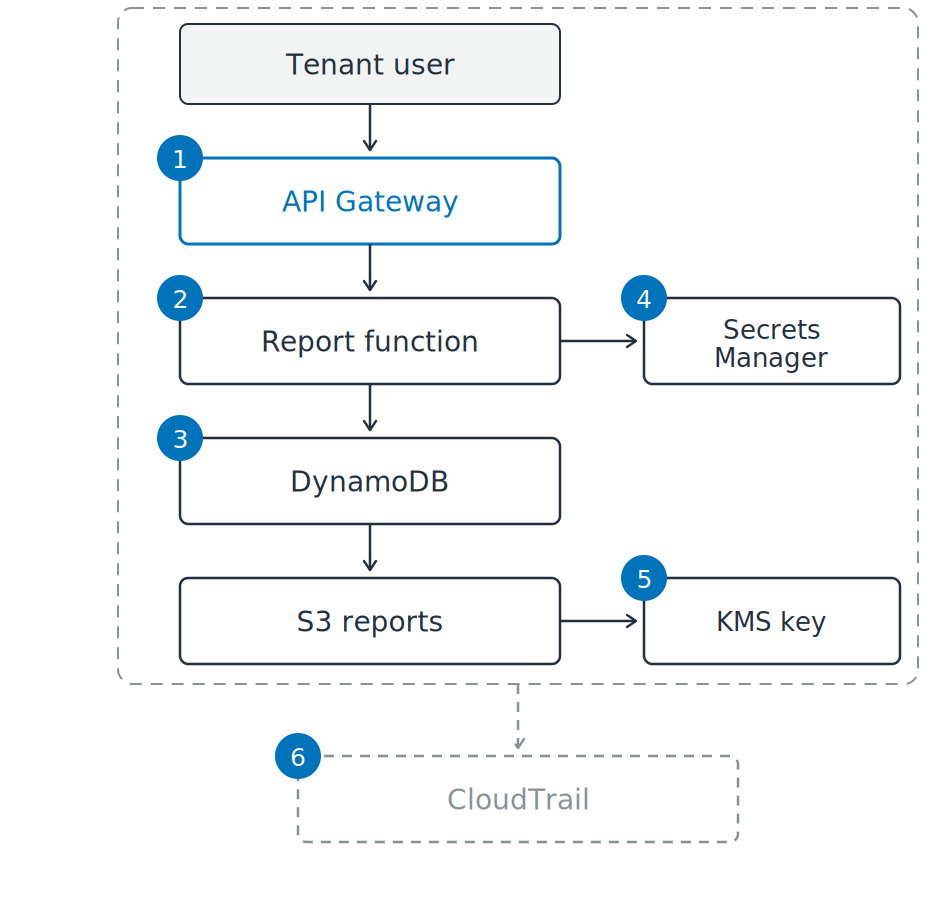
  1. Who verifies the caller's token?
  2. Which identity is AWS checking?
  3. What stops one tenant reading another's rows?
  4. Where does the database password live?
  5. Who holds the key, and who used it?
  6. Will tomorrow's download leave a record?

The tenant report service drawn as a vertical path: tenant user, API Gateway, report function, DynamoDB, and S3 reports, with Secrets Manager and a KMS key branching to the side. Six numbered markers sit on the six places a question applies. A dashed boundary encloses the whole service and feeds a dashed CloudTrail box below it.

Using AWS Security for Developers

Ticked is not the same as safe

Three from this service

  1. Role, not a key: reads every object

Three numbered fragments of the report service. In the first, the report function has a green tick and an orange dashed outline reaches across all three tenant prefixes in the bucket. In the second, a green tenant filter sits inside the function while an empty orange gate sits on the request path outside it. In the third, the bucket has a green tick and an orange dashed path from an auditor to the AWS managed key is stopped short of it.

Using AWS Security for Developers

Ticked is not the same as safe

Three from this service

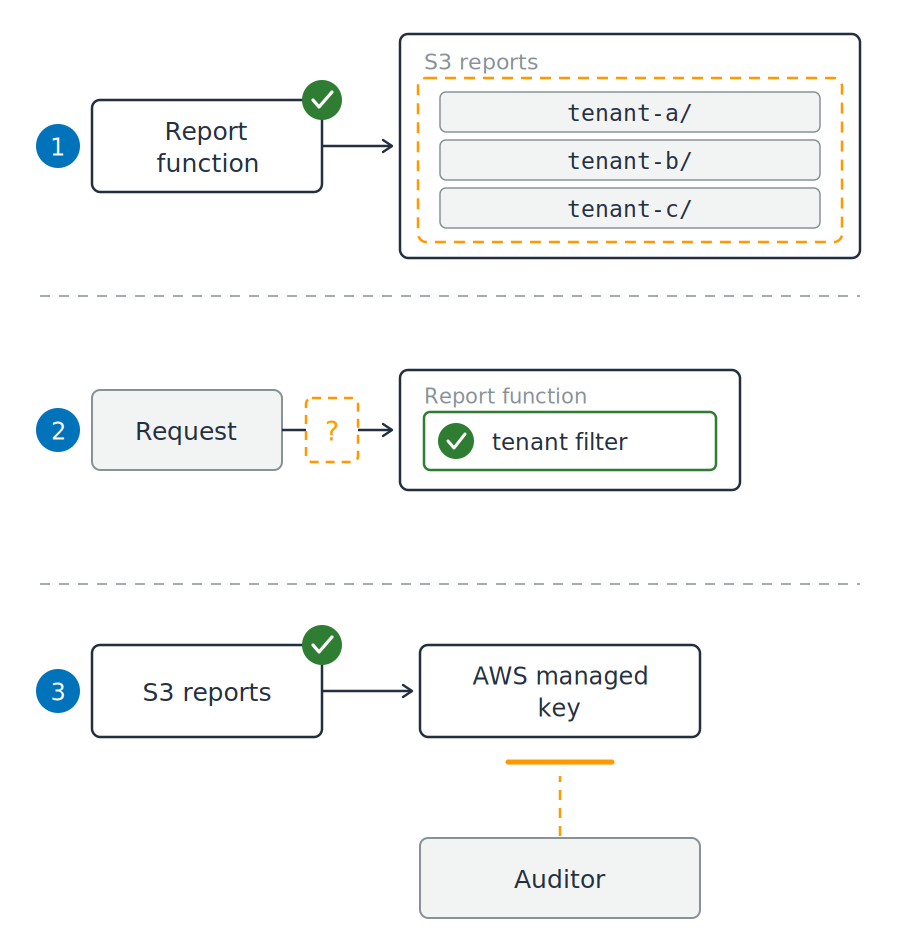
  1. Role, not a key: reads every object
  2. Tenant column: filter sits in your code
  3. Encryption on: key cannot be shared

Three numbered fragments of the report service. In the first, the report function has a green tick and an orange dashed outline reaches across all three tenant prefixes in the bucket. In the second, a green tenant filter sits inside the function while an empty orange gate sits on the request path outside it. In the third, the bucket has a green tick and an orange dashed path from an auditor to the AWS managed key is stopped short of it.

Using AWS Security for Developers

The gap a config cannot show

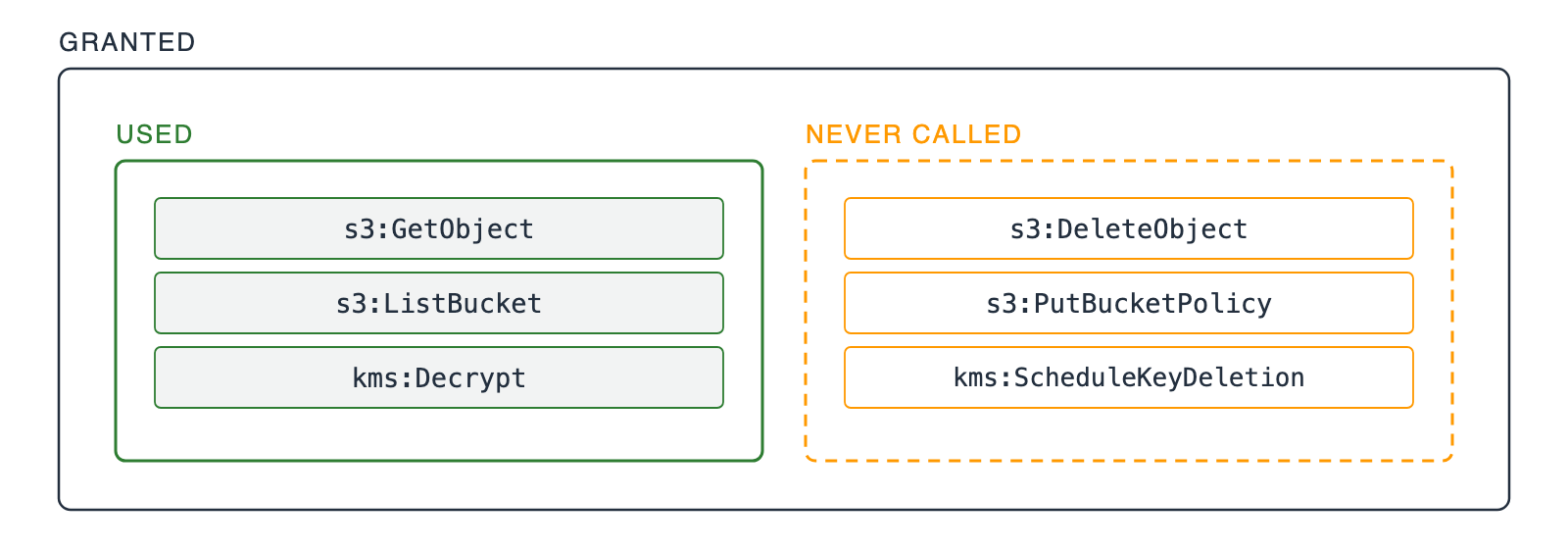
One outer box labeled granted, holding two inner boxes that do not overlap. A solid green box labeled used holds three IAM actions the role called. A dashed orange box labeled never called holds three IAM actions it never called.

  • Right on the day you wrote it: every action the service then called
Using AWS Security for Developers

The gap a config cannot show

One outer box labeled granted, holding two inner boxes that do not overlap. A solid green box labeled used holds three IAM actions the role called. A dashed orange box labeled never called holds three IAM actions it never called.

  • Right on the day you wrote it: every action the service then called
  • Too broad now: the half it stopped calling
  • The fix: grant what ninety days of trail shows in use
Using AWS Security for Developers

Write the reason, not the setting

Two halves of one choice

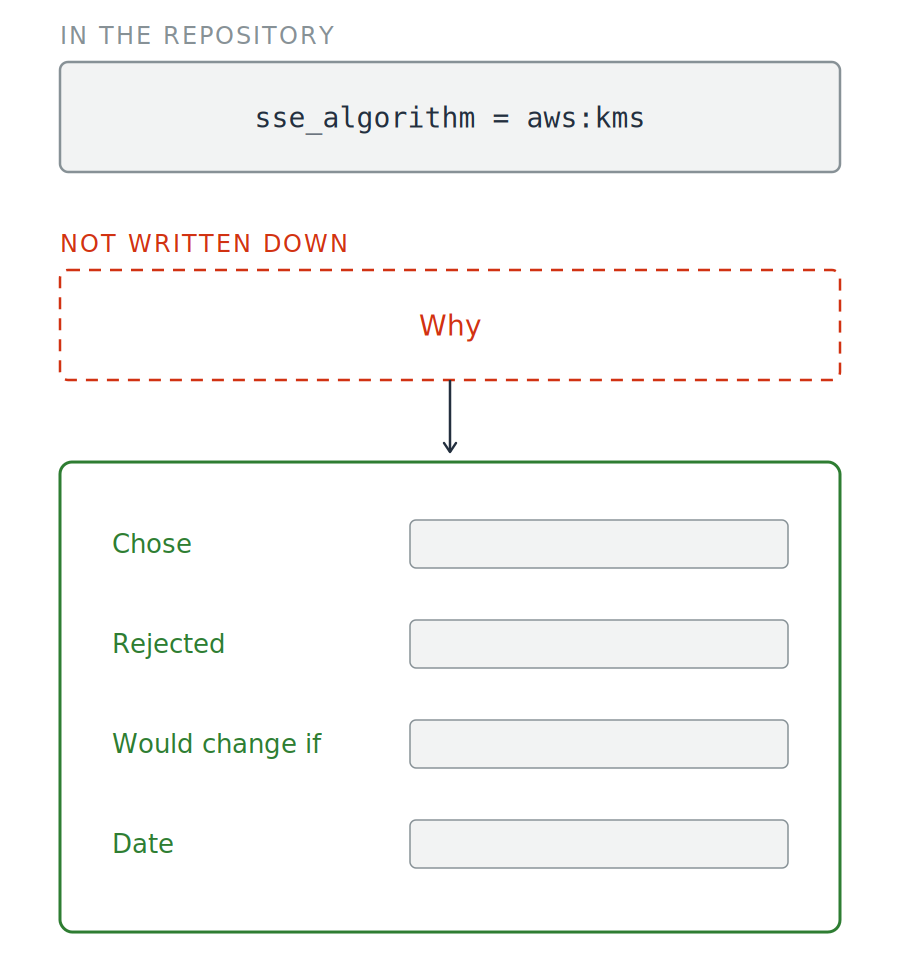
  • The value your code sets
  • The reason you set it

A configuration line, labeled in the repository, sits above an empty dashed box labeled why and captioned not written down. An arrow runs down from it into a green record card with four labeled slots: chose, rejected, would change if, and date.

Using AWS Security for Developers

Write the reason, not the setting

Two halves of one choice

  • The value your code sets
  • The reason you set it


  • Written down and accepted: a decision
  • Left undocumented: a surprise

A configuration line, labeled in the repository, sits above an empty dashed box labeled why and captioned not written down. An arrow runs down from it into a green record card with four labeled slots: chose, rejected, would change if, and date.

Using AWS Security for Developers

The same questions, new callers

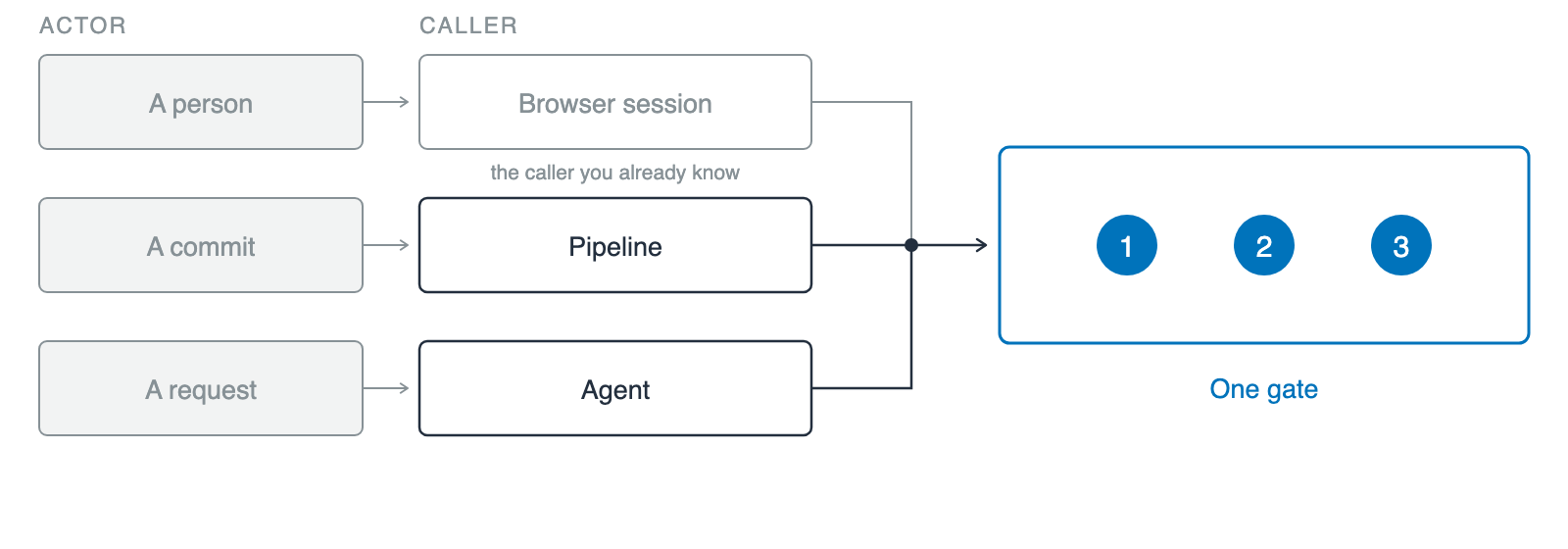
Three rows under two headings, actor and caller, each pairing an actor with the caller it sets in motion: a person with a browser session, shown muted as the familiar case, a commit with a pipeline, and a request with an agent. All three converge on a single blue gate, captioned one gate, holding three numbered markers.

  • Workload identity: an identity for a caller that is not a person
Using AWS Security for Developers

The same questions, new callers

Three rows under two headings, actor and caller, each pairing an actor with the caller it sets in motion: a person with a browser session, shown muted as the familiar case, a commit with a pipeline, and a request with an agent. All three converge on a single blue gate, captioned one gate, holding three numbered markers.

  • Workload identity: an identity for a caller that is not a person
  • Same three questions: an identity AWS can check, a scope no wider than the job, a record of what it did
  • What changed: the caller
Using AWS Security for Developers

Where this goes next

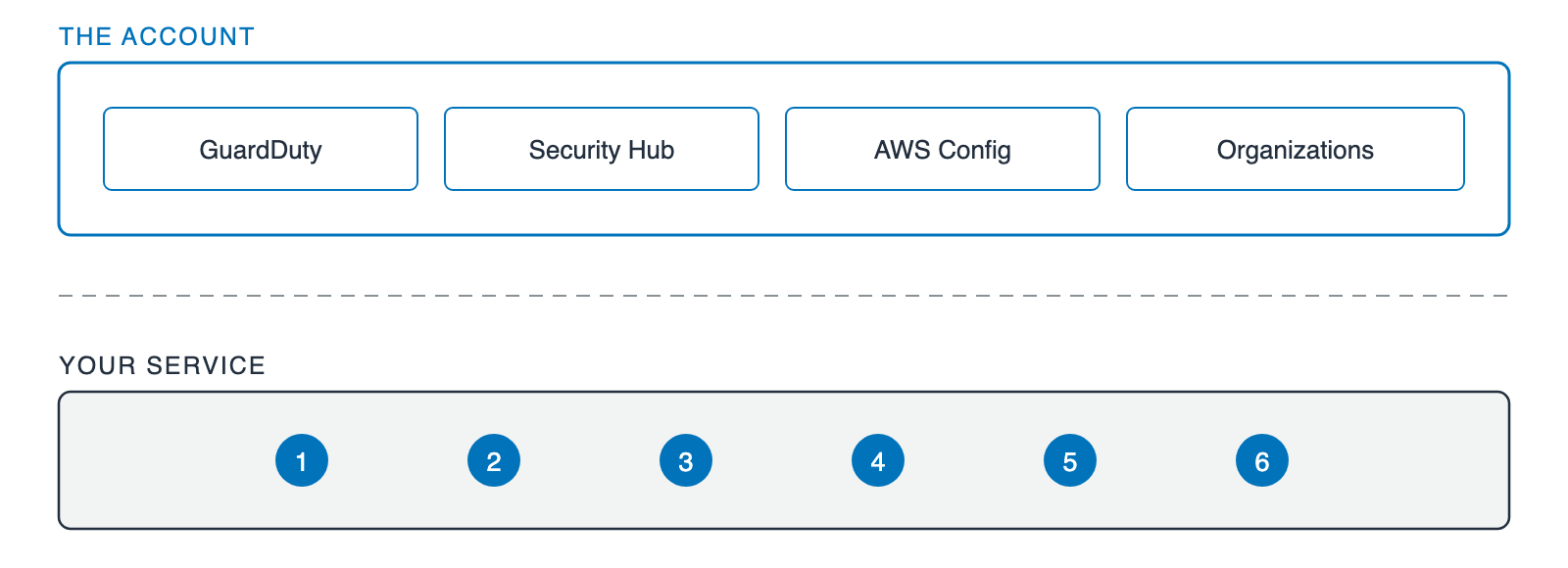
Two stacked bands. The upper band, labeled the account, holds four equal boxes: GuardDuty, Security Hub, AWS Config, and Organizations. Below a dashed divider, the lower band, labeled your service, holds the same six numbered markers used earlier in the video.

  • Your service: the six questions
  • The account above it: GuardDuty, Security Hub, AWS Config, Organizations
Using AWS Security for Developers

Let's practice!

Using AWS Security for Developers

Preparing Video For Download...