Python에서 Dask로 병렬 프로그래밍
James Fulton
Climate Informatics Researcher
import h5py

# Open the HDF5 file
file = h5py.File('data.hdf5')


# Print the available datasets inside the file
print(file.keys())
import h5py # Open the HDF5 file file = h5py.File('data.hdf5')
# Print the available datasets inside the file print(file.keys())
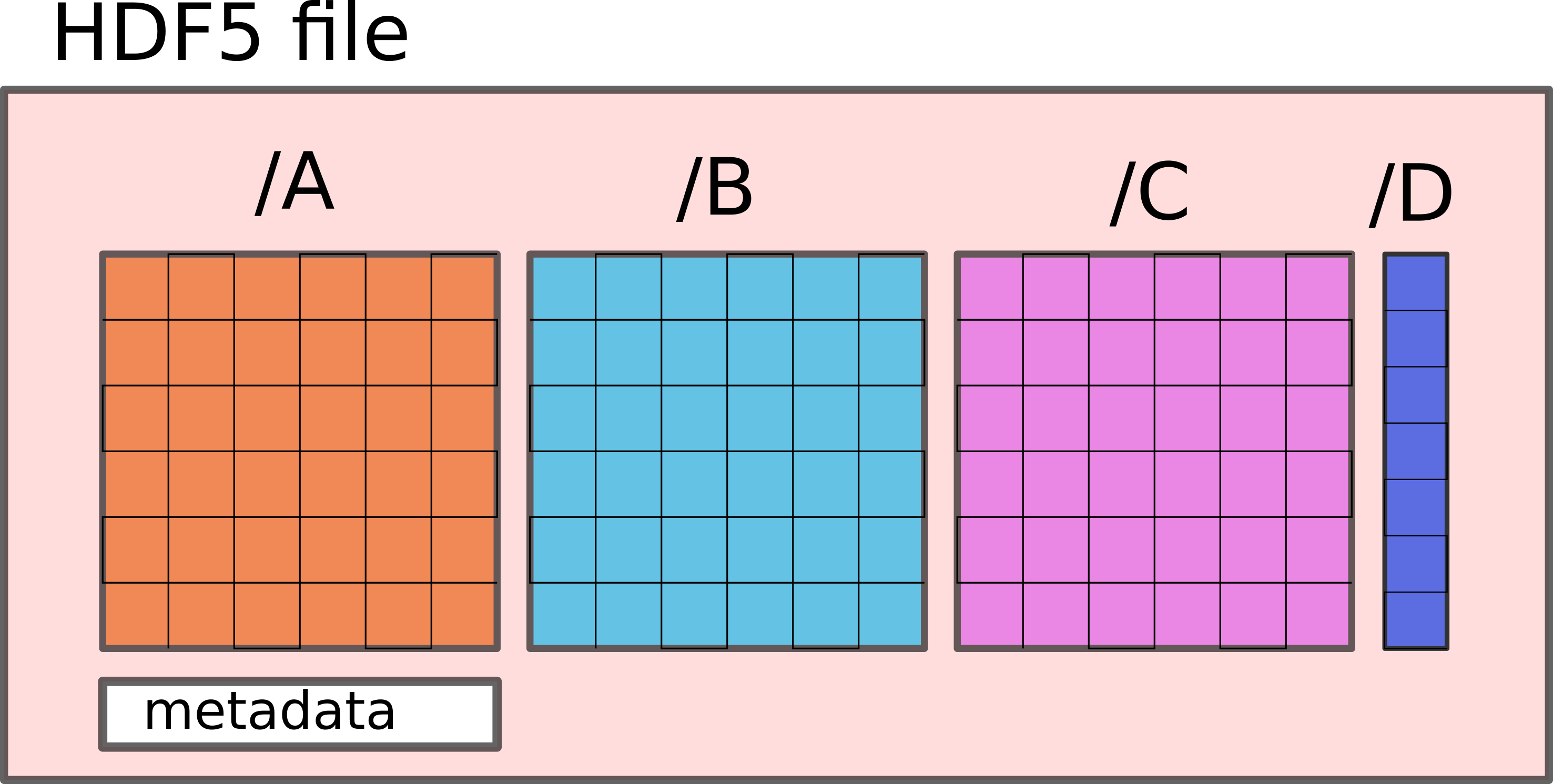
<KeysViewHDF5 ['A', 'B', 'C', 'D']>
import h5py

# Open the HDF5 file
file = h5py.File('data.hdf5')


# Select dataset A
dataset_a = file['/A']


print(dataset_a)
# Select dataset A dataset_a = file['/A']
print(dataset_a)
<HDF5 dataset "A": shape (10000, 100, 100), type "<f4">
import dask.array as da


# Load dataset into a Dask array
a = da.from_array(dataset_a, chunks=(100, 20, 20))


print(a)
import dask.array as da
# Load dataset into a Dask array a = da.from_array(dataset_a, chunks=(100, 20, 20))
print(a)
dask.array<array, shape=(10000, 100, 100), dtype=float32, chunksize=(100, 20, 20),
    chunktype=numpy.ndarray>
import dask.array as da

a = da.from_zarr("dataset.zarr", component="A")


print(a)
import dask.array as da a = da.from_zarr("dataset.zarr", component="A")
dask.array<from-zarr, shape=(10000, 100, 100), dtype=float32,
    chunksize=(100, 20, 20), chunktype=numpy.ndarray>