API 키 인증

FastAPI로 AI 프로덕션 배포하기

Matt Eckerle

Software and Data Engineering Leader

API 보안이 필요한 이유


  • 무단 사용자 차단
  • API 키 인증으로 엔드포인트 보호

안전한 금고

FastAPI로 AI 프로덕션 배포하기

API 키 작동 방식


  • API의 디지털 비밀번호
  • 요청 헤더에 포함하여 전송
  • 엔드포인트 접근 전 검증

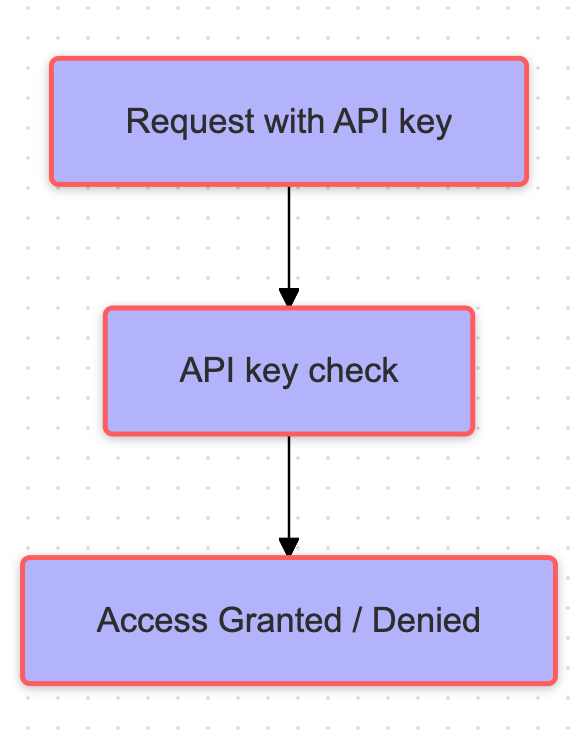
API 키 작동 방식을 설명하는 흐름도

FastAPI로 AI 프로덕션 배포하기

APIKeyHeader 이해하기

from fastapi import FastAPI
from fastapi.security import APIKeyHeader
header_scheme = APIKeyHeader(

name="X-API-Key",
auto_error=True
)
FastAPI로 AI 프로덕션 배포하기

엔드포인트 인증

from fastapi.security import APIKeyHeader
from fastapi import Depends, HTTPException


header_scheme = APIKeyHeader(name="X-API-Key", auto_error=True) API_SECRET_KEY = "your-secret-key"
@app.get("/items/") def read_items( api_key: str = Depends(header_scheme) ):
if api_key != API_SECRET_KEY: raise HTTPException( status_code=403, detail="Invalid API key")
return {"api_key": api_key}
  • ApiKeyHeader
  • Depends로 헤더 스킴 추가
  • HTTPException으로 예외 처리
  • API 키 헤더 및 시크릿 키 정의
  • test_api_key로 API 키 검증
  • 키가 API_SECRET_KEY와 다를 경우 403 발생
FastAPI로 AI 프로덕션 배포하기

앱 인증

def verify_api_key(api_key: str = Depends(header_scheme)):
    if api_key != API_KEY:
        raise HTTPException(status_code=403,  detail="Invalid API key")
    return api_key

app = FastAPI( dependencies=[Depends(verify_api_key)] )
@app.post("/predict") def predict_sentiment(text: str):
return { "text": text, "sentiment": "positive", "status": "success" }
FastAPI로 AI 프로덕션 배포하기

엔드포인트 테스트

잘못된 API 키 명령:

curl -X POST \
  http://localhost:8000/predict \
  -H "X-API-Key: wrong-key" \
  -H "Content-Type: application/json" \
  -d '{"text": "This product is amazing!"}'

유효한 API 키 명령:

curl -X POST \
  http://localhost:8000/predict \
  -H "X-API-Key: your-secret-key" \
  -H "Content-Type: application/json" \
  -d '{"text": "This product is amazing!"}'

잘못된 키 출력:

{"detail":"Invalid API key"}


유효한 키 출력:

{"text":"This product is amazing!",
 "sentiment":"positive",
 "status":"success"}
FastAPI로 AI 프로덕션 배포하기

연습해 봅시다!

FastAPI로 AI 프로덕션 배포하기

Preparing Video For Download...