AI를 위한 GET 및 POST 요청

FastAPI로 AI 프로덕션 배포하기

Matt Eckerle

Software and Data Engineering Leader

강사 소개

 

Matt Eckerle


Matt Eckerle

  • 소프트웨어 및 데이터 엔지니어링 리더
  • Inari 엔터프라이즈 데이터 매니저
  • 2019년부터 ML에 FastAPI 활용
FastAPI로 AI 프로덕션 배포하기

강의 개요


  • FastAPI 기초
  • 요청 처리 및 통합
  • 입력 유효성 검사 및 보안
  • 프로덕션 수준 API 생성 및 유지 관리


FastAPI 로고

FastAPI로 AI 프로덕션 배포하기

시작 전 준비사항

✓ 기본 Python: 함수, 클래스, 모듈, 자료구조

Python 로고

FastAPI로 AI 프로덕션 배포하기

시작 전 준비사항

✓ 기본 Python: 함수, 클래스, 모듈, 자료구조

✓ HTTP & REST API 개념

Python 및 HTTP 로고

FastAPI로 AI 프로덕션 배포하기

시작 전 준비사항

✓ 기본 Python: 함수, 클래스, 모듈, 자료구조

✓ HTTP & REST API 개념

✓ FastAPI 프레임워크 사용

  • GET 및 POST 요청 처리
  • Pydantic 모델 사용

✓ 머신러닝 기초

Python, HTTP, FastAPI 로고

FastAPI로 AI 프로덕션 배포하기

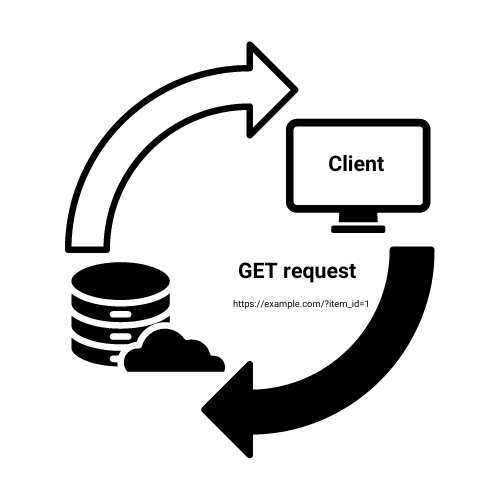
GET 요청 설명

  • 데이터 조회에 사용
  • 경로 매개변수 - URL에 정보 포함
  • 서버 상태 변경 없음

메뉴판

GET https://example.com/?item_id=1

GET 요청을 설명하는 다이어그램

FastAPI로 AI 프로덕션 배포하기

경로 매개변수로 GET 구현하기

from fastapi import FastAPI

app = FastAPI()

@app.get("/item/{item_id}")
async def read_item(item_id: int):
    return {"item_id": item_id}
  • `@app.get` 데코레이터로 엔드포인트 정의.
  • {item_id}는 경로 매개변수.
  • 타입 힌트(int)로 자동 유효성 검사.
FastAPI로 AI 프로덕션 배포하기

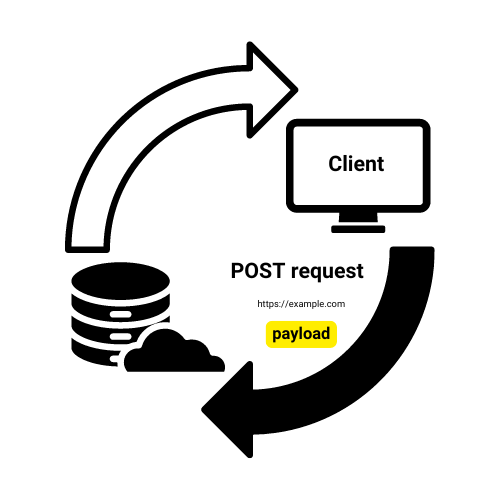
POST 요청 설명

  • 서버로 데이터 전송에 사용
  • 요청 본문에 데이터 포함 (주로 JSON)
  • 서버 상태 변경 가능

레스토랑 주문

POST https://example.com

POST 요청을 설명하는 다이어그램

FastAPI로 AI 프로덕션 배포하기

JSON 데이터로 POST 구현하기

from fastapi import FastAPI
from pydantic import BaseModel

app = FastAPI()
db = {}

class Item(BaseModel): name: str price: float
@app.post("/items", status_code=201)
def create_item(item: Item): db[item.name] = item.model_dump() return {"message": f"Created {item.name}"}


  • Pydantic 모델로 데이터 구조 정의
  • @app.post POST 엔드포인트 정의
  • 자동 JSON 파싱 및 유효성 검사
FastAPI로 AI 프로덕션 배포하기

HTTP 상태 코드


  • 200 OK: 성공의 기본값
  • 404 Not Found: 리소스를 찾을 수 없음
  • 201 Success: 객체 생성 완료

요청 성공을 나타내는 HTTP 200 상태 코드

FastAPI로 AI 프로덕션 배포하기

HTTP 예외 발생시키기

from fastapi import FastAPI, HTTPException
app = FastAPI()

@app.get("/item/{item_id}")
async def read_item(item_id: int):
    if item_id == 4242: #An invalid order number
        raise HTTPException(status_code=404, detail="Item not found")
    return {"item_id": item_id}

@app.post("/items") async def create_item(item: Item): # Simulating item creation return {"message": f"Created {item.name}"}, 201
FastAPI로 AI 프로덕션 배포하기

연습해 봅시다!

FastAPI로 AI 프로덕션 배포하기

Preparing Video For Download...