고급 프롬프트 전략

Amazon Bedrock 입문

Nikhil Rangarajan

Data Scientist

프롬프트 아키텍처

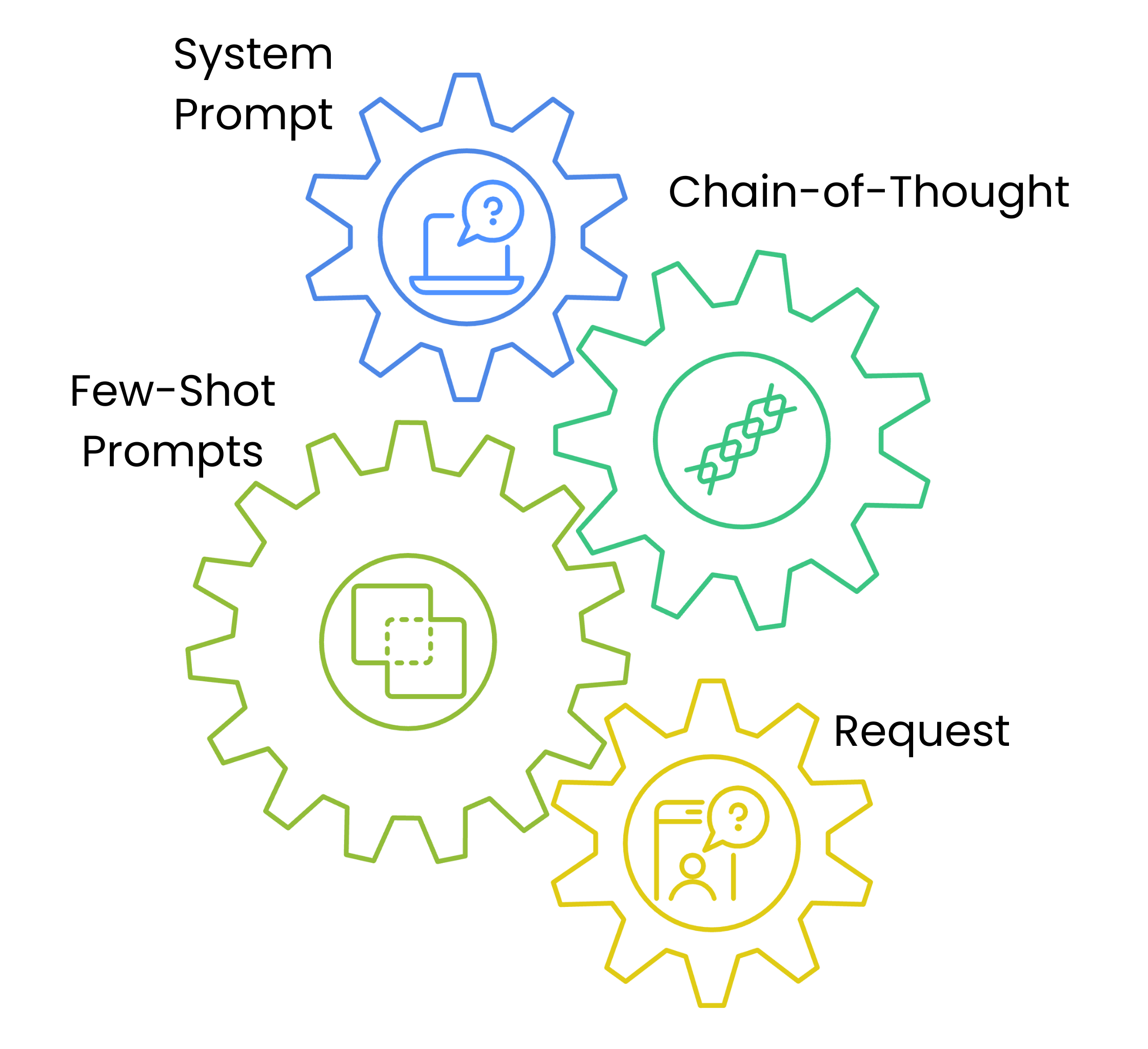
  • 시스템 프롬프트는 스타일과 접근을 설정
  • 체인 오브 소트 프롬프트는 문제 해결 틀을 제공
  • 퓨샷 프롬프트는 예시를 제공
  • 각 층이 이해를 쌓아 신뢰도를 높임

프롬프트 아키텍처 순서를 보여주는 네 개의 연결된 기어 차트: System Prompt, Chain of Thought Steps, Few-Shot Examples, Content Request.

Amazon Bedrock 입문

시스템 프롬프트와 스타일 제어

prompt_template = {
    "system_prompt": f"""System: Write in a professional but approachable tone.""",

"content_type": "blog_post",
"examples": [ { "title": "Cloud Migration Basics", "content": "Moving to the cloud doesn't have to be complex..." } ],
"task": f"Write a blog post about {topic}"
}
Amazon Bedrock 입문

체인 오브 소트 프롬팅

def generate_message_content(text_data):
    steps = [
        "1. Understand the target audience",
        "2. Outline key points",
        "3. Draft a promotional email"
    ]

text_data["text"] += f"\nSteps:{' '.join(steps)}"
return text_data
  • 💡 모델의 사고 과정을 안내
Amazon Bedrock 입문

콘텐츠 적응과 파라미터

parameters = {

"blog_post": {"temperature": 0.7, "top_p": 0.9}, "social_media": {"temperature": 0.8, "top_p": 0.95},
"technical": {"temperature": 0.4, "top_p": 0.8}
}
content_type = "blog_post" prompt_data["parameters"] = parameters[content_type]
  • 콘텐츠 유형별로 파라미터 조정
  • 일관성을 위한 파라미터 프리셋
Amazon Bedrock 입문

템플릿으로 프롬프트 생성

# 프롬프트 작성
topic = "Cloud Security"
content_type = "blog_post"
prompt = f"Write a {topic} blog post. Use this example: {prompt_template["examples"][0]}"


# 파라미터 정의 temperature = parameters[content_type]["temperature"] top_p = parameters[content_type]["top_p"]
# 모델 호출 response = bedrock.invoke_model(modelId=model_id, body=json.dumps({"messages": [{"role": "user","content": [{"type": "text", "text": prompt}]}], "temperature": temperature, "top_p": top_p}))
Amazon Bedrock 입문

연습해 봅시다!

Amazon Bedrock 입문

Preparing Video For Download...