Amazon Bedrock 입문
Nikhil Rangarajan
Data Scientist
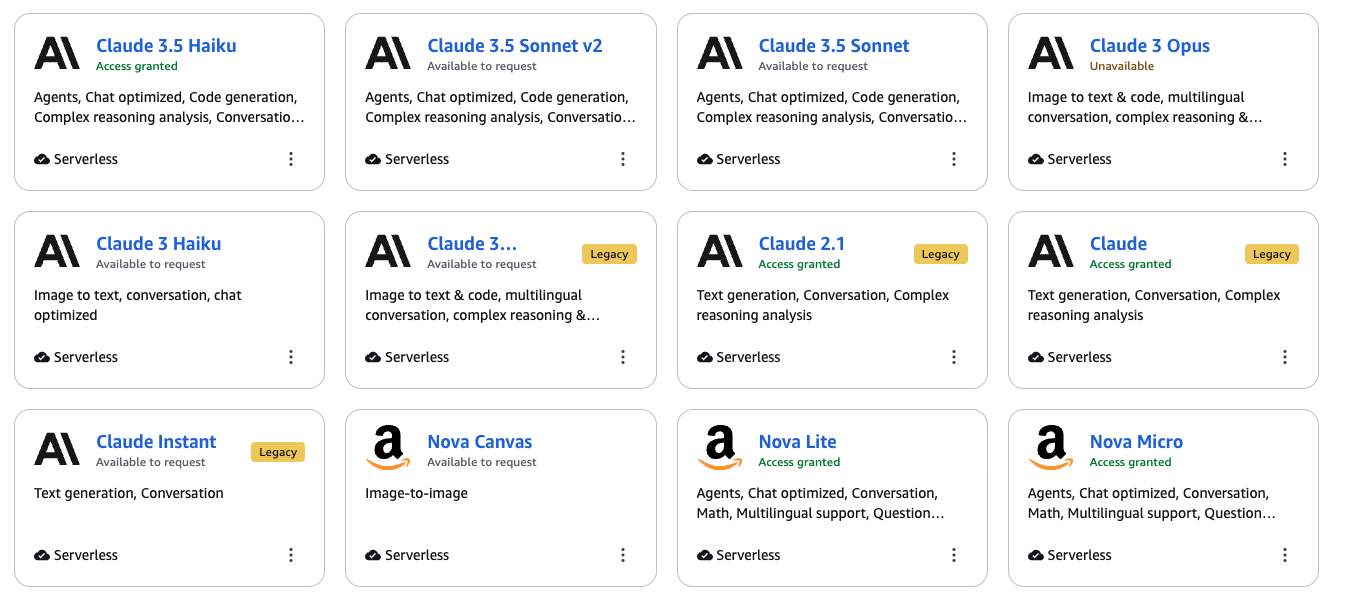
Amazon Bedrock의 기타 모델:
Meta의 Llama
Stability AI의 Stable Diffusion
AI21의 Jurassic
import json
bedrock = boto3.client('bedrock-runtime', region_name='us-east-1')
response = bedrock.invoke_model(modelId='amazon.nova-lite-v1:0',

body=json.dumps(input_dictionary)

)
response = bedrock.invoke_model(modelId='amazon.nova-lite-v1:0',
body=json.dumps(input_dictionary)
)
response = bedrock.invoke_model(
    modelId='anthropic.claude-3-5-sonnet-v2:0',
    body=json.dumps(

      {"anthropic_version": "bedrock-2023-05-31",

       "max_tokens": 100,

       "messages": [{
            "role": "user",
            "content": [{"type": "text", "text": "your prompt here"}],
        }],

    }

))
response = bedrock.invoke_model( modelId='anthropic.claude-3-5-sonnet-v2:0', body=json.dumps(
{"anthropic_version": "bedrock-2023-05-31",
"max_tokens": 100,
"messages": [{ "role": "user", "content": [{"type": "text", "text": "your prompt here"}], }],
}
))
response = bedrock.invoke_model(
    modelId='amazon.nova-lite-v1:0',
    body=json.dumps(

      {"messages":

                  [{"role": "user",
                    "content": [{"text": "your prompt here"}]
                   }]

      }

))
response = bedrock.invoke_model( modelId='amazon.nova-lite-v1:0', body=json.dumps(
{"messages":
[{"role": "user", "content": [{"text": "your prompt here"}] }]
print("Claude:",

      json.loads(
          claude_response['body'].read()
        )

      ["content"][0]["text"]

     )
print("Claude:",
json.loads( claude_response['body'].read() )
["content"][0]["text"]
Hello! It's nice to meet you. How can I assist you today?
print("Nova:",

      json.loads(
        nova_response.get("body").read().decode()
      )

      ["output"]["message"]["content"][0]["text"]

     )
print("Nova:",
json.loads( nova_response.get("body").read().decode() )
["output"]["message"]["content"][0]["text"]
Hello! How can I assist you today?