입력 유연성과 멀티모달리티

OpenAI Responses API 활용하기

James Chapman

AI Curriculum Manager, DataCamp

입력 유연성

문자열 형식의 프롬프트

response = client.responses.create(
    model="gpt-5.4-mini"
    input="How old is the Earth?",
    instructions="Answer concisely."
)
  • input → 사용자 입력
  • instructions → 동작 방식 + 요구 사항

역할 기반 프롬프트

response = client.responses.create(
    model="gpt-5.4-mini"
    input=[
        {"role": "system",
         "content": "Answer concisely."},
        {"role": "user",
         "content": "How old is the Earth?"}
    ]
)
OpenAI Responses API 활용하기

역할 기반 메시지

response = client.responses.create(
    model="gpt-5.4-mini"
    input=[
        {"role": "system", "content": "Answer concisely."},

{"role": "user", "content": "How old is the Sun?"},
{"role": "assistant", "content": "4.603 billion years"},
{"role": "user", "content": "How old is the Earth?"}
] )
OpenAI Responses API 활용하기
sys_prompt = "You are a helpful Teacher who provides concise, personalized explanations."
latest_response_id = None 

while True:
    user_input = input("You: ").strip()
    if user_input.lower() == "exit":
        break

    response = client.responses.create(
        model="gpt-5.4-mini",
        instructions=sys_prompt,
        input=user_input,
        previous_response_id=latest_response_id
    )

    print(f"\nAssistant: {response.output_text}\n")
    latest_response_id = response.id
OpenAI Responses API 활용하기
messages = [{"role": "system"},
            {"content": "You are a helpful Teacher who provides concise, personalized explanations."}]


while True: user_input = input("You: ").strip() if user_input.lower() == "exit": break messages.append({"role": "user", "content": user_input})
response = client.responses.create( model="gpt-5.4-mini", input=messages )
print(f"\nAssistant: {response.output_text}\n") messages.append({"role": "assistant", "content": response.output_text})
OpenAI Responses API 활용하기

프롬프트에 이미지 사용!

  • 멀티모달: 여러 콘텐츠 모달리티를 통해 인터페이스

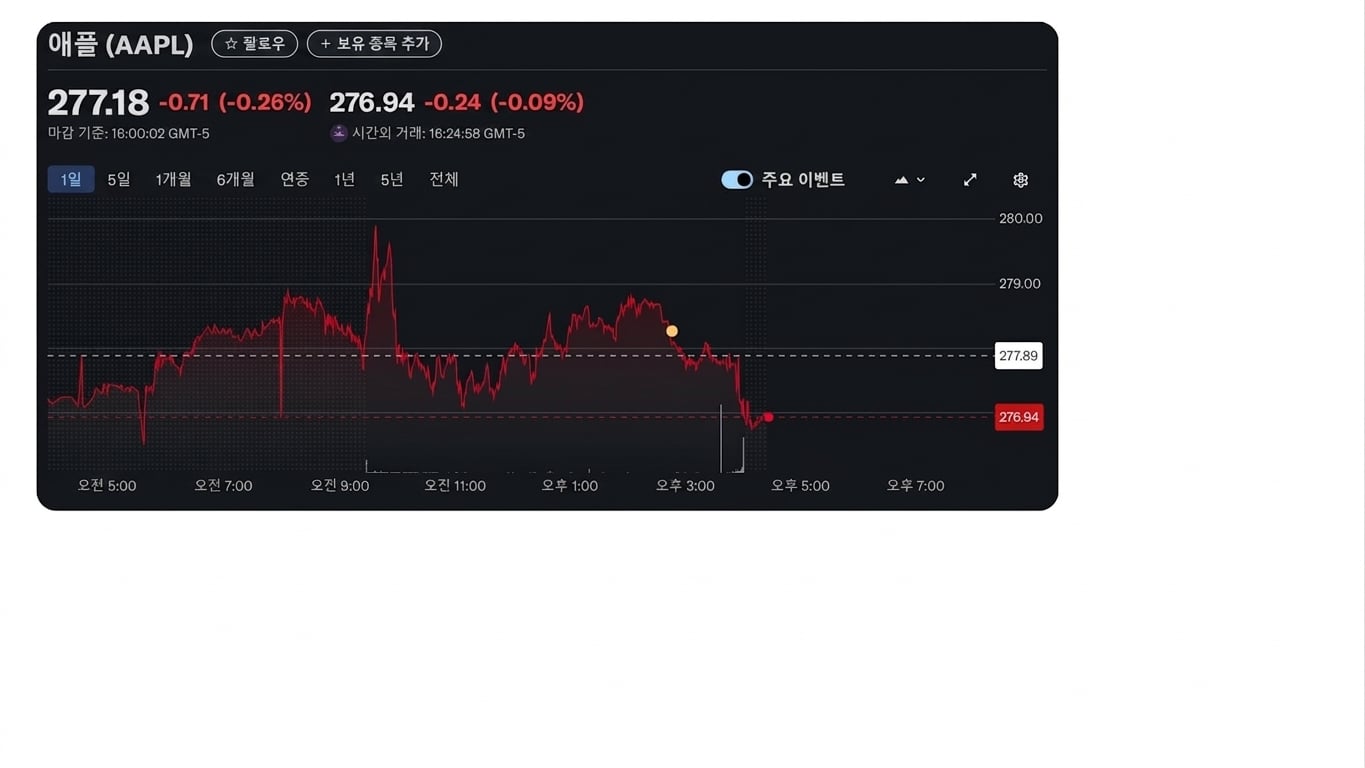
aapl_yahoo_finance.jpg

1 Apple, Inc. Stock Plot from yahoo!finance
OpenAI Responses API 활용하기

프롬프트에 이미지 URL 사용

response = client.responses.create(
    model="gpt-5.4-mini",
    input=[

{"role": "user", "content": [ {"type": "input_text", "text": "Briefly interpret this stock plot."}, {"type": "input_image", "image_url": "https://...stock_performance.jpg"}]}
] )
print(response.output_text)
OpenAI Responses API 활용하기

프롬프트에 이미지 URL 사용

- Summary: A mild down day - closed at
277.18, down about 0.26% from the previous
close; after-hours ticked slightly lower to
276.94.

aapl_yahoo_finance.jpg

1 Apple, Inc. Stock Plot from yahoo!finance
OpenAI Responses API 활용하기

로컬 파일에서 이미지 사용

import base64
# Encode binary data as ASCII text characters
with open(image_path, "rb") as f:
    image_base64 = base64.b64encode(f.read()).decode("utf-8")
response = client.responses.create(
    model="gpt-5.4-mini",
    input=[
        {"role": "user", "content": [
          {"type": "input_text", "text": "Briefly interpret this stock plot."},

{"type": "input_image", "image_url": f"data:image/jpeg;base64,{image_base64}"}]}
] )
OpenAI Responses API 활용하기

연습해 봅시다!

OpenAI Responses API 활용하기

Preparing Video For Download...