Chúc mừng bạn!

Làm việc với DeepSeek trong Python

James Chapman

AI Curriculum Lead, DataCamp

Chương 1


  • Tạo request cho DeepSeek ở chế độ chat và reasoning

Quy trình reasoning cấp cao: suy nghĩ, thực thi, và cập nhật tri thức.

Logo DeepSeek.

client = OpenAI(api_key="<TogetherAI API Key>")

response = client.chat.completions.create(
    model="deepseek-ai/DeepSeek-V4.1-Flash",
    messages=[{"role": "user", "content": "..."}]
)
print(response.choices[0].message.content)
Làm việc với DeepSeek trong Python

Chương 2

response = client.chat.completions.create(
  model="deepseek-ai/DeepSeek-V4.1-Flash",
  messages=[{"role": "user", "content": "..."}],
  max_tokens=20,
  temperature=0.5
)
  • Hỏi đáp (Q&A)
  • Biến đổi văn bản
  • Tạo nội dung
  • Phân loại, ví dụ phân tích cảm xúc
  • Gỡ lỗi mã
  • max_tokens và temperature

Các ứng dụng của mô hình DeepSeek.

Làm việc với DeepSeek trong Python

Chương 3


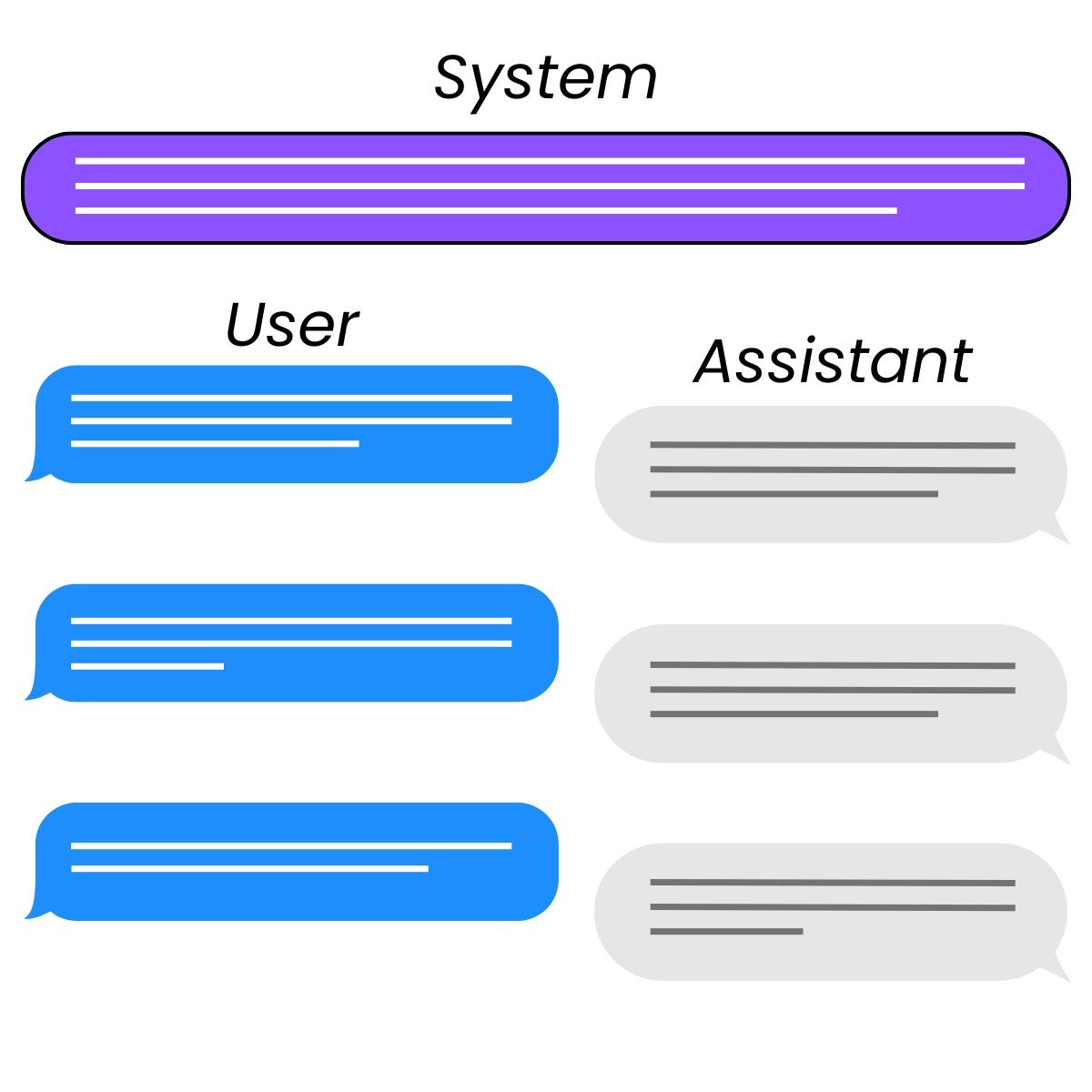
  • "system"

    • Điều hướng đầu ra mô hình
    • Thêm hàng rào an toàn
  • "assistant"

    • Nhắc mẫu có cấu trúc (few-shot)
    • Xây lịch sử hội thoại

Ba vai trò trong tương tác chat: system, user, và assistant.

Làm việc với DeepSeek trong Python

Tiếp theo là gì?

Làm việc với DeepSeek trong Python

Cùng luyện tập nào!

Làm việc với DeepSeek trong Python

Preparing Video For Download...