Tính linh hoạt đầu vào và Đa phương thức

Làm việc với OpenAI Responses API

James Chapman

AI Curriculum Manager, DataCamp

Tính linh hoạt đầu vào

Prompt là chuỗi

response = client.responses.create(
    model="gpt-5.4-mini"
    input="How old is the Earth?",
    instructions="Answer concisely."
)
  • input → đầu vào của người dùng
  • instructions → cách hành xử + yêu cầu

Prompt theo vai trò

response = client.responses.create(
    model="gpt-5.4-mini"
    input=[
        {"role": "system",
         "content": "Answer concisely."},
        {"role": "user",
         "content": "How old is the Earth?"}
    ]
)
Làm việc với OpenAI Responses API

Thông điệp theo vai trò

response = client.responses.create(
    model="gpt-5.4-mini"
    input=[
        {"role": "system", "content": "Answer concisely."},

{"role": "user", "content": "How old is the Sun?"},
{"role": "assistant", "content": "4.603 billion years"},
{"role": "user", "content": "How old is the Earth?"}
] )
Làm việc với OpenAI Responses API
sys_prompt = "You are a helpful Teacher who provides concise, personalized explanations."
latest_response_id = None 

while True:
    user_input = input("You: ").strip()
    if user_input.lower() == "exit":
        break

    response = client.responses.create(
        model="gpt-5.4-mini",
        instructions=sys_prompt,
        input=user_input,
        previous_response_id=latest_response_id
    )

    print(f"\nAssistant: {response.output_text}\n")
    latest_response_id = response.id
Làm việc với OpenAI Responses API
messages = [{"role": "system"},
            {"content": "You are a helpful Teacher who provides concise, personalized explanations."}]


while True: user_input = input("You: ").strip() if user_input.lower() == "exit": break messages.append({"role": "user", "content": user_input})
response = client.responses.create( model="gpt-5.4-mini", input=messages )
print(f"\nAssistant: {response.output_text}\n") messages.append({"role": "assistant", "content": response.output_text})
Làm việc với OpenAI Responses API

Hình ảnh trong Prompt!

  • Đa phương thức: tương tác qua nhiều kiểu nội dung
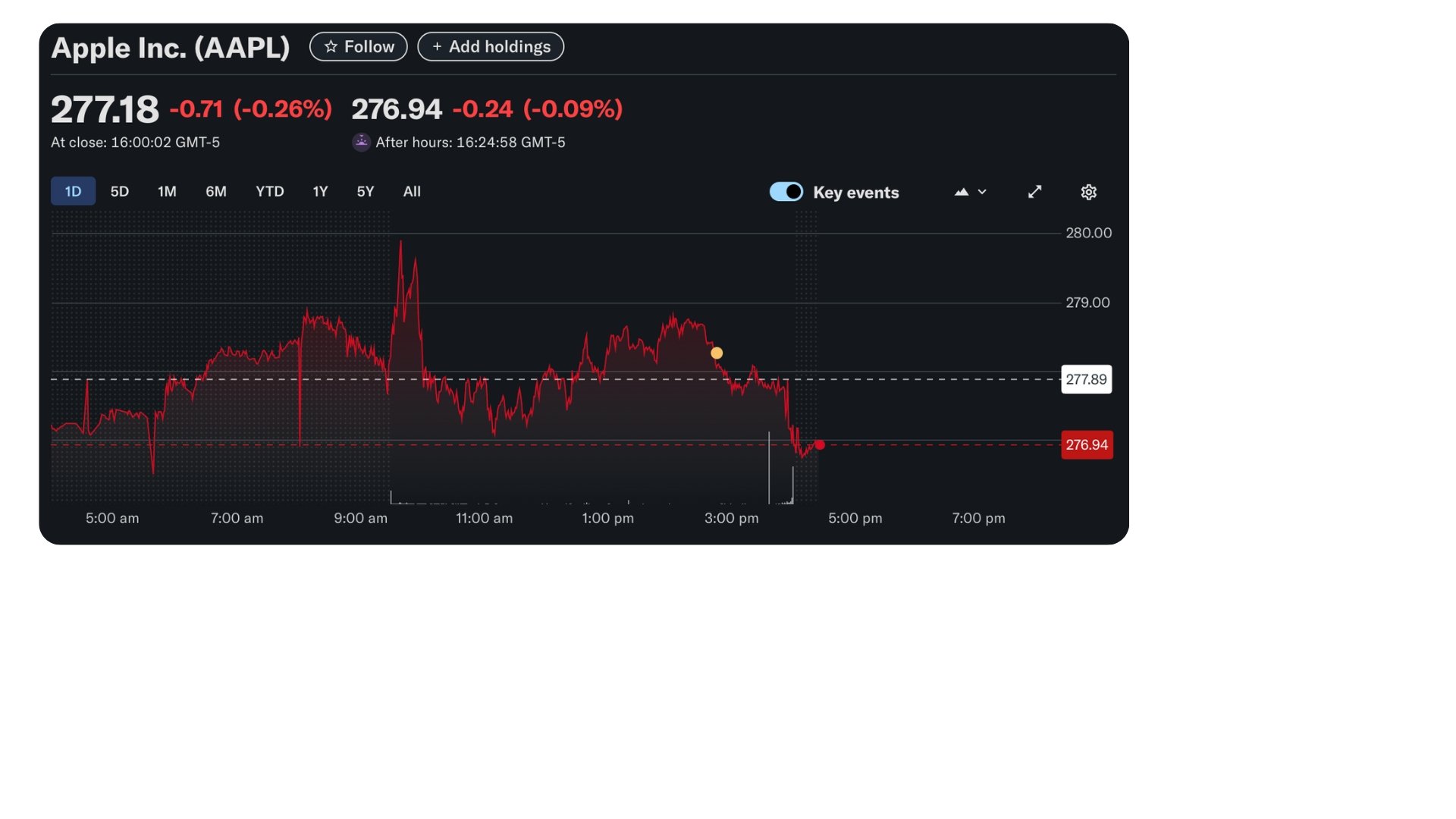
Biểu đồ cổ phiếu AAPL từ yahoo!finance

1 Biểu đồ cổ phiếu Apple, Inc. từ yahoo!finance
Làm việc với OpenAI Responses API

URL hình ảnh trong Prompt

response = client.responses.create(
    model="gpt-5.4-mini",
    input=[

{"role": "user", "content": [ {"type": "input_text", "text": "Briefly interpret this stock plot."}, {"type": "input_image", "image_url": "https://...stock_performance.jpg"}]}
] )
print(response.output_text)
Làm việc với OpenAI Responses API

URL hình ảnh trong Prompt

- Tóm tắt: Giảm nhẹ trong ngày - đóng cửa ở
277.18, giảm khoảng 0.26% so với phiên trước;
phiên ngoài giờ giảm nhẹ xuống 276.94.

Biểu đồ cổ phiếu AAPL từ yahoo!finance

1 Biểu đồ cổ phiếu Apple, Inc. từ yahoo!finance
Làm việc với OpenAI Responses API

Hình ảnh từ tệp cục bộ

import base64
# Mã hóa dữ liệu nhị phân thành ký tự văn bản ASCII
with open(image_path, "rb") as f:
    image_base64 = base64.b64encode(f.read()).decode("utf-8")
response = client.responses.create(
    model="gpt-5.4-mini",
    input=[
        {"role": "user", "content": [
          {"type": "input_text", "text": "Briefly interpret this stock plot."},

{"type": "input_image", "image_url": f"data:image/jpeg;base64,{image_base64}"}]}
] )
Làm việc với OpenAI Responses API

Cùng luyện tập nào!

Làm việc với OpenAI Responses API

Preparing Video For Download...