独自のDockerイメージの作成
Docker の紹介

Tim Sangster
Software Engineer @ DataCamp
Dockerfileを使用したイメージの作成
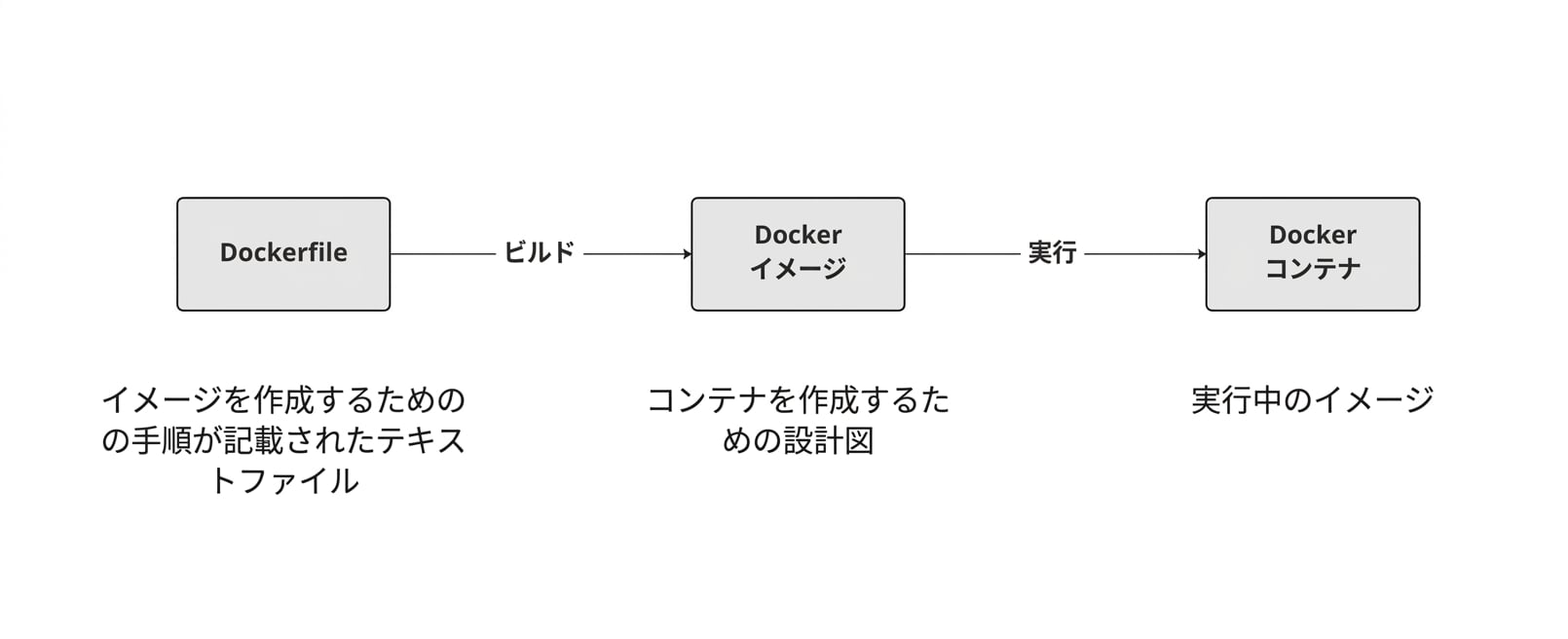
Dockerfileの開始
Dockerfile は常に別のイメージから始まり、FROM 命令で指定します。
FROM postgres
FROM ubuntu
FROM hello-world
FROM my-custom-data-pipeline
FROM postgres:15.0
FROM ubuntu:22.04
FROM hello-world:latest
FROM my-custom-data-pipeline:v1
Dockerfileのビルド
Dockerfile をビルドすると、イメージが作成されます。
docker build /location/to/Dockerfile
docker build .
[+] Building 0.1s (5/5) FINISHED
 => [internal] load build definition from Dockerfile
 => => transferring dockerfile: 54B
...
 => CACHED [1/1] FROM docker.io/library/ubuntu
 => exporting to image
 => => exporting layers
 => => writing image sha256:a67f41b1d127160a7647b6709b3789b1e954710d96df39ccaa21..
イメージの命名
実際には、ほとんどの場合、-t フラグを使って画像に名前を付けます:
docker build -t first_image .
...
=> => writing image sha256:a67f41b1d127160a7647b6709b3789b1e954710d96df39ccaa21..
=> => naming to docker.io/library/first_image
docker build -t first_image:v0 .
=> => writing image sha256:a67f41b1d127160a7647b6709b3789b1e954710d96df39ccaa21..
=> => naming to docker.io/library/first_image:v0
イメージのカスタマイズ
RUN <valid-shell-command>
FROM ubuntu
RUN apt-get update
RUN apt-get install -y python3
プロンプトを一切表示しないようにするには、-y フラグを使用します:
...
After this operation, 22.8 MB of additional disk space will be used.
Do you want to continue? [Y/n]
非自明なDockerファイルの構築
イメージをビルドする際、DockerはRUNの後にコマンドを実行します。
DockerがRUN apt-get updateを実行するのにかかる時間は、私たちが実行する場合と同じです。
root@host:/# apt-get update
Get:1 http://ports.ubuntu.com/ubuntu-ports jammy InRelease [270 kB]
...
Get:17 http://ports.ubuntu.com/ubuntu-ports jammy-security/restricted arm64 Pack..
Fetched 23.0 MB in 2s (12.3 MB/s)
Reading package lists... Done
概要
| 使用法 | Dockerfile 命令 |
|---|---|
| イメージを元にDockerfileを作成する | FROM <image-name> |
| イメージにシェルコマンドを追加 | RUN <valid-shell-command> |
| シェルコマンドでユーザー入力が必要ないことを確認してください。 | RUN apt-get install -y python3 |
| 使用方法 | シェルコマンド |
|---|---|
| Dockerfile からイメージをビルド | docker build /location/to/Dockerfile |
| 現在の作業ディレクトリでイメージをビルドする | docker build . |
| イメージをビルドするときは名前を選択 | docker build -t first_image . |
練習しましょう!
Docker の紹介

