ドキュメントQ&A

Hugging Faceを使いこなす

Jacob H. Marquez

Lead Data Engineer

ドキュメントQ&Aとは

$$

  • ドキュメントの内容に関する質問への回答
  • ドキュメントと質問が必要
  • 原文引用または言い換えられた回答を出力

$$

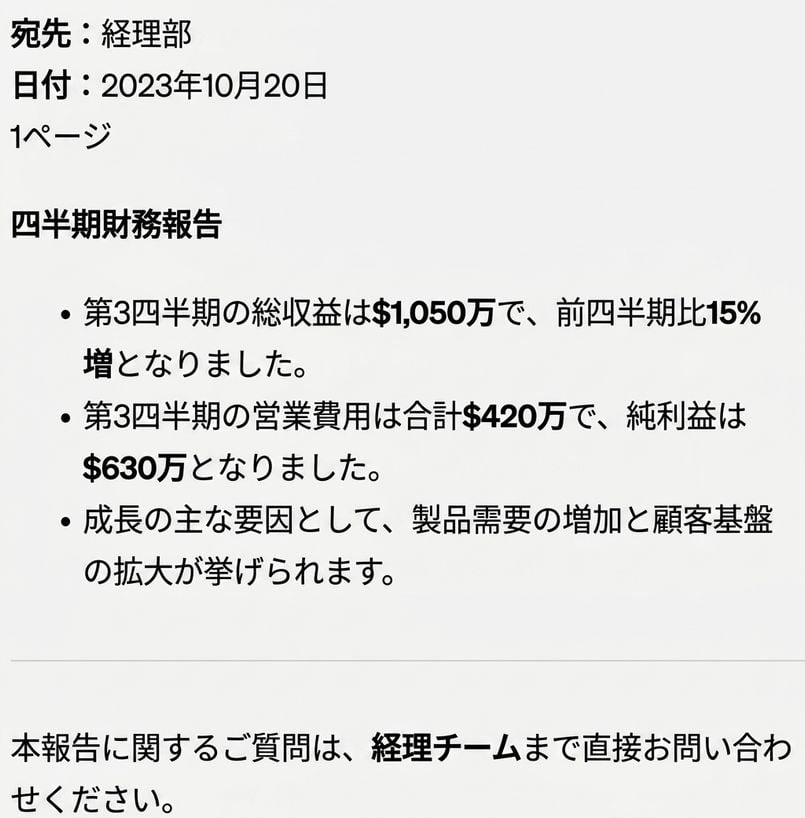
質問: 「第3四半期の総収益はいくらですか?」

文書

Hugging Faceを使いこなす

ドキュメントQ&Aの使用用途

法務、財務、サポートの使用例

$$

  • 📑 法務: 契約条項を抽出する

$$

  • 💰 金融: 重要な数値を取り出す

$$

  • 🤓 カスタマーサポート: マニュアルから回答を取得
Hugging Faceを使いこなす

人事部への問い合わせ対応を自動化する

$$

  • 📄 必要な情報はUS-Employee_Policy.pdfにまとまっている

$$

  • 🤖 回答を抽出するシステムを構築する

$$

  • 🕑 人事の業務時間削減

$$

人事チームは手一杯です

Hugging Faceを使いこなす

pypdfでテキストを抽出する

from pypdf import PdfReader


# Load the PDF file reader = PdfReader("US-Employee_Policy.pdf")
# Extract text from all pages document_text = "" for page in reader.pages:
document_text += page.extract_text()
Welcome to the US Employee Policy document...
Hugging Faceを使いこなす

Q&Aパイプラインを作成する

# Load the question-answering pipeline
qa_pipeline = pipeline(
    task="question-answering",
    model="distilbert-base-cased-distilled-squad")


question = "How many volunteer days are offered annually?"
# Get the answer from the QA pipeline result = qa_pipeline(question=question, context=document_text)
print(f"Answer: {result['answer']}")
Answer: 1
Hugging Faceを使いこなす

総まとめ

$$

  • 📄 pypdfからPdfReaderを使用してPDFファイルを読み込む
  • 🔎 .pages.extract_text()でテキストを抽出し、document_text
  • 🤔 question-answeringパイプラインを設定する
  • ❓ パイプラインにquestioncontextを渡す
  • ⏰ 関数にまとめてクエリを自動化

Document Q&A

人事部が企業文化を築く

Hugging Faceを使いこなす

練習しましょう!

Hugging Faceを使いこなす

Preparing Video For Download...