すべてをまとめる

データエンジニアリング入門

Vincent Vankrunkelsven

Data Engineer, DataCamp

ETL 関数

def extract_table_to_df(tablename, db_engine):
  return pd.read_sql("SELECT * FROM {}".format(tablename), db_engine)

def split_columns_transform(df, column, pat, suffixes): # Converts column into str and splits it on pat...
def load_df_into_dwh(film_df, tablename, schema, db_engine): return film_df.to_sql(tablename, db_engine, schema=schema, if_exists="replace")
db_engines = { ... } # Needs to be configured def etl(): # Extract film_df = extract_table_to_df("film", db_engines["store"]) # Transform film_df = split_columns_transform(film_df, "rental_rate", ".", ["_dollar", "_cents"]) # Load load_df_into_dwh(film_df, "film", "store", db_engines["dwh"])
データエンジニアリング入門

Airflow の復習

Airflow ロゴ


  • ワークフロースケジューラー
  • Python
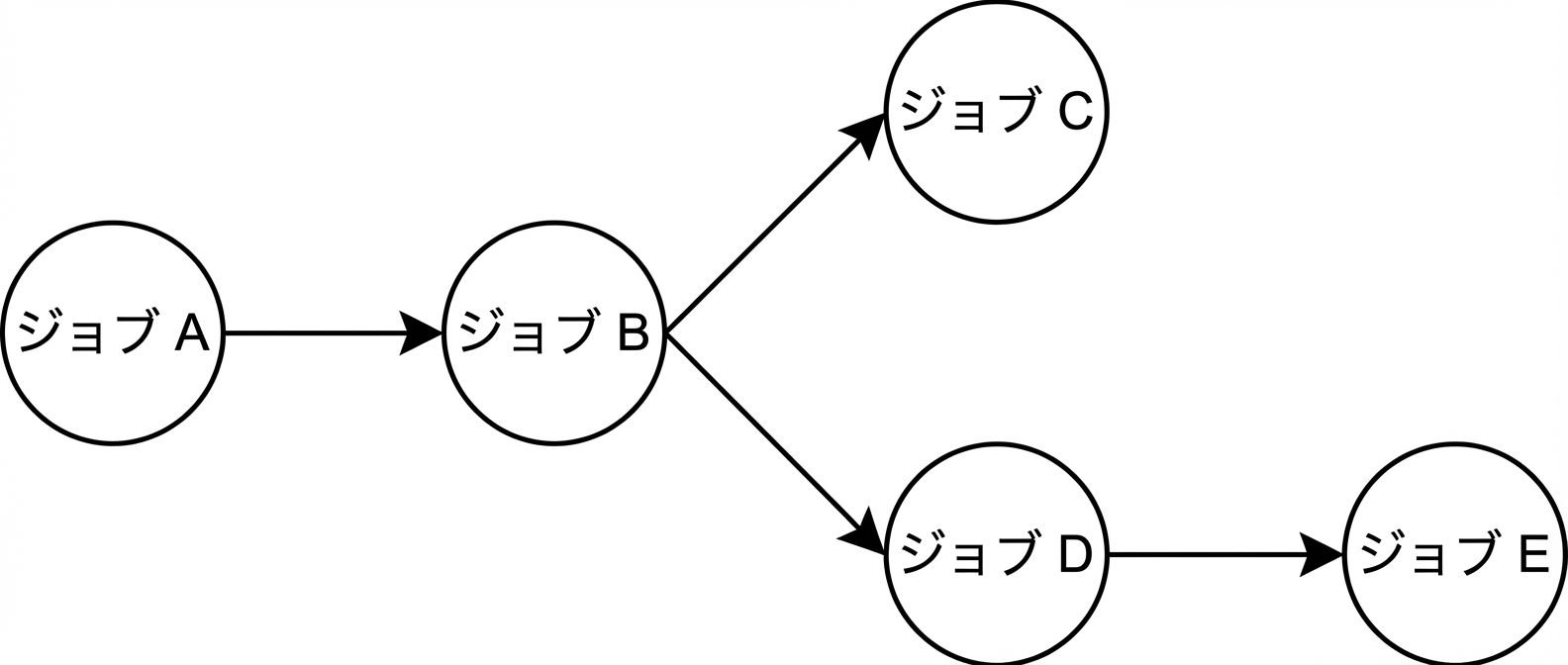
  • DAG

DAG の概念図

  • タスクは task デコレータまたはオペレーターで定義
データエンジニアリング入門

Airflow の DAG によるスケジューリング

from airflow.sdk import dag

@dag(dag_id="sample", start_date=datetime(2024, 1, 1),
     schedule="0 0 * * *")
def sample():
    ...
# .------------------------- minute           (0 - 59)
# | .----------------------- hour             (0 - 23)
# | | .--------------------- day of the month (1 - 31)
# | | | .------------------- month            (1 - 12)
# | | | | .----------------- day of the week  (0 - 6)
# * * * * * <command>
0 * * * * # Every hour at the 0th minute

参考: https://crontab.guru

データエンジニアリング入門

DAG 定義ファイル

from airflow.sdk import dag, task

@task(task_id="etl_task")
def etl():
    ...

@dag(dag_id="etl_pipeline", start_date=datetime(2024, 1, 1), schedule="0 0 * * *") def etl_pipeline(): wait_for_table = EmptyOperator(task_id="wait") wait_for_table >> etl()
etl_pipeline()
データエンジニアリング入門

DAG 定義ファイル

from airflow.sdk import dag, task

...

etl_pipeline()

etl_dag.py として ~/airflow/dags/ に保存

データエンジニアリング入門

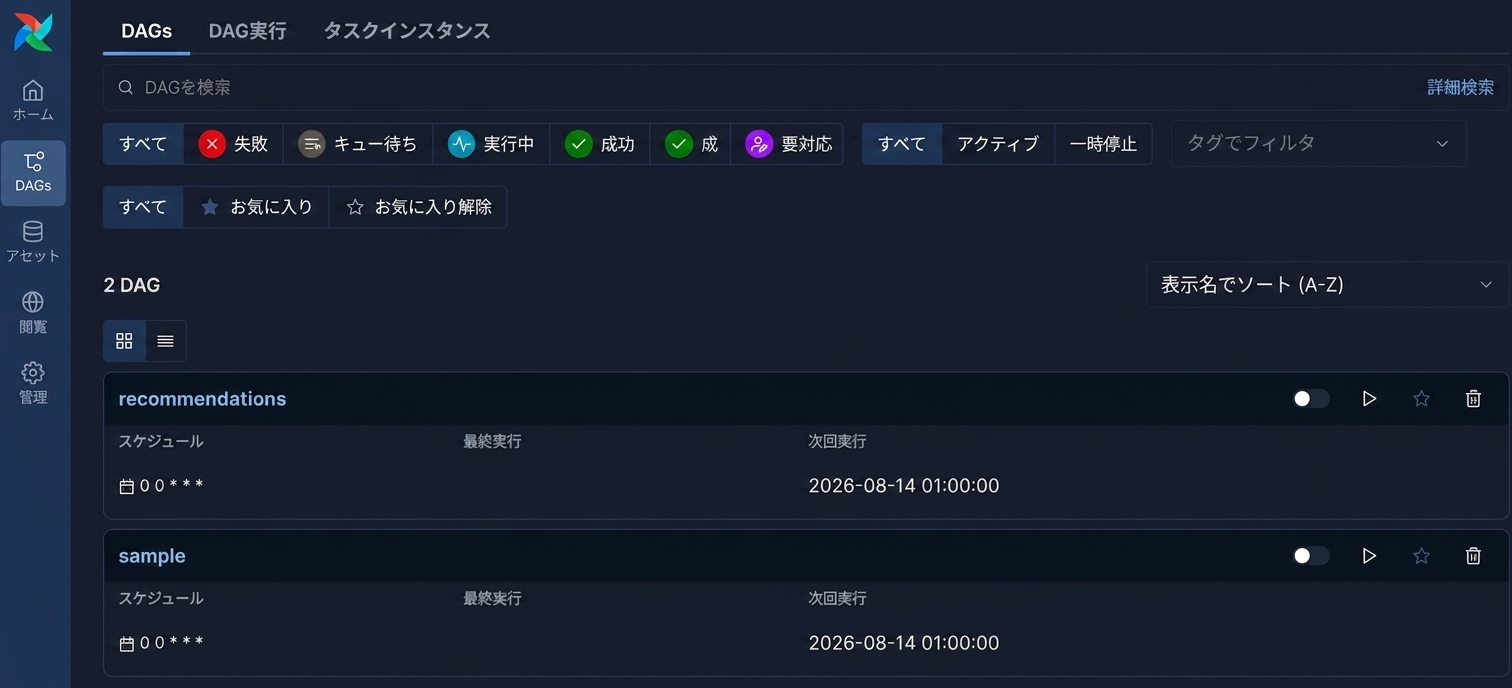
Airflow UI

Airflow UI のスクリーンショット

データエンジニアリング入門

練習しましょう!

データエンジニアリング入門

Preparing Video For Download...