런타임 코드 프로파일링

효율적인 Python 코드 작성

Logan Thomas

Scientific Software Technical Trainer, Enthought

코드 프로파일링

  • 함수 호출 빈도와 소요 시간의 상세 통계
  • 한 줄 단위 분석
  • 사용 패키지: line_profiler
pip install line_profiler
효율적인 Python 코드 작성

코드 프로파일링: 런타임

heroes = ['Batman', 'Superman', 'Wonder Woman']

hts = np.array([188.0, 191.0, 183.0])

wts = np.array([ 95.0, 101.0,  74.0])
효율적인 Python 코드 작성
def convert_units(heroes, heights, weights):

    new_hts = [ht * 0.39370  for ht in heights]
    new_wts = [wt * 2.20462  for wt in weights]

    hero_data = {}

    for i,hero in enumerate(heroes):
        hero_data[hero] = (new_hts[i], new_wts[i])

    return hero_data
convert_units(heroes, hts, wts)
{'Batman': (74.0156, 209.4389),
 'Superman': (75.1967, 222.6666),
 'Wonder Woman': (72.0471, 163.1419)}
효율적인 Python 코드 작성

코드 프로파일링: 런타임

%timeit convert_units(heroes, hts, wts)
3 µs ± 32 ns per loop (mean ± std. dev. of 7 runs, 100000 loops each)
효율적인 Python 코드 작성
%timeit new_hts = [ht * 0.39370  for ht in hts]
1.09 µs ± 11 ns per loop (mean ± std. dev. of 7 runs, 1000000 loops each)
%timeit new_wts = [wt * 2.20462  for wt in wts]
1.08 µs ± 6.42 ns per loop (mean ± std. dev. of 7 runs, 1000000 loops each)
%%timeit
hero_data = {}
for i,hero in enumerate(heroes):
    hero_data[hero] = (new_hts[i], new_wts[i])
634 ns ± 9.29 ns per loop (mean ± std. dev. of 7 runs, 1000000 loops each)
효율적인 Python 코드 작성

코드 프로파일링: line_profiler

line_profiler 패키지 사용

%load_ext line_profiler

한 줄 단위 시간 측정 매직 명령어

%lprun -f
효율적인 Python 코드 작성

코드 프로파일링: line_profiler

line_profiler 패키지 사용

%load_ext line_profiler

한 줄 단위 시간 측정 매직 명령어

%lprun -f convert_units
효율적인 Python 코드 작성

코드 프로파일링: line_profiler

line_profiler 패키지 사용

%load_ext line_profiler

한 줄 단위 시간 측정 매직 명령어

%lprun -f convert_units convert_units(heroes, hts, wts)
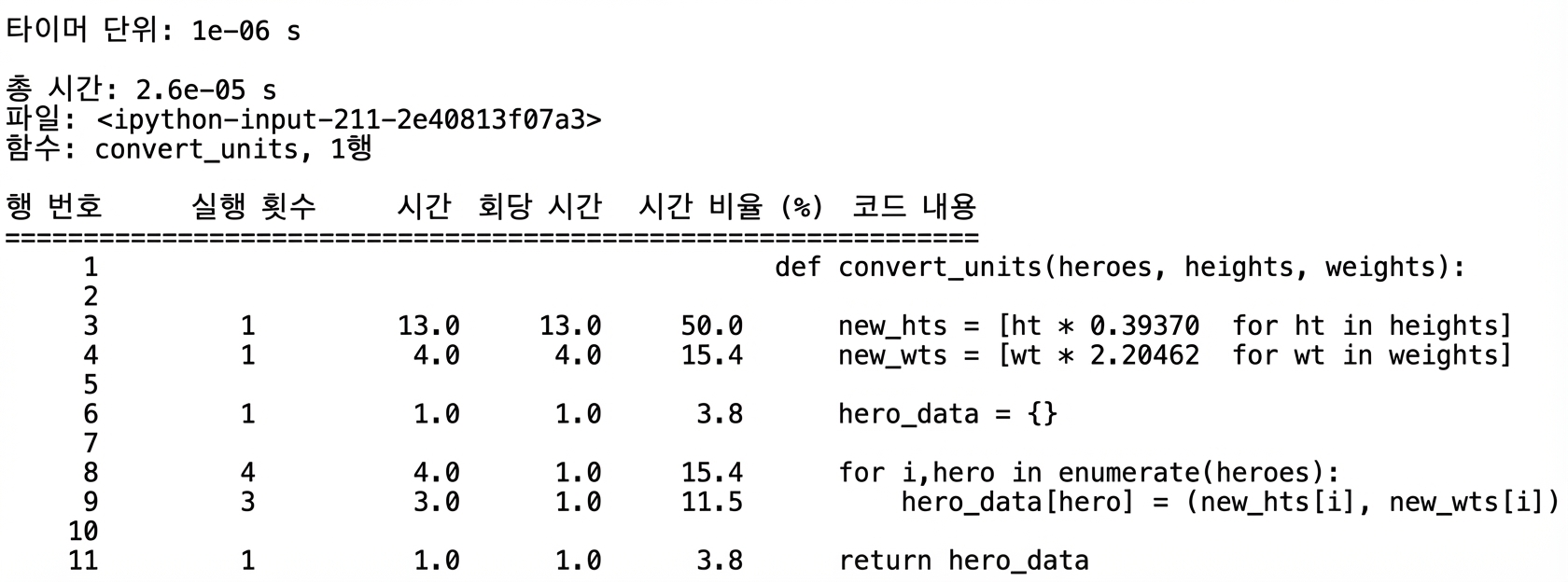
효율적인 Python 코드 작성

%lprun 출력

%lprun -f convert_units convert_units(heroes, hts, wts)
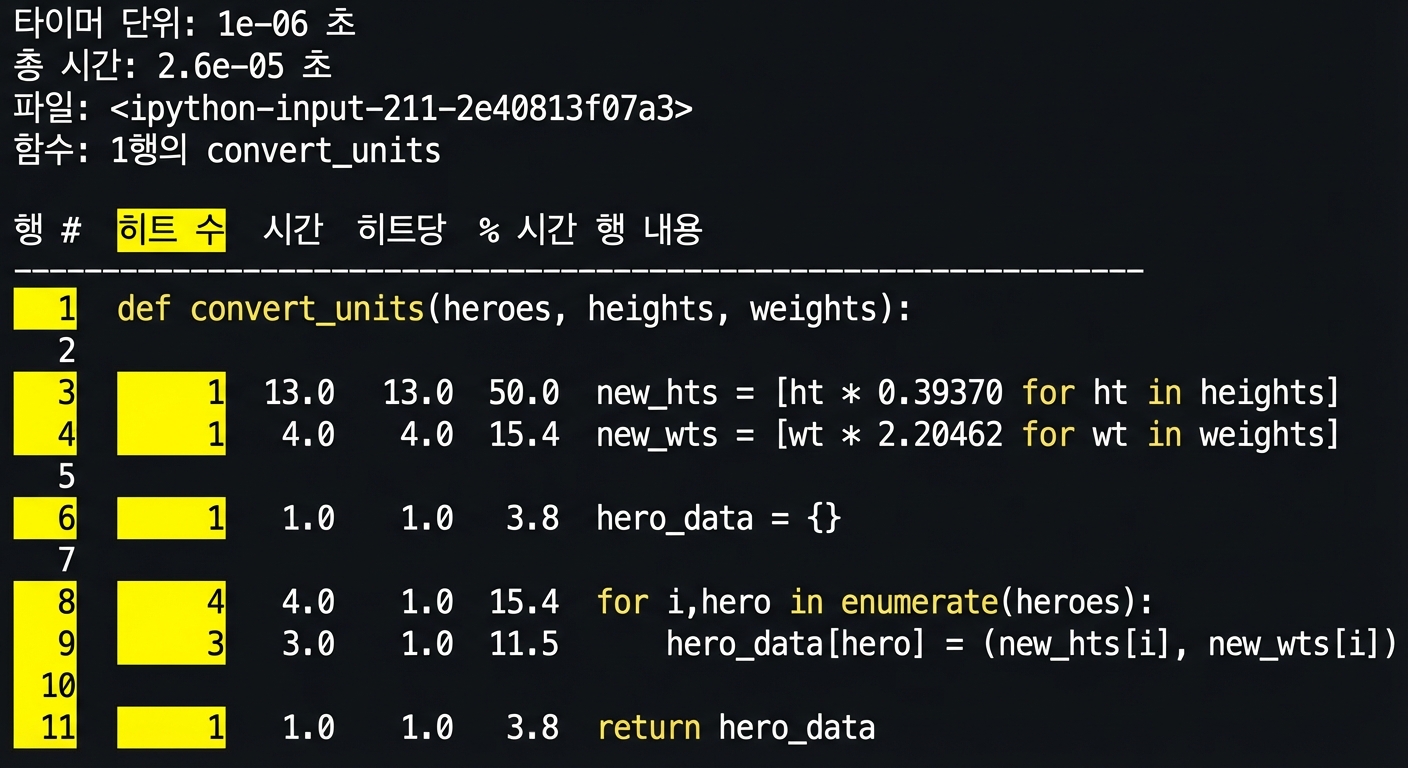
alt=”실행 시간 프로파일링 통계를 표로 요약한 lprun 매직 명령어 출력”

효율적인 Python 코드 작성

%lprun 출력

%lprun -f convert_units convert_units(heroes, hts, wts)
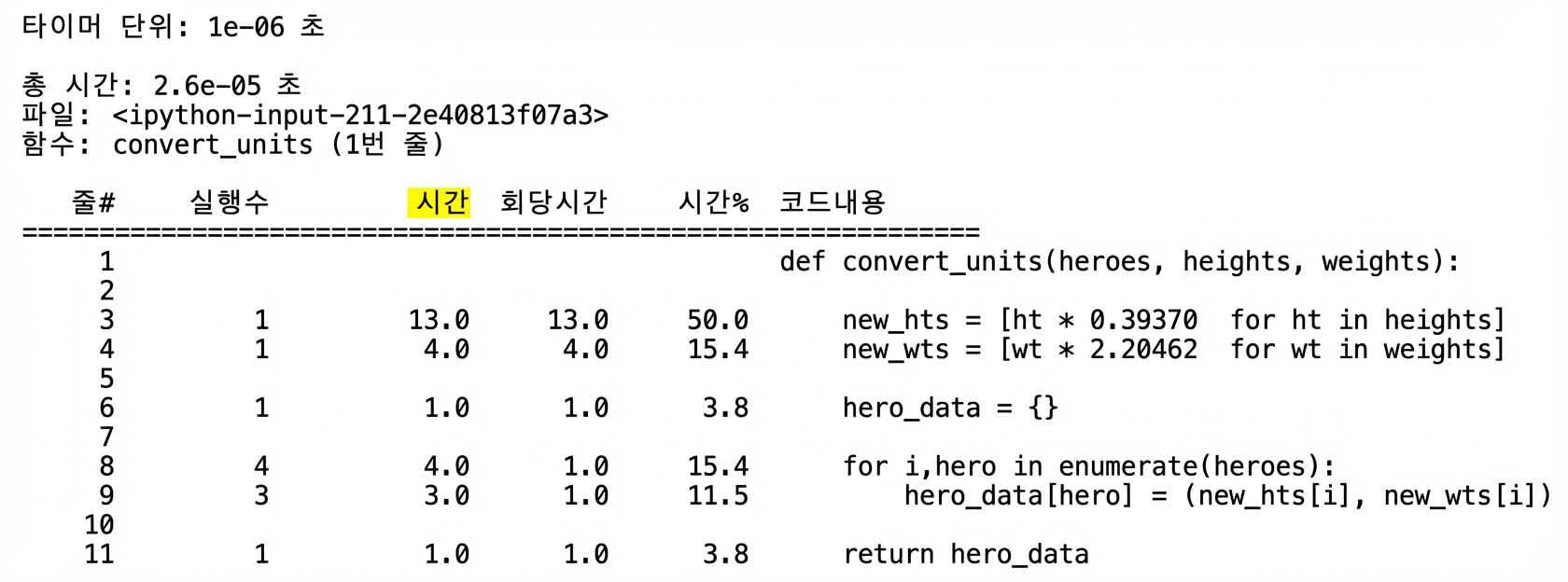
alt=”라인 번호와 Hits 열이 강조된 실행 시간 프로파일링 표 형태의 lprun 출력”

효율적인 Python 코드 작성

%lprun 출력

%lprun -f convert_units convert_units(heroes, hts, wts)
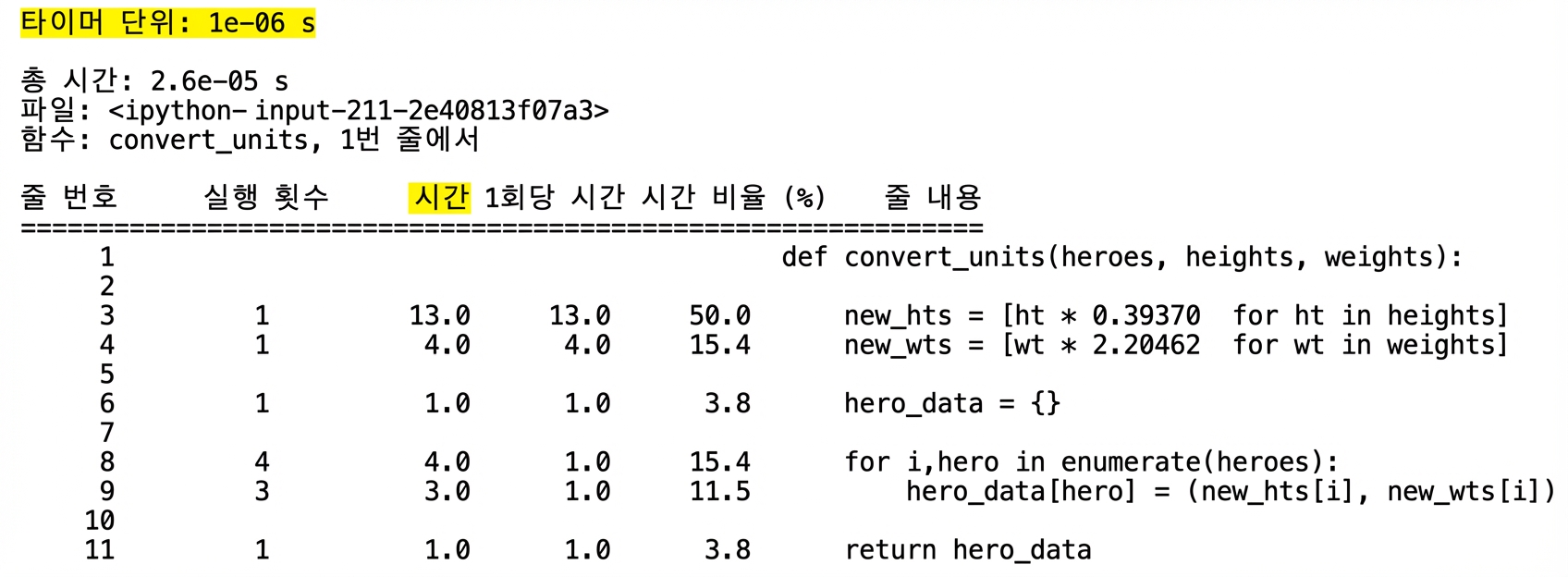
alt=”Time 열이 강조된 실행 시간 프로파일링 표 형태의 lprun 출력”

효율적인 Python 코드 작성

%lprun 출력

%lprun -f convert_units convert_units(heroes, hts, wts)
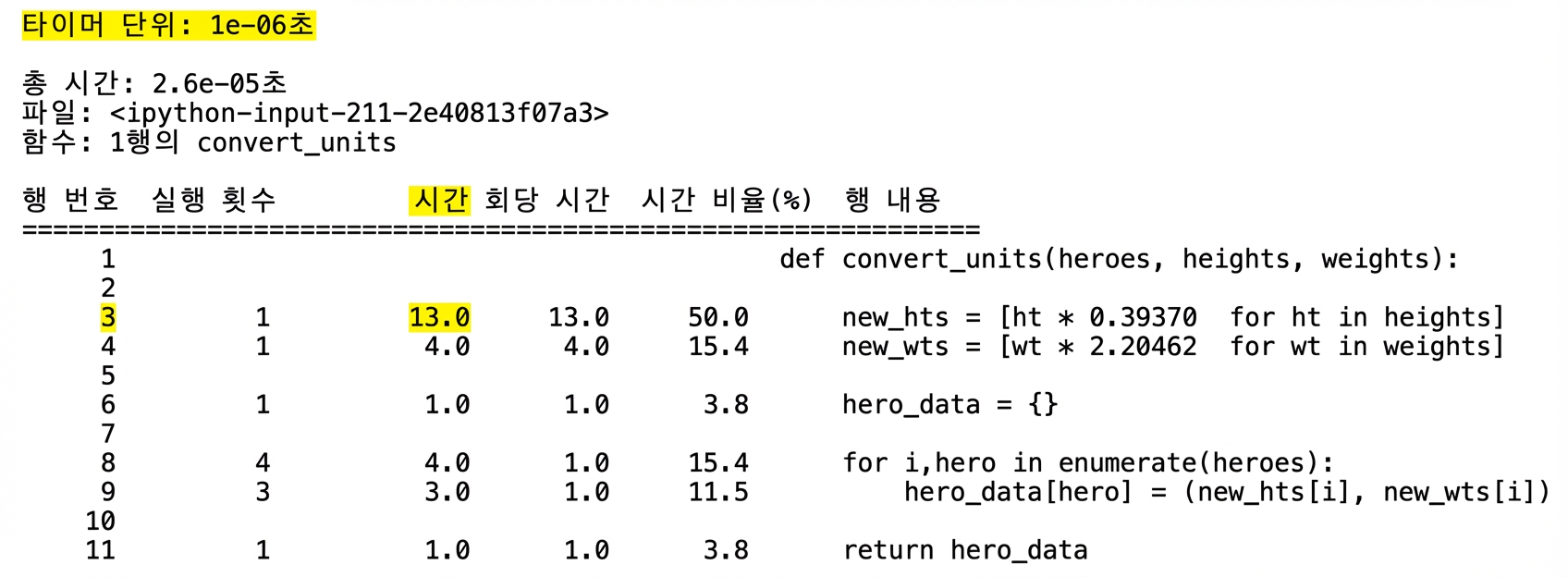
alt=”첫 줄 Time 단위가 강조된 실행 시간 프로파일링 표 형태의 lprun 출력”

효율적인 Python 코드 작성

%lprun 출력

%lprun -f convert_units convert_units(heroes, hts, wts)
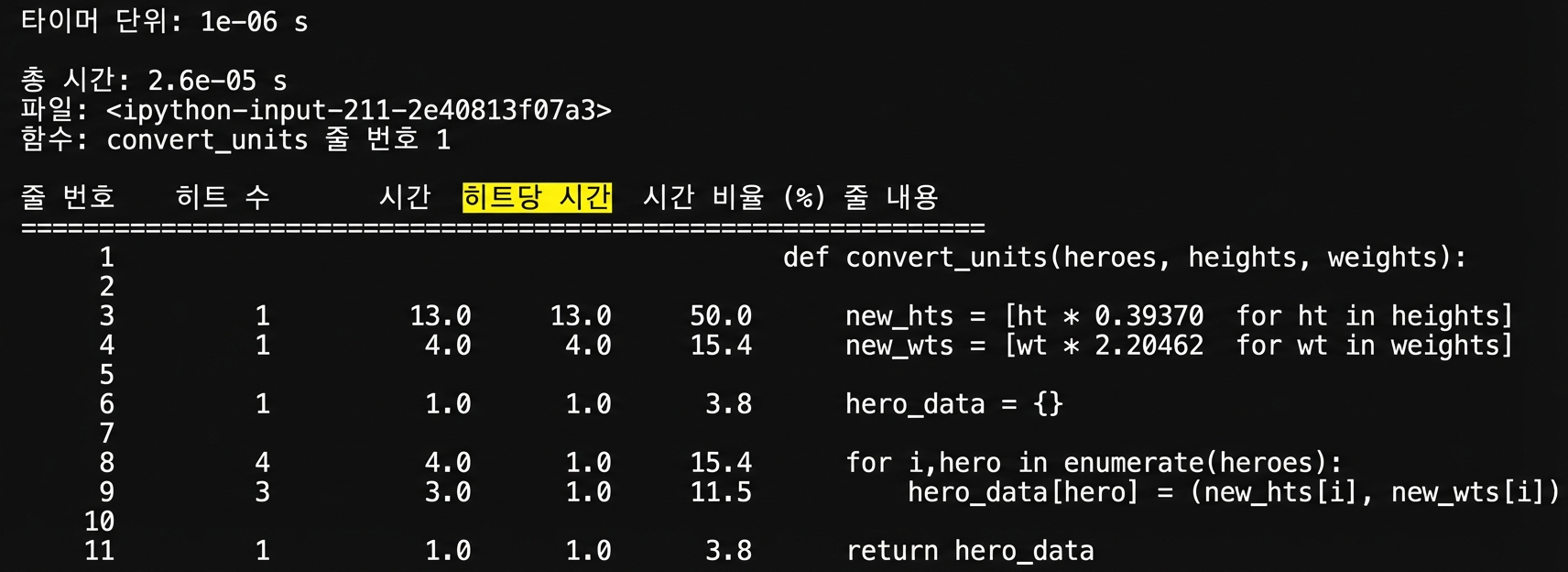
alt=”세 번째 줄이 강조된 실행 시간 프로파일링 표 형태의 lprun 출력”

효율적인 Python 코드 작성

%lprun 출력

%lprun -f convert_units convert_units(heroes, hts, wts)
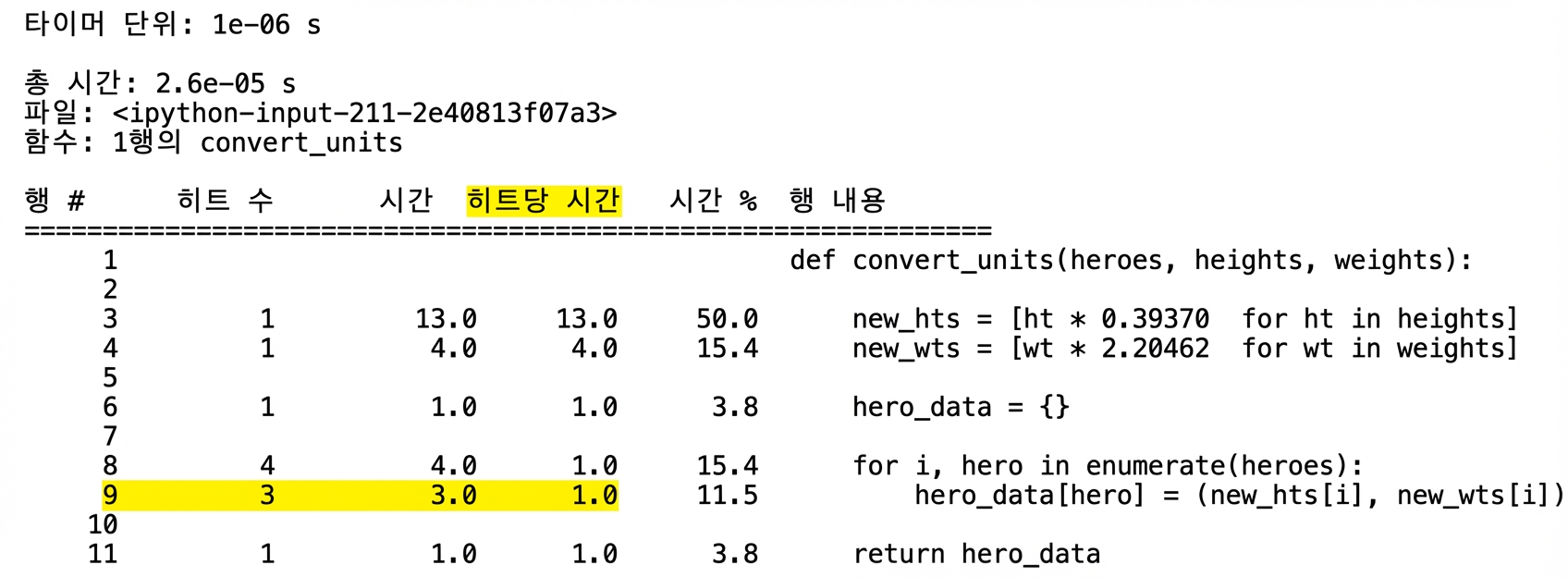
alt=”Per Hit 열이 강조된 실행 시간 프로파일링 표 형태의 lprun 출력”

효율적인 Python 코드 작성

%lprun 출력

%lprun -f convert_units convert_units(heroes, hts, wts)
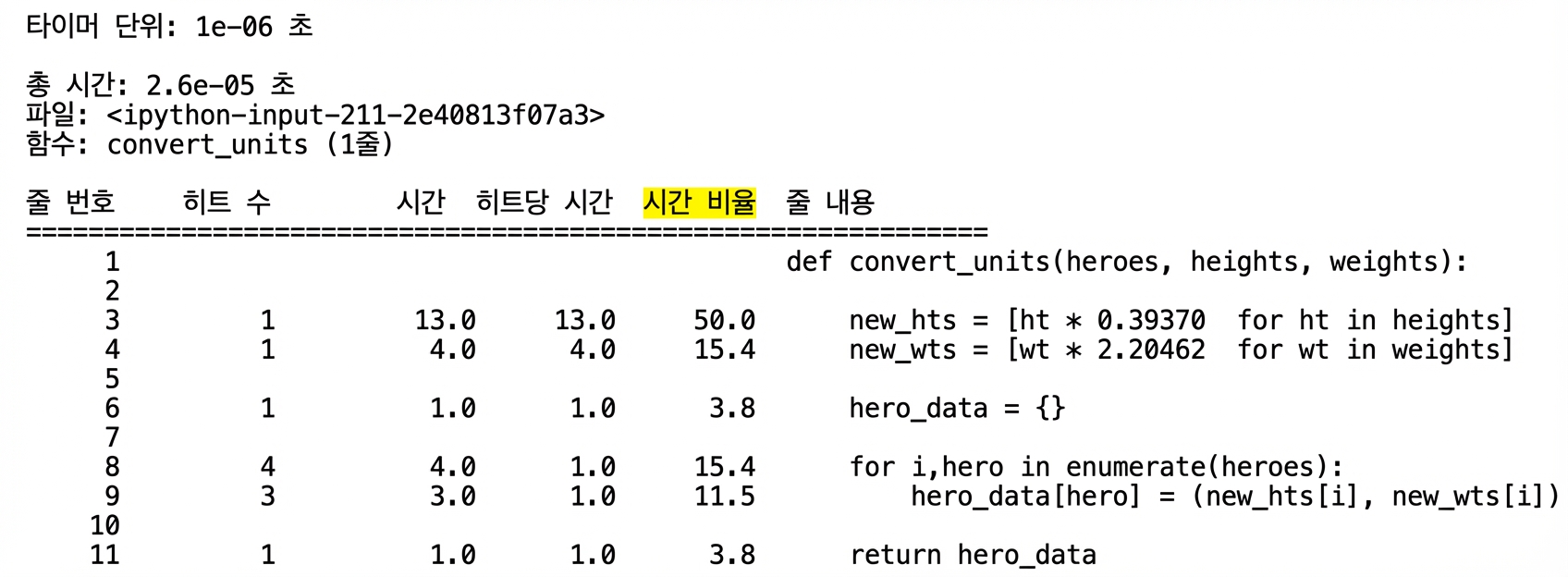
라인 9가 강조된 실행 시간 프로파일링 표 형태의 lprun 출력

효율적인 Python 코드 작성

%lprun 출력

%lprun -f convert_units convert_units(heroes, hts, wts)
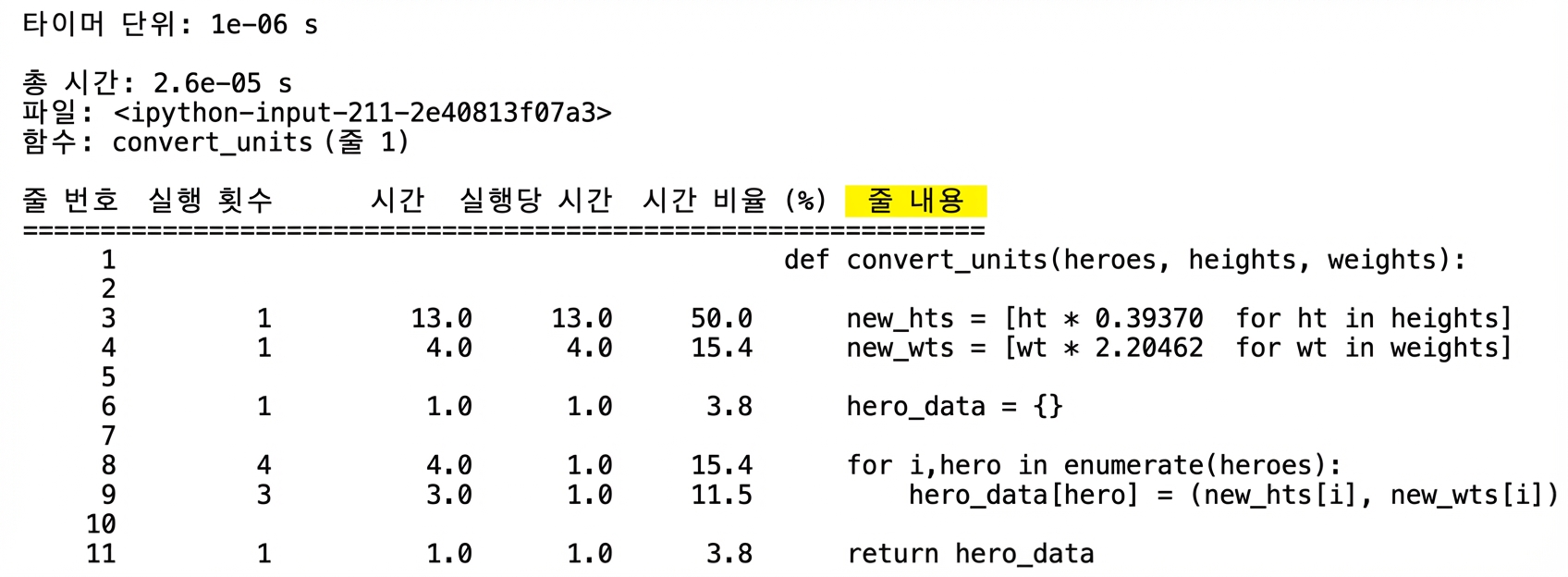
alt=”% Time 열이 강조된 실행 시간 프로파일링 표 형태의 lprun 출력”

효율적인 Python 코드 작성

%lprun 출력

%lprun -f convert_units convert_units(heroes, hts, wts)

alt=”Line Contents 열이 강조된 실행 시간 프로파일링 표 형태의 lprun 출력”

효율적인 Python 코드 작성
%timeit convert_units convert_units(heroes, hts, wts)
3 µs ± 32 ns per loop (mean ± std. dev. of 7 runs, 100000 loops each)
%lprun -f convert_units convert_units(heroes, hts, wts)
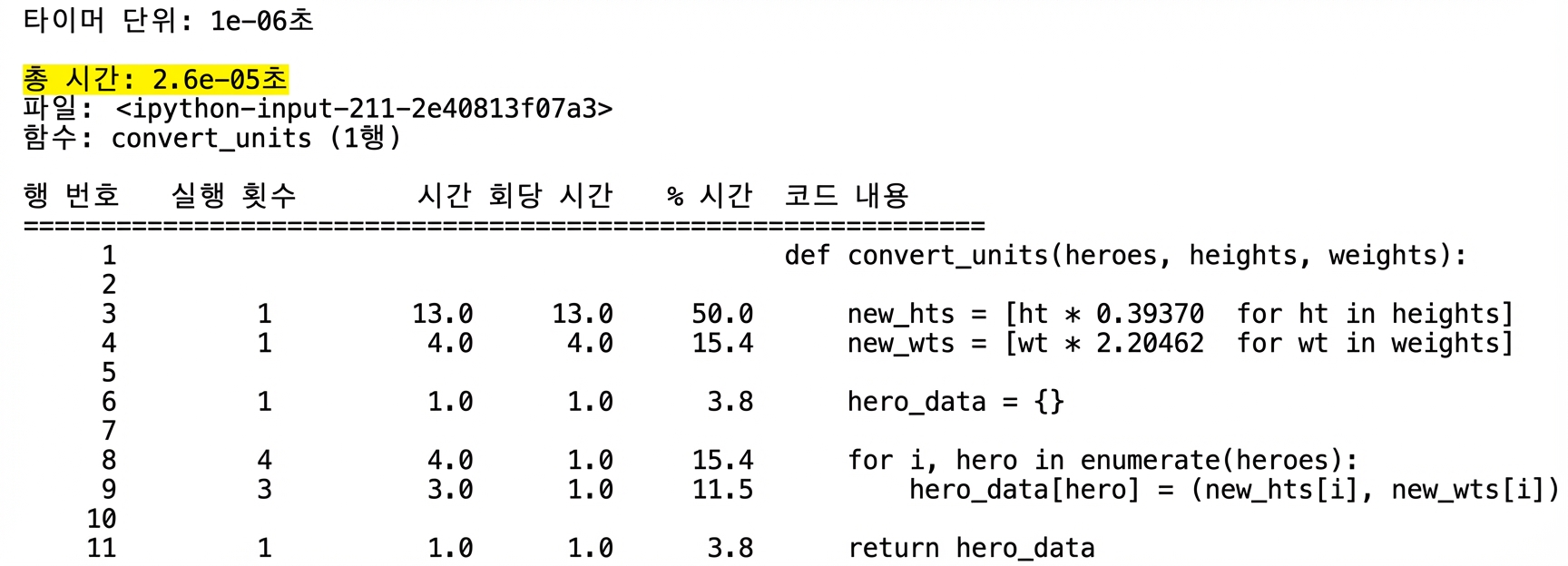
alt="두 번째 줄의 Total time이 강조된 실행 시간 프로파일링 표 형태의 lprun 출력"

효율적인 Python 코드 작성

새 프로파일링 능력을 연습해 봅시다!

효율적인 Python 코드 작성

Preparing Video For Download...