Git 중급
George Boorman
Curriculum Manager, DataCamp
git branch
git switch hotfix
git switch -c hotfix
git diff main hotfix
git branch -m hotfix bugfix
git branch -d hotfix
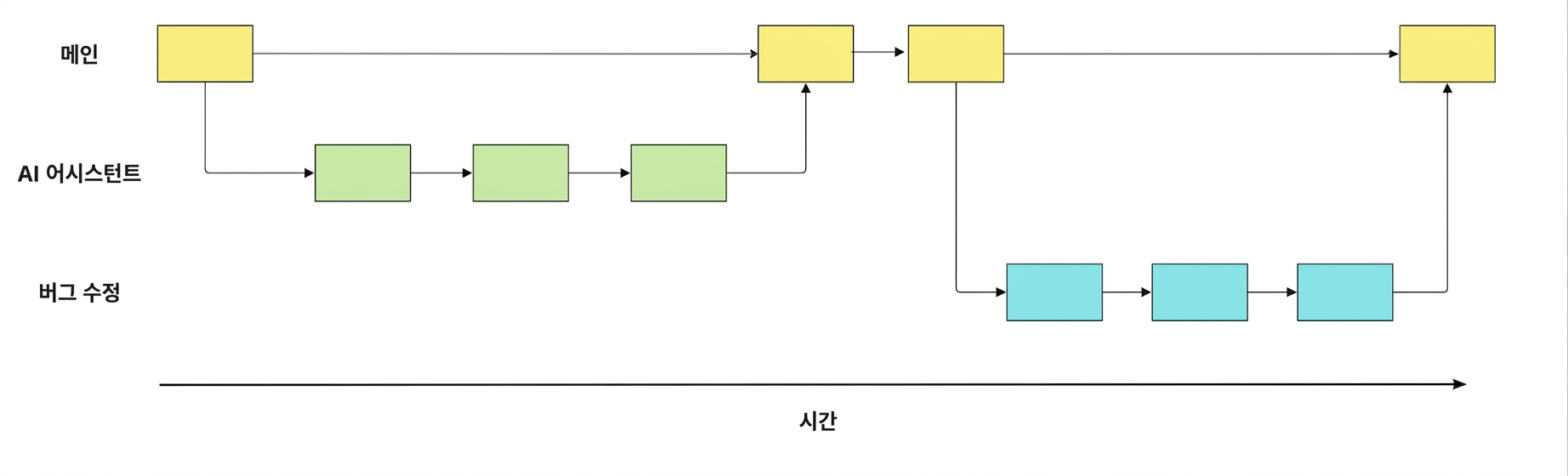
main
ai-assistant
git merge ai-assistant
git merge source destination
git merge ai-assistant main
git clone https://github.com/datacamp/project
git remote -v
git remote add george https://github.com/george_datacamp/repo
git fetch origin
git pull origin
git push origin documentation
GitHub 개념
GitHub 및 Git 튜토리얼
소프트웨어와 데이터 프로젝트에 Git을 사용해 보세요!