헤더와 상태 코드

Python으로 배우는 API 입문

Chris Ramakers

Engineering Manager

요청 및 응답 메시지 구조
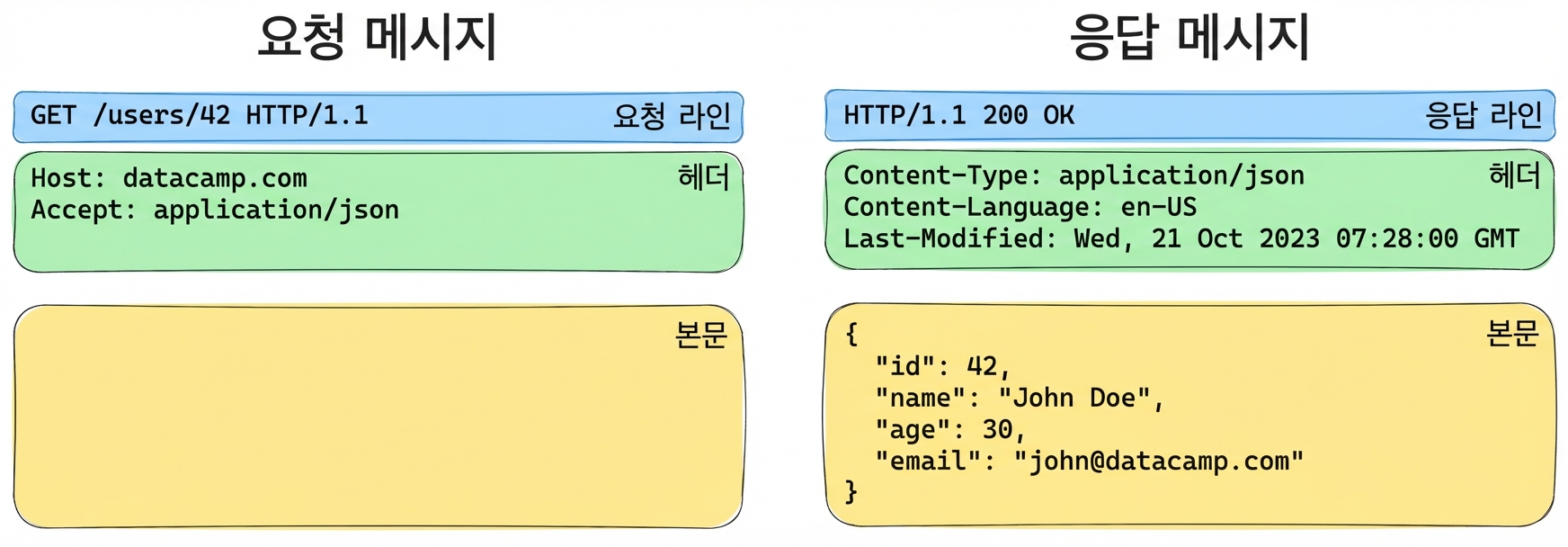
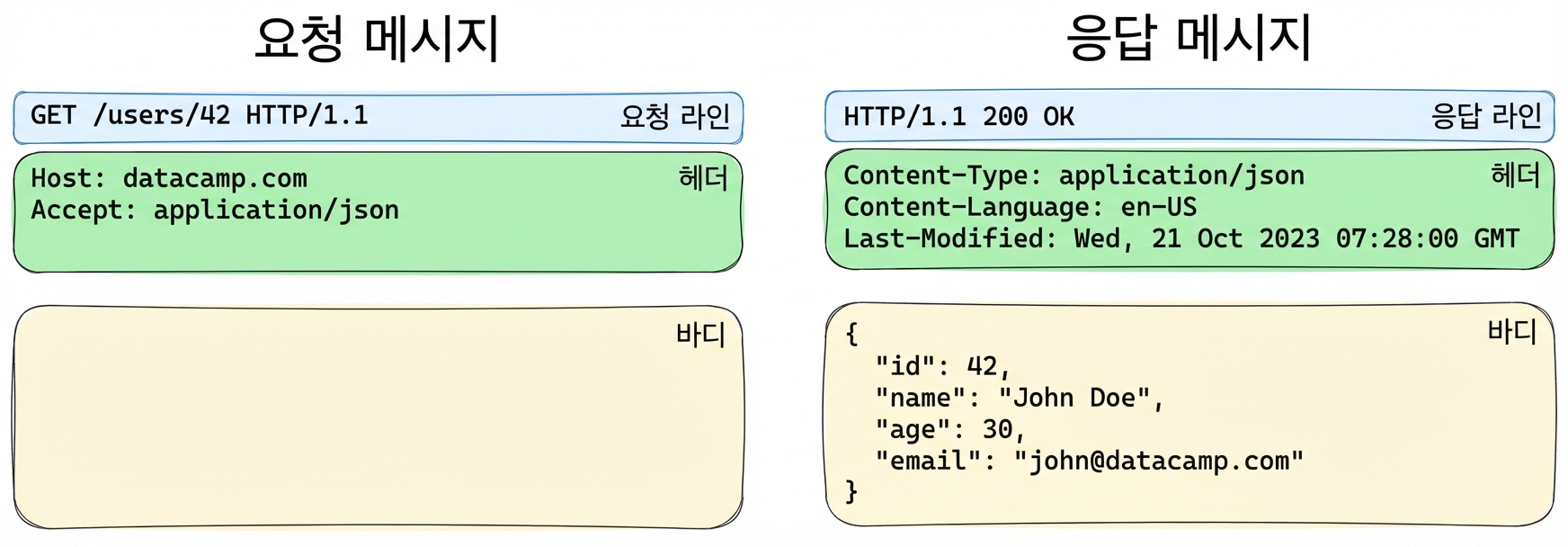
요청 및 응답 메시지 예시. 요청: 헤더 포함 GET /users/42. 응답: 사용자 정보가 담긴 JSON 본문과 함께 200 OK.

Python으로 배우는 API 입문

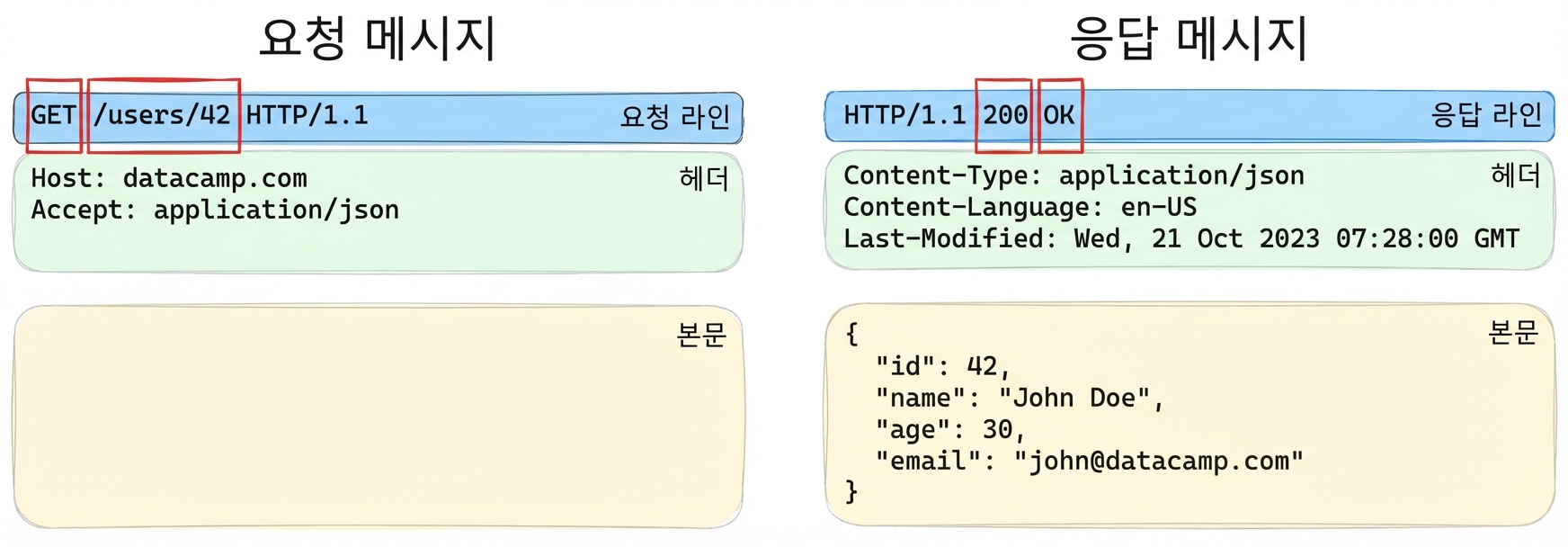
시작 줄

요청 또는 응답 메시지의 세 가지 구성 요소 예시, 시작 줄 부분이 강조 표시됨

  • 서버는 응답 메시지에 항상 숫자 상태 코드를 포함합니다
Python으로 배우는 API 입문

상태 코드

상태 코드 범주

  • 1XX: 정보 응답
  • 2XX: 성공 응답
  • 3XX: 리다이렉션 메시지
  • 4XX: 클라이언트 오류 응답
  • 5XX: 서버 오류 응답

자주 사용되는 상태 코드

  • 200: OK
  • 404: Not Found
  • 500: Internal Server Error
1 모든 응답 코드 목록은 MDN 상태 코드 페이지를 참고하십시오: https://developer.mozilla.org/en-US/docs/Web/HTTP/Status
Python으로 배우는 API 입문

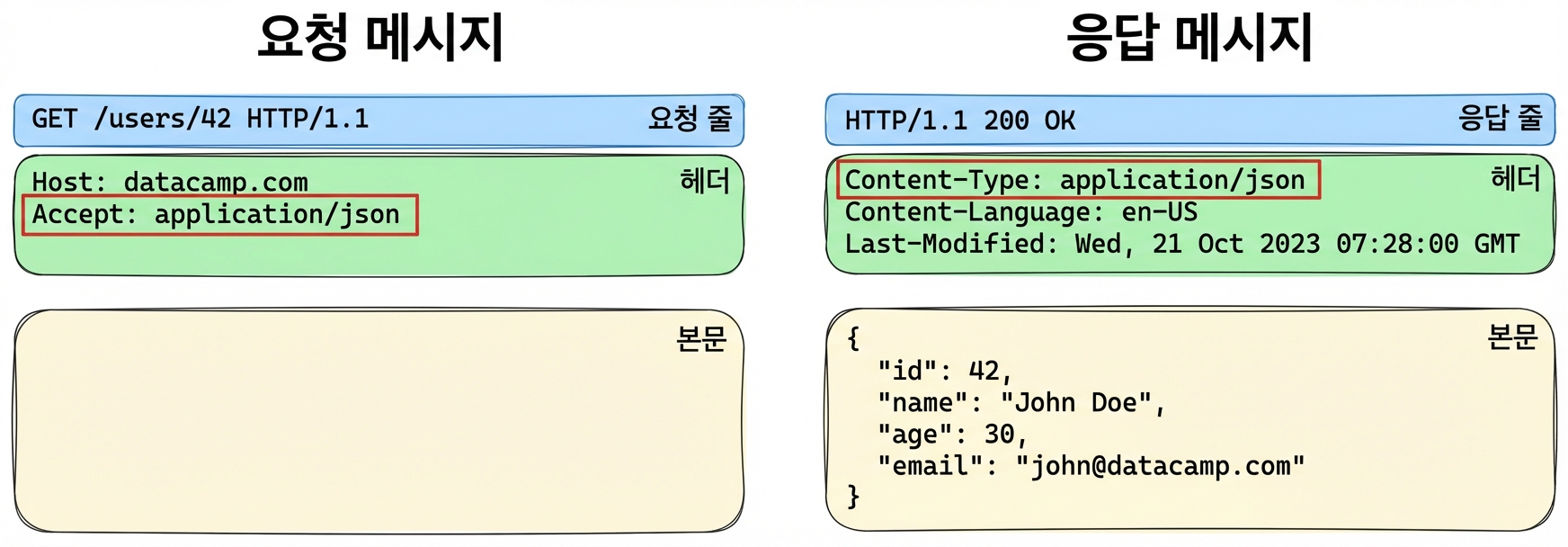
헤더

요청 또는 응답 메시지의 세 가지 구성 요소 예시, 헤더 부분이 강조 표시됨

key1: Value 1
key2: Value 2
Python으로 배우는 API 입문

예시: 헤더를 이용한 콘텐츠 협상

요청 또는 응답 메시지의 세 가지 구성 요소 예시, 헤더 부분이 강조 표시됨

  • 클라이언트가 요청에 accept: application/json 헤더를 추가합니다
  • 서버가 content-type: application/json 헤더로 응답합니다
Python으로 배우는 API 입문

requests로 헤더 사용하기

# Adding headers to a request
response = requests.get(
  'https://api.datacamp.com', 
  headers={'accept':'application/json'}
)
# Reading response headers
response.headers['content-type']
'application/json'
response.headers.get('content-type')
'application/json'
Python으로 배우는 API 입문

requests로 상태 코드 사용하기

# Accessing the status code
response = requests.get('https://api.datacamp.com/users/12')

response.status_code == 200
True
# Looking up status codes using requests.codes
response = requests.get('https://api.datacamp.com/this/is/the/wrong/path')

response.status_code == requests.codes.not_found
True
Python으로 배우는 API 입문

연습해 봅시다!

Python으로 배우는 API 입문

Preparing Video For Download...