LCEL 검색 체인 구축

LangChain을 활용한 RAG(검색 증강 생성)

Meri Nova

Machine Learning Engineer

검색을 위한 데이터 준비
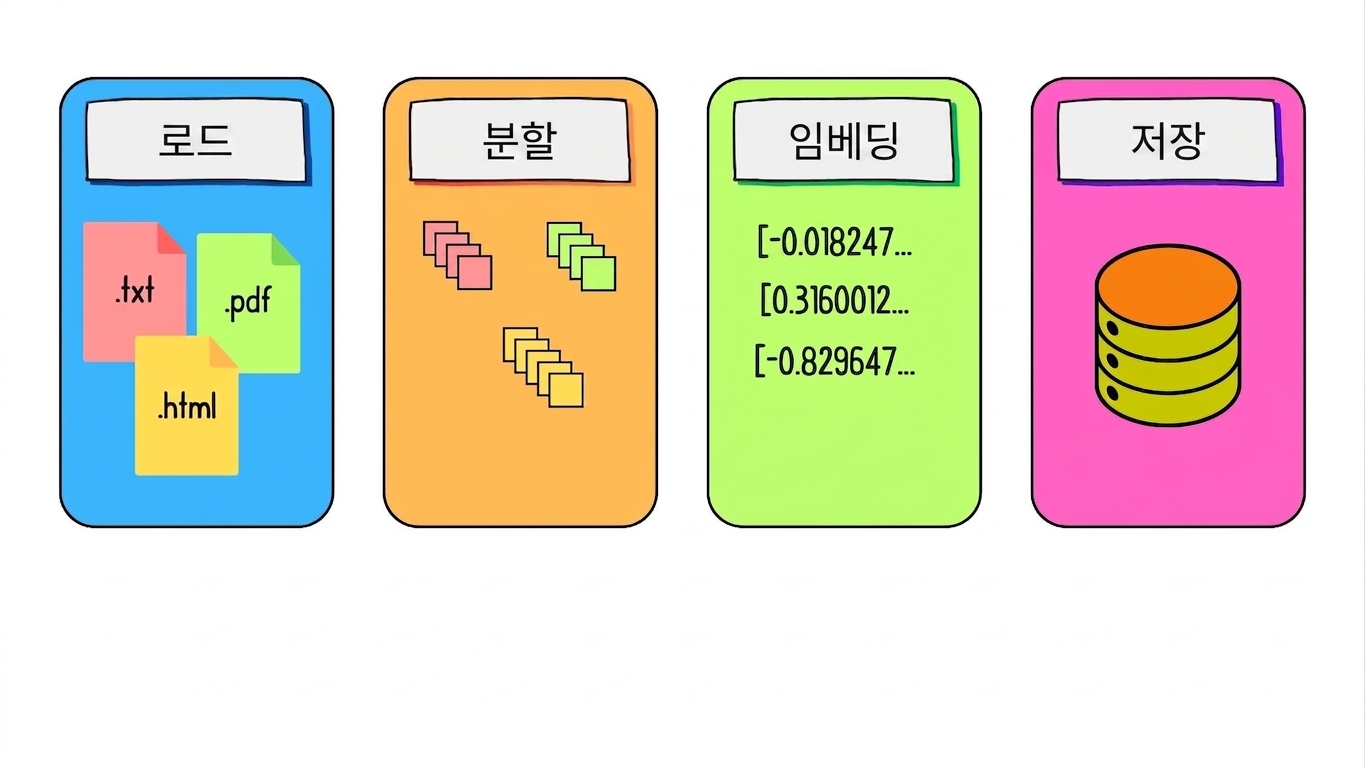
문서 청크가 저장되는 과정.

LangChain을 활용한 RAG(검색 증강 생성)

RAG를 위한 LCEL 소개

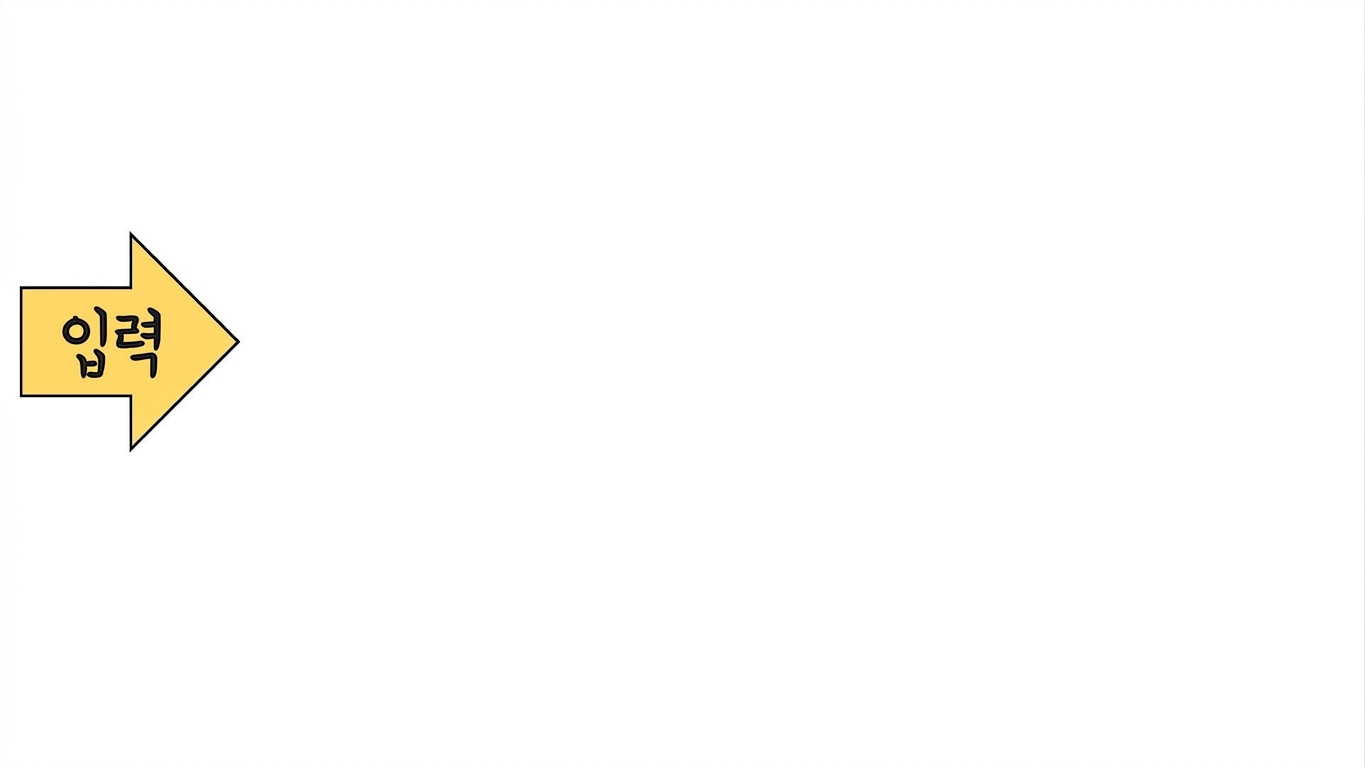
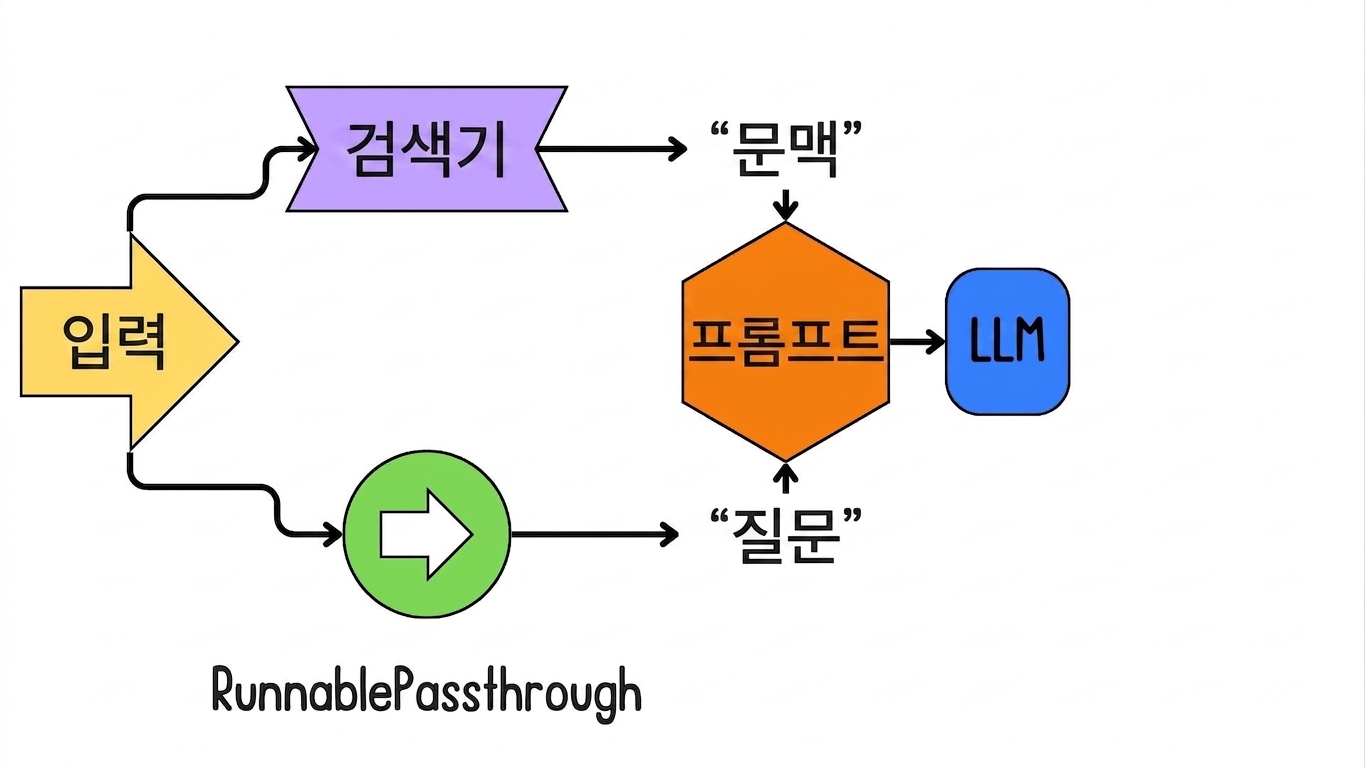
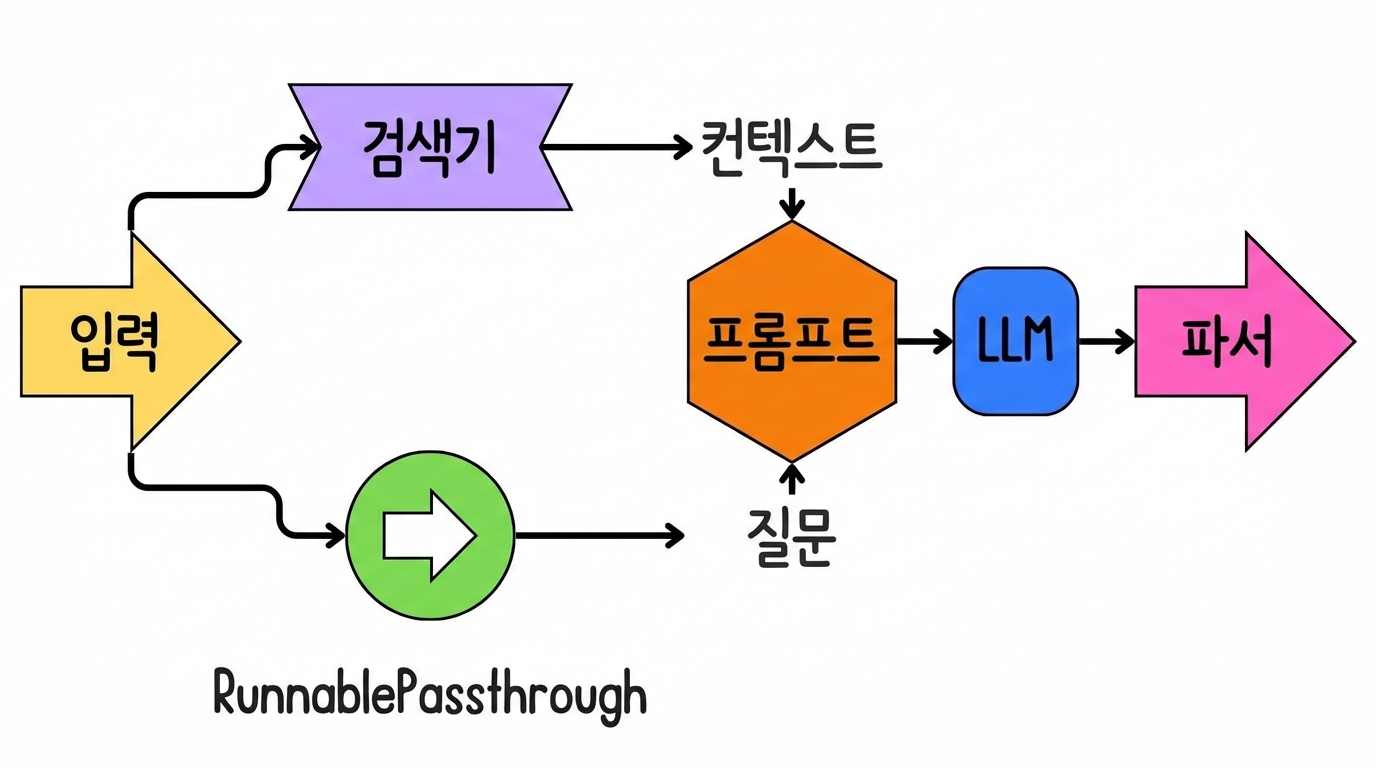
사용자 입력.

LangChain을 활용한 RAG(검색 증강 생성)

RAG를 위한 LCEL 소개

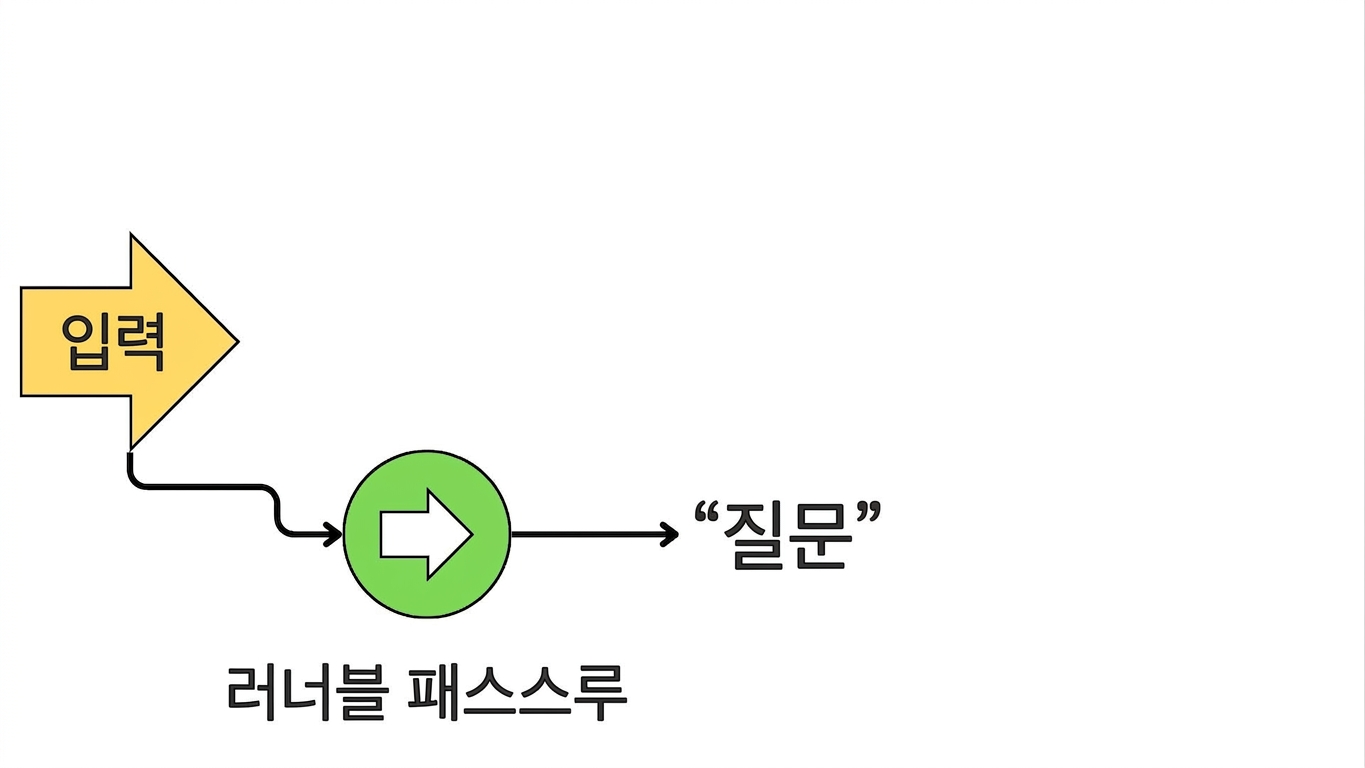
사용자 입력이 RunnablePassthrough를 통해 체인에 진입하여 "question"에 할당되는 과정.

LangChain을 활용한 RAG(검색 증강 생성)

RAG를 위한 LCEL 소개

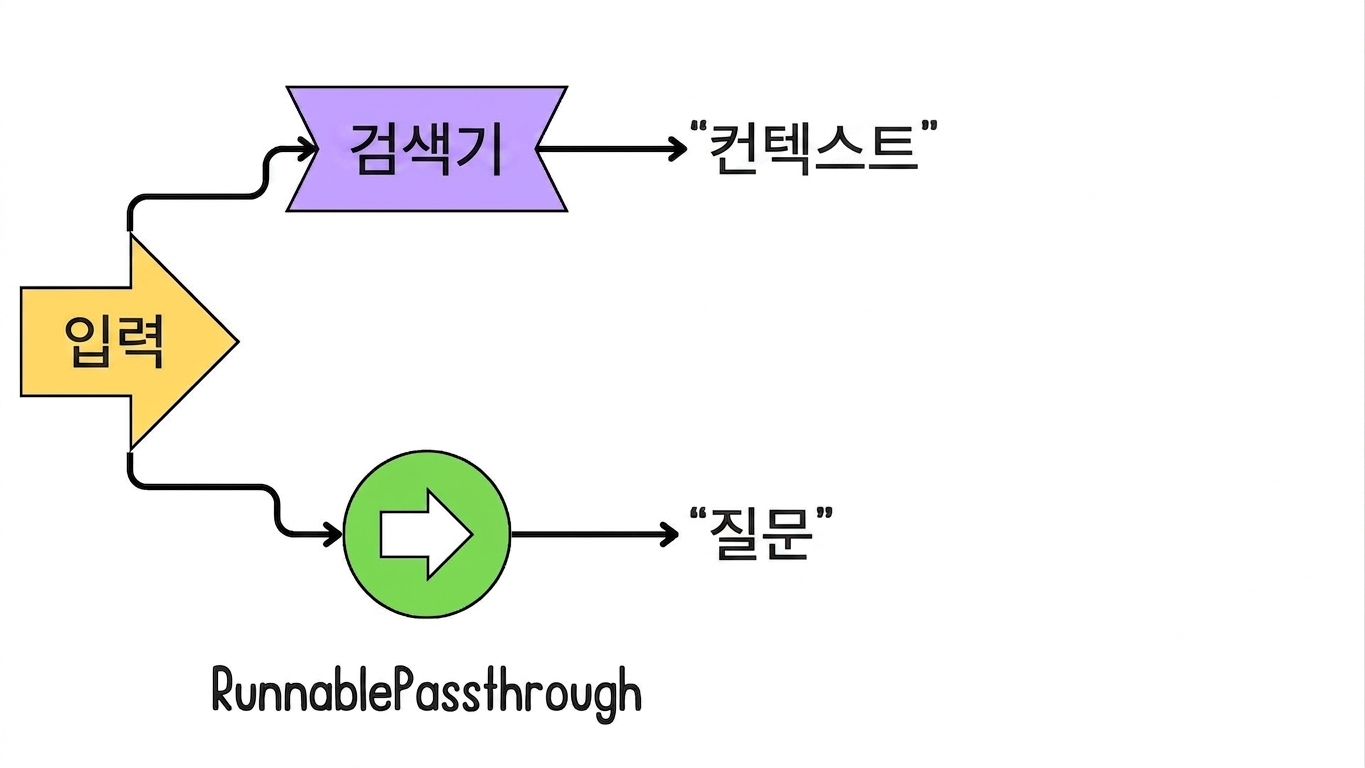
입력이 검색기 쿼리에 사용되어 "context"에 할당되는 과정.

LangChain을 활용한 RAG(검색 증강 생성)

RAG를 위한 LCEL 소개

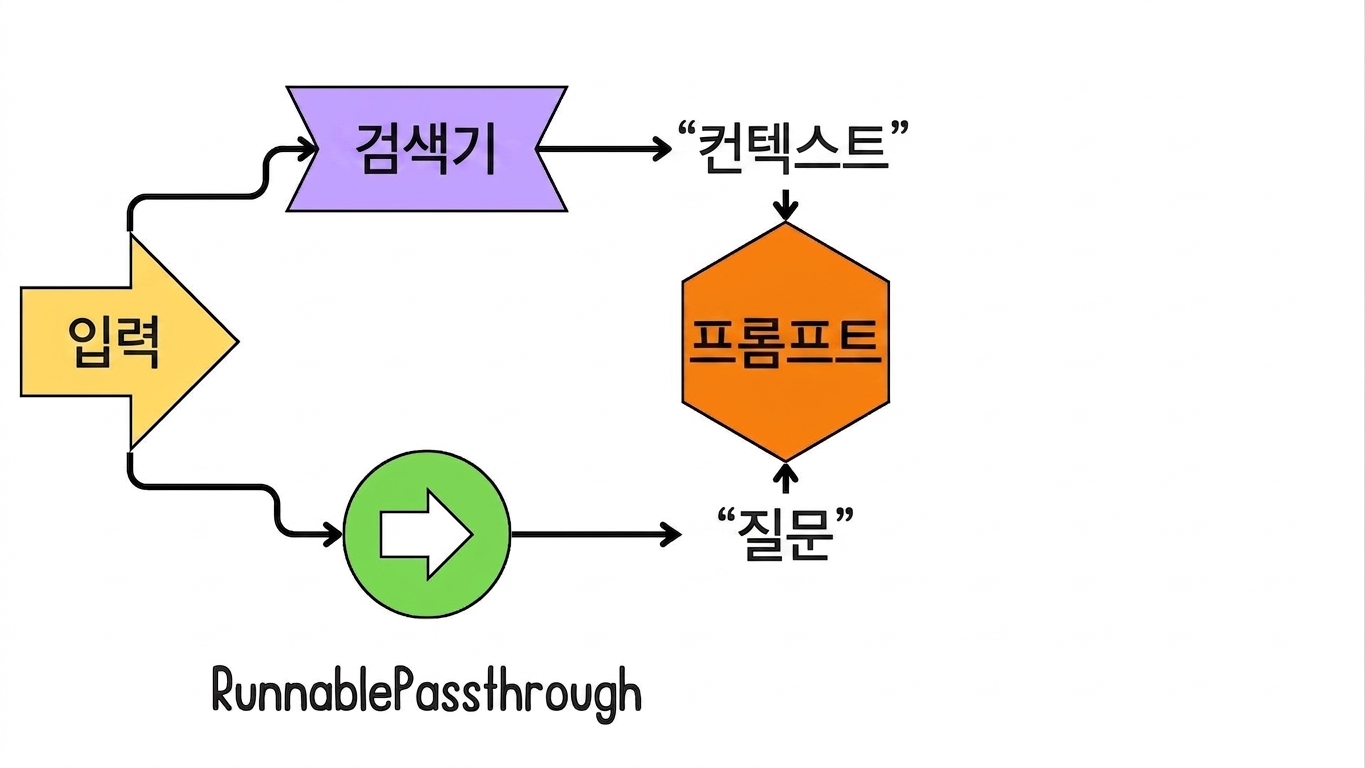
"context"와 "question"이 프롬프트 템플릿에 통합되는 과정.

LangChain을 활용한 RAG(검색 증강 생성)

RAG를 위한 LCEL 소개

프롬프트가 LLM(모델)에 통합되어 출력을 생성하는 과정.

LangChain을 활용한 RAG(검색 증강 생성)

RAG를 위한 LCEL 소개

모델 출력이 파서로 전달되는 과정.

LangChain을 활용한 RAG(검색 증강 생성)

검색기 인스턴스화

vector_store = Chroma.from_documents(
    documents=chunks, 
    embedding=embedding_model
)


retriever = vector_store.as_retriever( search_type="similarity", search_kwargs={"k": 2} )
LangChain을 활용한 RAG(검색 증강 생성)

프롬프트 템플릿 생성

from langchain_core.prompts import ChatPromptTemplate

prompt = ChatPromptTemplate.from_template(""" Use the following pieces of context to answer the question at the end. If you don't know the answer, say that you don't know. Context: {context} Question: {question} """)
llm = ChatOpenAI(model="gpt-4o-mini", api_key="...", temperature=0)
LangChain을 활용한 RAG(검색 증강 생성)

LCEL 검색 체인 구축

from langchain_core.runnables import RunnablePassthrough
from langchain_core.output_parsers import StrOutputParser

chain = (
{"context": retriever, "question": RunnablePassthrough()}
| prompt
| llm
| StrOutputParser()
)
LangChain을 활용한 RAG(검색 증강 생성)

검색 체인 호출

result = chain.invoke({"question": "What are the key findings or results presented in the paper?"})
print(result)
- Top Performance: RAG models set new records on open-domain question answering tasks...
- Better Generation: RAG models produce more specific, diverse, and factual language...
- Dynamic Knowledge Use: The non-parametric memory allows RAG models to access and ...
LangChain을 활용한 RAG(검색 증강 생성)

연습해 봅시다!

LangChain을 활용한 RAG(검색 증강 생성)

Preparing Video For Download...