배열 소개

NumPy 소개

Izzy Weber

Core Curriculum Manager, DataCamp

NumPy와 파이썬 생태계

NumPy가 파이썬 세계를 떠받치는 모습으로 지구를 드는 아틀라스 그래픽

NumPy 소개

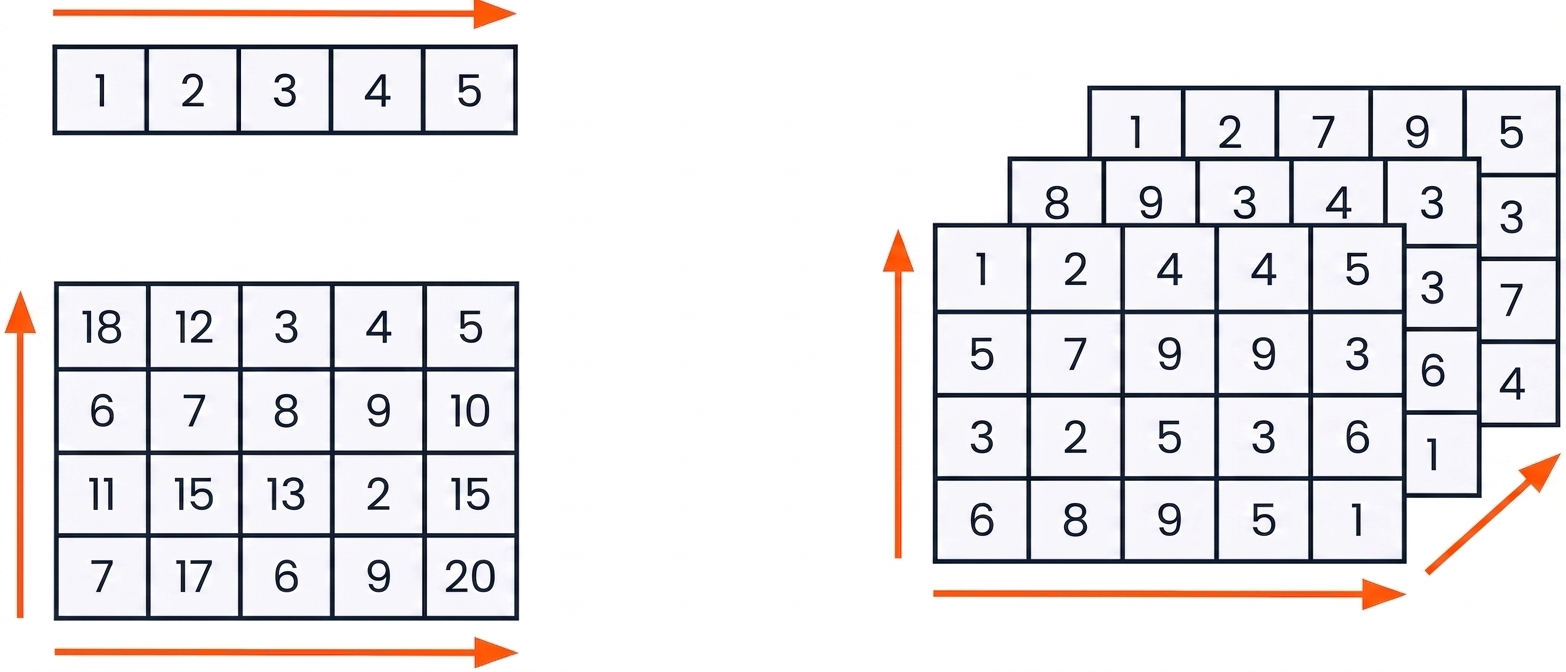
NumPy 배열


1D, 2D, 3D 배열 그래픽

NumPy 소개

NumPy 임포트


import numpy as np
NumPy 소개

리스트로 1차원 배열 만들기

python_list = [3, 2, 5, 8, 4, 9, 7, 6, 1]
array = np.array(python_list)
array
array([3, 2, 5, 8, 4, 9, 7, 6, 1])


type(array)
numpy.ndarray
NumPy 소개

리스트로 2차원 배열 만들기

python_list_of_lists = [[3, 2, 5],
                        [9, 7, 1],
                        [4, 3, 6]]
np.array(python_list_of_lists)
array([[3, 2, 5],
       [9, 7, 1],
       [4, 3, 6]])
NumPy 소개

Python 리스트

  • 다양한 데이터 타입을 포함할 수 있음
python_list = ["beep", False, 56, .945, [3, 2, 5]]


NumPy 배열

  • 단일 데이터 타입만 포함 가능
  • 메모리 사용이 적음
numpy_boolean_array = [[True, False], [True, True], [False, True]]

numpy_float_array = [1.9, 5.4, 8.8, 3.6, 3.2]
NumPy 소개

처음부터 배열 만들기


처음부터 배열을 만드는 NumPy 함수:

  • np.zeros()
  • np.random.random()
  • np.arange()
NumPy 소개

배열 생성: np.zeros()

np.zeros((5, 3))
array([[0., 0., 0.],
       [0., 0., 0.],
       [0., 0., 0.],
       [0., 0., 0.],
       [0., 0., 0.]])
NumPy 소개

배열 생성: np.random.random()

np.random.random((2, 4))
array([[0.88524516, 0.85641352, 0.33463107, 0.53337117],
       [0.69933362, 0.09295327, 0.93616428, 0.03601592]])
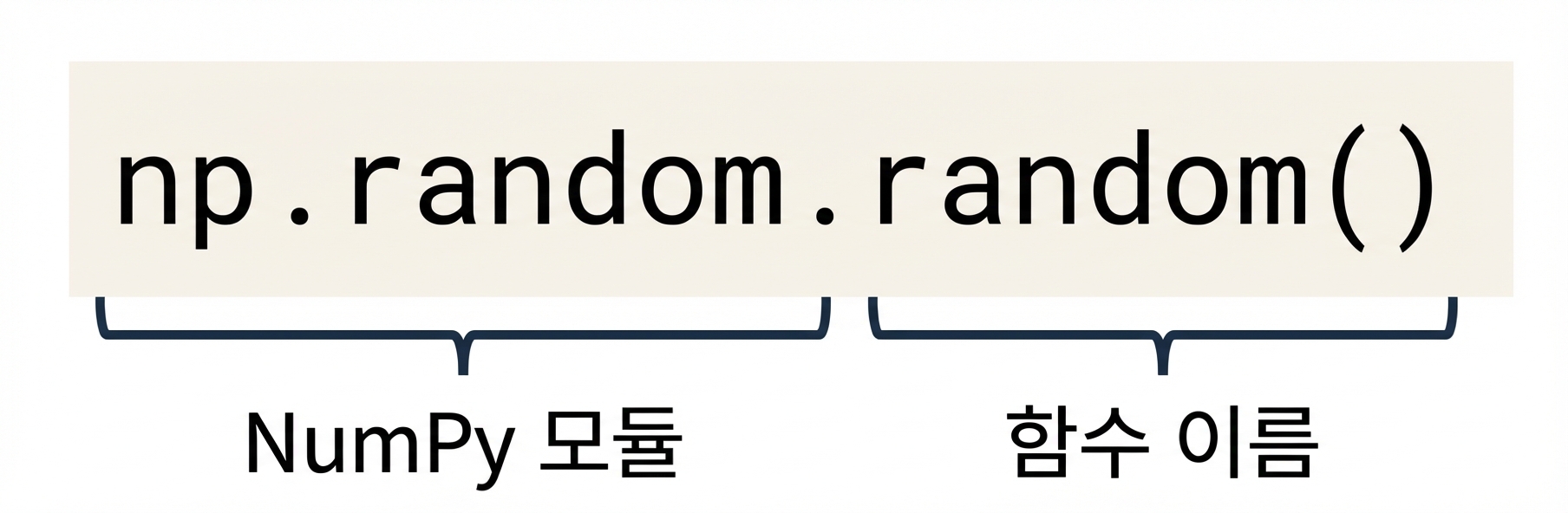
 

np.random은 NumPy 모듈이며 np.random.random()은 np.random 내 함수

NumPy 소개

np.arange()로 배열 생성

np.arange(-3, 4)
array([-3, -2, -1,  0,  1,  2,  3])
np.arange(4)
array([0, 1, 2, 3])
np.arange(-3, 4, 3)
array([-3,  0,  3])
from matplotlib import pyplot as plt
plt.scatter(np.arange(0, 7),
            np.arange(-3, 4))
plt.show()
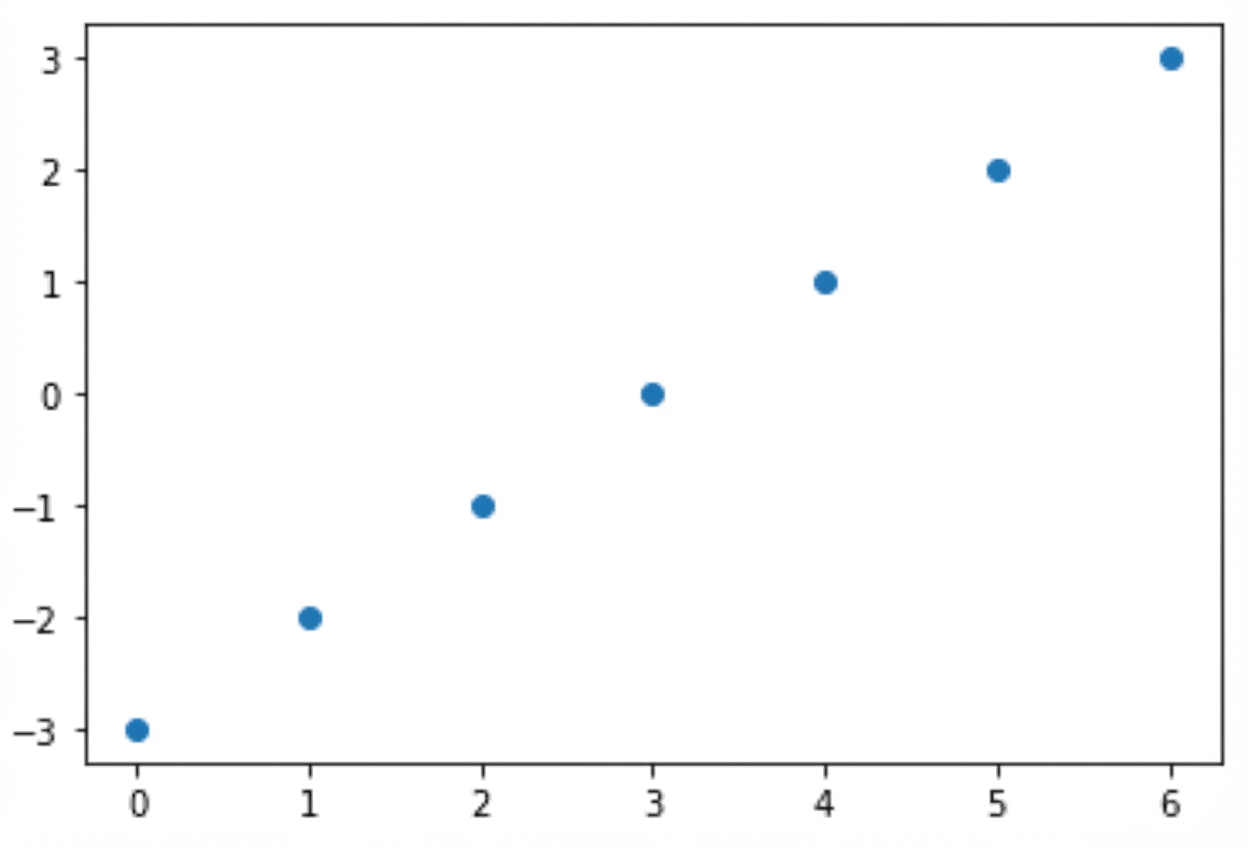
X축과 Y축에 두 범위 배열을 표시한 산점도

NumPy 소개

연습해 봅시다!

NumPy 소개

Preparing Video For Download...