NumPy 소개
Izzy Weber
Core Curriculum Manager, DataCamp
예시 Python 데이터 타입:
intfloat
예시 NumPy 데이터 타입:
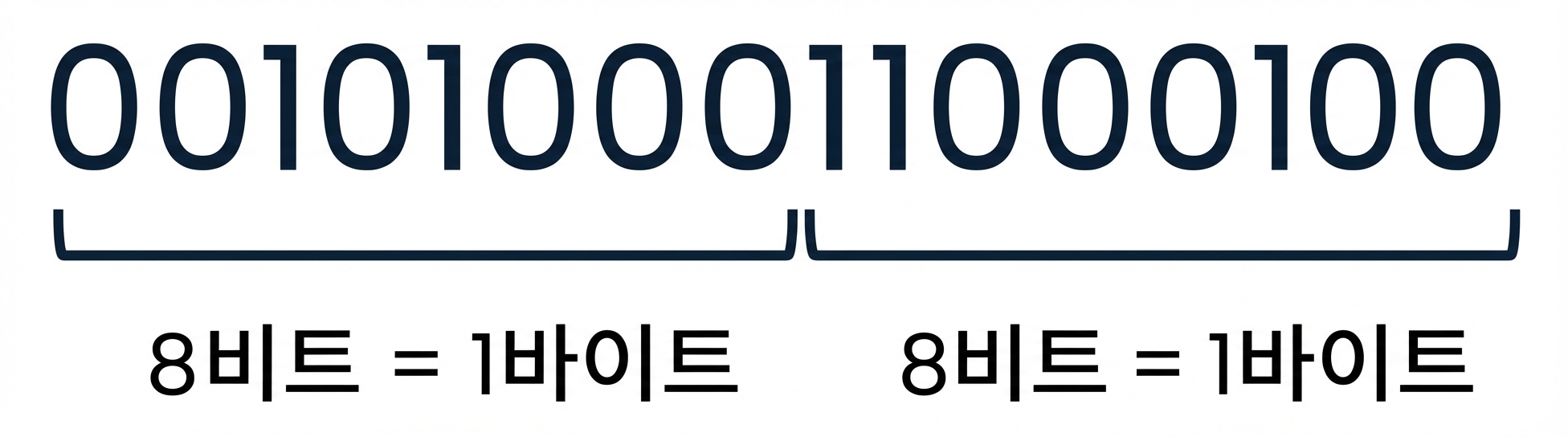
np.int64np.int32np.float64np.float32숫자 10436의 이진수 표현:
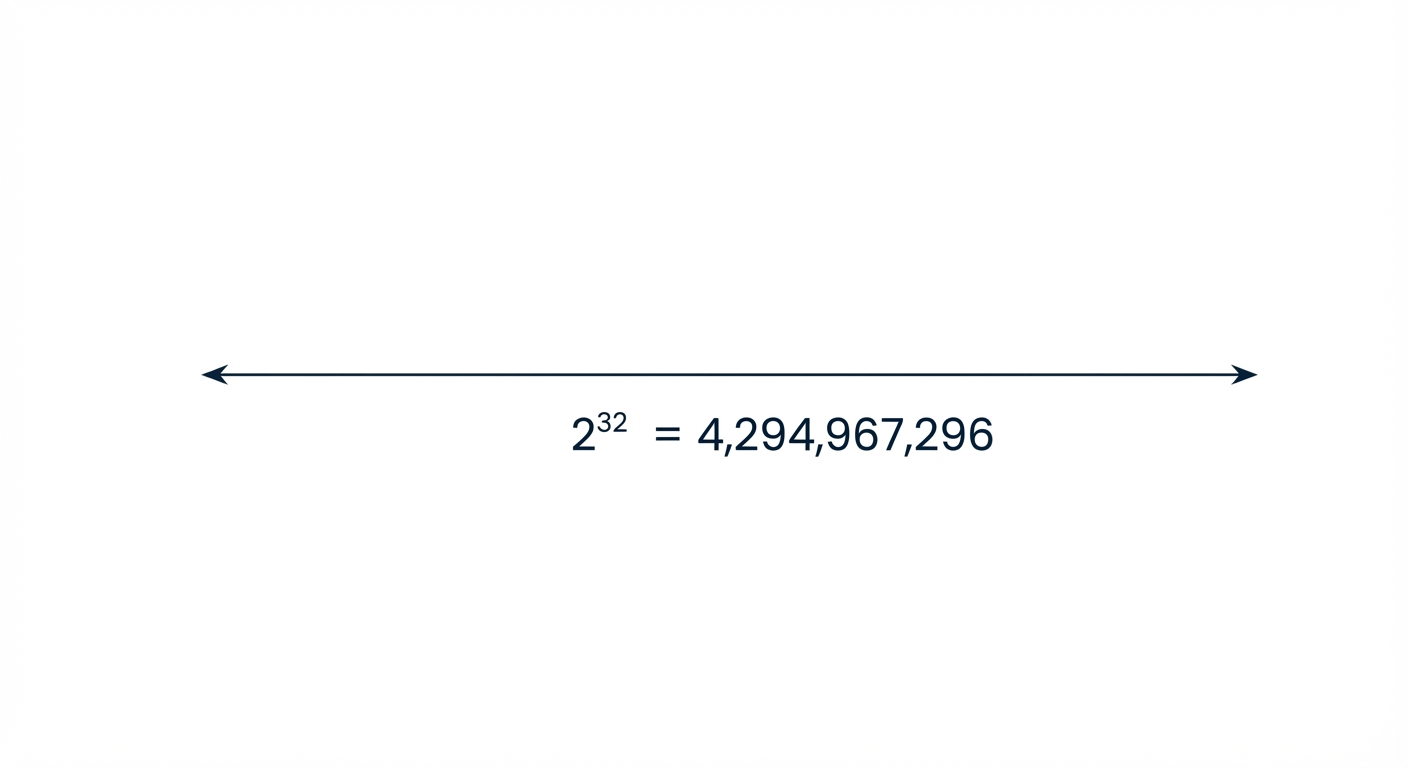
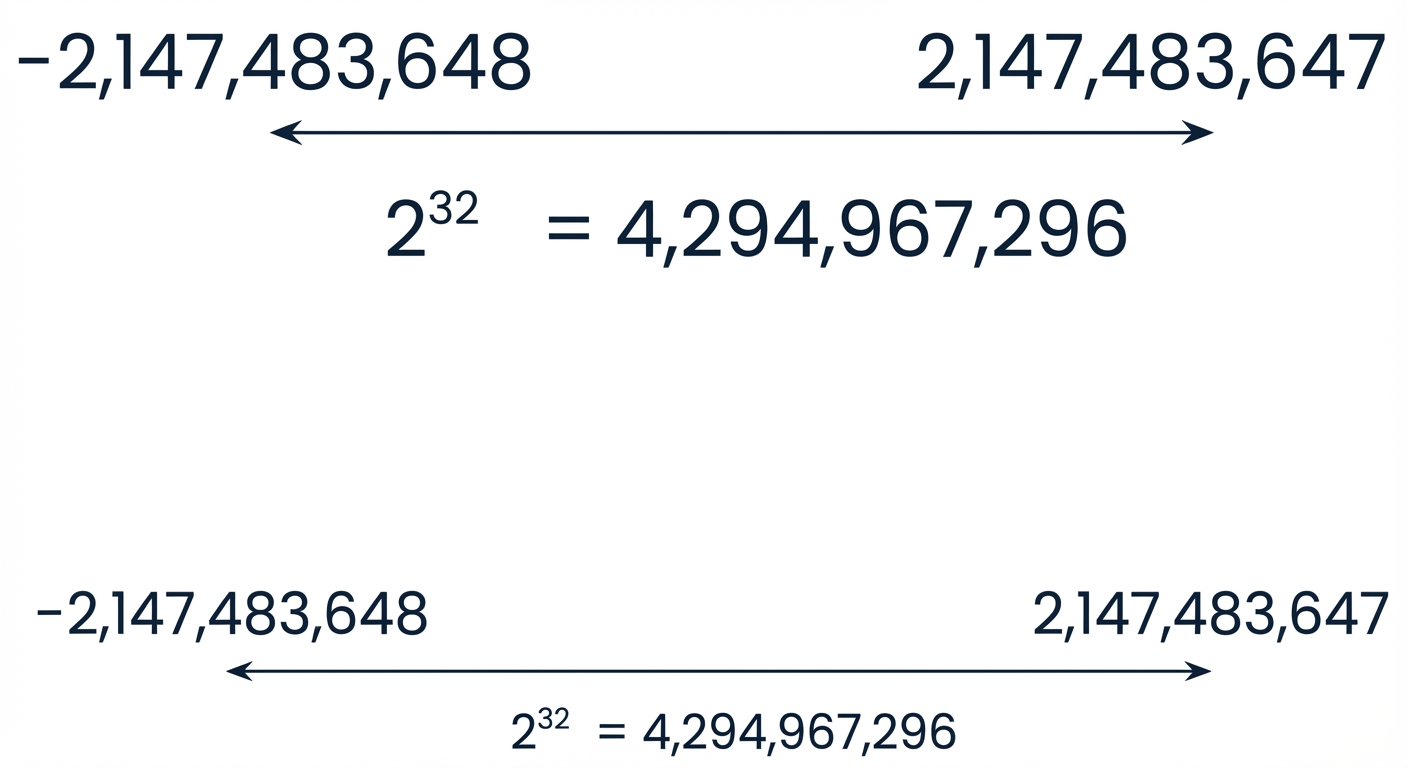
np.int32는 4,294,967,296개의 정수를 저장할 수 있습니다:
숫자 10436의 이진수 표현:
np.int32는 4,294,967,296개의 정수를 저장할 수 있습니다:
np.array([1.32, 5.78, 175.55]).dtype
dtype('float64')
int_array = np.array([[1, 2, 3], [4, 5, 6]])
int_array.dtype
dtype('int64')
np.array(["Introduction", "to", "NumPy"]).dtype
dtype('<U12')
float32_array = np.array([1.32, 5.78, 175.55], dtype=np.float32)
float32_array.dtype
dtype('float32')
boolean_array = np.array([[True, False], [False, False]], dtype=np.bool_)
boolean_array.astype(np.int32)
array([[1, 0],
[0, 0]], dtype=int32)
np.array([True, "Boop", 42, 42.42])
array(['True', 'Boop', '42', '42.42'], dtype='<U5')
정수 배열에 float를 더하면 모든 정수가 float로 바뀝니다:
np.array([0, 42, 42.42]).dtype
dtype('float64')
불리언 배열에 정수를 더하면 모든 불리언이 정수로 바뀝니다:
np.array([True, False, 42]).dtype
dtype('int64')
NumPy 소개