구조화된 출력 생성

Llama 3 다루기

Imtihan Ahmed

Machine Learning Engineer

JSON으로 구조화된 출력

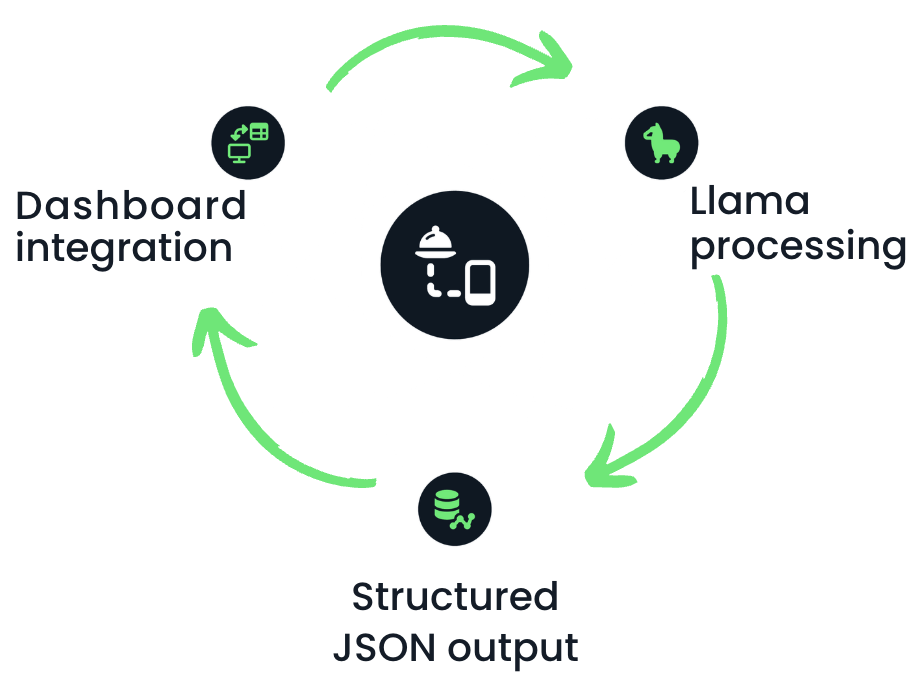
  • 예: Llama 응답을 대시보드 입력으로 사용할 수 있음

  • 일반 텍스트 응답은 불가 ❌

  • 구조화된 출력이 필요 ✅

식음료 분석 회사 직원

레스토랑 보고서 자동화 다이어그램

Llama 3 다루기

채팅 완성으로 JSON 응답 받기

response_format = {"type": "json_object"}


message_list = [ {"role": "system", # System role defined as market analyst "content": "You are a food industry market analyst. You analyze sales data and generate structured JSON reports of top-selling beverages."},
{"role": "user", # User role to pass the request "content": "Provide a structured report on the top-selling beverages this year."} ]
Llama 3 다루기

채팅 완성으로 JSON 응답 받기

output = llm.create_chat_completion(
         messages = message_list,

response_format = "json_object"
)
  • 응답 형식JSON으로 지정
  • Llama는 자유 형식 텍스트 없이 구조화된 응답 생성
Llama 3 다루기

JSON 응답 추출

print(output['choices'][0]['message']['content'])
{
  "report_name": "Top-Selling Beverages 2024",
  "top_beverages": [
    {
      "rank": 1,
      "beverage_name": "Coca-Cola Classic",
      "sales_volume": 2.1,
      "growth_rate": 1.9
    },... ]
}
Llama 3 다루기

스키마 정의

response_format = {
"type": "json_object",

"schema": {
"type": "object",
"properties": { "Product Name": {"type": "string"}, "Category": {"type": "string"}, "Sales Growth": {"type": "float"}}
}
}
  • 스키마 지정 가능: 데이터 형식을 정의하는 규칙
Llama 3 다루기

스키마 정의

output = llm.create_chat_completion(
         messages = message_list,
         response_format = response_format)  

print(output['choices'][0]['message']['content'])
{
  "Product Name": "Coca-Cola",
  "Category": "Soft Drink",
  "Sales Growth": 12.5
}
Llama 3 다루기

연습해 봅시다!

Llama 3 다루기

Preparing Video For Download...