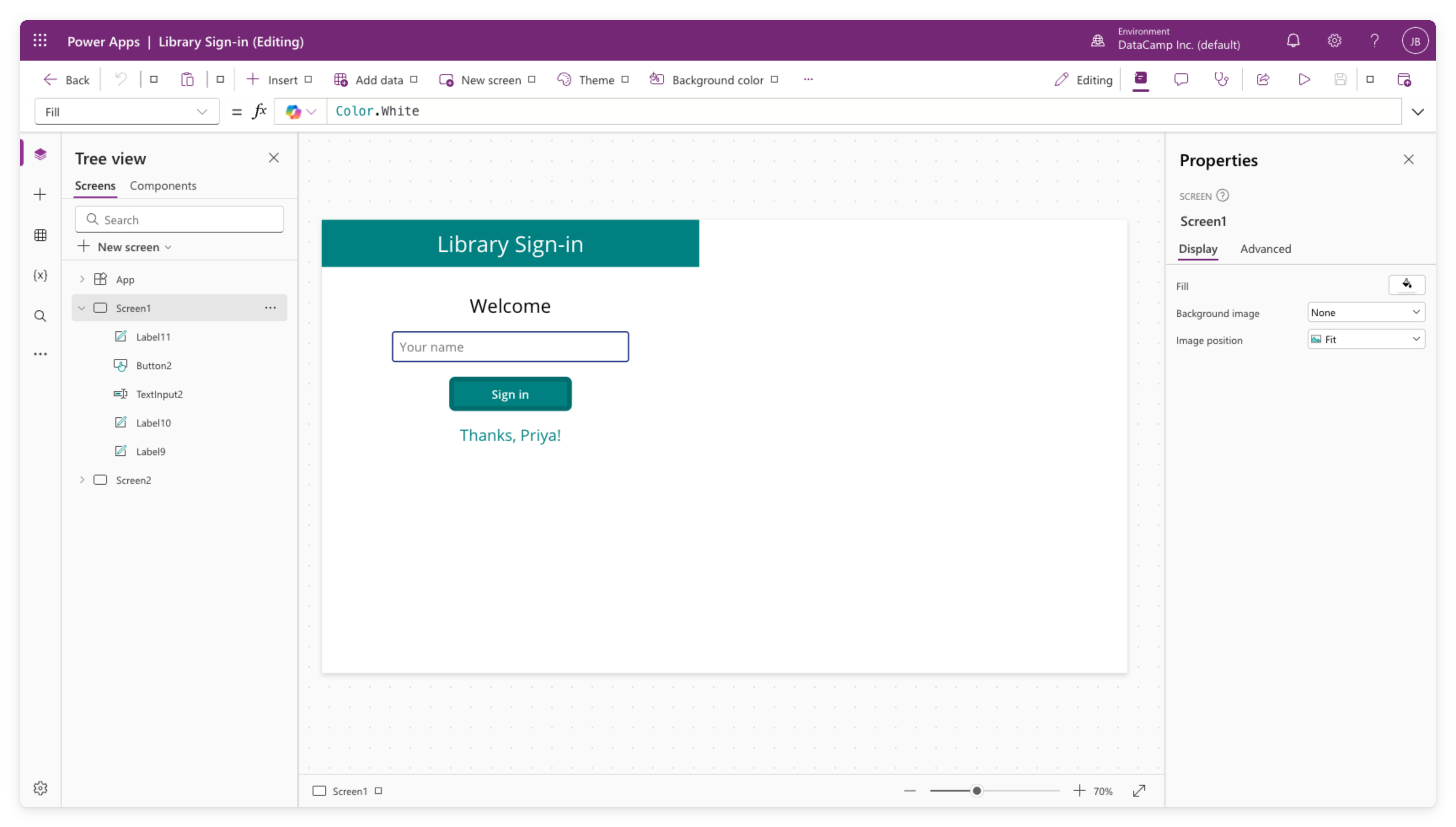
Navigating Power Apps Studio
Introduction to Power Apps

Luise Freese
Azure & Power Platform Architect
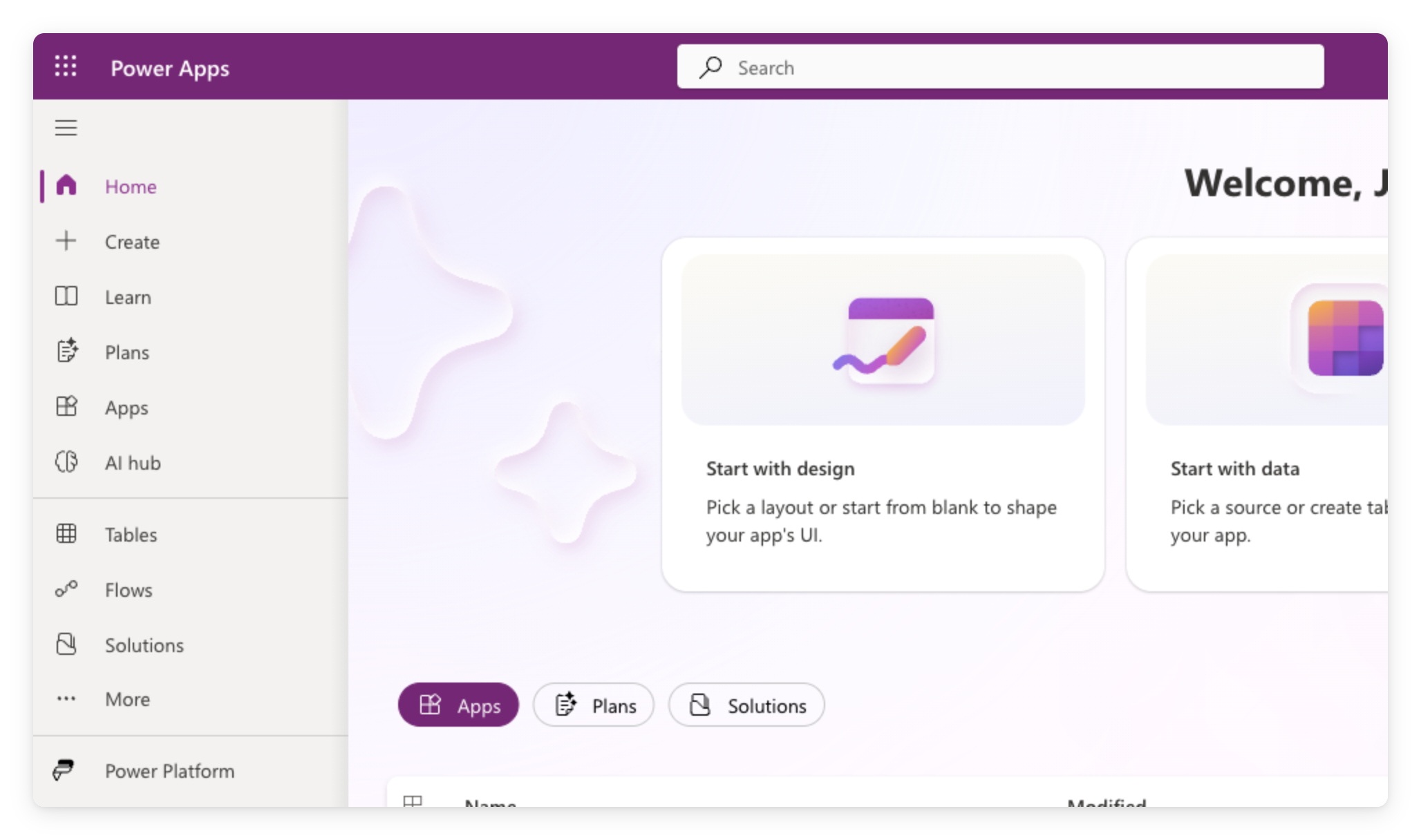
The maker portal
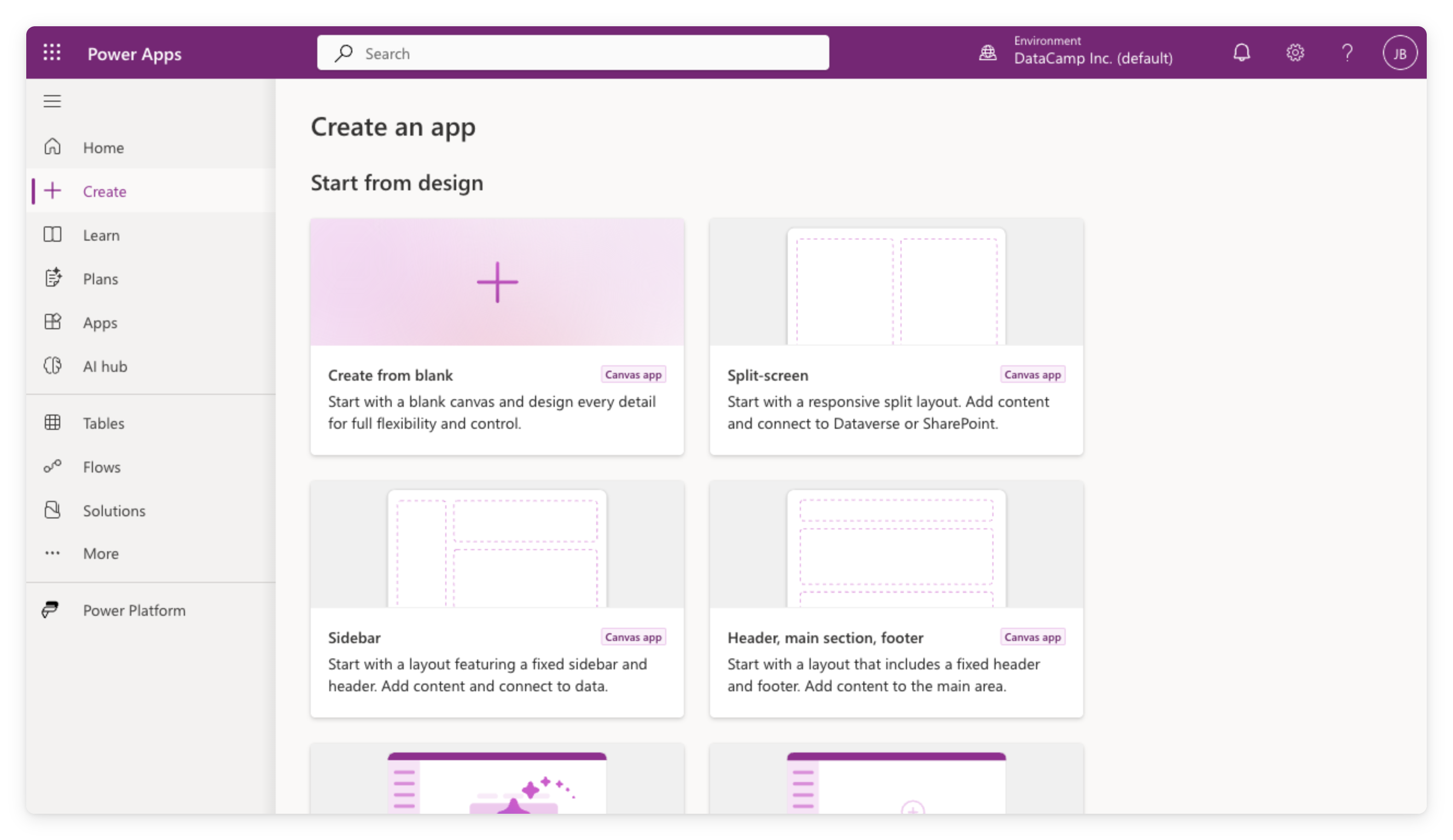
Creating a blank canvas app
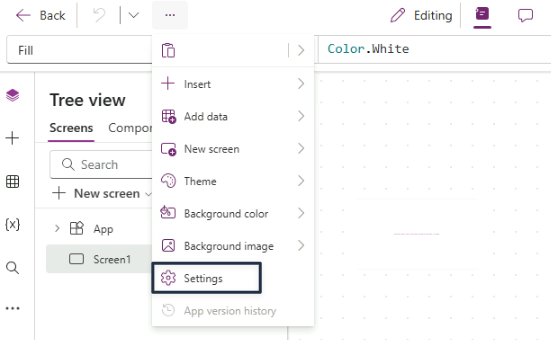
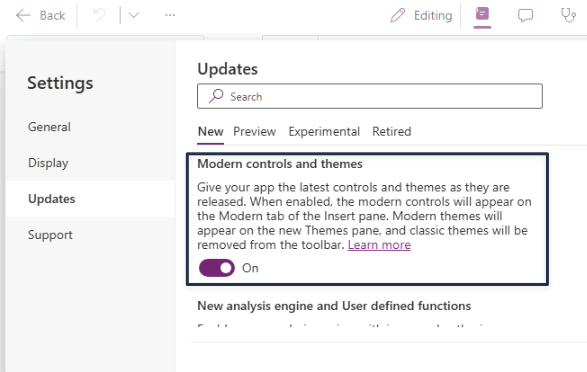
Turn modern controls on
- App-level setting
- Off by default
- Already on if a teammate enabled it first
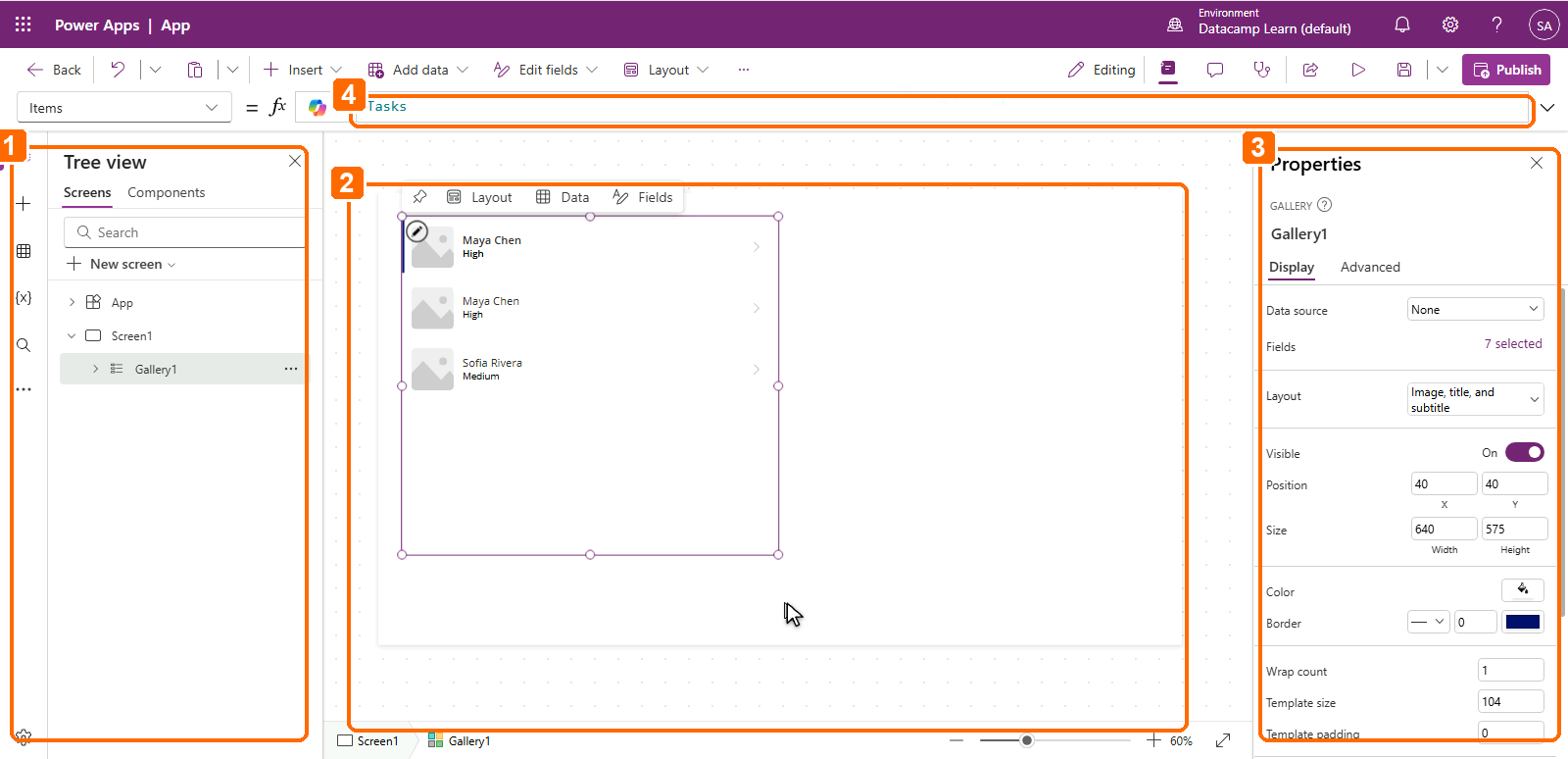
Inside the studio editor
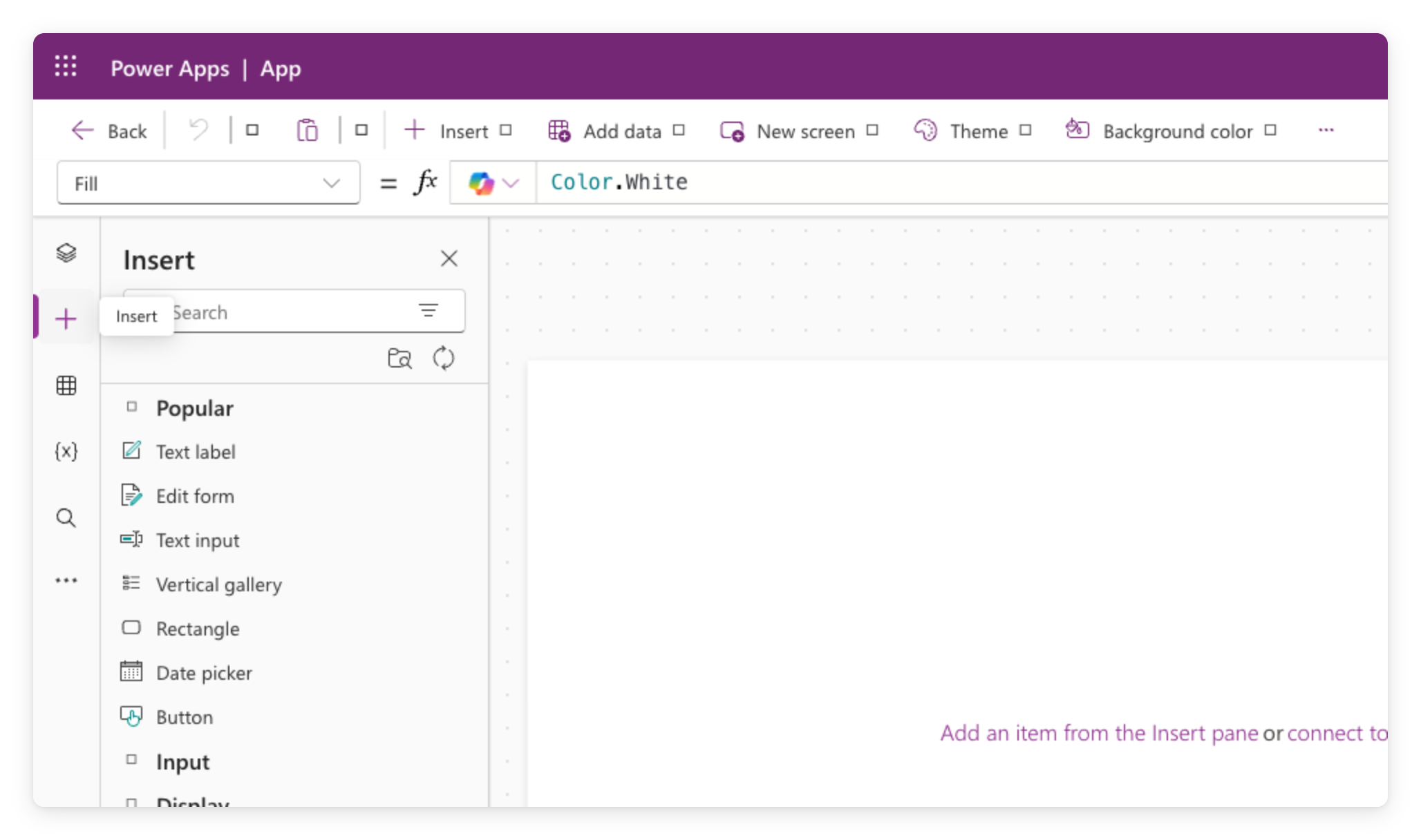
Adding controls
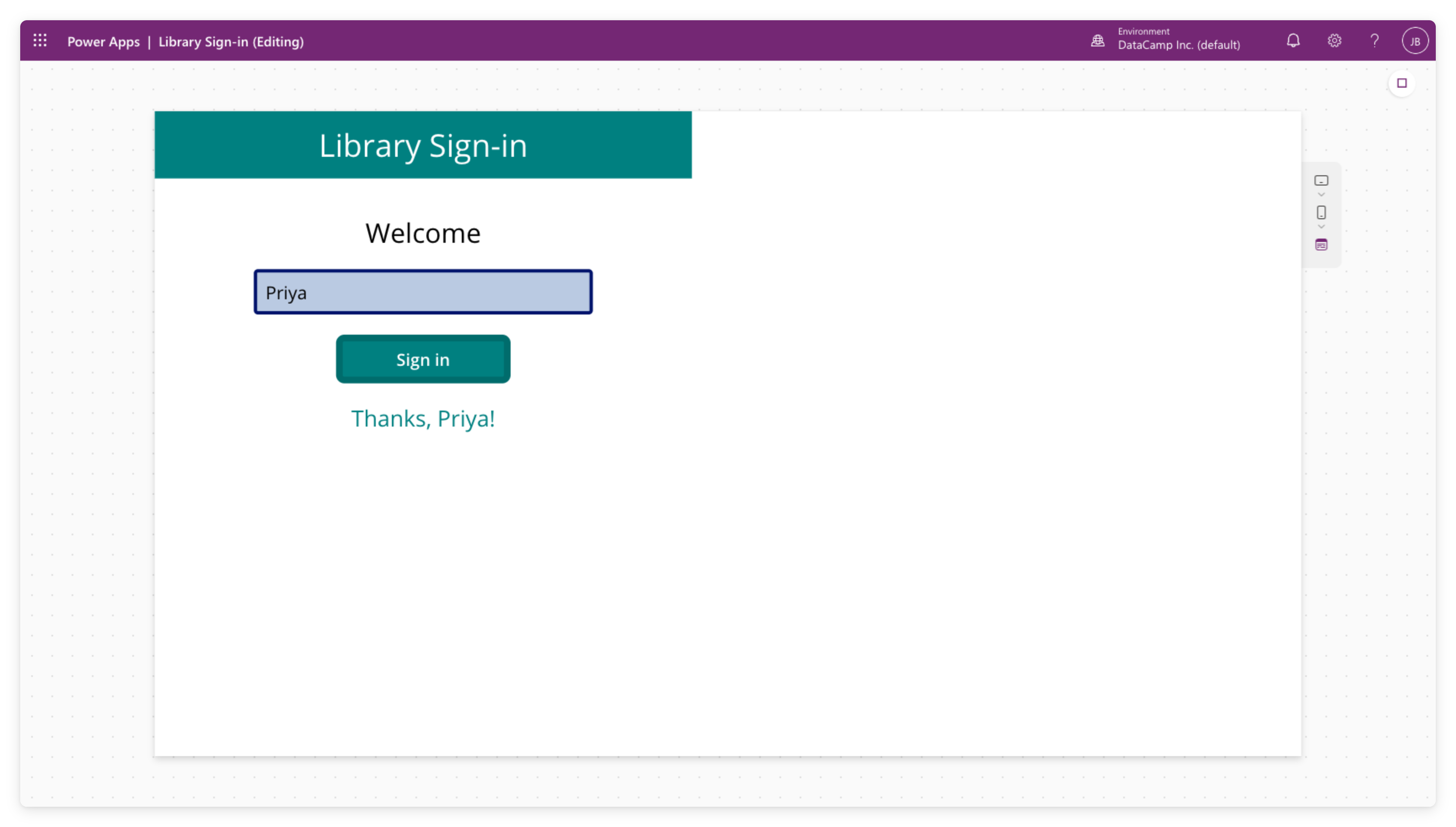
Preview your app
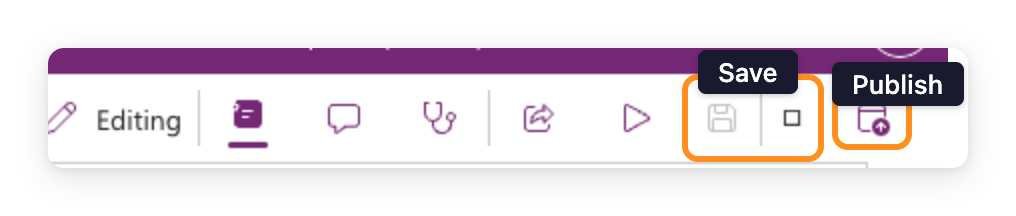
Save versus publish
$$
Containers come later
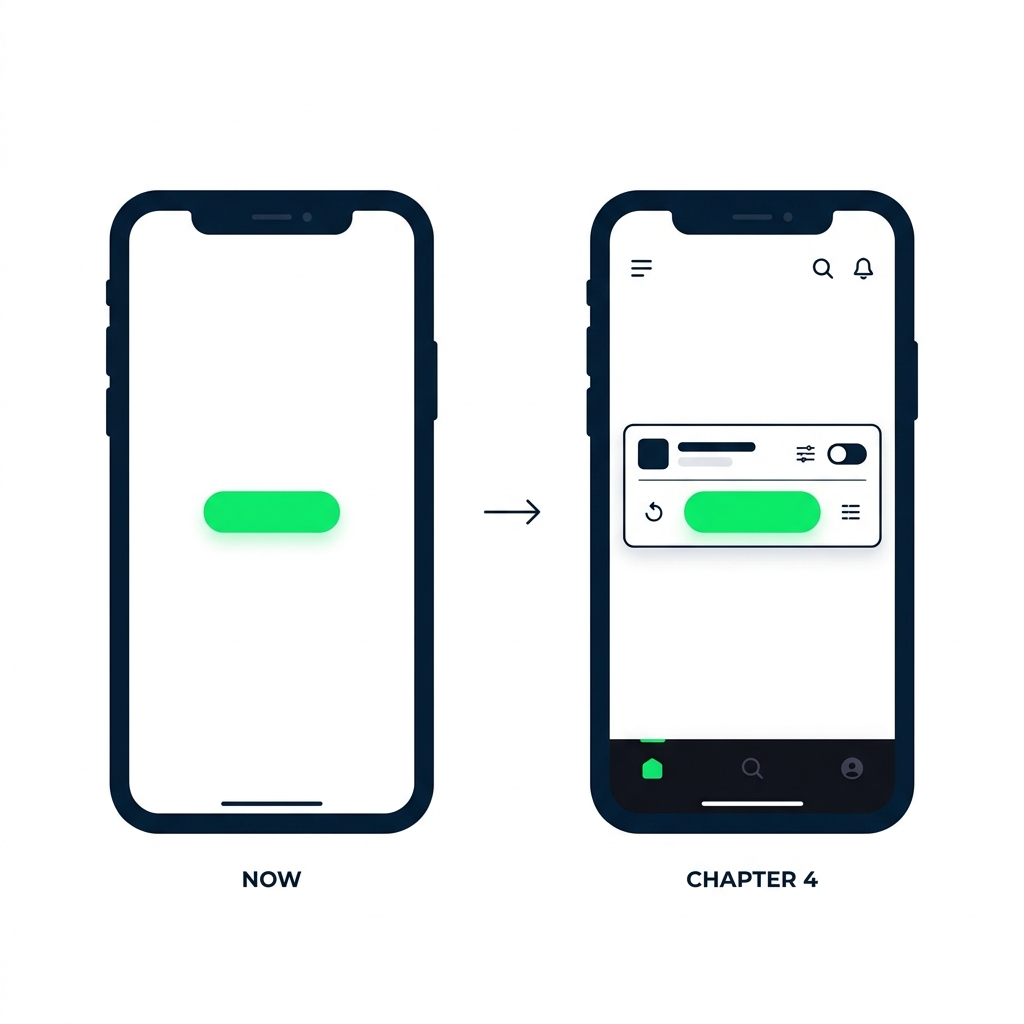
What you'll build
$$