Filtering and searching data

Introduction to Power Apps

Luise Freese

Azure & Power Platform Architect

Filter()

 

  • Filter(source, condition) returns matching rows
  • Use it in a gallery's Items property
  • For example:
    • Filter('Marketing Tasks', Status.Value = "In progress")

Illustration of a data funnel filtering many rows down to a few matching results

Introduction to Power Apps

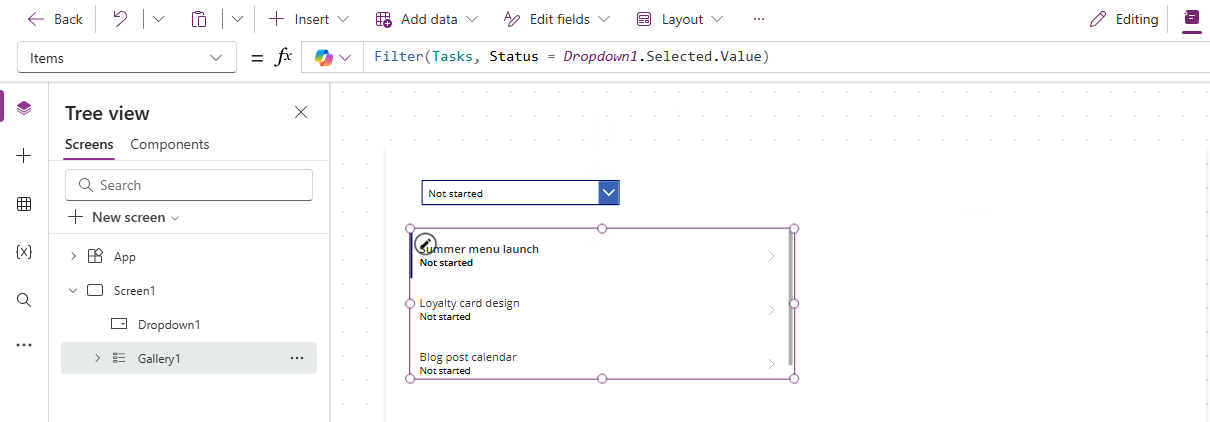
Wire it to a dropdown

Data flow diagram: StatusDropdown at top, arrow to Filter formula, arrow to gallery of task cards, showing the top-to-bottom data-flow chain


  • Set the Dropdown's Items to a list of status options
  • Reference Dropdown1.Selected.Value in the gallery filter
  • Pick a status → gallery narrows instantly
Introduction to Power Apps

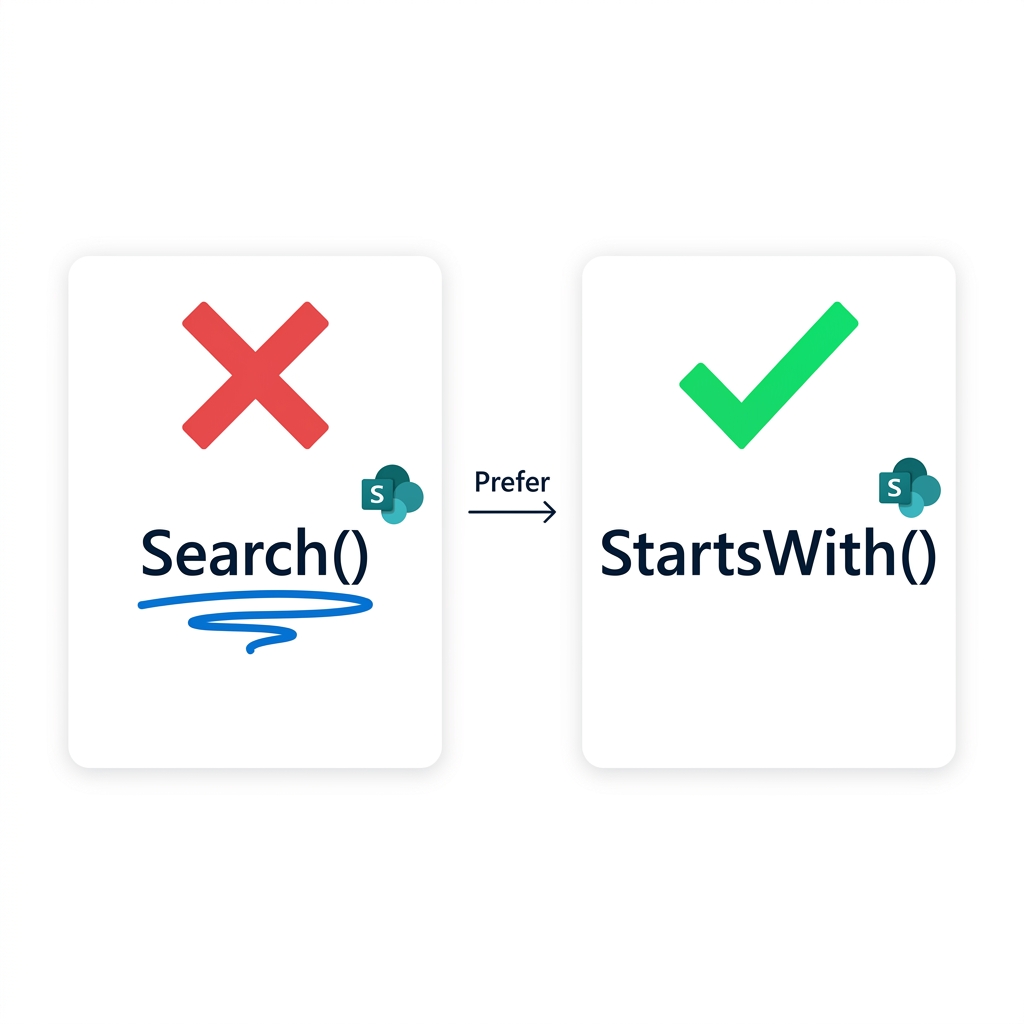
Why StartsWith beats Search


  • Search(), matches substrings, anywhere
  • …but doesn't delegate to most data sources
  • StartsWith() does delegate, use it

Comparison: Search() with red X and delegation warning squiggle vs StartsWith() with green check and no warning, arrow labeled "Prefer"

Introduction to Power Apps

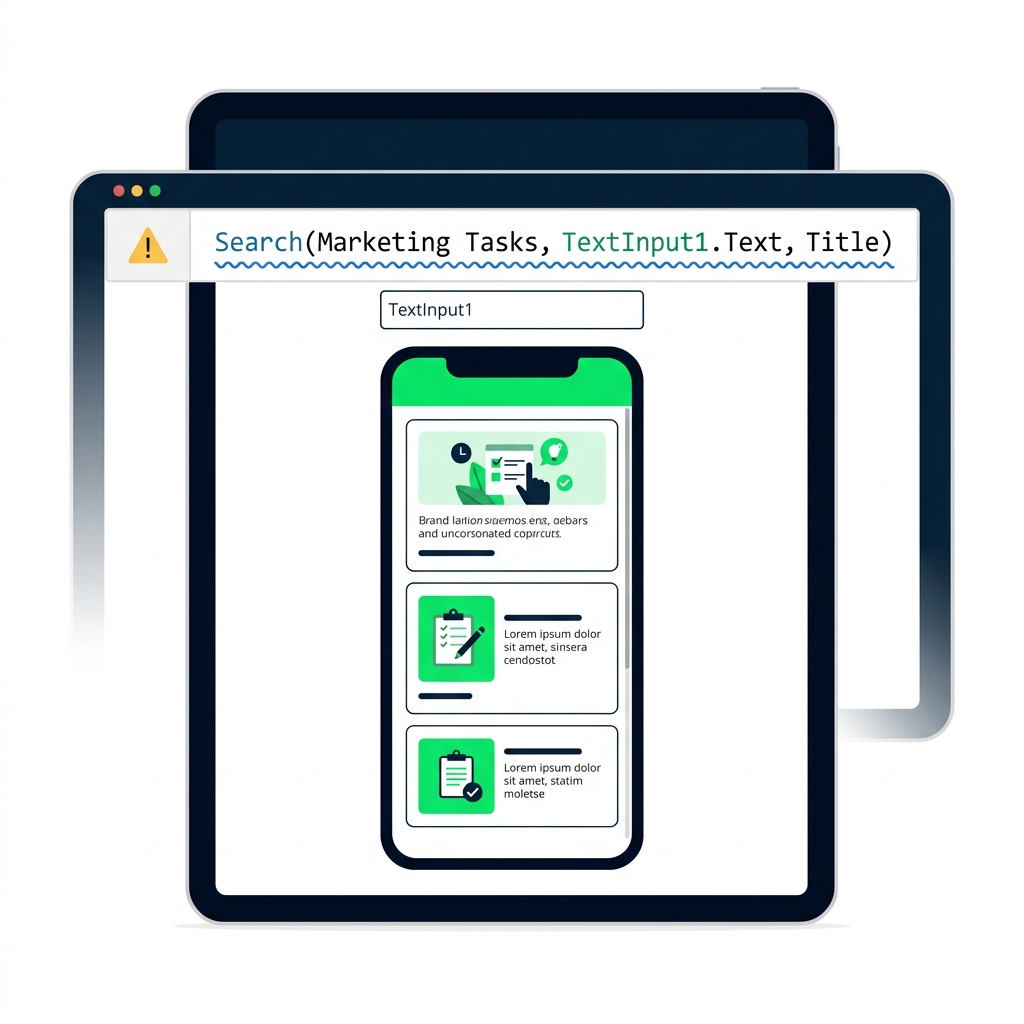
The delegation warning

Power Apps formula bar showing a formula with a blue squiggly delegation warning underline, and a yellow warning tooltip reading "Delegation warning: results may be incomplete"


  • A blue squiggle means Power Apps can't push your formula
  • It works for small datasets, silently truncates large ones
  • Always notice it; rewrite when you can
Introduction to Power Apps

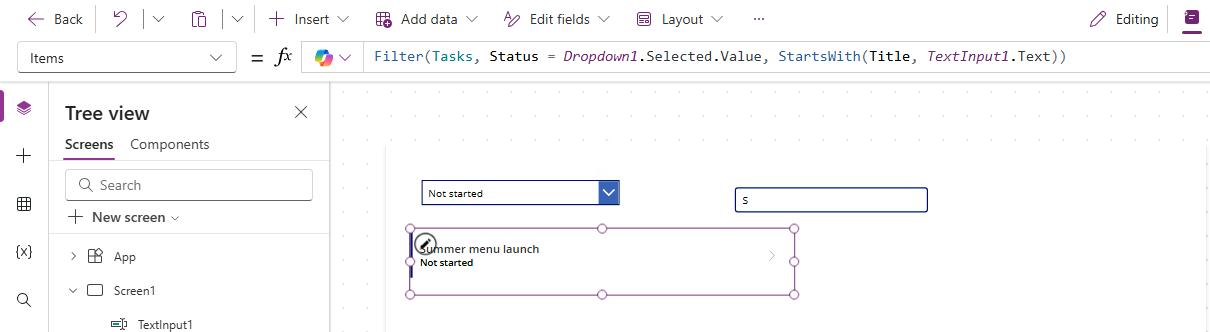
Combining Filter and StartsWith


  • One Filter() can take multiple conditions
  • Join them with And() or &&
  • For example:
    • Filter(src, Status.Value = sel, StartsWith(Title, txt))


Illustration of a person browsing a filtered list of cards on a device

Introduction to Power Apps

What you'll build

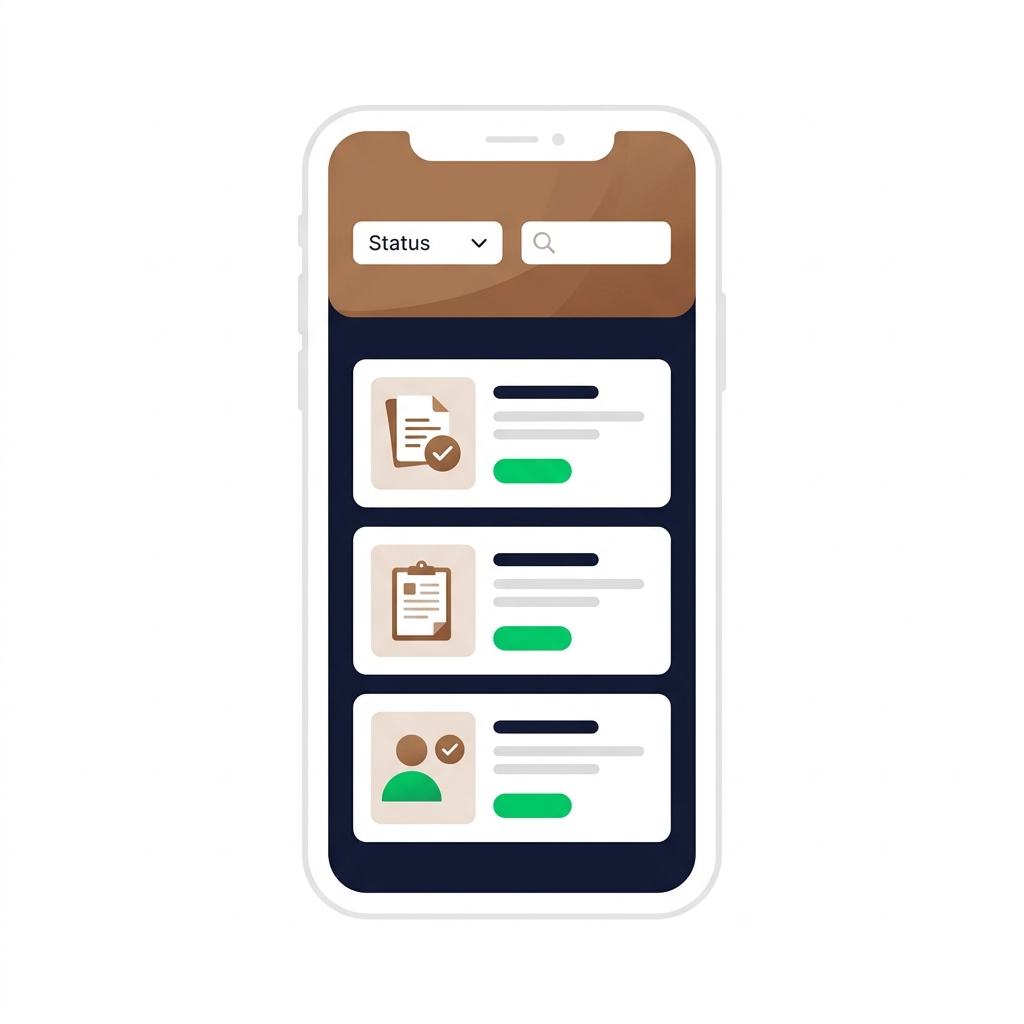
Finished Lumen app with a Status dropdown and search box above a filtered gallery of task cards, using warm coffee-brown accents


  • Filter by status with a Dropdown
  • Search by title with StartsWith
  • Combine both into a single filter
Introduction to Power Apps

Let's practice!

Introduction to Power Apps

Preparing Video For Download...