Congratulations

Introduction to Power Apps

Luise Freese

Azure & Power Platform Architect

Chapter 1: your first canvas app
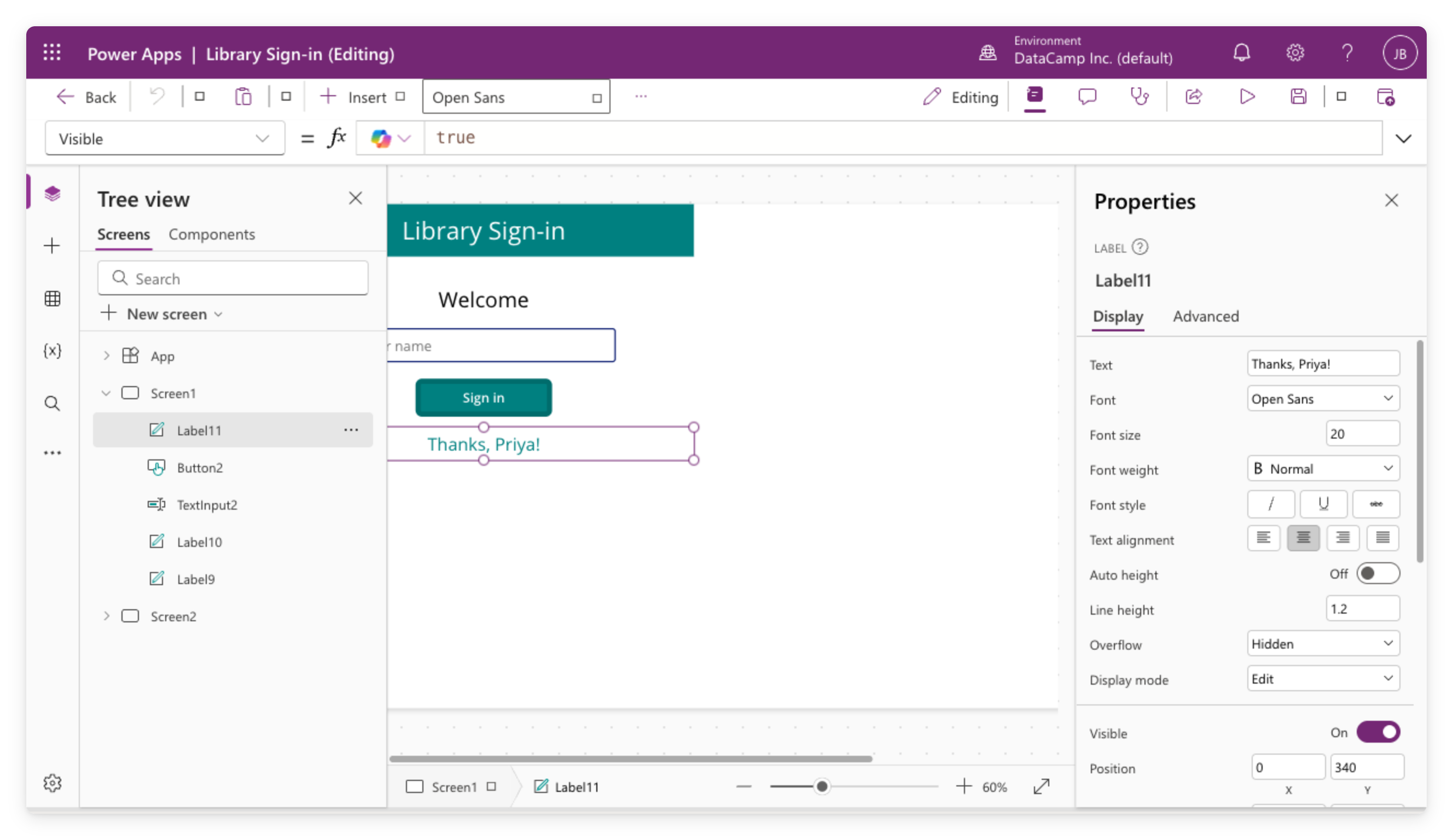
 

Real screenshot of the Library Sign-in canvas app open in Power Apps Studio


  • Created a canvas app from a blank screen
  • Added controls: labels, buttons, text inputs
  • Used Set() and If() for logic in the formula bar
  • Turned on modern controls and themes, then styled every screen at once
Introduction to Power Apps

Chapter 2: real data and galleries


  • Connected to a data source
  • Displayed records in a gallery with templates
  • Added Filter() and StartsWith() for finding records
  • Learned about delegation and its limits


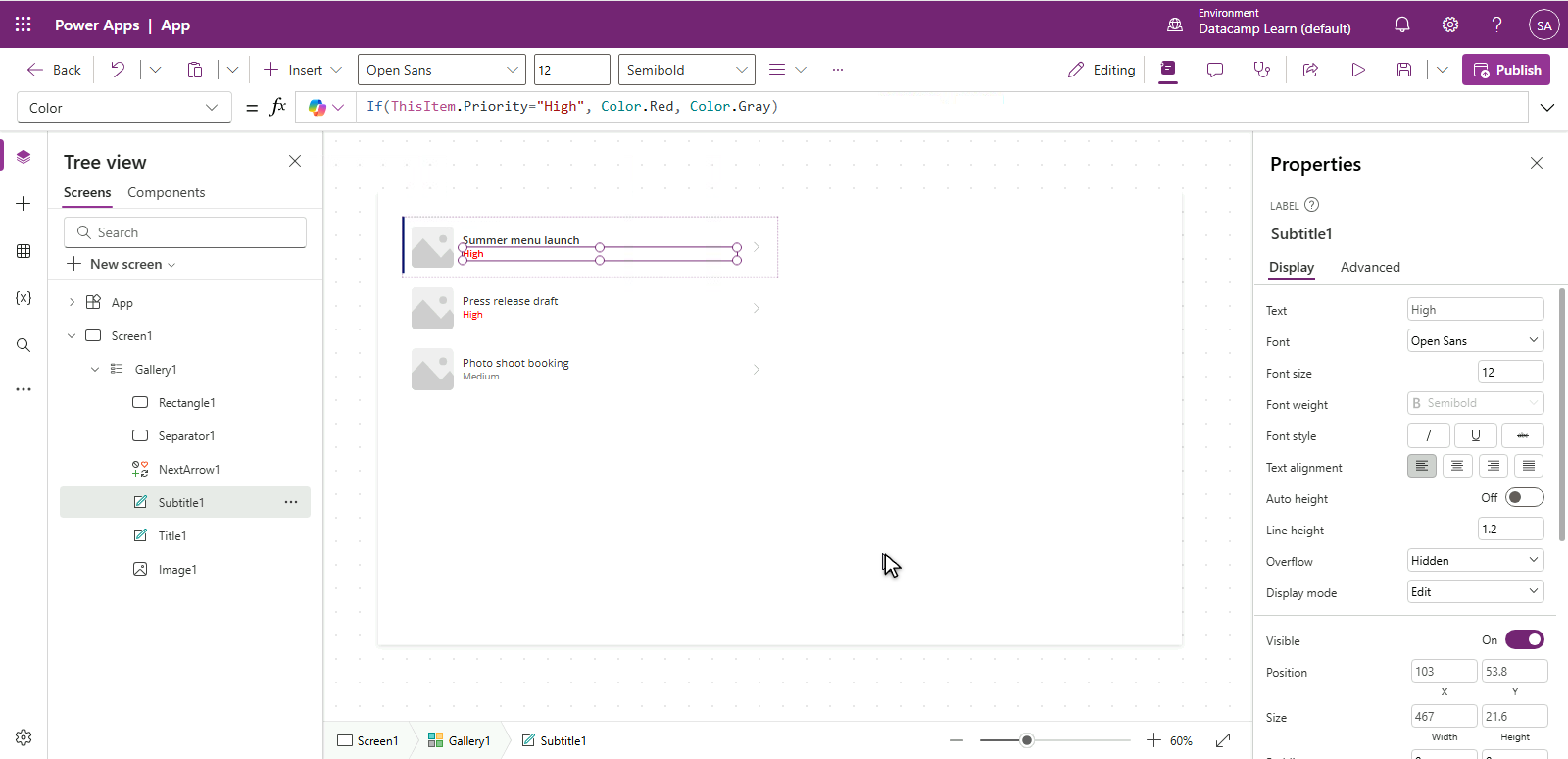
Power Apps gallery of Lumen's tasks with the Priority label conditionally colored, High in red and the rest in gray

Introduction to Power Apps

Chapter 3: multi-screen workflow

$$

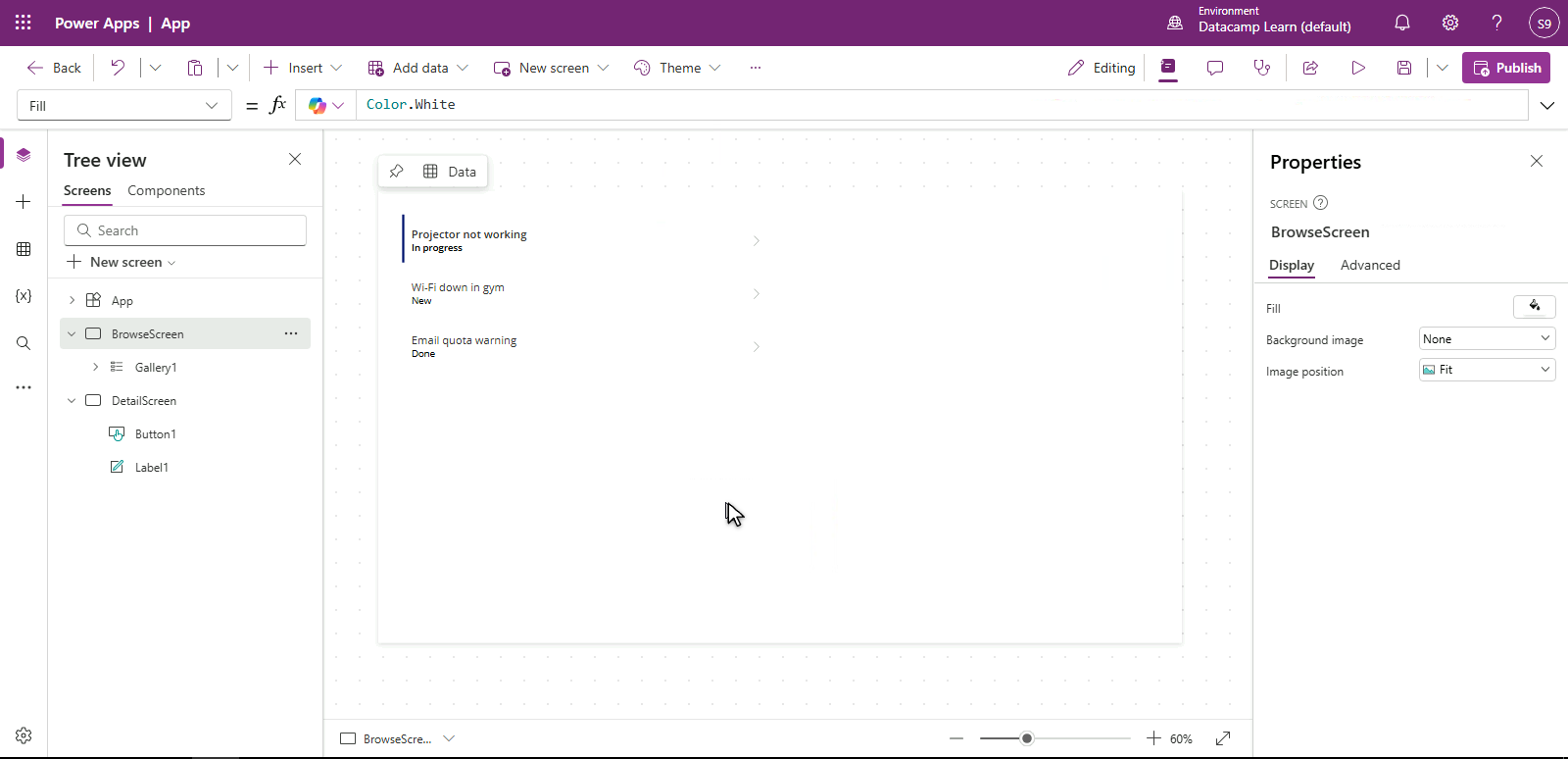
Real screenshot of the Bramblewood Helpdesk app in Power Apps Studio: the Tree view lists BrowseScreen with a ticket gallery and DetailScreen with a label and an Edit button, and the canvas shows the ticket gallery


  • Added navigation between screens
  • Built an Edit form with the full create/edit lifecycle
  • Added validation that refuses bad input
  • Ran App Checker before every publish
Introduction to Power Apps

Chapter 4: responsive and published


  • Wrapped controls in Layout containers
  • Made the app responsive across phone, tablet, laptop
  • Published and managed version history
  • Shared with the right permission tiers


$$

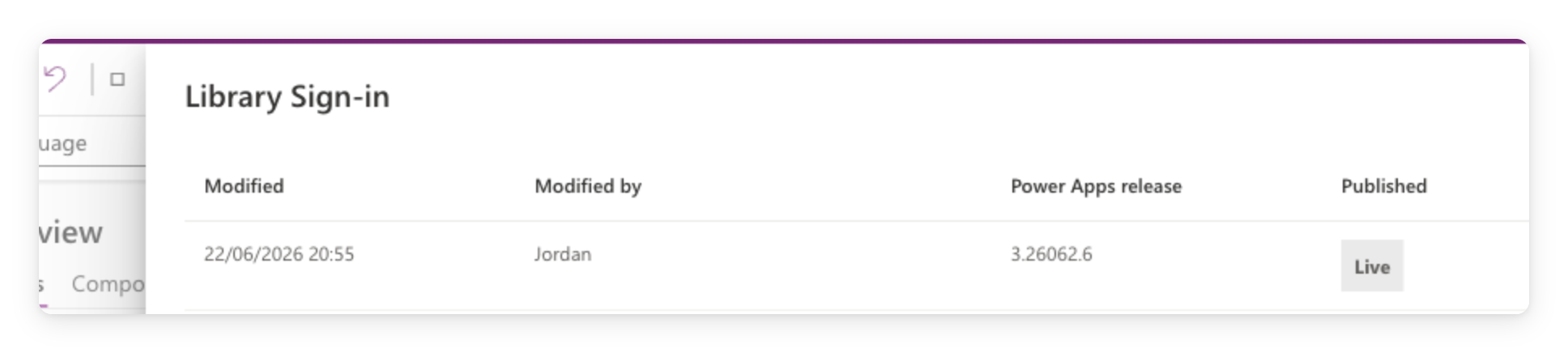
Real screenshot of the Power Apps Studio version history panel showing the Library Sign-in app published, with the current version marked Live

Introduction to Power Apps

What's next?

Illustration of a person climbing steps with a laptop, surrounded by certification, achievement, and rocket icons.


  • Microsoft certifications align with what you've learned here
  • Keep an eye out for more DataCamp courses on Power Platform
  • Your real next step → build one small app for your team
Introduction to Power Apps

Thank you!

Introduction to Power Apps

Preparing Video For Download...