Streaming data with DynamoDB

Developing applications on AWS

Ricardo Sueiras

Principal Technologist

DynamoDB Streams fundamentals
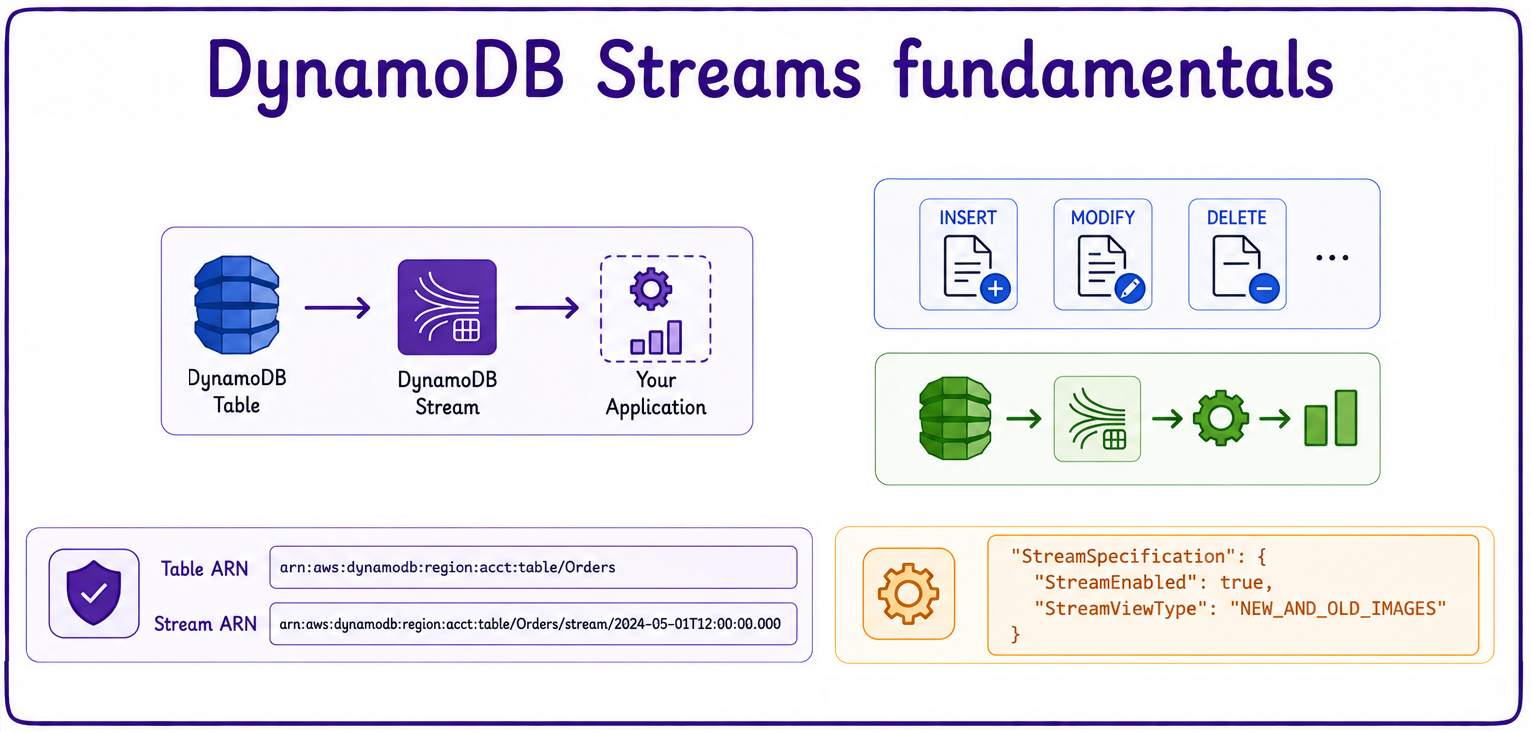
 

fundamentals

  • React to database changes in near real time.
  • Built on event-driven patterns.
  • Every insert, modify, or delete generates a stream record.
  • Build reactive apps without polling the table.
  • Disabled by default: enable with StreamSpecification.
  • Each stream has its own ARN, distinct from the table ARN.
Developing applications on AWS

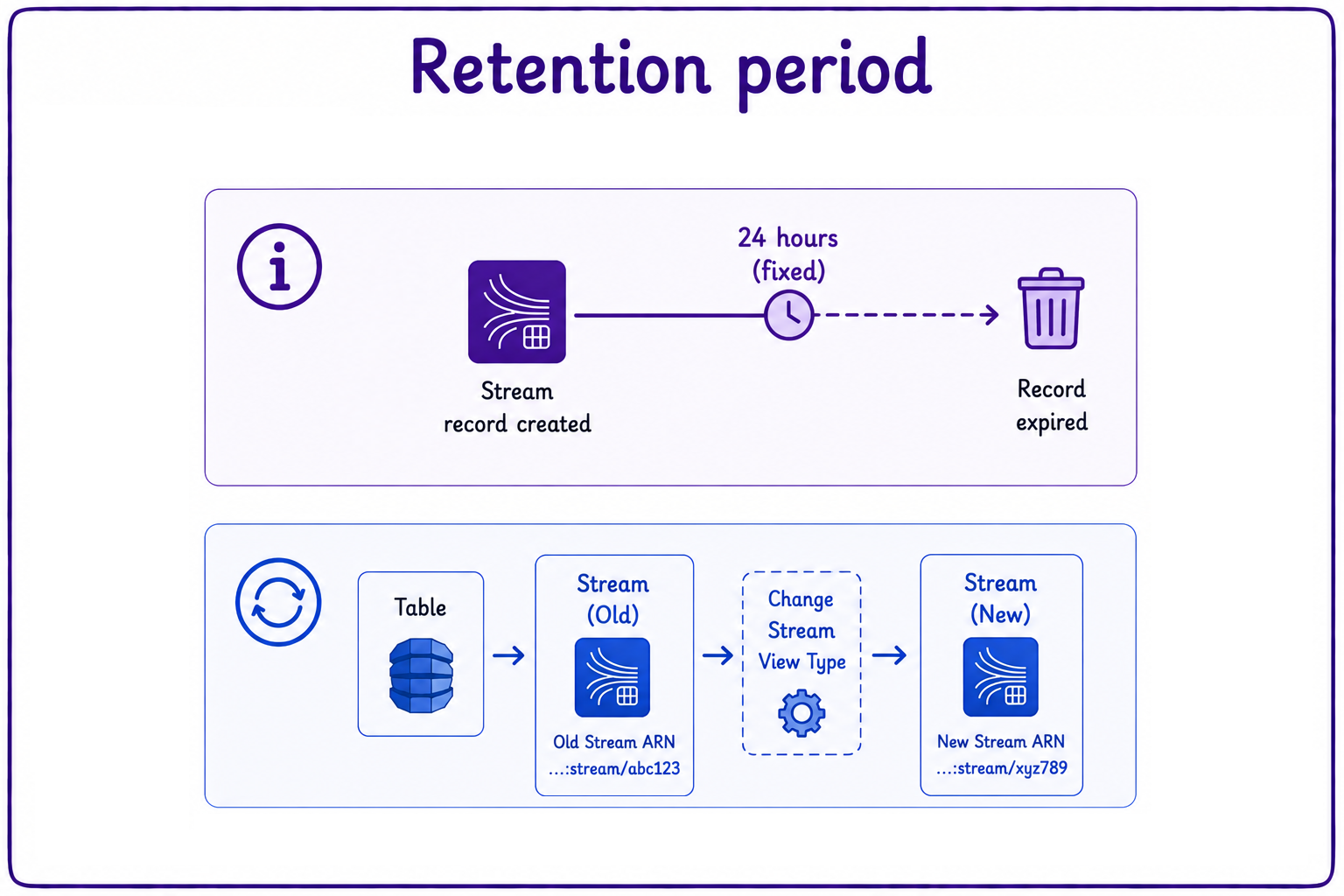
Retention period


retention

  • Stream records are retained for 24 hours.
    • Retention is fixed and cannot be configured.
  • Changing the view type means recreating the stream.
    • A new stream generates a new stream ARN.
Developing applications on AWS

Streams and DynamoDB read capacity units
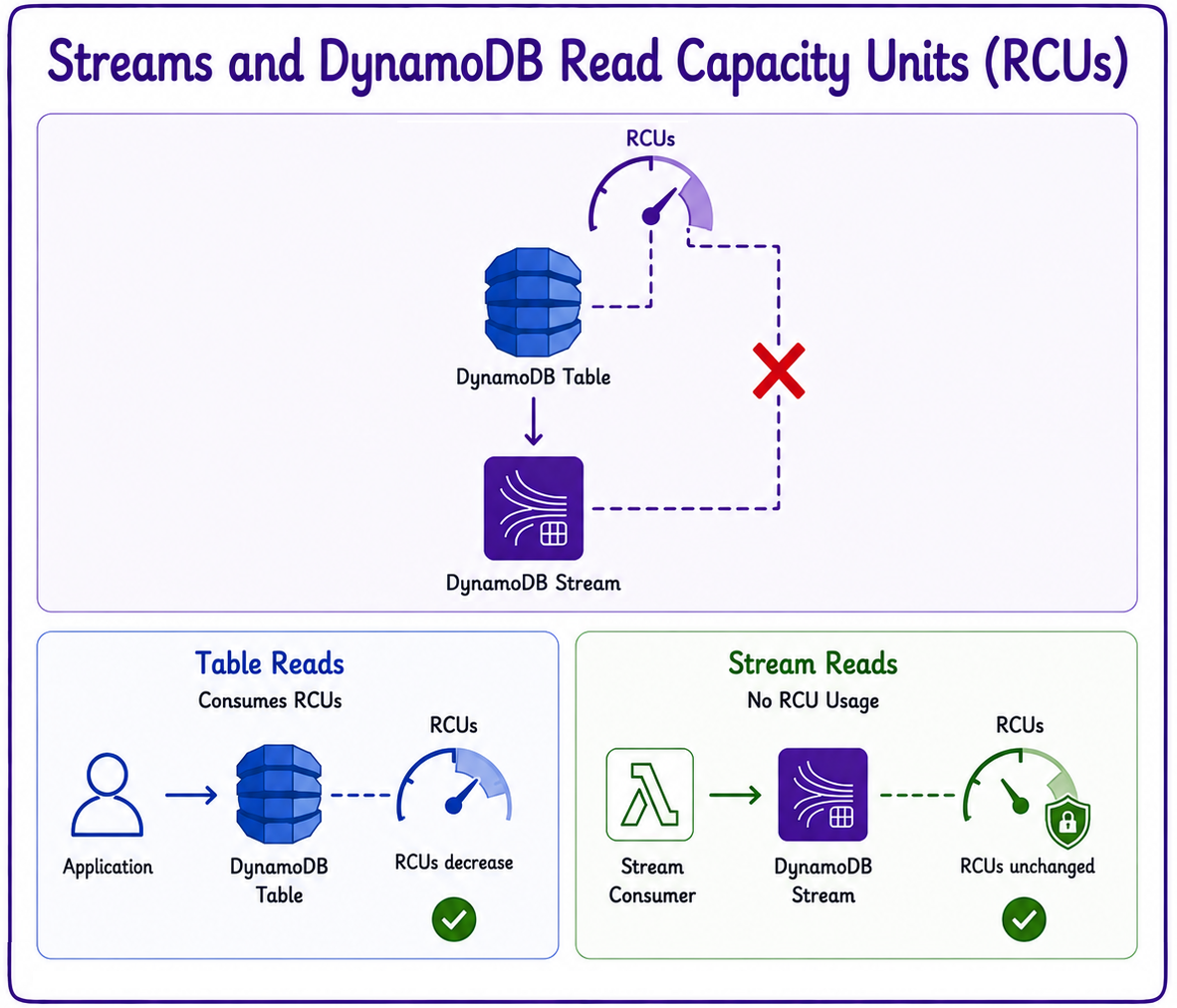
 

rcu

  • Stream reads do NOT consume your read capacity units (RCUs).
  • Enabling streams has no impact on provisioned throughput.
Developing applications on AWS

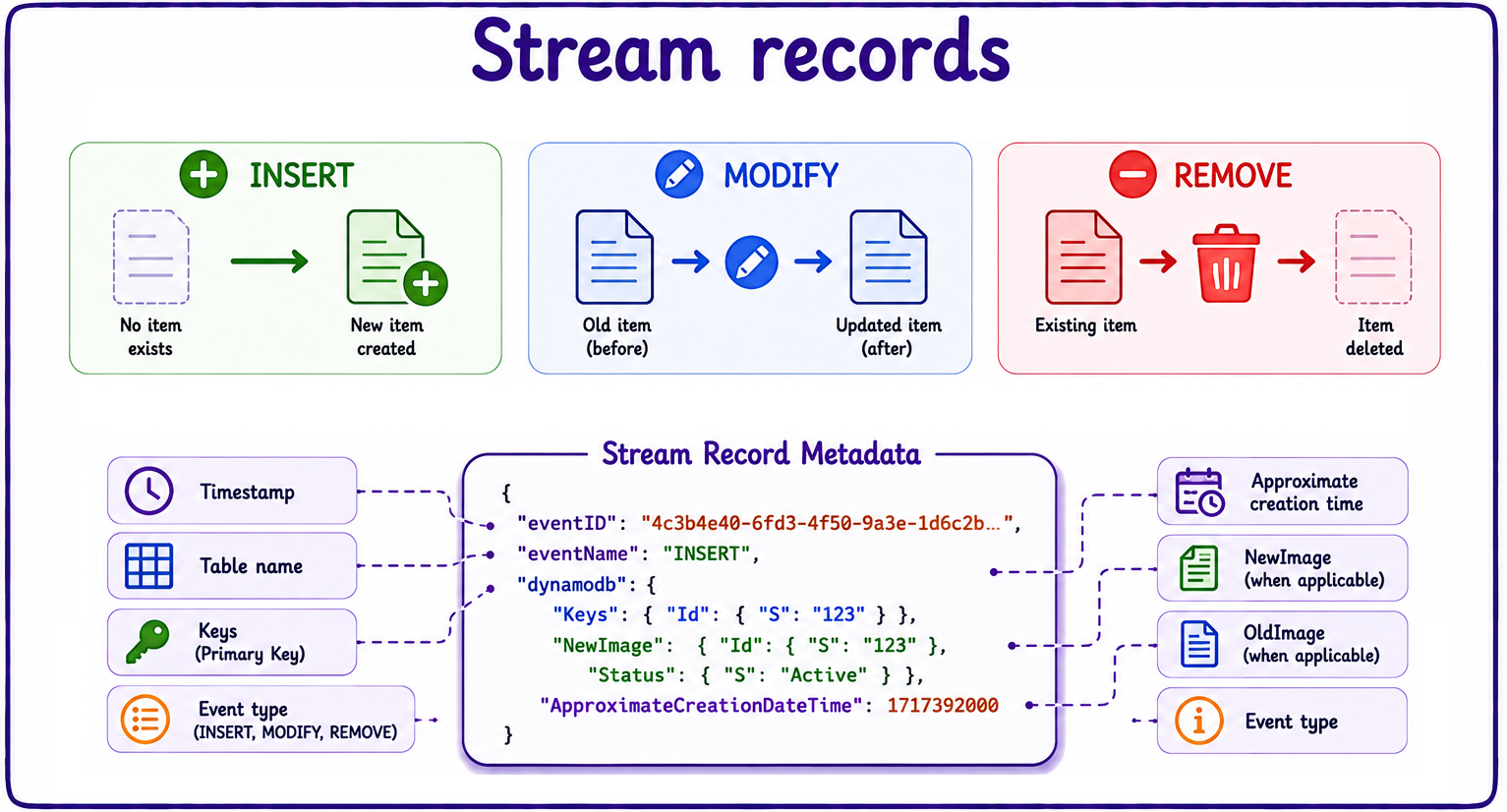
Stream records

  • Each stream record carries metadata describing the change.
  • Streams capture three event types:
    • INSERT
    • MODIFY
    • REMOVE


stream records

Developing applications on AWS
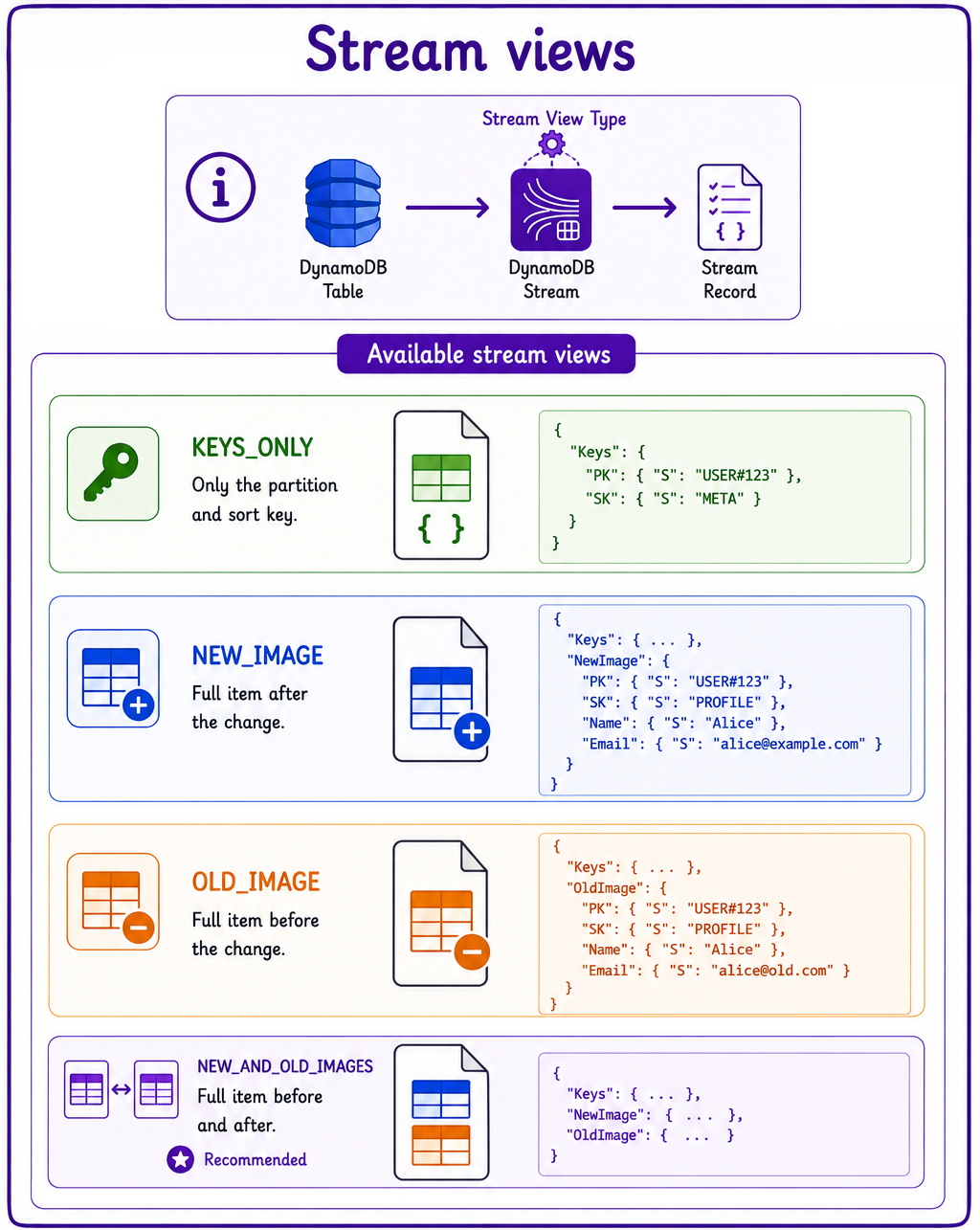
  • View types control which data lands in each record.
    • KEYS_ONLY: just the partition and sort key.
    • NEW_IMAGE: the full item after the change.
    • OLD_IMAGE: the full item before the change.
    • NEW_AND_OLD_IMAGES: the item before and after.
  • NEW_AND_OLD_IMAGES is the go-to for auditing.
  • Required for DynamoDB Global Tables.

stream views

Developing applications on AWS
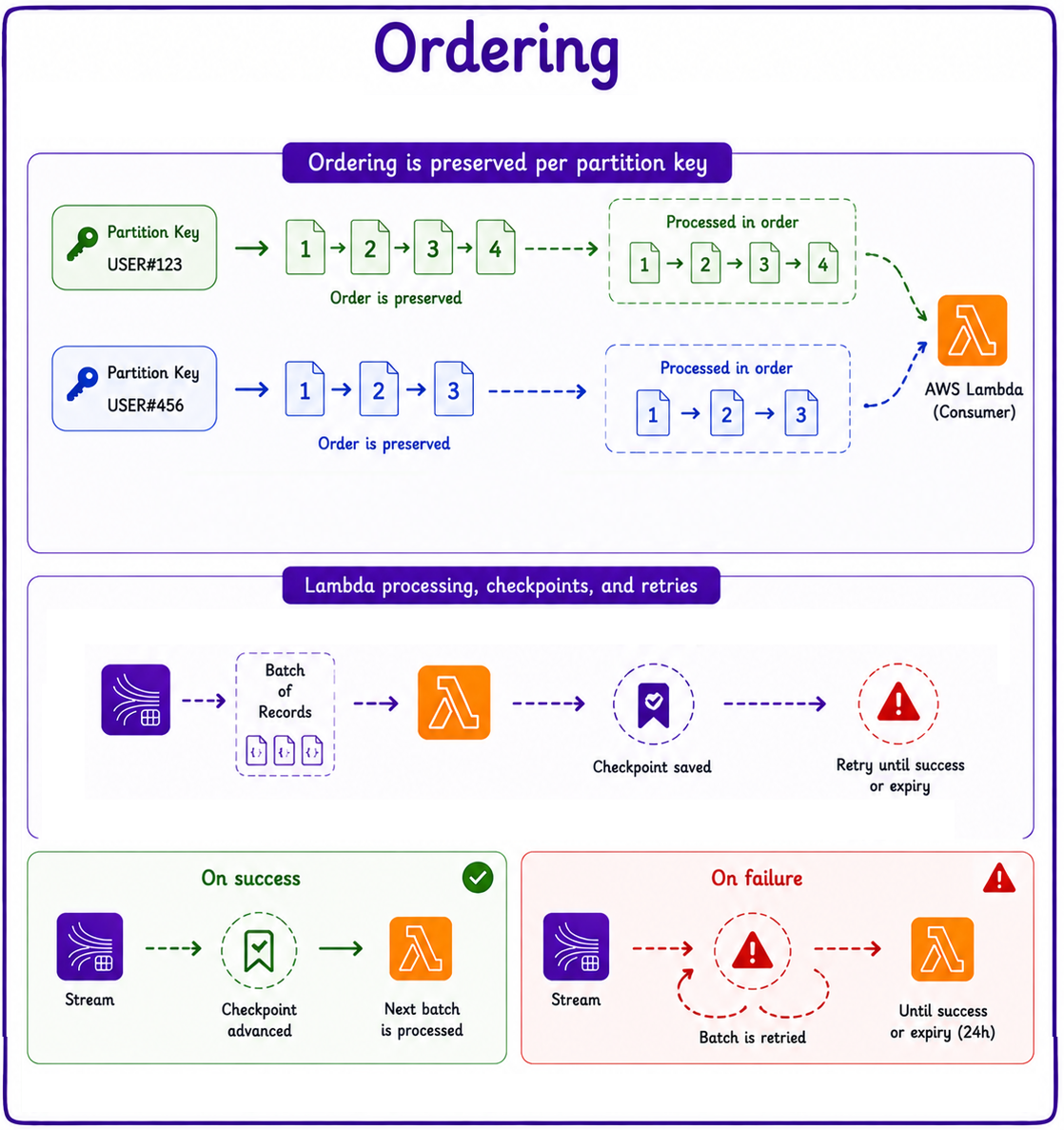
  • Streams preserve ordering per partition key.
  • Lambda processes records in batches.
    • Checkpoints progress after each successful batch.
    • Failed batches are retried.
    • Retries continue until success or records expire.


ordering

Developing applications on AWS


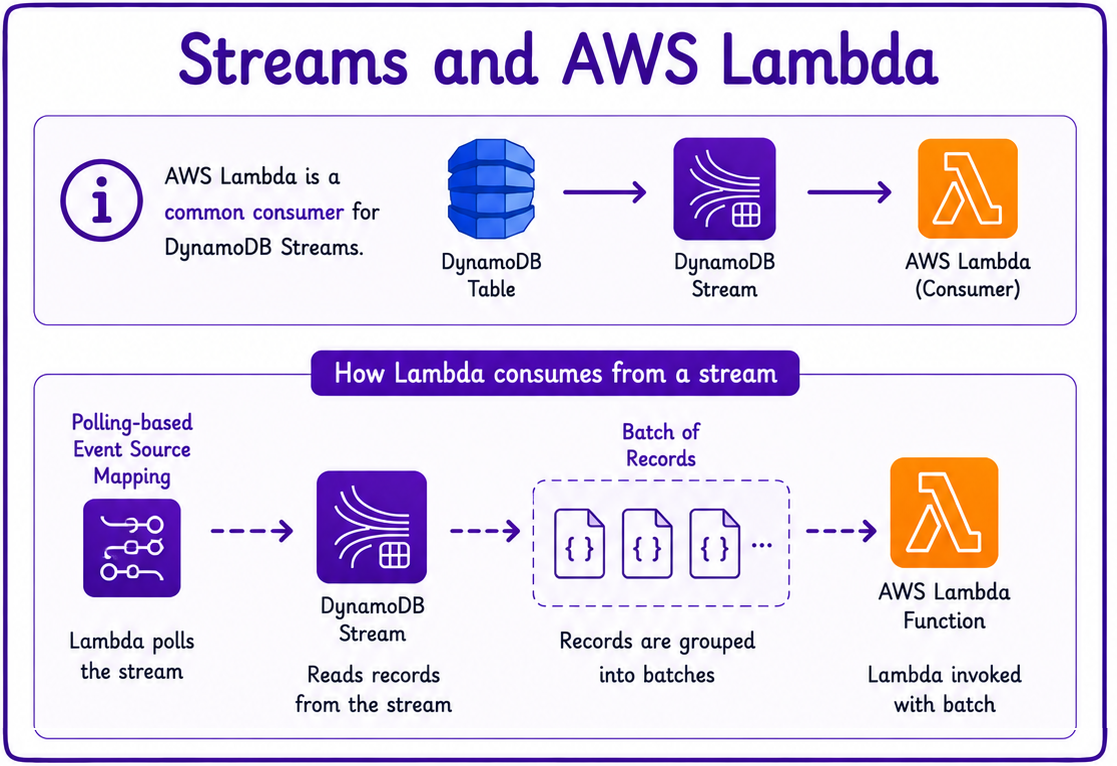
streams and aws lambda

  • Lambda is the most common stream consumer.
  • It uses a polling-based event source mapping.
  • Reads records from the stream.
  • Invokes your function with batches of records.
Developing applications on AWS

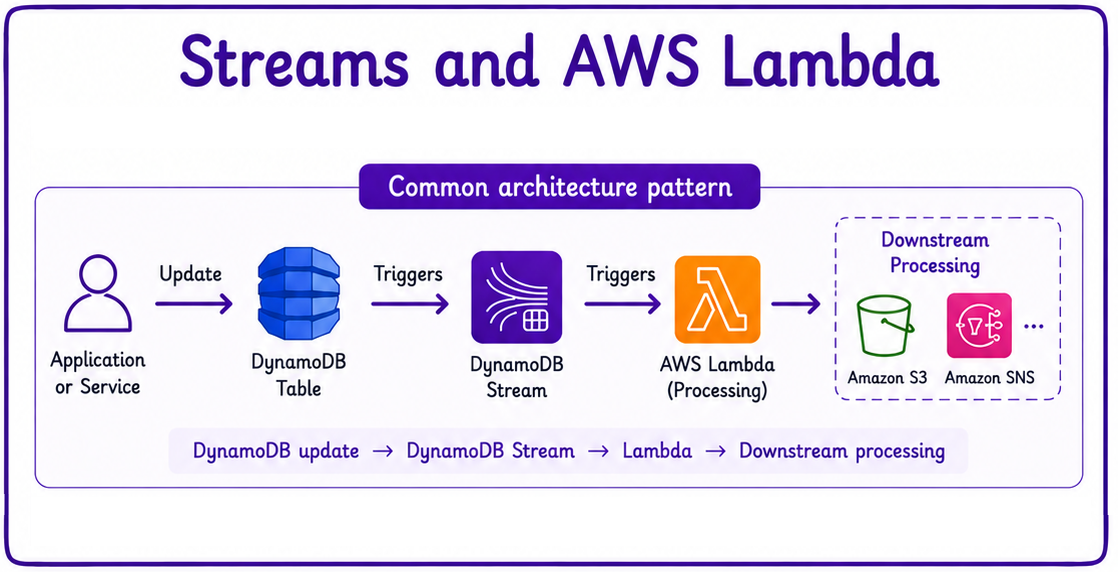
Architectural pattern


arch patterns

  • A common end-to-end pattern:
    • An item update lands in DynamoDB.
    • The change generates a stream record.
    • The record triggers Lambda for processing.
Developing applications on AWS

Scaling


scaling

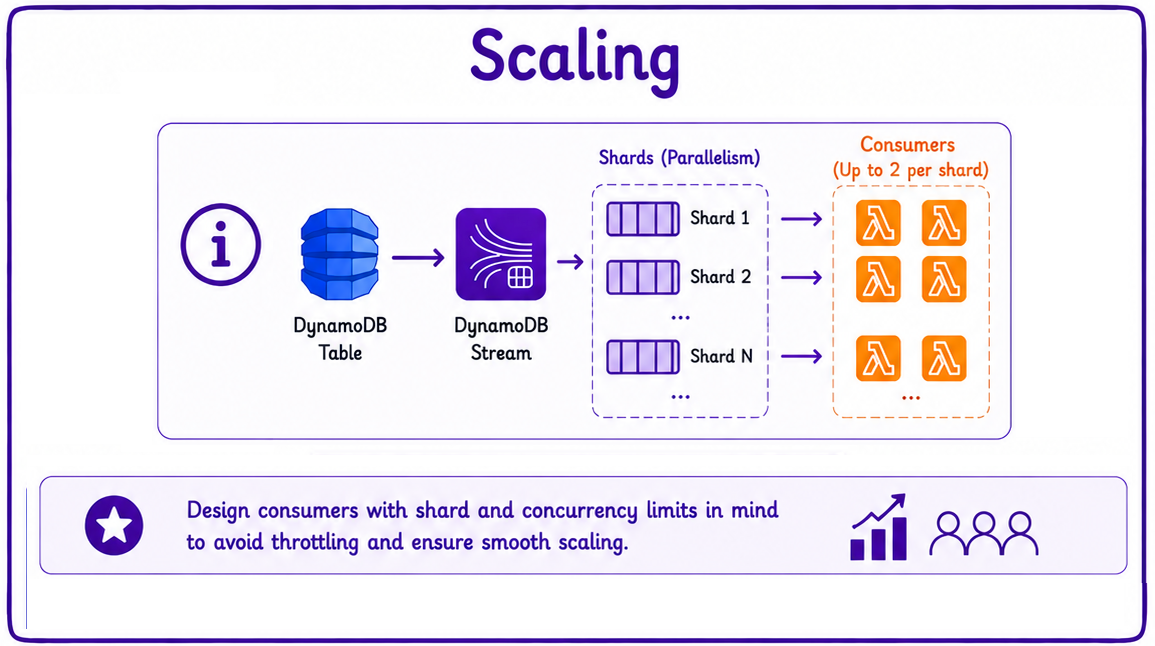
  • Streams are divided internally into shards.
    • Much like Kinesis Data Streams.
  • Each shard allows up to two simultaneous consumers.
    • Exceeding this limit is a common cause of read throttling.
Developing applications on AWS
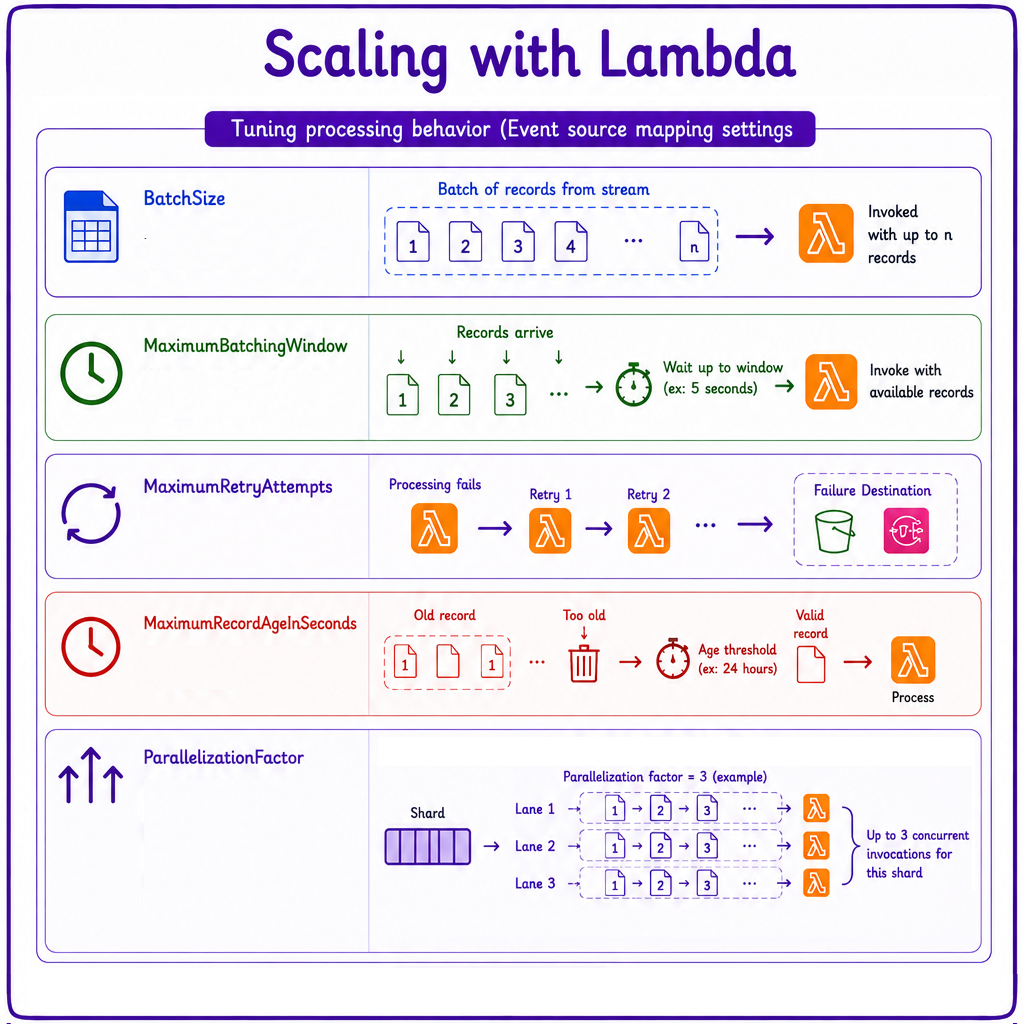
  • Lambda concurrency scales with shard count.
  • Tune processing with:
    • BatchSize: max records per invocation.
    • MaximumBatchingWindow: wait before a partial batch.
    • MaximumRetryAttempts: retries before failure destination.
    • MaximumRecordAgeInSeconds: discard records past this age.
    • ParallelizationFactor: concurrent processing per shard (max 10).

scaling with lambda

Developing applications on AWS

Filtering and tumbling windows

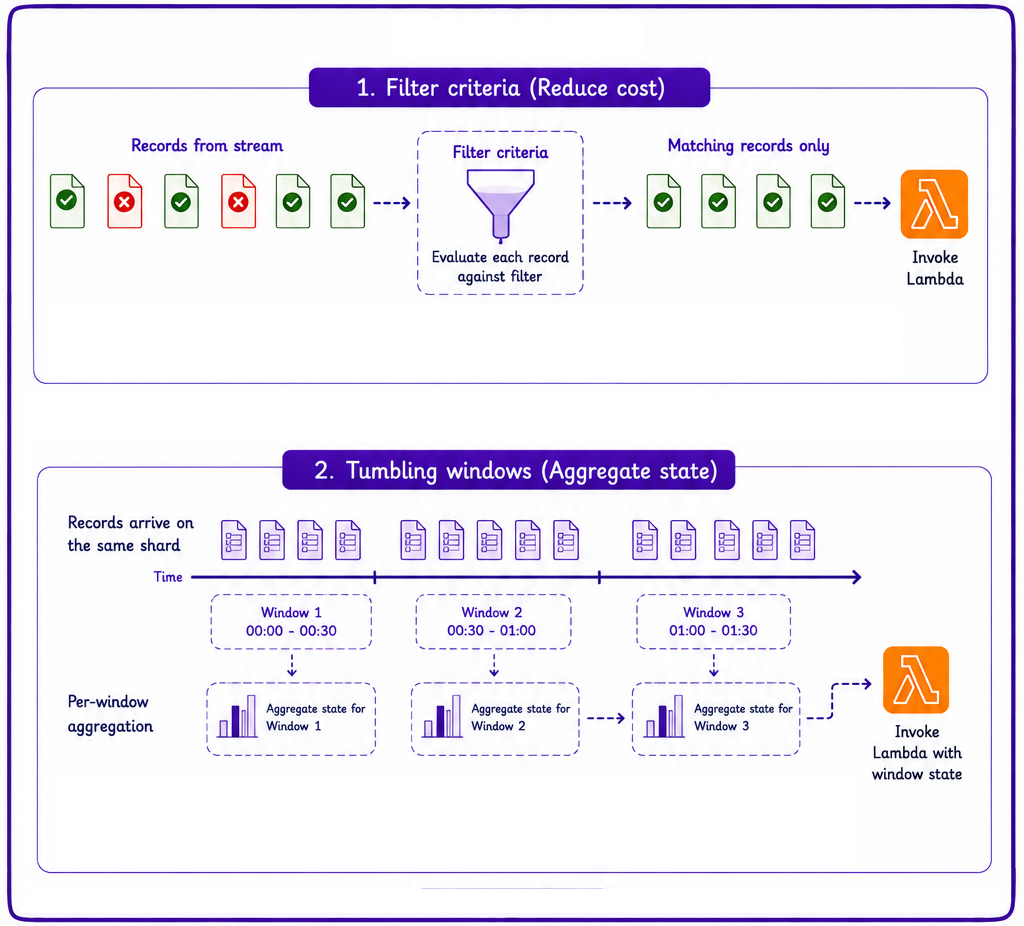
  • Lambda supports filter criteria.
    • Discard records before the function is invoked.
    • Cuts unnecessary invocations and cost.
  • Lambda supports tumbling windows.
    • Aggregate state across batches in a shard.


filtering and tumbling windows

Developing applications on AWS

Managing duplicate records

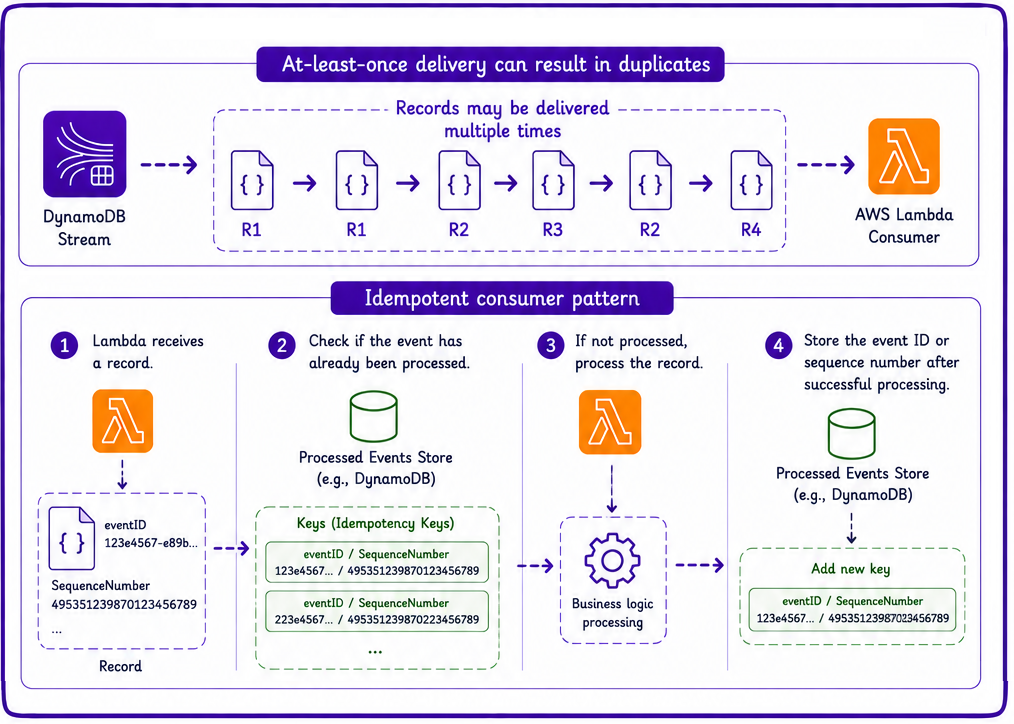
  • Streams capture each change exactly once.
  • Lambda processes records with at-least-once semantics.
    • Retries can reprocess the same record.
  • Design consumers to be idempotent.
  • A common pattern: store processed eventID or SequenceNumber.
    • Skip records you have already handled.
    • Both stay stable across retries.
    • Reliable idempotency keys.


managing duplicate records

Developing applications on AWS

Handling failures


handling failures

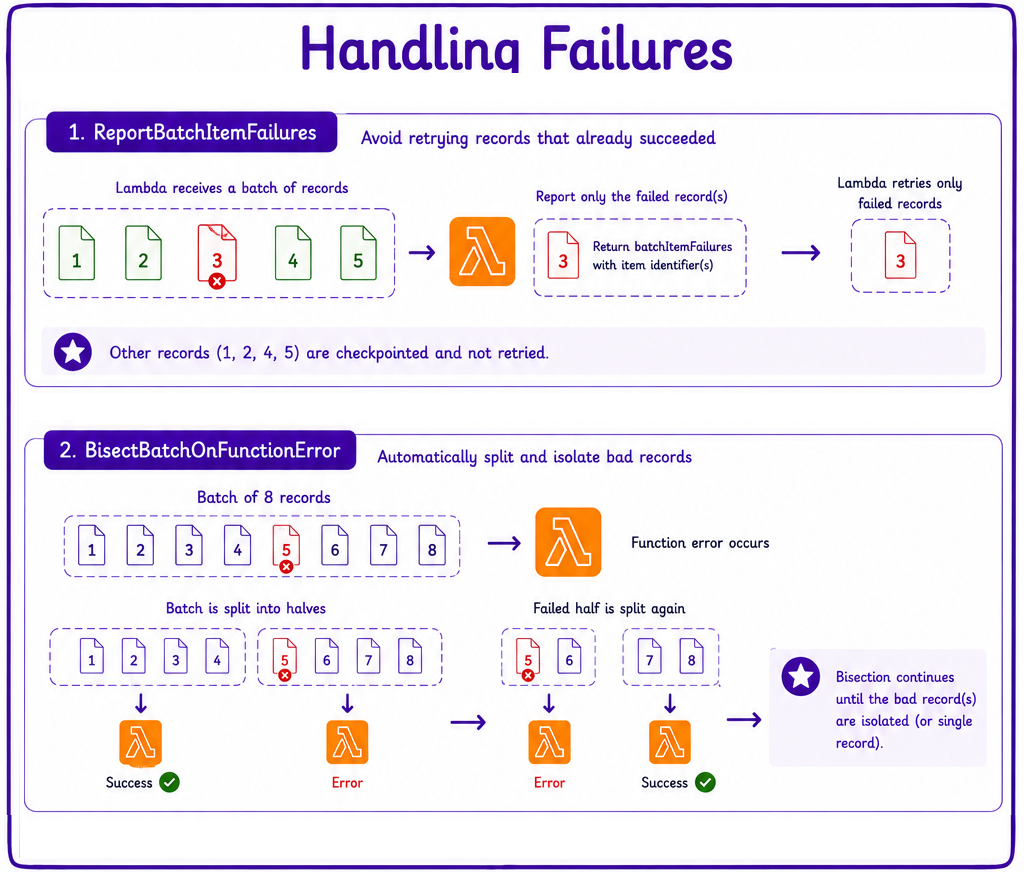
  • ReportBatchItemFailures retries only the records that failed.
  • Handle Lambda failures with:
    • BisectBatchOnFunctionError for batch bisection.
    • Retry controls.
    • Failure destinations for poison batches that exhaust retries.
Developing applications on AWS

DynamoDB to Kinesis integration


integration

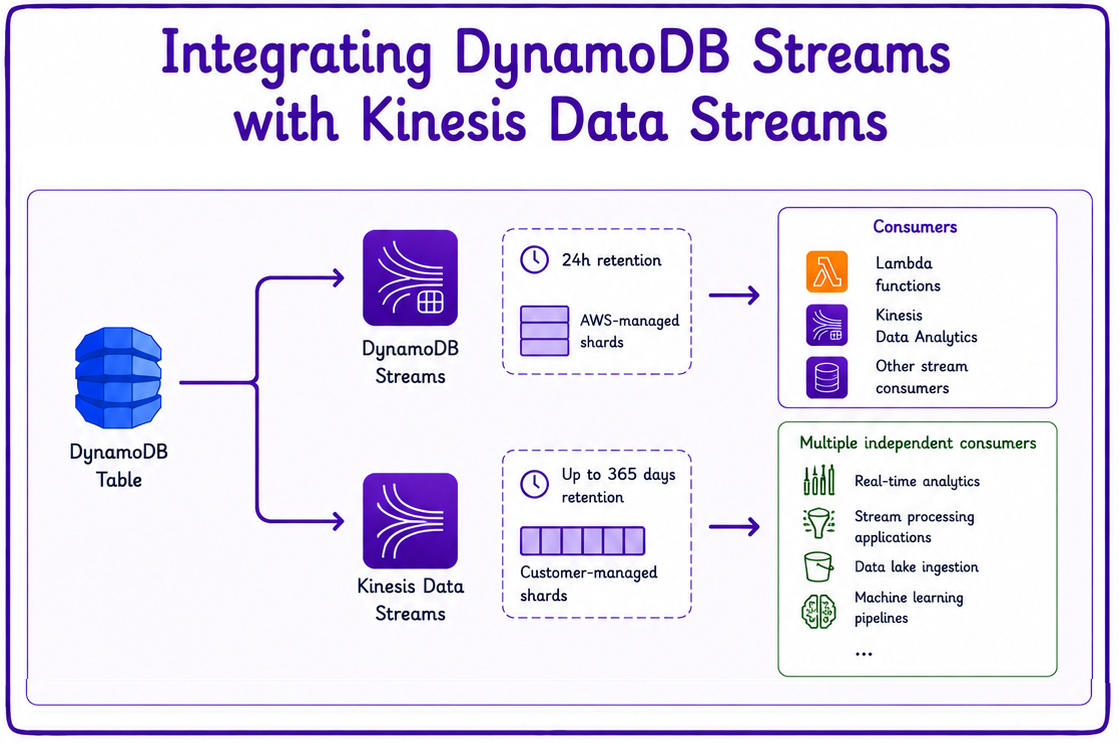
  • Tables can push changes straight to Kinesis Data Streams.
    • Via the Kinesis Data Streams for DynamoDB feature.
    • A separate, parallel capability, not a chained one.
    • Events do NOT flow through DynamoDB Streams.
  • Both can run on the same table at once.
    • They operate independently.
    • Feeds broader streaming and analytics architectures.
Developing applications on AWS

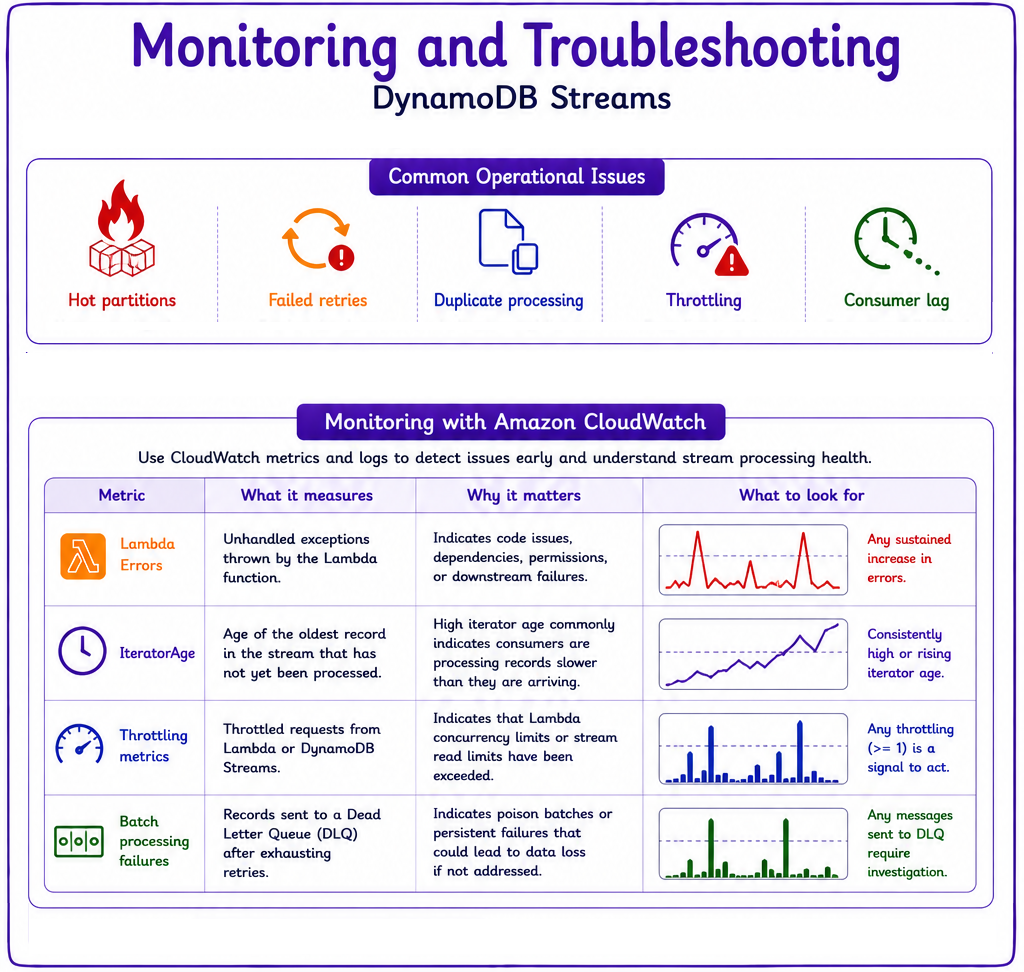
Monitoring: common issues


troubleshooting

  • Common operational issues to watch for:
    • Hot partitions.
    • Failed retries.
    • Duplicate processing.
    • Throttling and consumer lag.
Developing applications on AWS

Monitoring: CloudWatch metrics

  • Key CloudWatch metrics to monitor:
    • Lambda Errors: surface code or downstream issues.
    • IteratorAge: high values flag slow consumers.
    • Throttling metrics: read limits being exceeded.
    • Batch processing failures: records sent to a DLQ.


troubleshooting

Developing applications on AWS

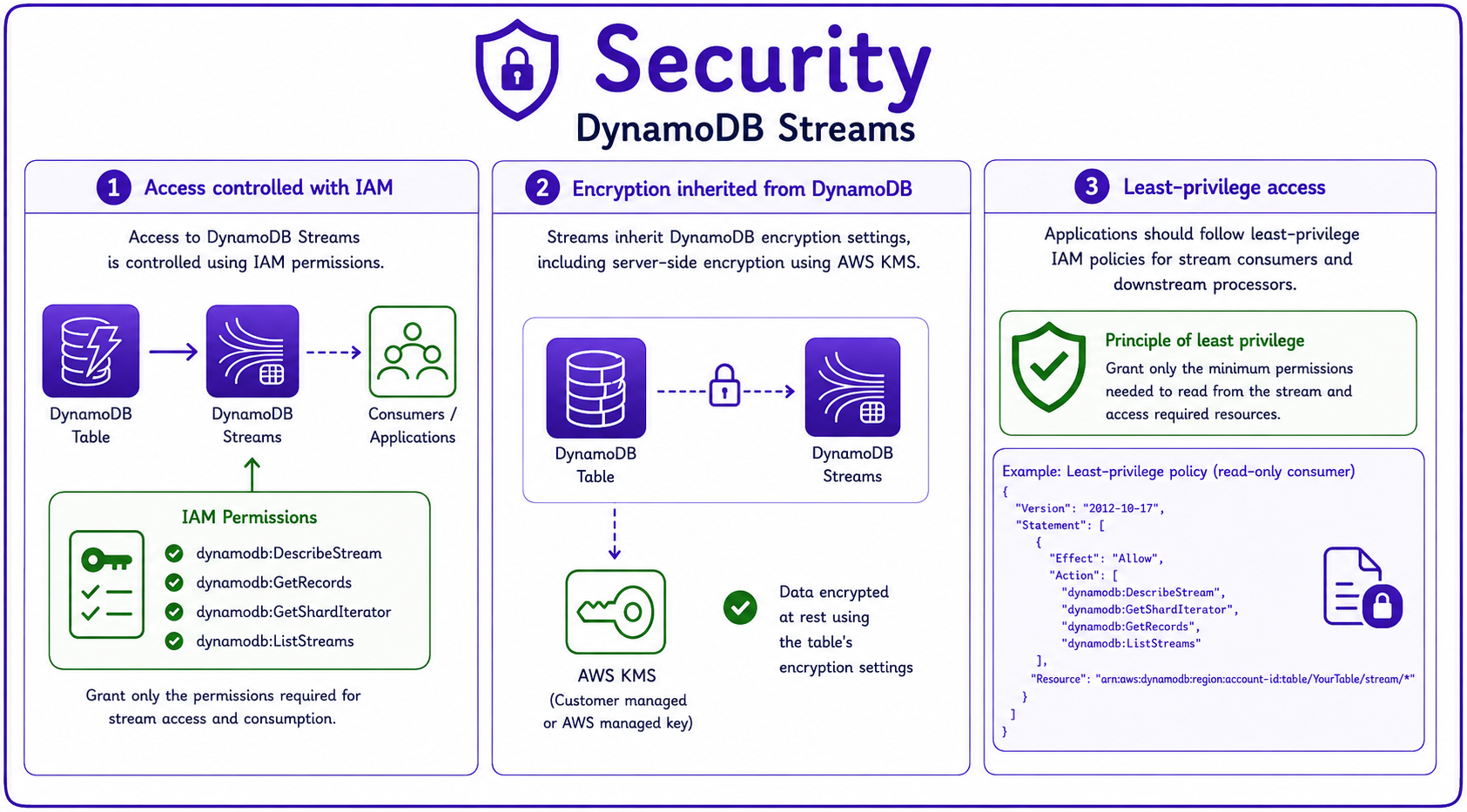
Security

  • Access to streams is controlled with IAM permissions.
  • Streams inherit the table's encryption settings.
    • Including server-side encryption at rest with KMS.
  • Apply least-privilege policies to consumers and downstream processors.


security

Developing applications on AWS

Let's practice!

Developing applications on AWS

Preparing Video For Download...