API development

Developing applications on AWS

Ricardo Sueiras

Principal Technologist

API Gateway integrations
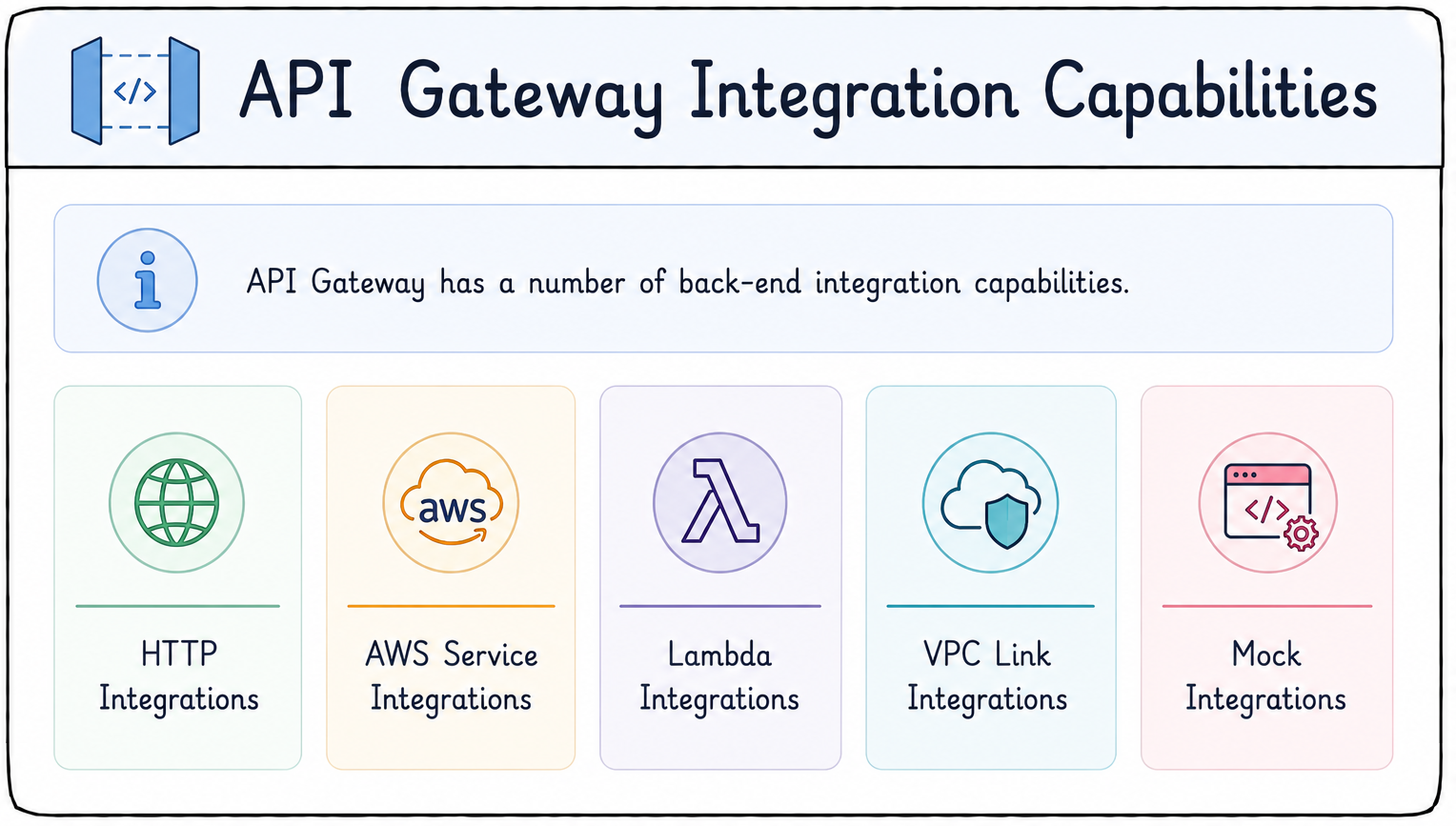
 

API Gateway integrations

  • Multiple back-end integration options
  • HTTP: any publicly routable endpoint
  • AWS service APIs like DynamoDB or SNS
  • Lambda functions
  • Private resources via VPC links
  • Mock responses without a real back-end
Developing applications on AWS

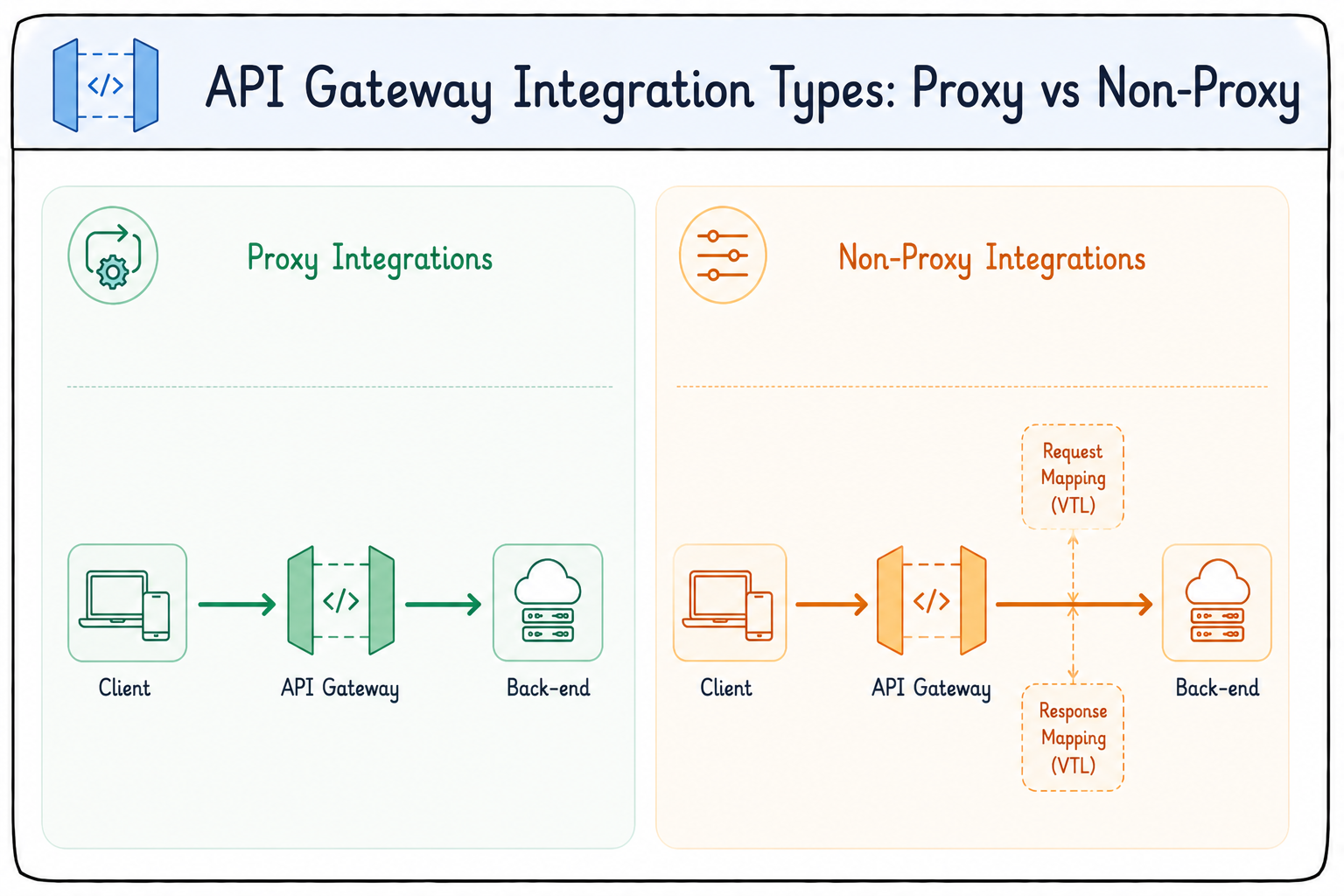
Integration types: proxy


API integration types

  • Integration type sets how much control API Gateway has
  • Proxy types: AWS_PROXY and HTTP_PROXY
  • Entire HTTP request sent straight to the back-end
  • API Gateway is a transparent pass-through
  • Back-end crafts the response
Developing applications on AWS

Integration types: non-proxy

  • Non-proxy types: AWS and HTTP
  • You configure request and response transformations
  • Driven by mapping templates
  • Templates written in Velocity Template Language (VTL)


API integration types

Developing applications on AWS

Request validation


request validation

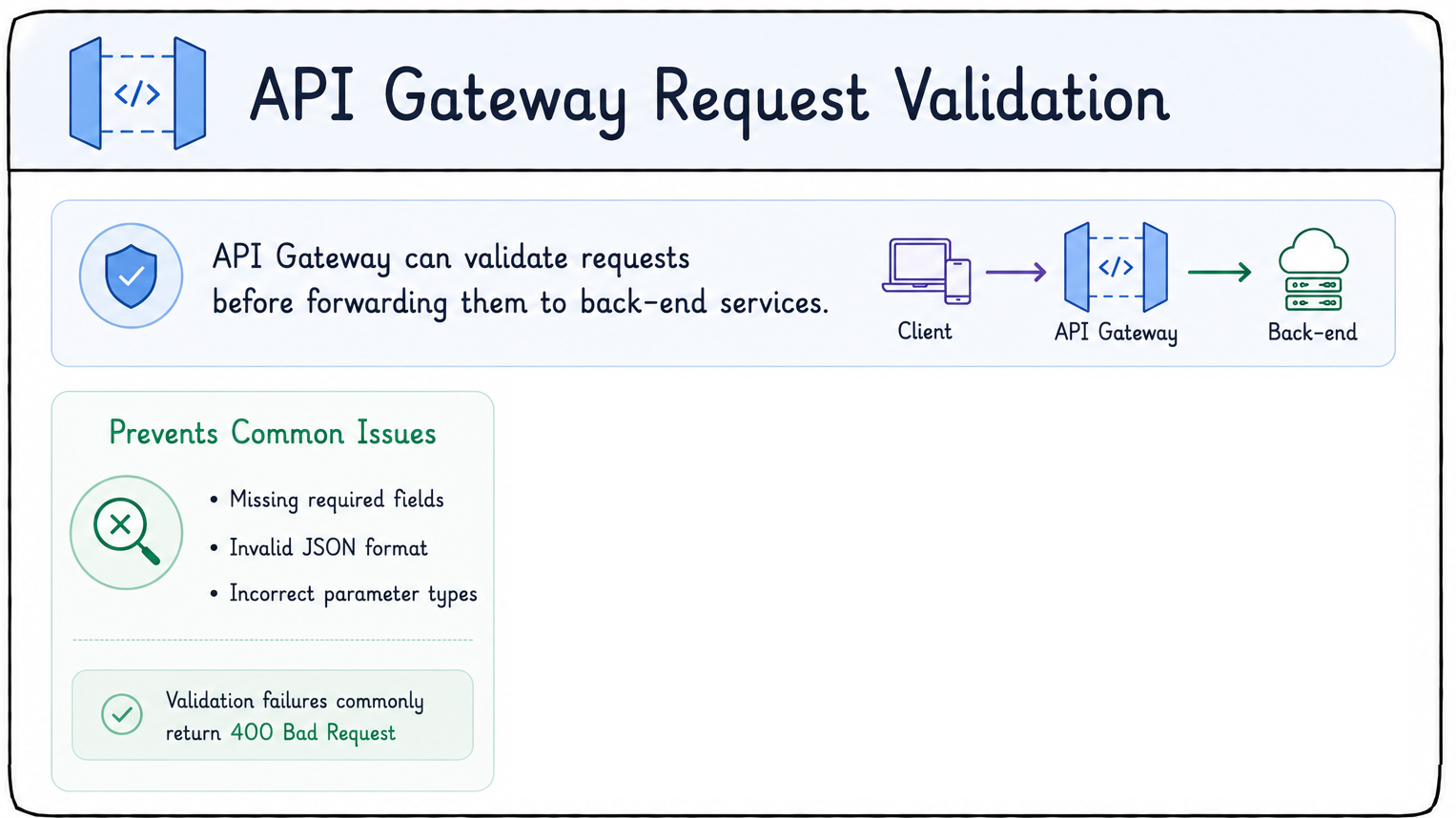
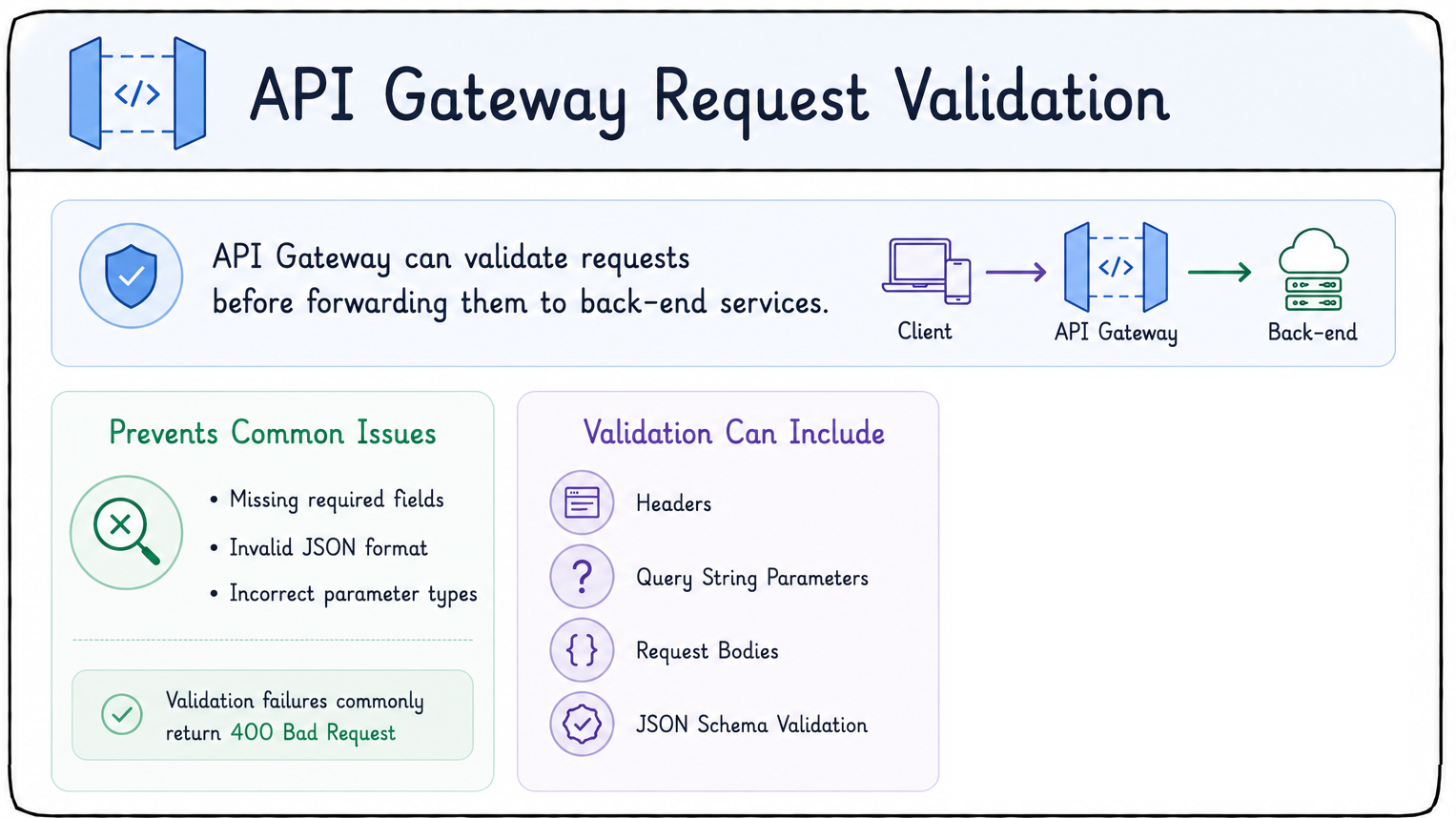
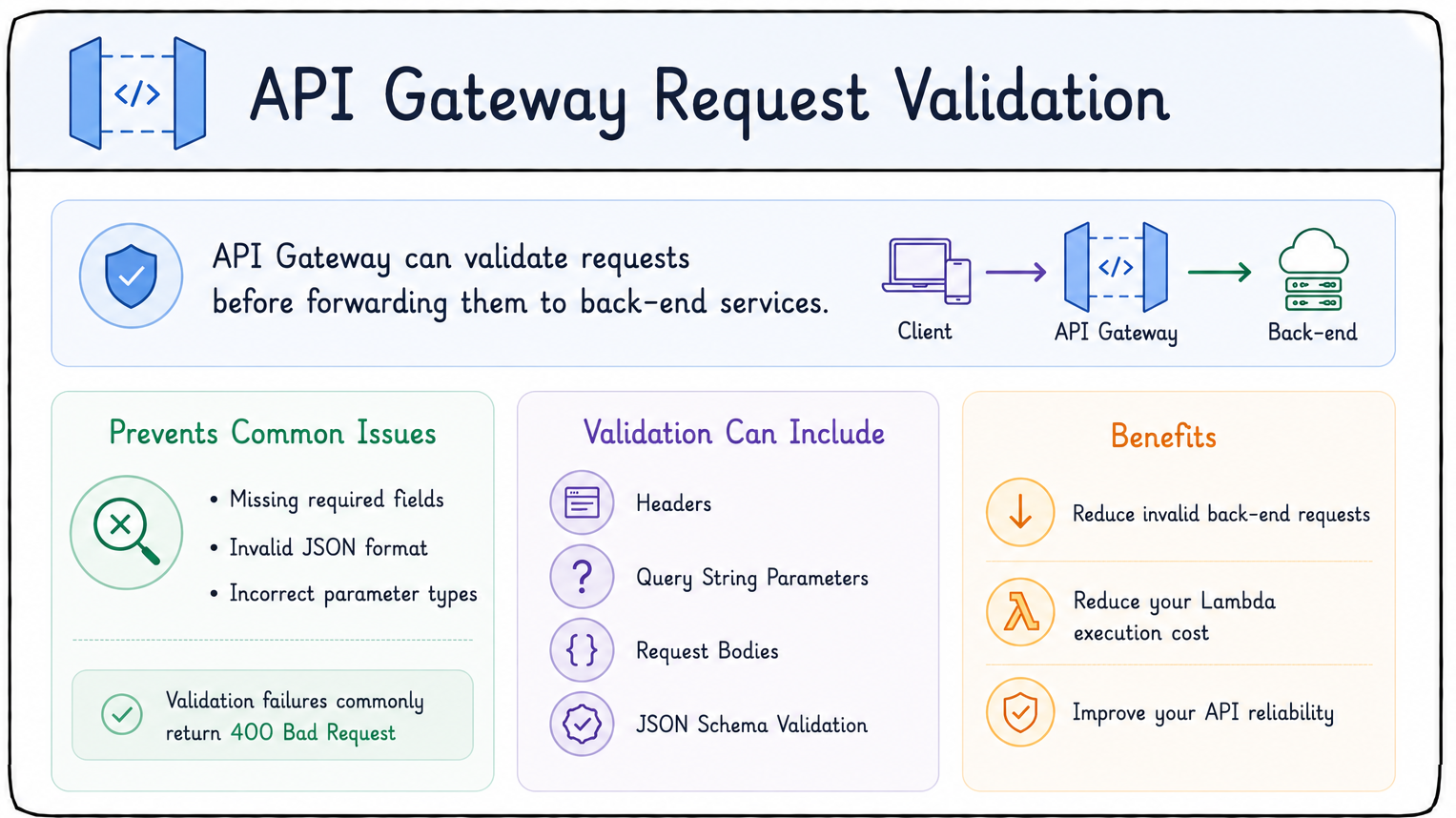
  • Validate requests before they reach the back-end
  • Catches missing required fields
  • Catches invalid JSON format
  • Catches incorrect parameter types
  • Failures usually return 400 Bad Request
Developing applications on AWS

Request validation


request validation

  • Validation can cover:
    • Headers
    • Query string parameters
    • Request body
    • JSON schema
Developing applications on AWS

Request validation


request validation

  • Validation pays off by:
    • Reducing invalid back-end requests
    • Lowering Lambda execution cost
    • Improving API reliability
Developing applications on AWS

Transformations

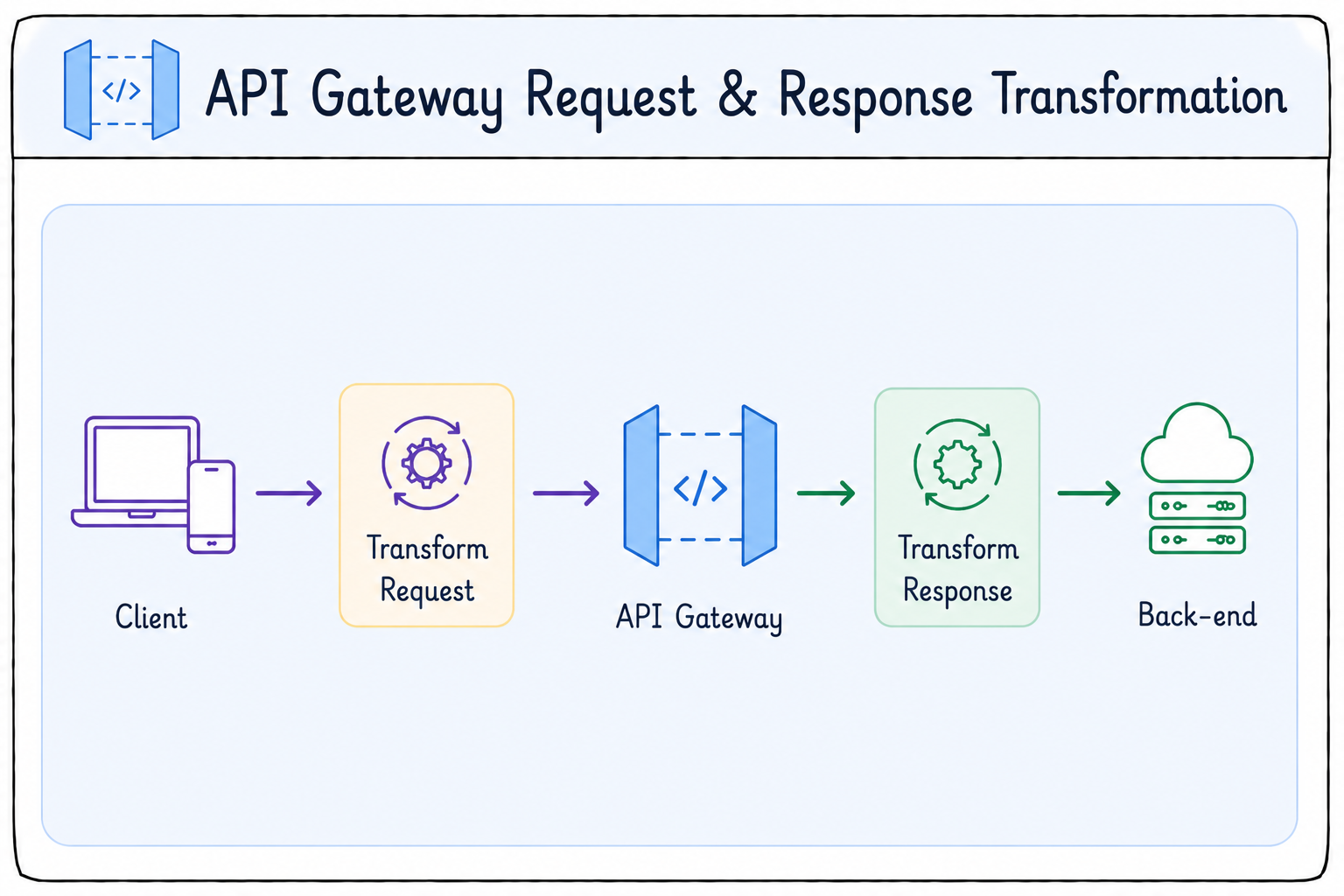
  • Reshape requests and responses without touching back-end code
    • Change payload structure
    • Rename fields
    • Transform headers
    • Convert data formats
    • Hide implementation details
  • Powered by VTL mapping templates


API transformation

Developing applications on AWS

Handling errors


API errors

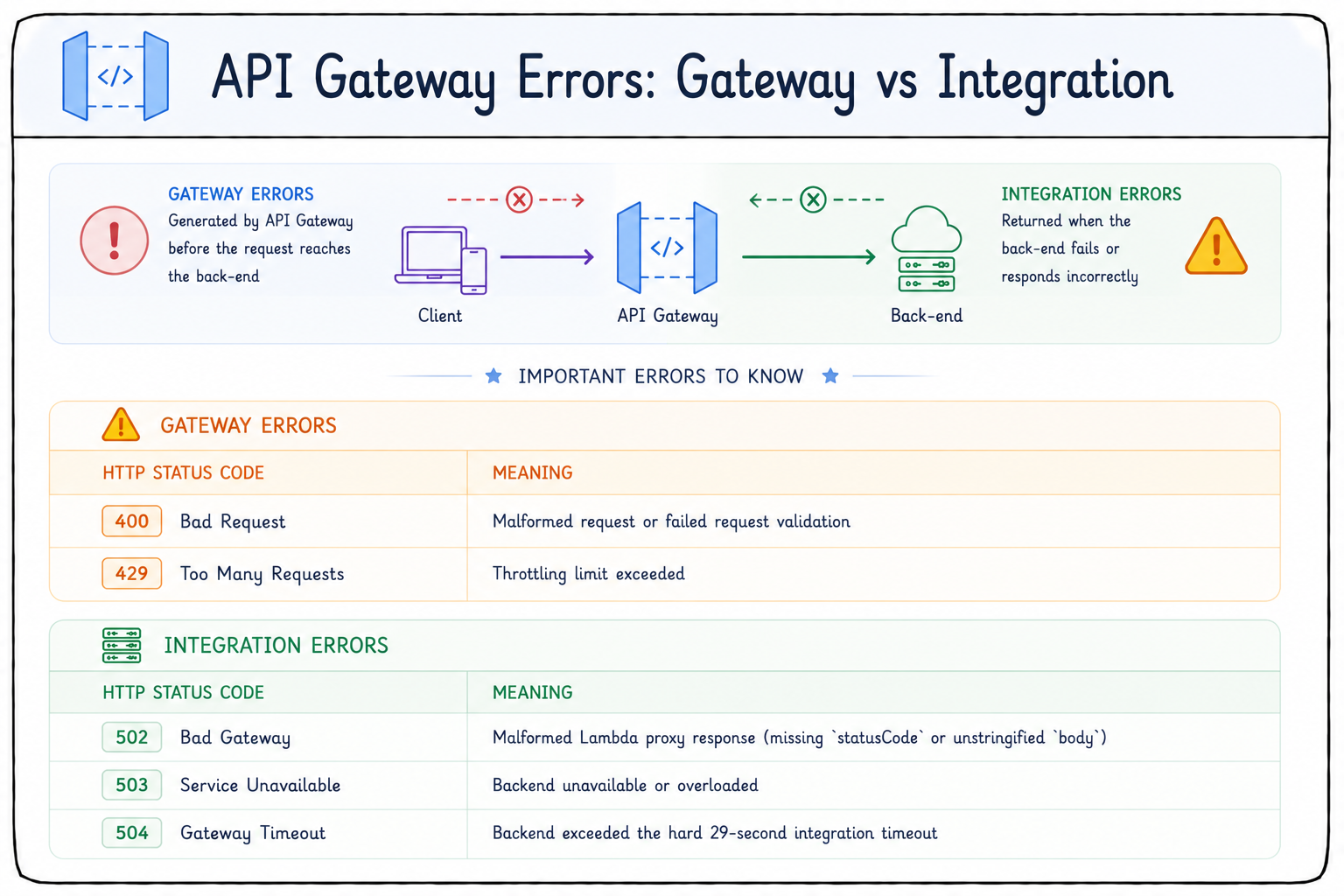
  • Two error categories
    • Gateway errors: raised by API Gateway
    • Integration errors: back-end failures
  • Common gateway errors:
    • 400 Bad Request: failed request validation
    • 429 Too Many Requests: throttling limit exceeded
Developing applications on AWS

Handling errors


API errors

  • Common integration errors:
    • 502 Bad Gateway: malformed or bad response
    • 503 Service Unavailable: back-end unavailable or overloaded
    • 504 Gateway Timeout: exceeded the 29-second timeout
    • Regional and Private REST APIs can extend beyond 29-second
Developing applications on AWS

Logging

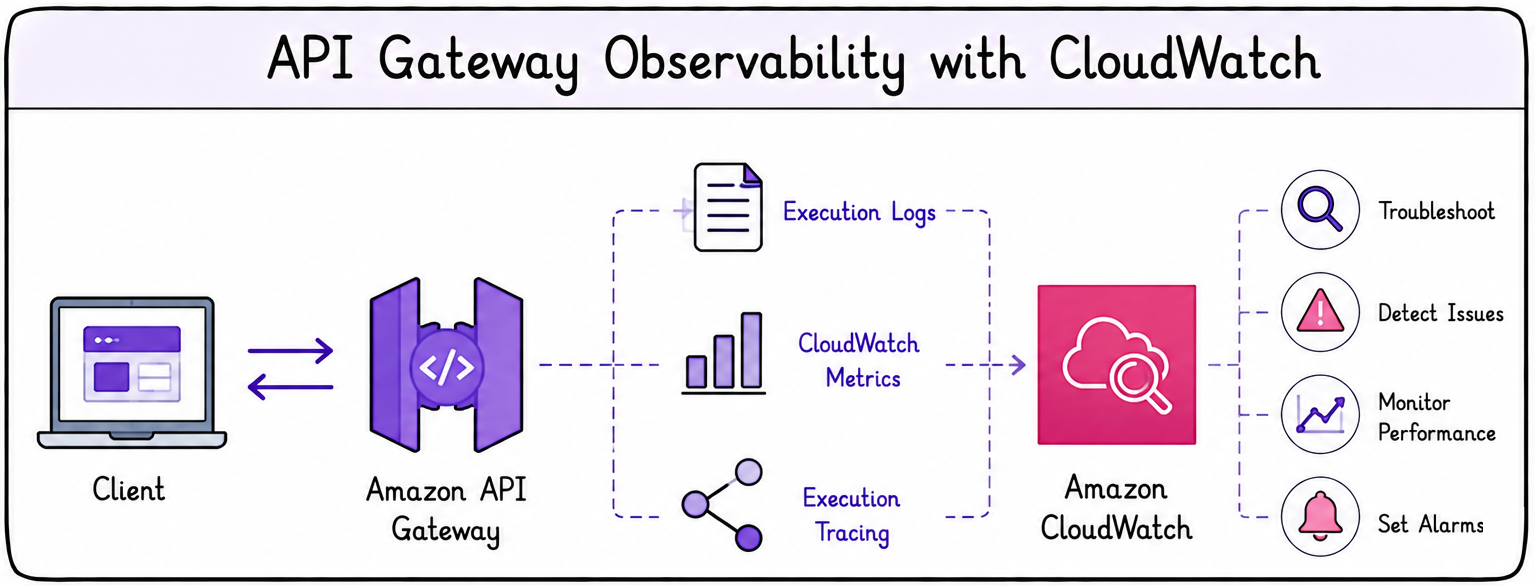
  • Execution logs and CloudWatch metrics are key troubleshooting tools
  • API Gateway integrates with CloudWatch for:
    • Logs
    • Metrics
    • Execution tracing


API observability

Developing applications on AWS

Logging

  • CloudWatch logs help you troubleshoot:
    • Failed integrations
    • Transformation errors
    • Authorization failures
    • Lambda execution issues


API observability

Developing applications on AWS

Stages: managing APIs across environments
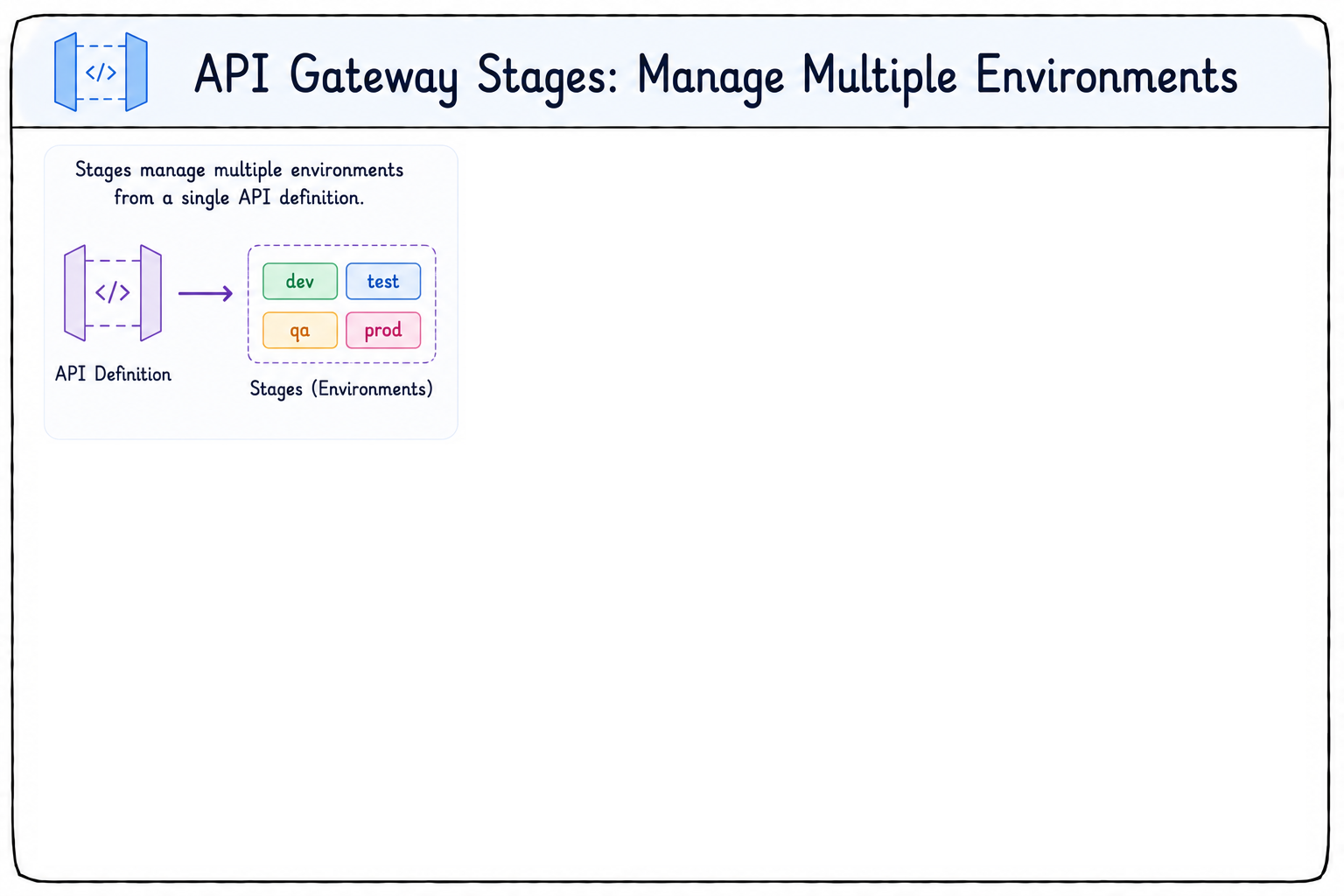
 

Stages

  • One API definition serves multiple environments
  • Stages are how API Gateway manages those environments
Developing applications on AWS

Stages: managing APIs across environments
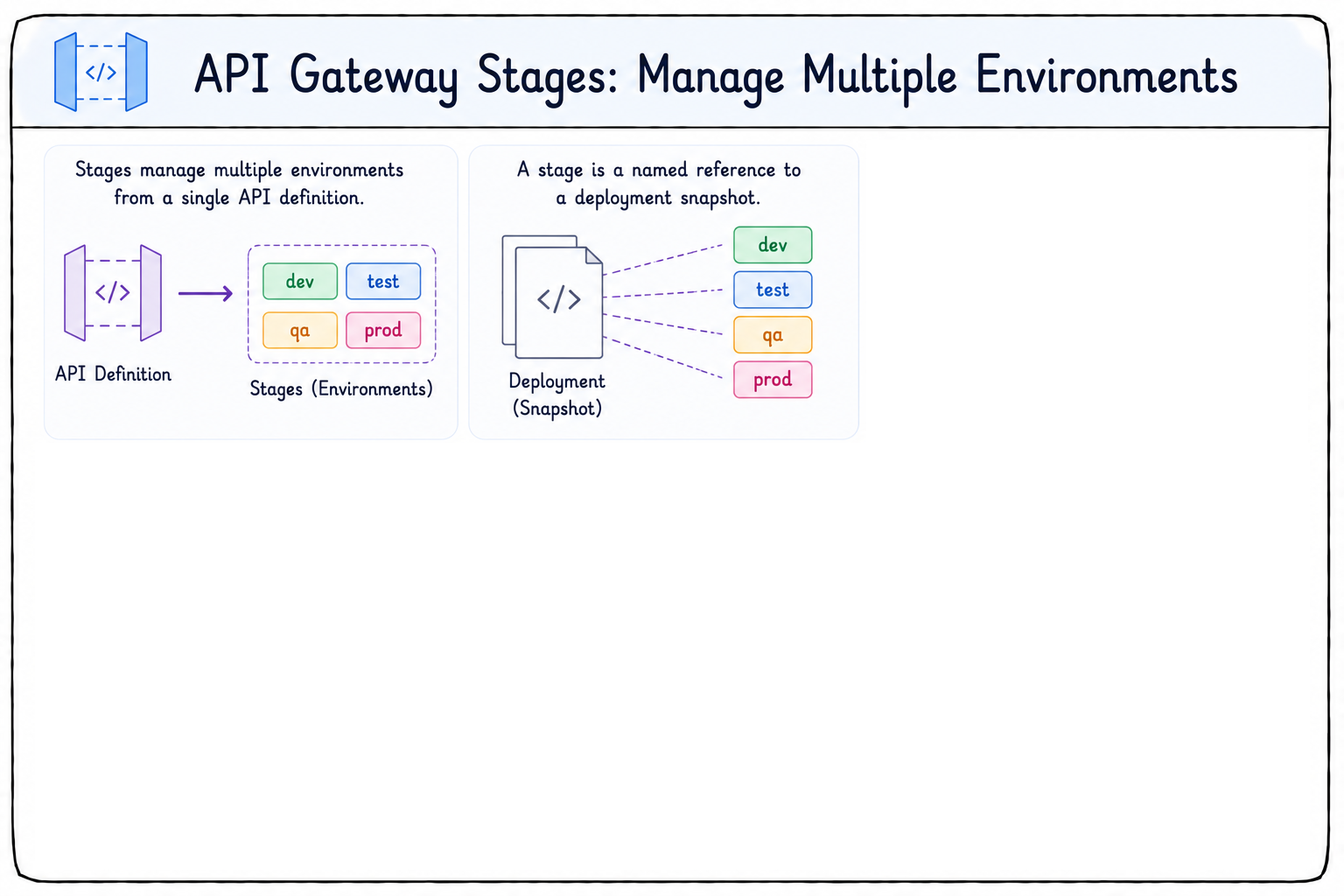
 

Stages

  • One API definition serves multiple environments
  • Stages are how API Gateway manages those environments
  • A stage is a named reference
  • Points to a deployment snapshot of your API config
Developing applications on AWS

Stages: managing APIs across environments
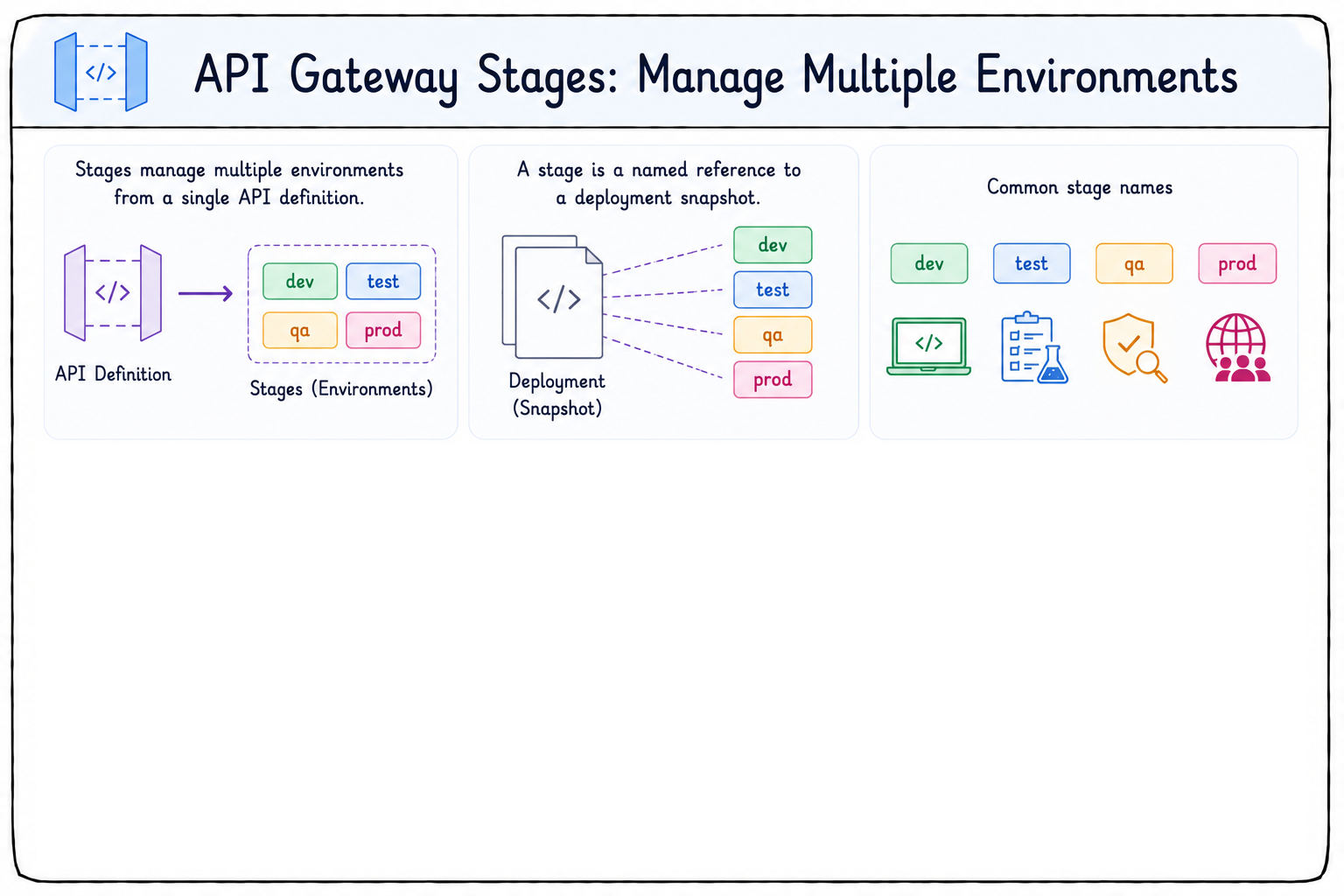
 

Stages

  • One API definition serves multiple environments
  • Stages are how API Gateway manages those environments
  • A stage is a named reference
  • Points to a deployment snapshot of your API config
  • Common stage names:
    • Dev
    • Test
    • QA and Prod
Developing applications on AWS

Stages: managing APIs across environments
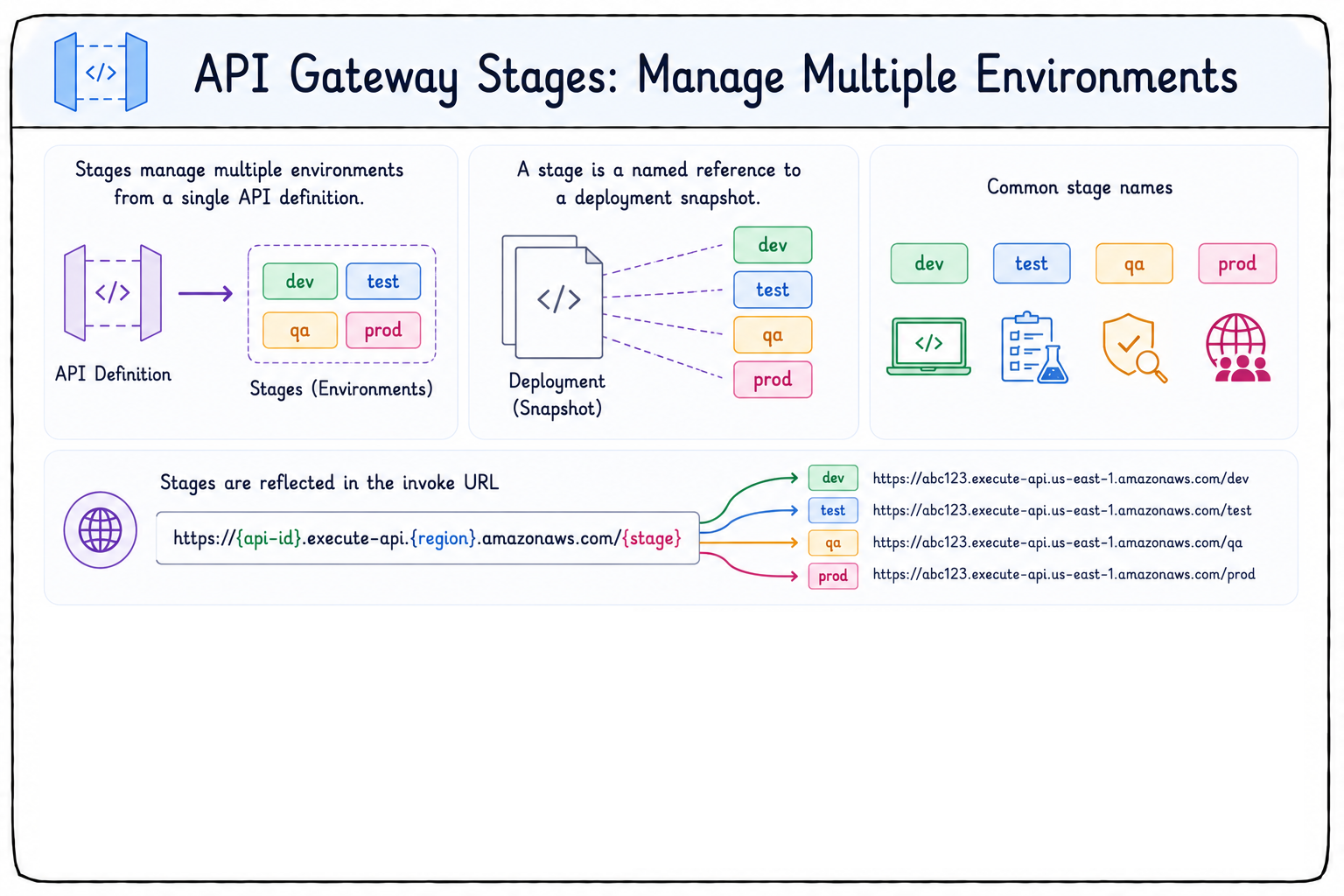
 

Stages

  • One API definition serves multiple environments
  • Stages are how API Gateway manages those environments
  • A stage is a named reference
  • Points to a deployment snapshot of your API config
  • Common stage names: Dev, Test, QA, Prod
  • The invoke URL reflects each stage
Developing applications on AWS

Stages: managing APIs across environments
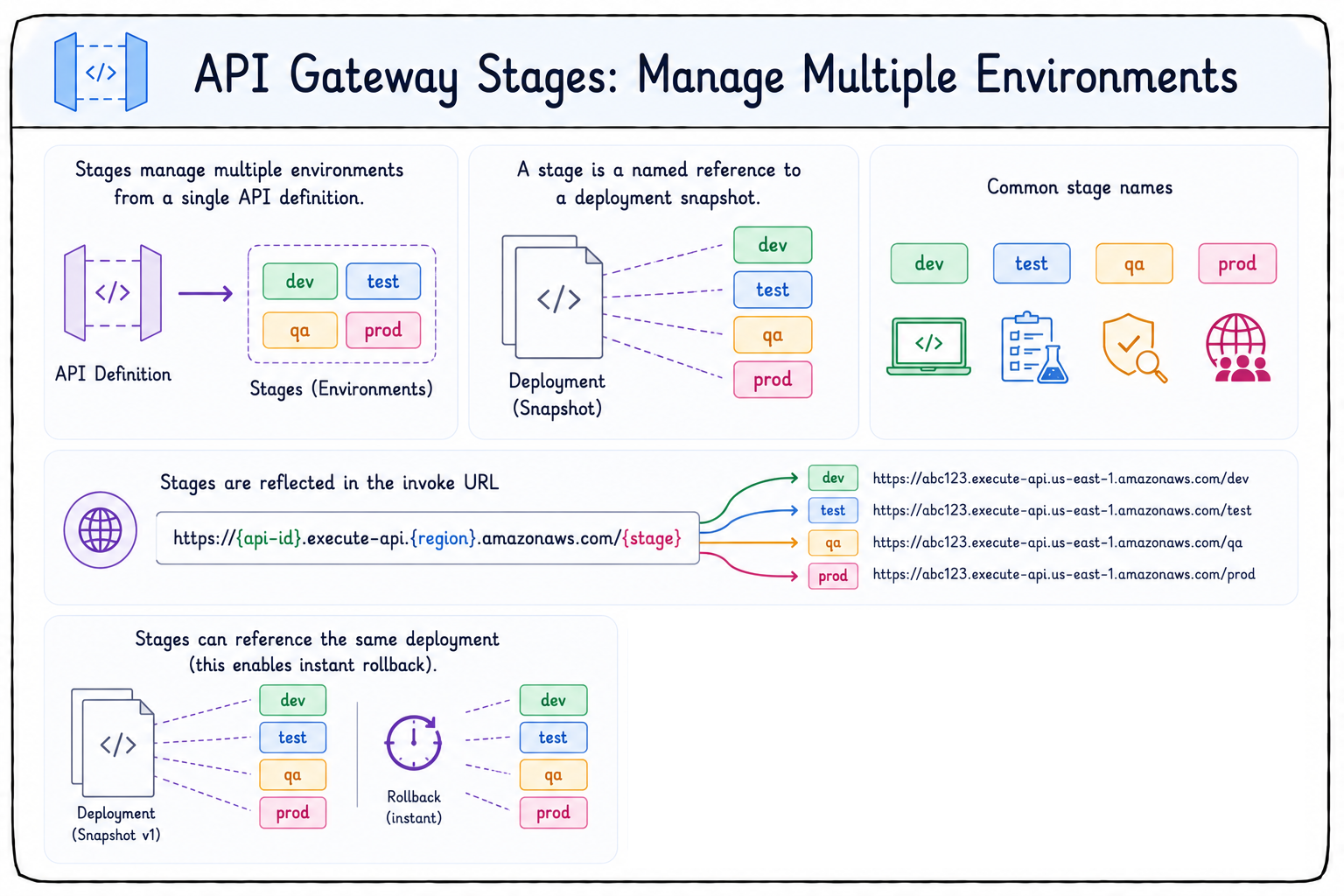
 

Stages

  • One API definition serves multiple environments
  • Stages are how API Gateway manages those environments
  • A stage is a named reference
  • Points to a deployment snapshot of your API config
  • Common stage names: Dev, Test, QA, Prod
  • The invoke URL reflects each stage
  • Multiple stages can point to one deployment for instant rollback
Developing applications on AWS

Stages: managing APIs across environments
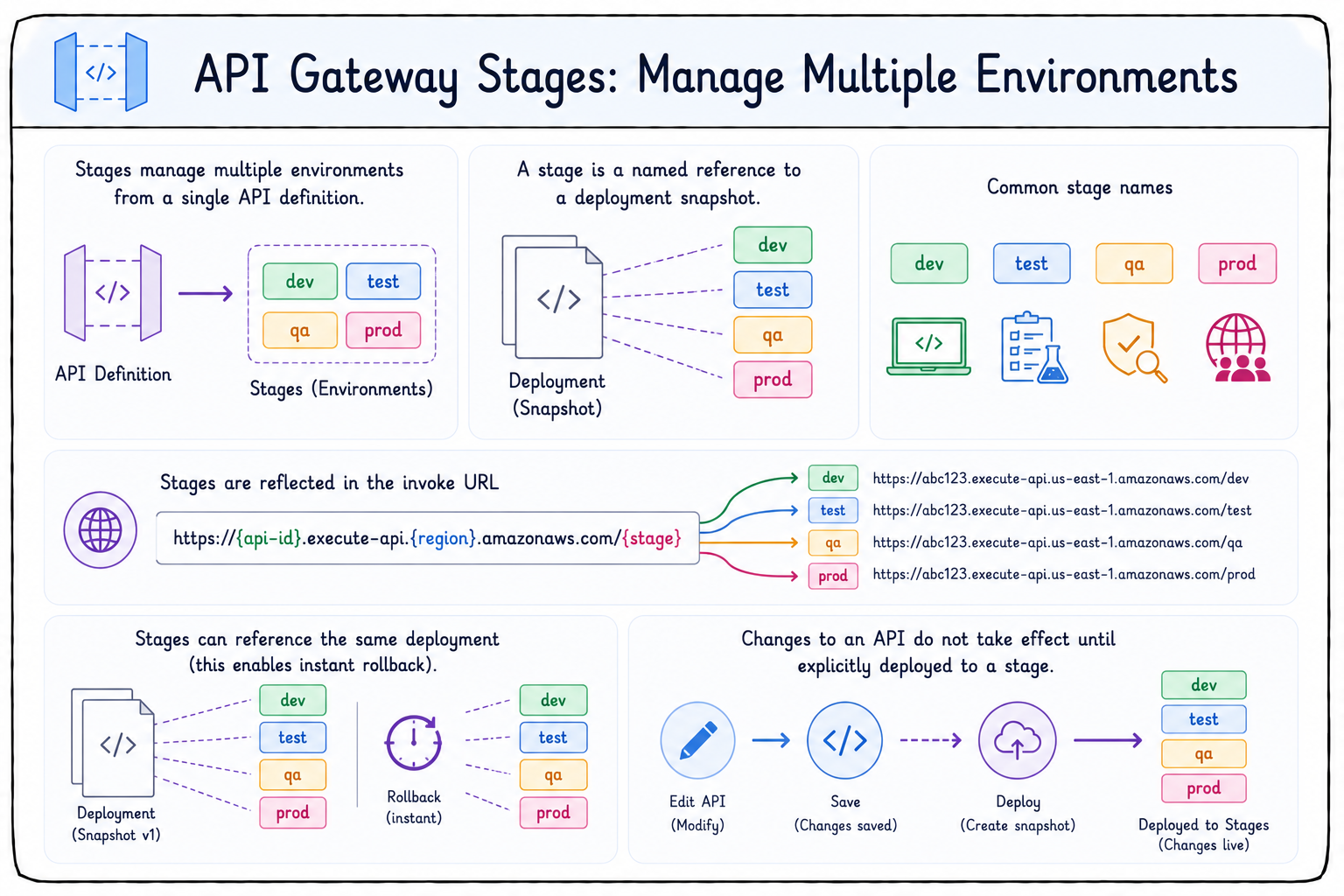
 

Stages

  • Changes go live only once deployed to a stage
Developing applications on AWS

Stages capabilities

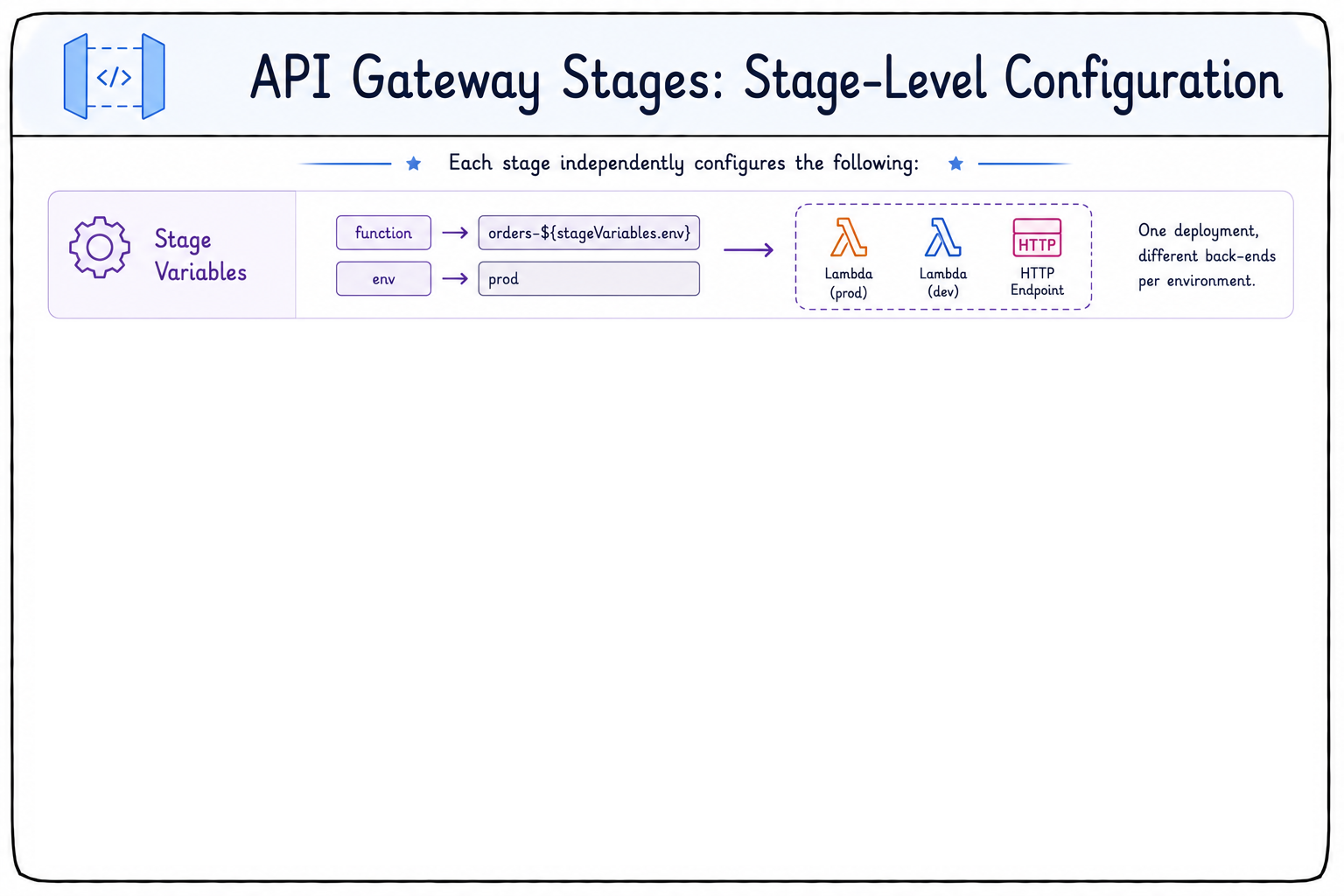
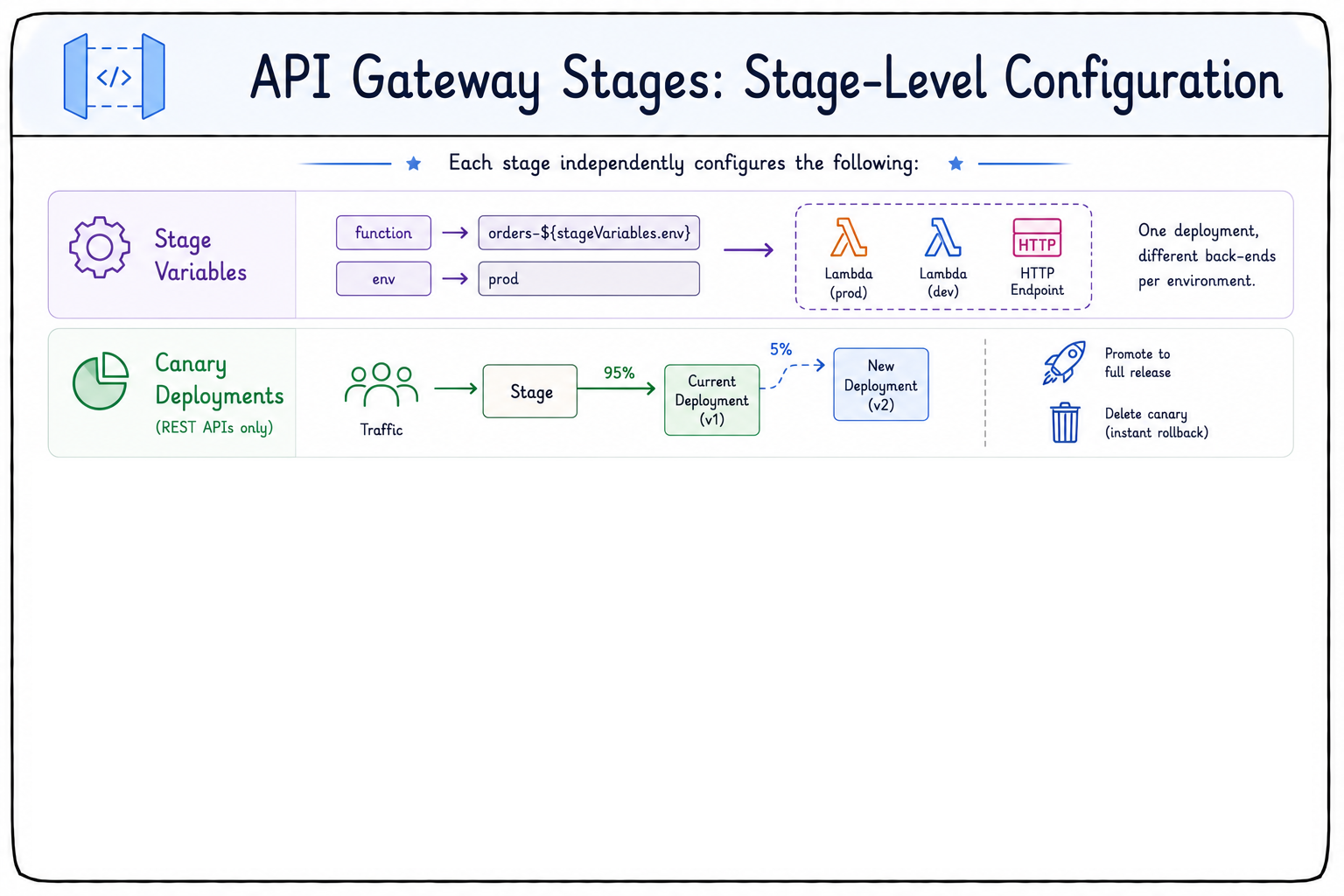
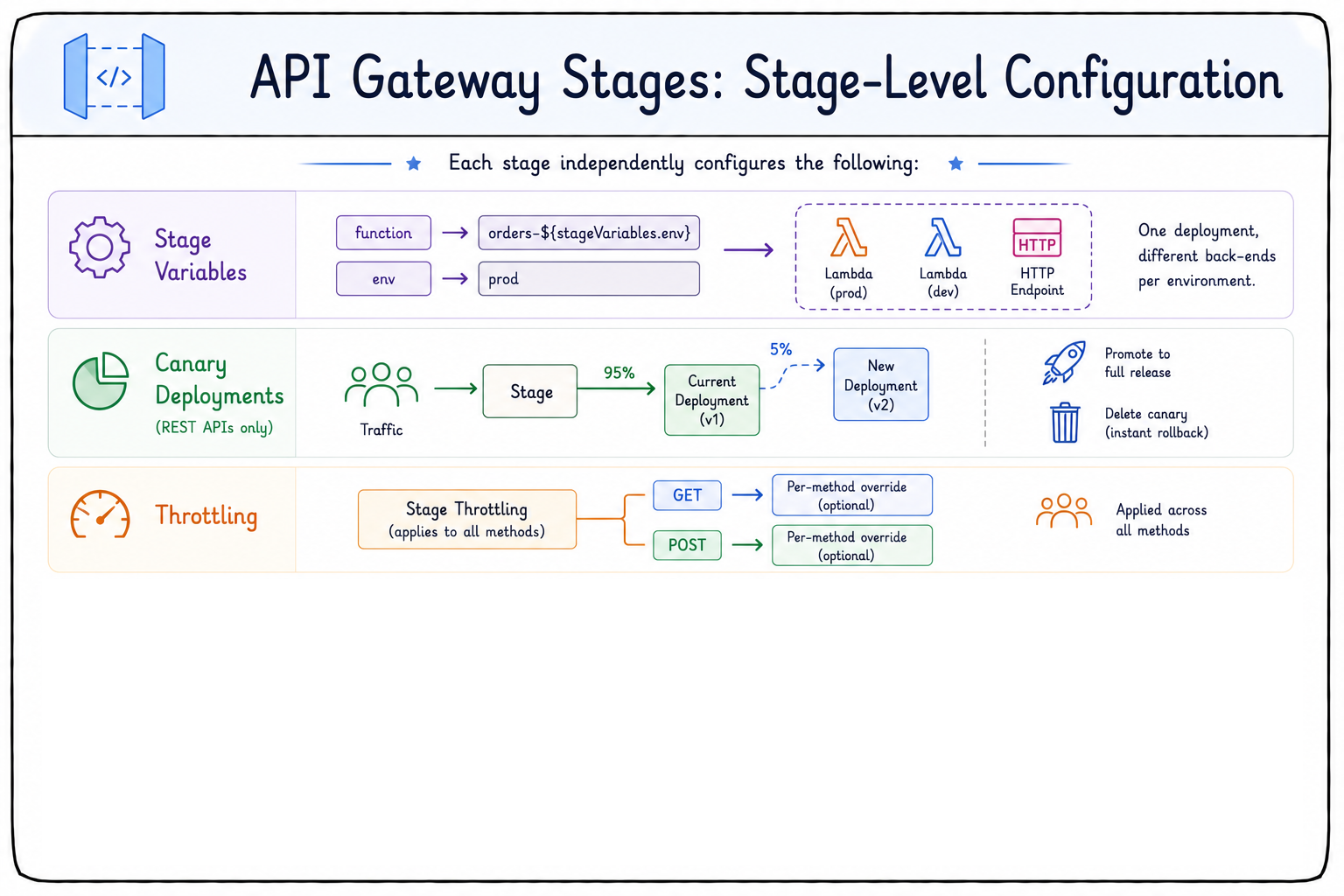
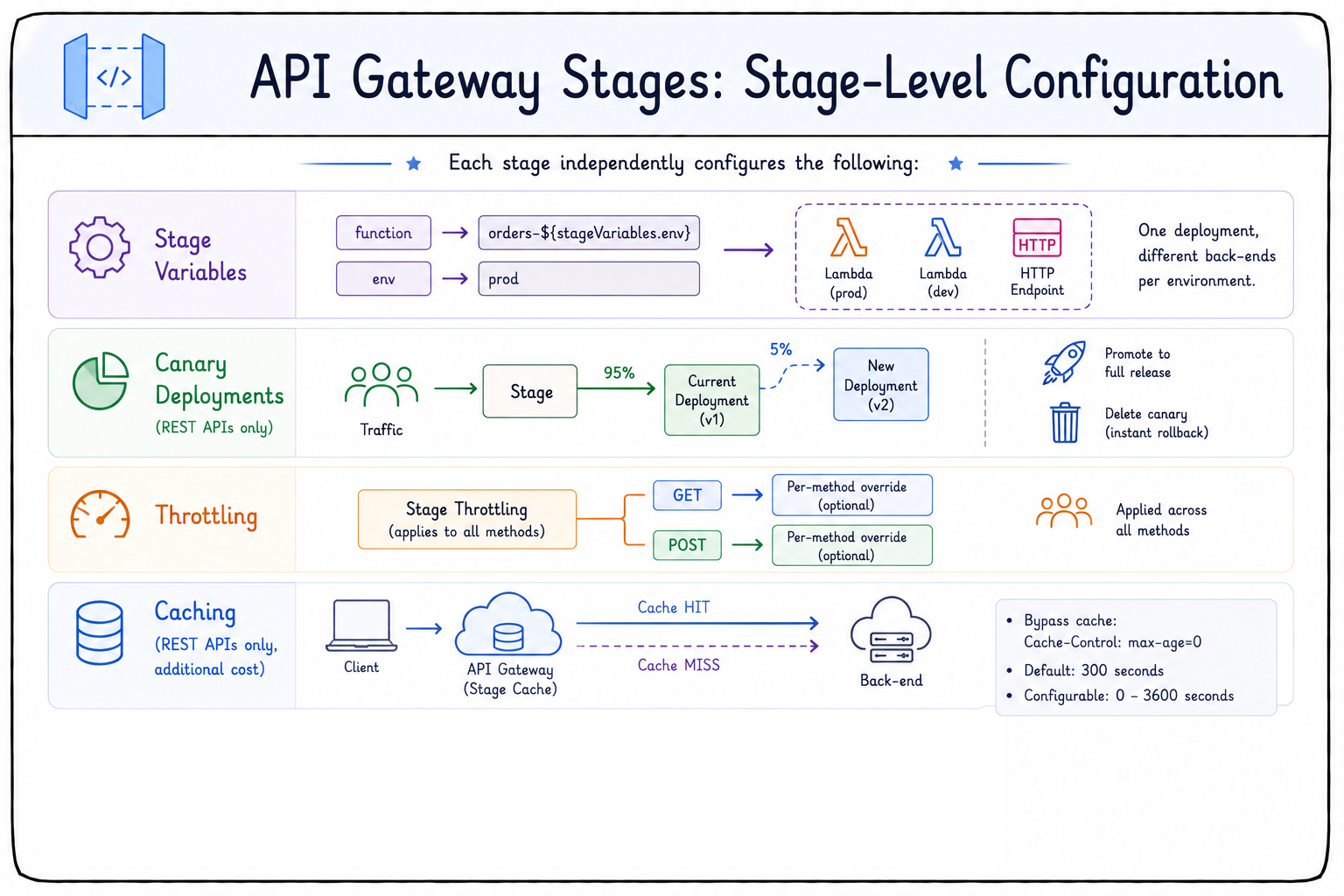
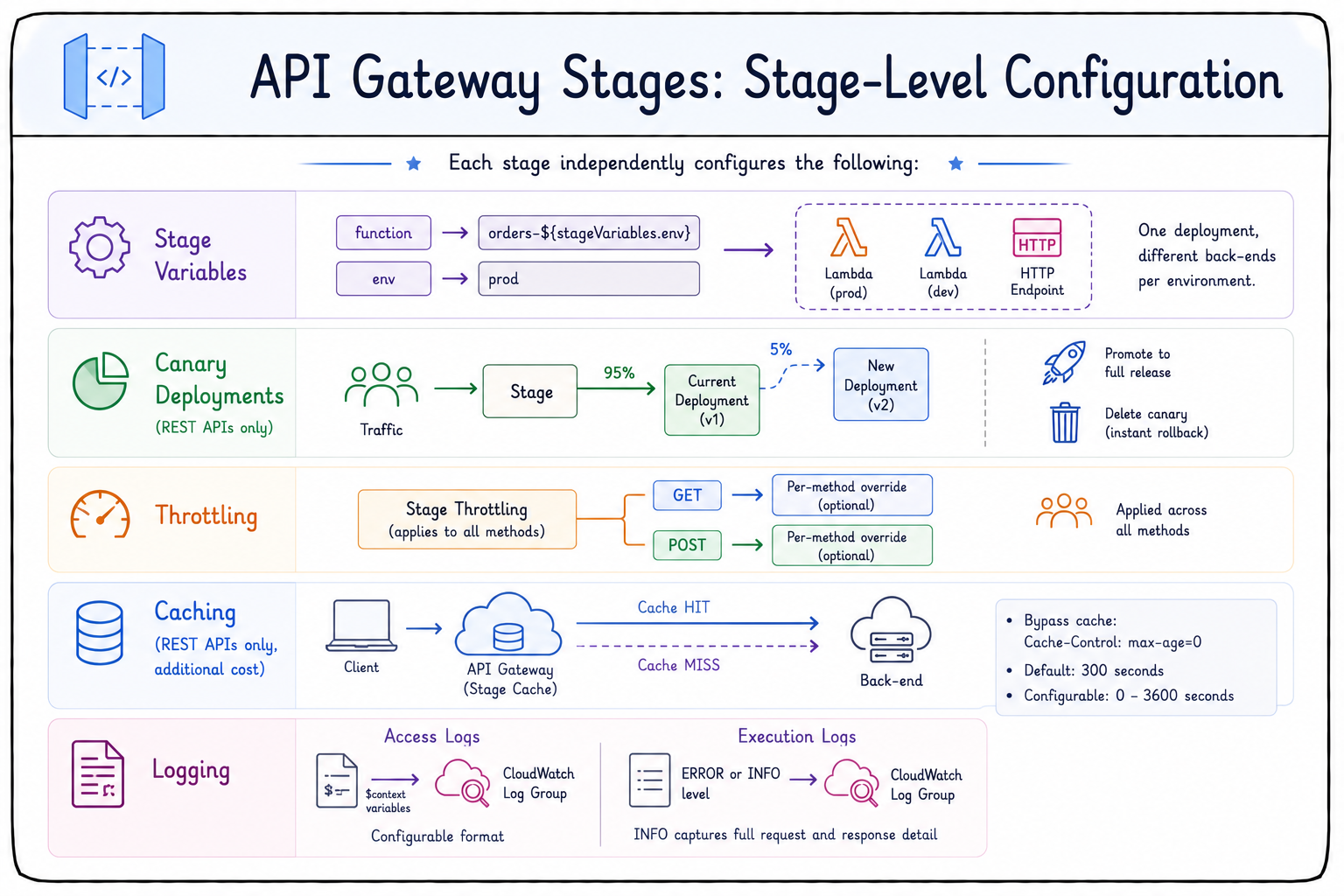
  • Each stage is configured independently
  • Configuration includes stage variables
  • Stage variables are key-value pairs
  • Route one deployment to different back-ends
  • No redeployment needed for environment changes


stage

Developing applications on AWS

Stages capabilities

  • Canary deployments
    • REST APIs only
    • Send a percentage of traffic to a new deployment
    • Promote to full release
    • Delete the canary to roll back


stage

Developing applications on AWS

Stages capabilities

  • Throttling
    • Set at the stage level
    • Applies to all methods, with per-method overrides


stage

Developing applications on AWS

Stages capabilities

  • Throttling
    • Set at the stage level
    • Applies to all methods, with per-method overrides
  • Caching
    • REST APIs only
    • Stores back-end responses at the stage
    • Clients bypass with Cache-Control
    • TTL from 0 to 3600 seconds, default 300


stage

Developing applications on AWS

Stages capabilities

  • Logging offers two modes
    • Access logs
    • Built from $context variables, sent to a CloudWatch log group
    • Execution logs
    • Capture full request and response detail


stage

Developing applications on AWS

Let's practice!

Developing applications on AWS

Preparing Video For Download...